Zavedení
Thank you for choosing the Altec Lansing iMW475 Mini Life Jacket Bluetooth Speaker. This speaker is designed for portability and durability, featuring a rugged, compact, waterproof, dustproof, and shockproof design. It also floats, making it ideal for outdoor and water-related activities. This manual provides essential information for setting up, operating, and maintaining your speaker.
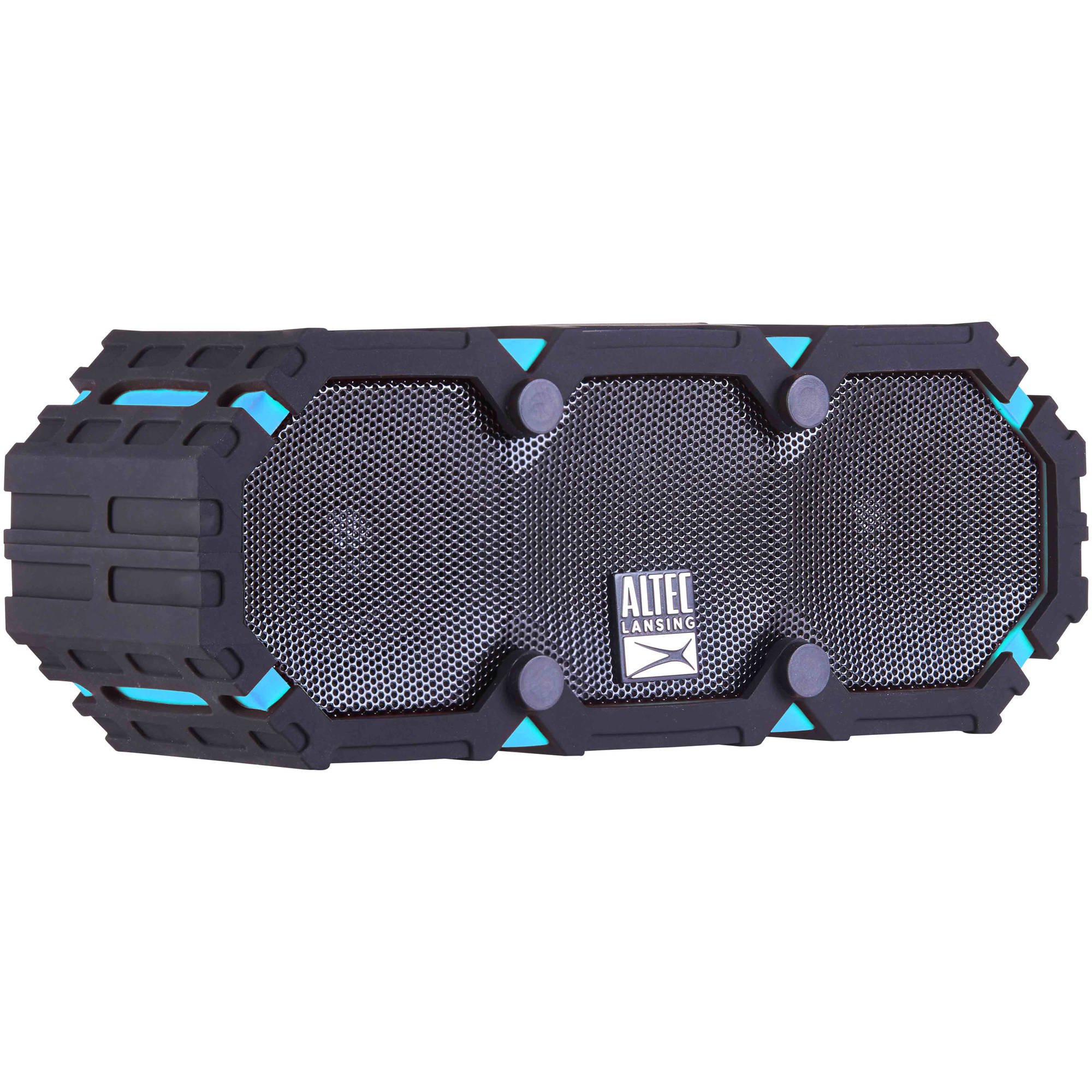
Image: The Altec Lansing iMW475 Mini Life Jacket Bluetooth Speaker, showcasing its compact, rugged design in black and blue.
Obsah balení
- Altec Lansing iMW475 Mini Life Jacket Bluetooth Speaker
- Montážní konzola
- Nabíjecí kabel USB (Note: Specific cable type not detailed in product data, typically Micro-USB or USB-C)
- Auxiliary Cable (Note: Not explicitly listed but common for such speakers)
- Rychlý návod (Not explicitly listed but common)
Please ensure all items are present before proceeding with setup.
Ovládací prvky a indikátory
The speaker features intuitive controls for power, volume, and Bluetooth pairing. Specific button layouts may vary slightly, but common functions include:
- Vypínač: Stisknutím a podržením zapnete nebo vypnete reproduktor.
- Tlačítko pro zvýšení hlasitosti/následující skladbu: Stisknutím zvýšíte hlasitost. Podržením přejdete na další skladbu.
- Tlačítko pro snížení hlasitosti/předchozí skladba: Stisknutím snížíte hlasitost. Podržením přejdete na předchozí skladbu.
- Tlačítko Přehrát/Pozastavit/Volat: Press to play or pause audio. Press to answer or end a phone call. Hold to activate voice assistant (if supported by your device).
- Tlačítko párování Bluetooth: Stisknutím a podržením vstoupíte do režimu párování Bluetooth.
- LED indikátor: Zobrazuje stav napájení, stav nabíjení a stav připojení Bluetooth.
Refer to the quick start guide included with your product for a detailed diagram of button placement.
Nastavení
1. Nabíjení reproduktoru
Before first use, fully charge your Altec Lansing iMW475 speaker. A full charge provides approximately 10 hours of battery life.
- Locate the charging port, usually protected by a waterproof flap.
- Připojte dodaný nabíjecí kabel USB k nabíjecímu portu reproduktoru.
- Druhý konec kabelu USB připojte k napájecímu adaptéru USB (není součástí balení) nebo k portu USB počítače.
- The LED indicator will show the charging status (e.g., solid red while charging, off or green when fully charged).
- Po plném nabití odpojte kabel a ujistěte se, že je vodotěsná klapka bezpečně uzavřena.
2. Párování Bluetooth
Připojení reproduktoru k zařízení s podporou Bluetooth:
- Ensure the speaker is charged and turned off.
- Stiskněte a podržte tlačítko napájení pro zapnutí reproduktoru. LED indikátor bude blikat, což znamená, že je v režimu párování.
- Na svém mobilním zařízení (chytrý telefon, tablet, notebook) přejděte do nastavení Bluetooth.
- Hledat available devices. You should see "iMW475" or a similar name in the list.
- Select "iMW475" to connect. The LED indicator will turn solid when successfully paired.
- A voice prompt may confirm "You are now connected."
- Once paired, the speaker will automatically connect to the last paired device when turned on, if the device is within range (up to 30 feet or 9.14 meters).
Návod k obsluze
Přehrávání zvuku
- After successful Bluetooth pairing, open your preferred music application on your connected device.
- Start playing audio. The sound will be routed through your Altec Lansing iMW475 speaker.
- Use the Volume Up/Down buttons on the speaker or your connected device to adjust the audio level.
- Stisknutím tlačítka Přehrát/Pozastavit pozastavíte nebo obnovíte přehrávání.
- Hold the Volume Up/Down buttons to skip tracks forward or backward.
Hands-free volání
The speaker features an onboard microphone for hands-free communication.
- When a call comes in, the music will pause, and you will hear a ringtone through the speaker.
- Press the Play/Pause/Call button once to answer the incoming call.
- Speak clearly into the speaker's microphone.
- To end the call, press the Play/Pause/Call button once again.
- To reject an incoming call, press and hold the Play/Pause/Call button.
Použití pomocného vstupu
For devices without Bluetooth, you can connect via the auxiliary input.
- Locate the auxiliary input port, usually protected by a waterproof flap.
- Connect one end of a 3.5mm auxiliary cable (not included) to the speaker's AUX port.
- Druhý konec připojte ke konektoru pro sluchátka na zvukovém zařízení.
- The speaker will automatically switch to AUX mode, or you may need to press the Mode button (if available).
- Ovládejte přehrávání a hlasitost z připojeného audio zařízení.
Údržba
- Čištění: Reproduktor otřete měkkým, damp tkanina. Nepoužívejte abrazivní čisticí prostředky nebo rozpouštědla.
- Voděodolná péče: Ensure all port covers are securely closed before exposing the speaker to water to maintain its waterproof integrity. After exposure to saltwater or chlorinated water, rinse the speaker with fresh water and allow it to air dry completely.
- Skladování: Reproduktor skladujte na chladném a suchém místě mimo dosah přímého slunečního záření a extrémních teplot.
- Péče o baterie: Chcete-li prodloužit životnost baterie, vyvarujte se častého úplného vybíjení. Reproduktor pravidelně nabíjejte, i když jej delší dobu nepoužíváte.
Odstraňování problémů
| Problém | Řešení |
|---|---|
| Reproduktor se nezapne. | Ujistěte se, že je baterie nabitá. Připojte reproduktor ke zdroji napájení pomocí nabíjecího kabelu USB. |
| Z reproduktoru nevychází žádný zvuk. |
|
| Párování Bluetooth selhalo. |
|
| Špatná kvalita zvuku nebo zkreslení. |
|
Specifikace
- Název modelu: iMW475 Mini Life Jacket
- Typ reproduktoru: Venkovní
- Speciální vlastnosti: Waterproof, Dustproof, Shockproof, Floats
- Konektivita: Bluetooth
- Rozsah Bluetooth: Až 30 stop (9.14 metrů)
- Životnost baterie: Až 10 hodin
- Zdroj napájení: Battery and AC (via USB charging)
- Režim výstupu zvuku: Stereo
- Maximální výstupní výkon reproduktoru: 10 wattů
- Způsob ovládání: Hlas, Tlačítka
- Zahrnuté komponenty: Montážní konzola
- Rozměry produktu: 7 x 3 x 4.5 palce
- Hmotnost položky: 1 libra (16 uncí)
- Úroveň odolnosti proti vodě: Vodotěsný
- UPC: 021331205841
Záruka a podpora
Altec Lansing products are designed for reliability and performance. For specific warranty information regarding your iMW475 Mini Life Jacket Bluetooth Speaker, please refer to the warranty card included with your purchase or visit the official Altec Lansing webmísto.
For technical support, frequently asked questions, or to register your product, please visit the Altec Lansing support page or contact their customer service directly. Contact details are typically available on the manufacturer's webmísto.
Poznámka: Záruční podmínky se mohou lišit v závislosti na regionu a prodejci. Uschovejte si doklad o koupi pro případ uplatnění záruky.