Zavedení
The Olympus Infinity SuperZoom 3500 is a sophisticated 35mm point and shoot film camera designed for ease of use and high-quality photography. Featuring a versatile 35-120mm Olympus Zoom Lens, this camera allows for a wide range of photographic expressions, from wide-angle landscapes to telephoto portraits. This manual provides essential information for setting up, operating, maintaining, and troubleshooting your camera to ensure optimal performance and longevity.
Nastavení
1. Instalace baterie
The camera requires batteries for operation. Ensure you use fresh batteries of the correct type (refer to the battery compartment for specifications, typically CR123A or similar). Incorrect battery insertion can prevent the camera from functioning.
- Vyhledejte kryt prostoru pro baterie na spodní straně fotoaparátu.
- Otevřete kryt posunutím nebo otočením ve směru šipky.
- Vložte baterie podle polarity (+/-) uvnitř přihrádky.
- Kryt přihrádky na baterie bezpečně zavřete, dokud nezacvakne na místo.

Obrázek 1: Spodní část view of the camera, illustrating the battery compartment and tripod mount.
2. Vkládání filmu
Tento fotoaparát používá standardní 35mm film. Film vždy vkládejte za tlumeného světla, abyste předešli nechtěné expozici.
- Open the camera back cover by sliding the latch on the side of the camera.
- Vložte filmovou kazetu do komory pro film.
- Pull the film leader across to the film take-up spool, ensuring it aligns with the red mark or engages with the sprocket teeth.
- Close the camera back cover firmly until it latches. The camera will automatically advance the film to the first frame. The frame counter on the top display will show '1'.

Obrázek 2: Zadní view of the camera, showing the film door and viewnálezce.
Obsluha fotoaparátu
1. Zapnutí/vypnutí
To power on the camera, slide the power switch, usually located near the shutter button. The lens will extend, and the display will activate. To power off, slide the switch back; the lens will retract.
2 Základní střelba
Point and shoot operation is straightforward:
- Cíl: Frame your subject through the viewnálezce.
- Soustředit: Lightly press the shutter button halfway down. The camera will automatically focus, and a focus indicator (e.g., a green light) will illuminate in the viewnálezce.
- Střílet: Press the shutter button fully to take the picture. The camera will automatically advance the film to the next frame.
3. Funkce zoomu
The Infinity SuperZoom 3500 features a 35-120mm zoom lens. Use the 'W' (Wide) and 'T' (Telephoto) buttons to adjust the focal length.
- Press 'W' to zoom out (wider angle).
- Press 'T' to zoom in (telephoto).

Obrázek 3: Přední horní část view fotoaparátu s vysunutým zoomovým objektivem.
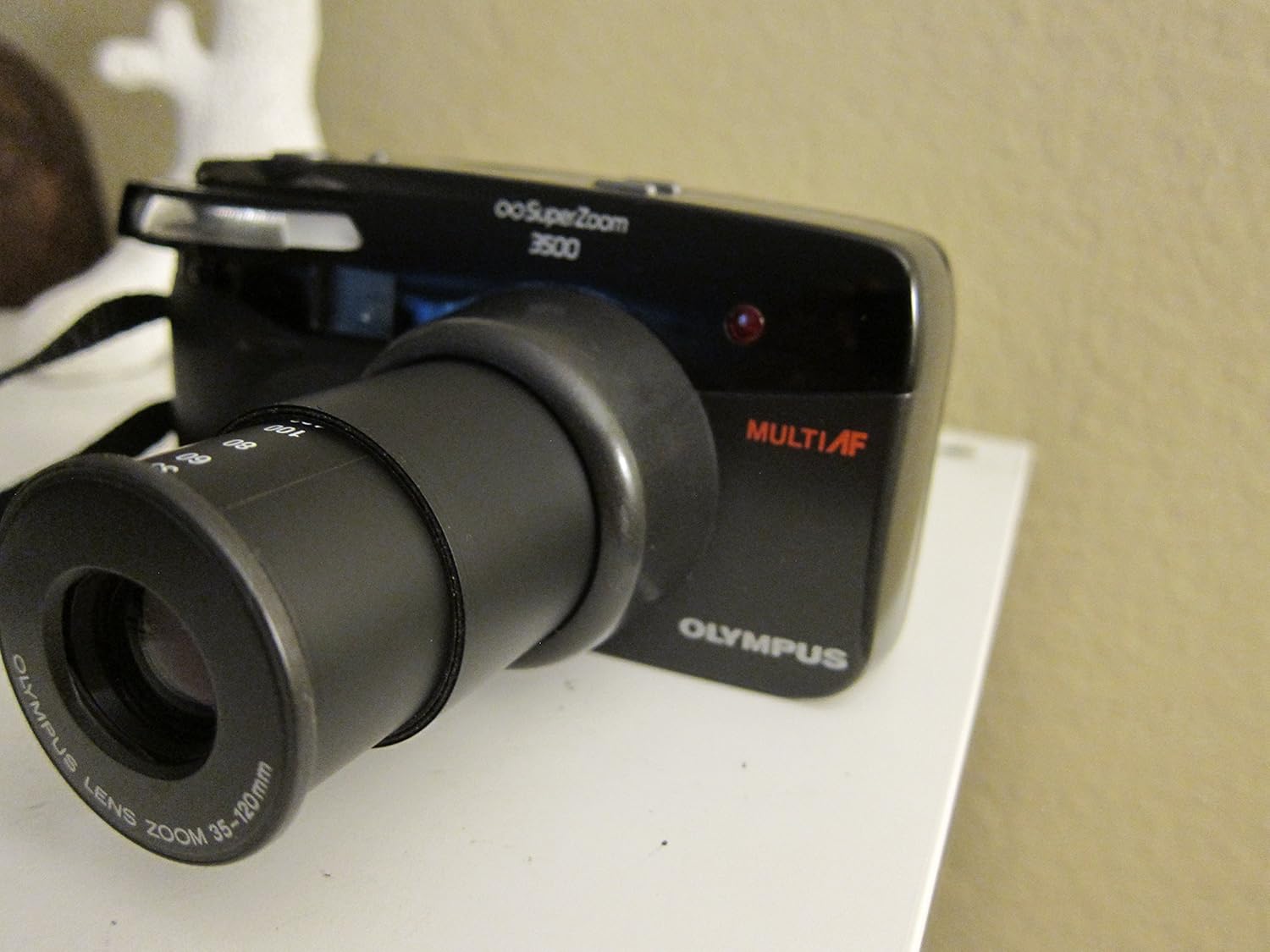
Obrázek 4: Přední horní část view of the camera with the zoom lens retracted.
4. Režimy blesku
The camera offers various flash modes to suit different lighting conditions. Press the BLIKAT button to cycle through available modes, which may include:
- Auto Flash: The camera automatically fires the flash when needed.
- Redukce červených očí: Odpálí předblesk pro redukci efektu červených očí.
- Doplňkový blesk: Forces the flash to fire, useful for brightening shadows in bright conditions.
- Vypnutý blesk: Deaktivuje blesk.

Obrázek 5: Nahoře view of the camera, highlighting the display and control buttons.

Figure 6: Close-up of the LCD display, showing the 'FILL-IN' flash mode indicator.
5. Výběr režimu
Stiskněte tlačítko MODE button to select different shooting modes, if available. Common modes might include:
- Automatický program: Standard automatic shooting.
- Samospoušť: Delays the shutter release for a few seconds.
- Dálkové ovládání: For use with an optional remote control.
6. Film Rewinding and Unloading
Once all frames on the film roll have been exposed, the camera will typically rewind the film automatically. Listen for the rewinding sound. Once rewinding is complete, the frame counter will reset or show 'E' (Empty).
- Wait for the camera to complete automatic film rewinding.
- Otevřete zadní kryt fotoaparátu.
- Remove the rewound film cartridge.
- Close the camera back cover.
Údržba
1. Čištění
- Čočka: Use a soft, lint-free cloth or a lens brush to gently remove dust. For smudges, use a specialized lens cleaning solution and cloth. Avoid touching the lens surface with your fingers.
- Tělo fotoaparátu: Tělo fotoaparátu otřete měkkým, suchým hadříkem. V případě odolných nečistot lehceampOpláchněte hadřík vodou. Nepoužívejte rozpouštědla ani abrazivní čisticí prostředky.
- Viewnálezce: Use a soft brush or air blower to remove dust.
2. Skladování
- Fotoaparát skladujte na chladném a suchém místě mimo dosah přímého slunečního záření a extrémních teplot.
- Pokud skladujete po delší dobu, vyjměte baterie, abyste zabránili vytečení.
- Keep the camera in a protective case to prevent dust and scratches.
3. Péče o baterie
- Jakmile se zobrazí indikátor slabých baterií, ihned vyměňte baterie.
- Nekombinujte staré a nové baterie ani různé typy baterií.
- Použité baterie zlikvidujte zodpovědně v souladu s místními předpisy.
Odstraňování problémů
| Problém | Možná příčina | Řešení |
|---|---|---|
| Fotoaparát se nezapne. | Vybité nebo nesprávně vložené baterie. | Zkontrolujte polaritu baterií; vyměňte je za nové baterie. |
| Film se neposouvá vpřed. | Film není správně vložen; zaváděcí lišta filmu není zasunuta. | Re-open camera back and re-load film, ensuring leader is properly engaged. |
| Blesk se nespouští. | Flash mode set to 'Off'; insufficient charge; too much ambient light. | Check flash mode setting; wait for flash to charge; use 'Fill-in' mode if desired. |
| Fotografie jsou rozmazané. | Camera shake; subject too close/far for focus; dirty lens. | Hold camera steady; ensure subject is within focusing range; clean lens. |
| Lens does not extend/retract. | Obstruction; low battery. | Check for obstructions; replace batteries. |
Specifikace
| Funkce | Detail |
|---|---|
| Název modelu | Infinity Superzoom 3500 |
| Číslo modelu položky | 102-960 |
| Značka | Olympus |
| Typ formátu filmu | 35 mm |
| Čočka | 35-120mm Olympus Zoom Lens |
| Speciální funkce | Automatická expozice |
| Hmotnost položky | 12.8 unce |
| Rozměry balení | 6.4 x 4.6 x 2.8 palce |
| Zahrnuté komponenty | Pouze tělo fotoaparátu |
| UPC | 050332104723 |
Záruka a podpora
For specific warranty information, please refer to the documentation provided at the time of purchase or contact your retailer. Olympus provides customer support for its products. For technical assistance, service, or further inquiries, please visit the official Olympus webnebo kontaktujte jejich oddělení zákaznických služeb.
You can visit the Olympus Store on Amazon for more information: Obchod Olympus


