1. Úvod
This manual provides essential information for the safe and efficient use of your Polaroid A6BK 6-inch Unlocked Smartphone. Please read this guide thoroughly before operating your device.
Obsah balení
Ověřte, zda váš balíček obsahuje následující položky:
- Polaroid A6BK 6-inch Unlocked GSM Smartphone
- Baterie
- Nabíječka
- USB kabel
- Ochranné pouzdro na nárazník
- Rychlý průvodce

Image 1.1: Polaroid A6BK smartphone with included accessories.
2. Nastavení
2.1. Inserting SIM Cards and Micro SD Card
The Polaroid A6BK supports dual SIM cards and a Micro SD card for expanded storage. Ensure the device is powered off before inserting or removing cards.
- Opatrně sejměte zadní kryt smartphonu.
- Locate the SIM card slots (SIM1 and SIM2) and the Micro SD card slot.
- Insert your GSM SIM cards into the designated SIM1 and SIM2 slots with the gold contacts facing down. Ensure they click into place.
- If using, insert a Micro SD card (up to 64GB, purchased separately) into its dedicated slot with the gold contacts facing down.
- Bezpečně nasaďte zadní kryt.

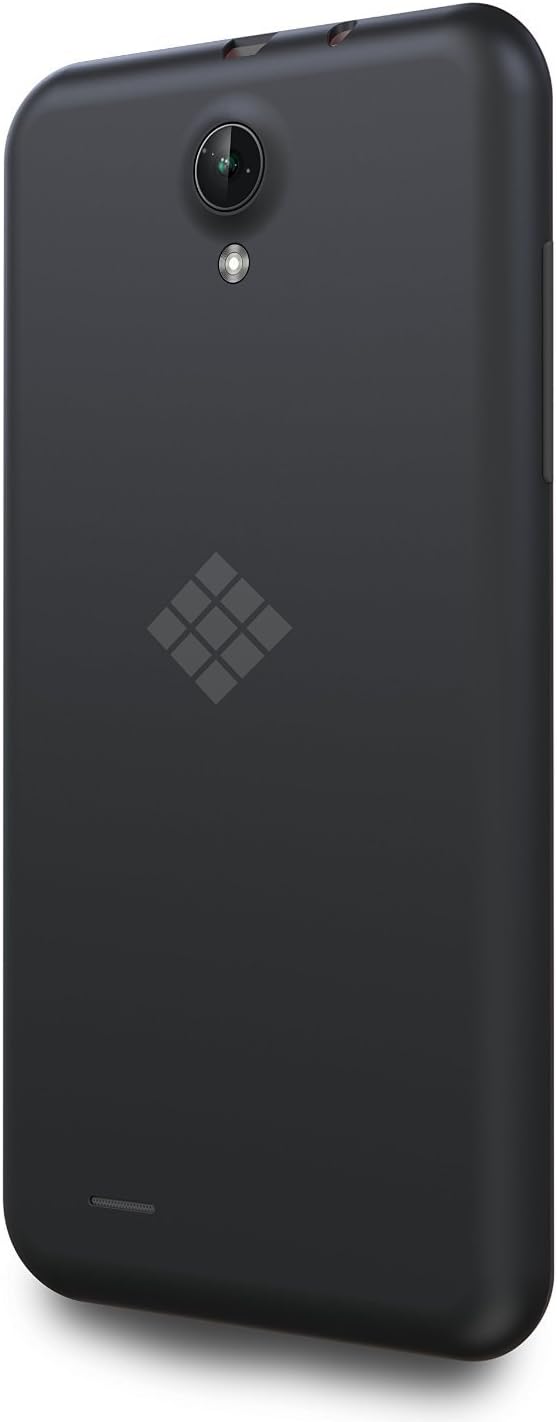
Obrázek 2.1: Zadní strana view of the Polaroid A6BK. The back cover can be removed to access SIM and Micro SD card slots.
2.2. Instalace a nabíjení baterie
- After inserting SIM/SD cards, place the battery into its compartment, aligning the gold contacts.
- Connect the USB cable to the smartphone's charging port and the other end to the provided charger.
- Zapojte nabíječku do elektrické zásuvky. Indikátor baterie bude ukazovat stav nabíjení.
- Allow the phone to charge completely before first use.
2.3. Počáteční zapnutí
- Stiskněte a podržte tlačítko napájení umístěné na boku zařízení, dokud se obrazovka nerozsvítí.
- Postupujte podle pokynů na obrazovce a dokončete počáteční nastavení, včetně výběru jazyka, připojení k Wi-Fi a nastavení účtu Google.
Obrázek 2.2: Přední strana view of the Polaroid A6BK smartphone, showing the display during initial setup.
3. Obsluha vašeho zařízení
3.1. Basic Navigation (Android 4.4 KitKat)
Your Polaroid A6BK runs on Android 4.4 KitKat. Navigate using touch gestures:
- Klepněte na: Vyberte položky nebo aktivujte funkce.
- Výpad: Procházení obrazovek nebo seznamů.
- Štípání: Přiblížení nebo oddálení fotografií a web stránky.
- Dlouhé stisknutí: Přístup k kontextovým nabídkám nebo přesun ikon.
3.2. Volání a odesílání zpráv
To make a call, tap the Phone icon, enter the number, and press the call button. To send a message, tap the Messaging icon, select a contact or enter a number, type your message, and send.
3.3. Připojení k síti
- Wi-Fi: Přejít na Nastavení > Wi-Fi pro připojení k dostupným bezdrátovým sítím.
- Bluetooth: Přejít na Nastavení > Bluetooth to pair with Bluetooth devices like headsets or speakers.
- Mobile Data (4G HSPA+): Ujistěte se, že jsou povolena mobilní data v Nastavení > Využití dat for internet access via your SIM card.
3.4. Použití fotoaparátu
The device features a 5MP rear camera with LED flash and a 2MP front camera. Open the Camera app to capture photos and videos. Tap the screen to focus and press the shutter button to take a picture.
3.5. Funkce dvou SIM karet
With dual SIM support, you can manage two different phone numbers simultaneously. In Settings > SIM management, you can set preferred SIMs for calls, messages, and data.
3.6. Google Play Store
Access the Google Play Store to download applications, games, books, and movies. A Google account is required for full access.
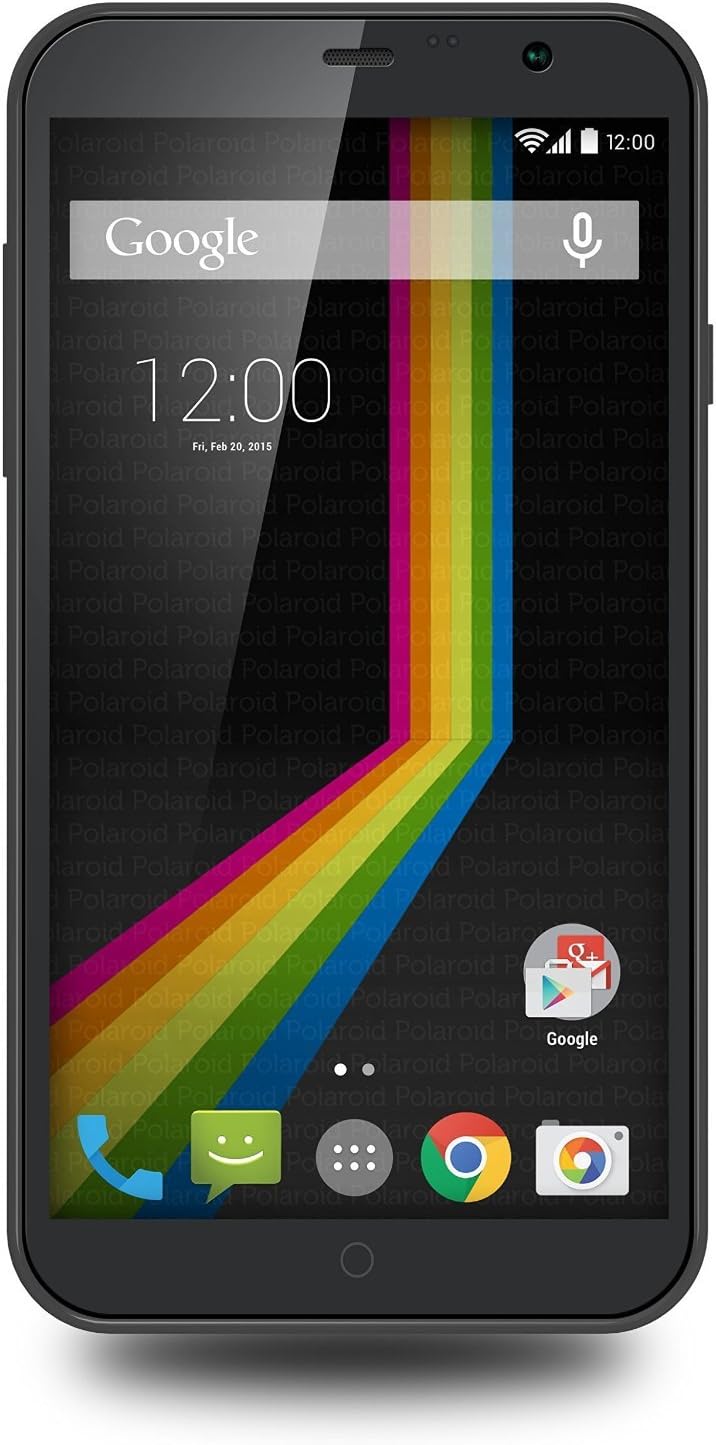
Obrázek 3.1: Úhlové view of the Polaroid A6BK, showcasing the vibrant display and app icons.

Image 3.2: The Polaroid A6BK in a typical usage scenario, demonstrating its display.
Video 3.1: Oficiální video s produktemasing various features of the Polaroid A6BK smartphone, including its display and camera capabilities.
4. Údržba
4.1. Péče o baterie
- Vyhněte se extrémním teplotám, které mohou snížit výkon baterie.
- Charge the battery regularly, but avoid leaving it fully charged or fully depleted for extended periods.
- Používejte pouze originální nabíječku a USB kabel dodané se zařízením.
4.2. Správa úložiště
Your device has 8GB of internal storage, expandable up to 64GB with a Micro SD card. Regularly check your storage usage in Nastavení > ÚložištěSmažte nepotřebné files, apps, or move media to your Micro SD card to free up space.
4.3. Aktualizace softwaru
Pravidelně kontrolujte aktualizace systému v Nastavení > O telefonu > Aktualizace systému. Keeping your software updated can improve performance and security.
4.4. Čištění zařízení
K čištění obrazovky a těla telefonu používejte měkký hadřík, který nepouští vlákna. Nepoužívejte agresivní chemikálie ani abrazivní materiály.
5. Řešení problémů
If you encounter issues with your Polaroid A6BK, refer to the following common solutions:
| Problém | Možné řešení |
|---|---|
| Zařízení se nezapne | Ujistěte se, že je baterie nabitá. Připojte nabíječku a před opětovným zapnutím počkejte několik minut. |
| Slabá výdrž baterie | Reduce screen brightness, close unused apps, disable Wi-Fi/Bluetooth when not in use, or check for background app activity. |
| Nelze se připojit k síti | Check if SIM cards are properly inserted. Verify mobile data is enabled. Ensure you are within network coverage. Restart the device. |
| Aplikace jsou pomalé nebo padají | Vymazat mezipaměť aplikace (Settings > Apps > [App Name] > Clear cache). Free up storage space. Restart the device. |
| Dotykový displej nereaguje | Restart the device by holding the Power button. If unresponsive, force restart by holding Power button for 10-15 seconds. |
| Forgot unlock pattern/PIN | Use your Google account credentials to unlock the device after several failed attempts. If unsuccessful, a factory reset may be required (data loss will occur). |
5.1. Obnovení továrního nastavení
A factory reset will erase all data from your phone's internal storage, restoring it to its original factory settings. Back up important data before proceeding.
- Přejít na Nastavení > Zálohování a reset > Obnovení továrních dat.
- Klepněte Resetovat telefon a pak Vše vymazat.
- Telefon se restartuje a zahájí proces resetování.
6. Specifikace
Key technical specifications for the Polaroid A6BK smartphone:
- Operační systém: Android 4.4 KitKat
- Procesor: Dvoujádrový
- BERAN: 1 GB
- Interní úložiště: 8GB (expandable via Micro SD up to 64GB)
- Zobrazit: 6.0-inch IPS (540x960 resolution)
- Zadní kamera: 5MP with LED flash
- Přední kamera: 2 MP
- Baterie: 2100 XNUMX mAh
- Síť: 4G HSPA+ (GSM networks only, e.g., AT&T, T-Mobile)
- Konektivita: Wi-Fi 802.11 b/g/n, Bluetooth 4.0, USB
- Podpora SIM karet: Duální SIM
- Rozměry: 6.4 x 3.34 x 0.23 palce
- Hmotnost: 4.8 unce
7. Záruka a podpora
7.1. Omezená záruka
The Polaroid A6BK smartphone comes with a one-year limited manufacturer's warranty from the date of purchase. This warranty covers defects in materials and workmanship under normal use. It does not cover damage caused by misuse, accidents, unauthorized modifications, or normal wear and tear.
Uschovejte si prosím doklad o koupi pro uplatnění záruky.
7.2. Zákaznická podpora
For technical assistance, warranty inquiries, or further support, please refer to the contact information provided in your Quick Start Guide or visit the official Polaroid support webmísto.


