1. Úvod
The Logitech K480 is a versatile Bluetooth keyboard designed for use with multiple devices. It allows seamless switching between your computer, tablet, and smartphone with a simple dial. This manual provides detailed instructions to help you get the most out of your K480 keyboard.
2. Konec produktuview
The Logitech K480 keyboard features a full-size layout with an integrated stand for mobile devices. Its robust design ensures stability while typing across various operating systems.
Klíčové vlastnosti:
- Multi-device connectivity: Connects to up to three Bluetooth-enabled devices.
- Integrated stand: Securely holds your smartphone or tablet at an optimal typing angle.
- OS-adaptive layout: Automatically maps keys to Windows, Mac, Chrome OS, Android, and iOS devices.
- Long battery life: Powered by two AAA batteries.
Komponenty klávesnice:

Obrázek 2.1: Shora dolů view of the Logitech K480 Bluetooth Multi-Device Keyboard, showcasinjeho kompletní rozvržení a integrovaný stojan zařízení.

Figure 2.2: The keyboard layout, highlighting its compatibility with Windows, Mac, iOS, Android, and Chrome OS.
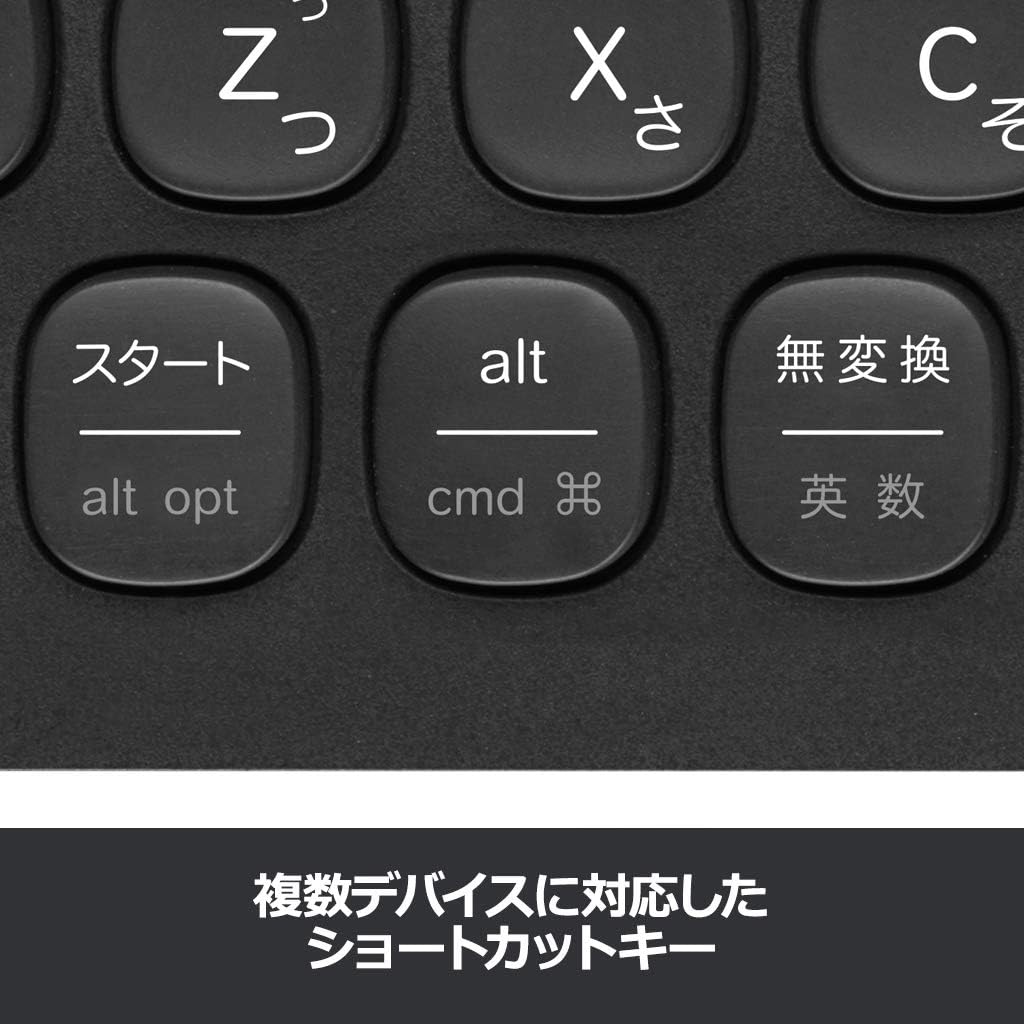
Figure 2.3: The easy-switch dial located on the upper left, allowing users to quickly switch between three paired devices.

Figure 2.4: Detail of the shortcut keys, which adapt to the connected operating system for enhanced productivity.
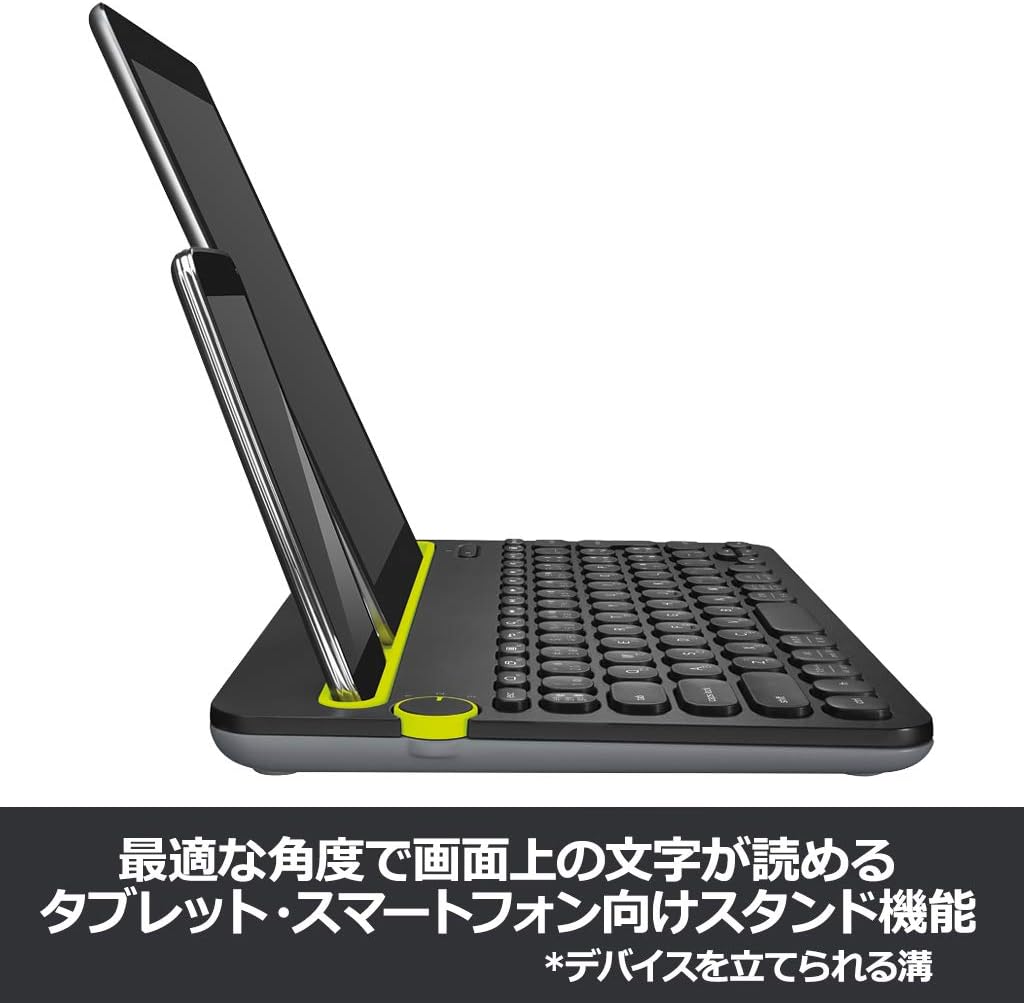
Figure 2.5: The integrated stand holding both a tablet and a smartphone, demonstrating its multi-device support and stable viewúhel.
3. Nastavení
3.1 Instalace baterie
- Vyhledejte přihrádku na baterie na spodní straně klávesnice.
- Otevřete kryt bateriového prostoru.
- Vložte dvě baterie AAA a dbejte na správnou polaritu (+/-).
- Zavřete kryt prostoru pro baterie.
3.2 Párování Bluetooth
The K480 keyboard can be paired with up to three devices.
- Zapněte klávesnici pomocí vypínače umístěného na boku.
- Select a desired channel (1, 2, or 3) on the easy-switch dial.
- Press and hold the 'i' (for iOS/Mac) or 'pc' (for Windows/Android/Chrome OS) button for 3 seconds until the LED indicator for the selected channel starts blinking rapidly. This indicates the keyboard is in pairing mode.
- Na svém zařízení (počítači, tabletu nebo chytrém telefonu) přejděte do nastavení Bluetooth.
- Hledat available devices and select "Logitech Keyboard K480".
- Follow the on-screen instructions, which may include entering a code displayed on your device using the K480 keyboard and pressing Enter.
- Once paired, the LED indicator will glow solid for a few seconds and then turn off. Your keyboard is now connected.
- Repeat these steps for up to two additional devices using channels 2 and 3.
4. Návod k obsluze
4.1 Přepínání mezi zařízeními
To switch between your paired devices, simply turn the easy-switch dial to the corresponding channel (1, 2, or 3) where your device is paired. The keyboard will automatically connect to the selected device.
4.2 Používání integrovaného stojanu
The integrated stand is designed to hold most smartphones and tablets. Simply place your device into the slot. The stand supports both portrait and landscape orientations, providing a stable and comfortable viewing angle for typing.
4.3 Klávesové zkratky
The K480 keyboard features a set of shortcut keys that adapt to the operating system of your connected device. These keys provide quick access to common functions such as media control, volume adjustment, and home screen navigation.
- Windows/Android/Chrome OS: Standard function keys (F1-F12) and media controls are available.
- iOS/Mac: Specific keys for Mac and iOS functions are integrated, such as Command (cmd) and Option (alt opt).
Refer to your device's operating system documentation for specific shortcut key functionalities.
5. Údržba
5.1 Čištění
K čištění klávesnice použijte měkký hadřík, který nepouští vlákna, lehceampened with water or a mild cleaning solution. Avoid using abrasive cleaners, solvents, or aerosol sprays directly on the keyboard. Ensure no liquid enters the keycaps or internal components.
5.2 Výměna baterie
When the keyboard's battery indicator light signals low power, or if you experience intermittent connectivity, it's time to replace the batteries. Follow the battery installation steps in Section 3.1.
6. Řešení problémů
6.1 Problémy s připojením
- Klávesnice se nepřipojuje: Ensure the keyboard is powered on and the correct channel is selected on the easy-switch dial. Verify Bluetooth is enabled on your device.
- Failed pairing: Make sure the keyboard is in pairing mode (blinking LED). Remove any previous pairings of the K480 from your device's Bluetooth settings and attempt to pair again.
- Přerušované připojení: Replace the batteries. Ensure the keyboard is within the Bluetooth range (typically 10 meters or 33 feet) of your device and there are no significant obstructions.
6.2 Klávesy nereagují
- Nefunkční konkrétní klávesy: Check for debris under the keycap. If the issue persists, try cleaning the keyboard.
- Všechny klávesy nefungují: Ensure the keyboard is connected to your device. Try turning the keyboard off and on, or re-pairing it with your device. Replace batteries if necessary.
6.3 Keyboard Layout Issues
If the keyboard layout does not match your device's operating system, ensure you selected the correct OS during the initial pairing process (by pressing 'i' for iOS/Mac or 'pc' for Windows/Android/Chrome OS). You may need to re-pair the keyboard if the wrong OS was selected.
7. Specifikace
| Značka | Logitech |
| Číslo modelu | K480BK |
| Technologie připojení | Bluetooth |
| Kompatibilní zařízení | Smartphones, Tablets, PCs |
| Kompatibilní OS | Android, Chrome OS, iOS, Mac, Windows |
| Rozložení klávesnice | QWERTY |
| Rozměry produktu | 29.9 x 19.5 x 2 cm |
| Hmotnost položky | 815 g |
| Zdroj napájení | 2 x AAA baterie |
8. Záruka a podpora
8.1 Informace o záruce
The Logitech K480 Bluetooth Multi-Device Keyboard comes with a 2letá omezená záruka na hardware od data nákupu. Tato záruka se vztahuje na vady materiálu a zpracování při běžném používání. Uschovejte si prosím doklad o koupi pro případ uplatnění záruky.
8.2 Zákaznická podpora
For further assistance, technical support, or to inquire about warranty services, please visit the official Logitech support webnebo kontaktujte jejich oddělení zákaznických služeb. Kontaktní informace obvykle naleznete na webových stránkách Logitech webmísto nebo obal produktu.


