Zavedení
This manual provides comprehensive instructions for the setup, operation, and troubleshooting of your Amazon Fire TV Stick Replacement Remote, model CV98LM. Please read these instructions carefully to ensure proper use and to maximize your experience with the device.
Konec produktuview
The Amazon Fire TV Stick Replacement Remote (Model CV98LM) is designed to provide seamless control over your Amazon Fire TV Stick. This remote is not voice-operated and offers standard navigation and playback controls for an intuitive user experience. It connects to your Fire TV Stick via Bluetooth, allowing control from various locations within a room.
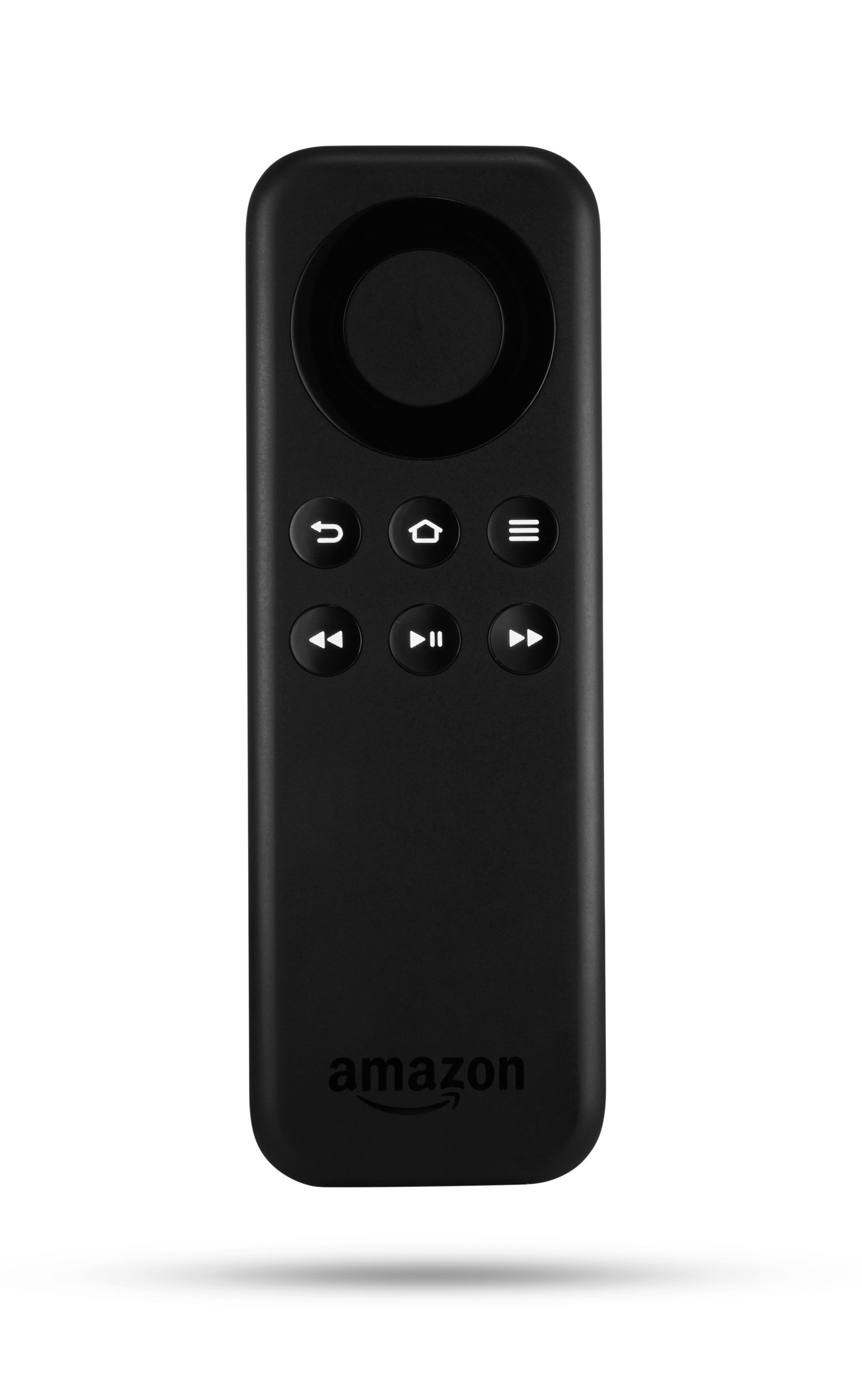
Obrázek: Přední strana view of the Amazon Fire TV Stick Replacement Remote, showing its buttons and ergonomic design.
Klíčové vlastnosti:
- Direct replacement for Amazon Fire TV Stick remotes (non-voice models).
- Standard navigation and playback controls for easy content management.
- Bluetooth connectivity for reliable control.
Nastavení a párování
Follow these steps to pair your replacement remote with your Amazon Fire TV Stick:
- Vyjměte baterie: Take the batteries out of the replacement remote.
- Unplug Fire TV Stick: Disconnect the power cable from your Fire TV Stick and unplug the Fire TV Stick from the HDMI port on your television. Wait for approximately 40 seconds.
- Reinsert Batteries: Place the batteries back into the replacement remote, ensuring correct polarity.
- Reconnect Fire TV Stick: Plug the Fire TV Stick back into the HDMI port and reconnect its power cable.
- Zahájit párování: As soon as the Amazon Fire TV logo appears on your screen, press and hold the Domov button on your new replacement remote.
- Finalize Pairing (using existing remote or app): If you have an existing remote or the Fire TV Remote app on your smartphone, navigate to Nastavení > Dálkové ovladače a zařízení Bluetooth > Dálkové ovladače Amazon Fire TV > Přidat nový ovladač. Select your new remote (it may appear as "Amazon Fire TV Remote") from the list to complete the pairing process.
- Your new remote should now be ready for use.
Návod k obsluze
The replacement remote provides intuitive controls for navigating your Fire TV Stick:
- Navigační kroužek: Use the circular ring to move up, down, left, and right through menus and content.
- Vybrat tlačítko: The center button within the navigation ring confirms selections.
- Tlačítko Domů: Vrátí vás na domovskou obrazovku Fire TV.
- Tlačítko Zpět: Vrátí se na předchozí obrazovku nebo nabídku.
- Tlačítko nabídky: Zpřístupňuje kontextové možnosti v aplikacích nebo nabídkách.
- Tlačítko Přehrát/Pozastavit: Ovládá přehrávání médií.
- Tlačítka pro rychlé převíjení vpřed/vzad: Skips forward or backward in media playback.
Odstraňování problémů
If you encounter issues with your replacement remote, try the following solutions:
Remote Not Responding or Pairing:
- Power Cycle Remote and Device:
- Vyjměte baterie z dálkového ovladače.
- Unplug the Fire TV Stick from its HDMI port and disconnect its micro USB power cable.
- Wait for at least 1 minute.
- Reconnect the micro USB power cable to the Fire TV Stick, then plug the Fire TV Stick back into the HDMI port.
- Once the Fire TV logo appears on the screen, insert fresh batteries into the remote.
- After the home screen loads, press and hold the Domov button on the remote for 10 seconds to attempt pairing.
- Perform a Software Reset on the Remote:
- Současně stiskněte a podržte Menu tlačítko, Vlevo button (left side of the navigational ring), and the Zadní button (the arrow that curves back toward the left) for 10 seconds.
- The remote will become inactive for up to 2 minutes during this reset.
- If the remote does not automatically pair afterward, press and hold the Domov button for at least 10 seconds to make it discoverable for pairing.
- Zkontrolujte baterie: Ujistěte se, že jsou baterie správně vloženy a nejsou vybité. V případě potřeby je vyměňte za nové.
- Jasné překážky: Ensure there are no physical obstructions between the remote and the Fire TV Stick.
Specifikace
| Funkce | Detail |
|---|---|
| Číslo modelu | CV98LM |
| Rozměry produktu | 4.68 x 1.59 x 0.55 palce |
| Hmotnost položky | 1.12 unce |
| Konektivita | Bluetooth |
| Výrobce | AMDSI |
| První dostupný termín | 27. října 2014 |
Záruka a podpora
For information regarding warranty coverage and customer support, please refer to the documentation provided with your original Amazon Fire TV Stick or visit the official Amazon support webmísto. Uschovejte si doklad o koupi pro případ záručních reklamací.


