1. Úvod
The ASUS ThunderboltEX II/DUAL is an add-on card designed to bring Thunderbolt 2 technology to compatible ASUS motherboards. This card provides two Thunderbolt 2 ports, enabling high-speed data transfer and versatile connectivity for various devices. With bi-directional transfer speeds of up to 20 Gbps, it offers significantly faster performance compared to USB 3.0. It supports daisy-chaining of up to six Thunderbolt devices and can connect multiple 1080p displays via DisplayPort.
This manual provides essential information for the proper installation, operation, and maintenance of your ThunderboltEX II/DUAL adapter.
2. Bezpečnostní informace
Please read the following safety guidelines carefully before installing or operating the device:
- Před instalací se ujistěte, že je počítač vypnutý a odpojený ze zásuvky.
- Discharge any static electricity from your body by touching a grounded metal object (e.g., the computer chassis) before handling the card.
- Handle the card by its edges to avoid touching sensitive components.
- Abyste zabránili přehřátí, nainstalujte kartu do dobře větrané počítačové skříně.
- Refer to your motherboard's manual for specific PCIe slot compatibility and Thunderbolt header location.
3. Obsah balení
Ověřte, zda jsou v balení přítomny všechny položky:
- ASUS ThunderboltEX II/DUAL Adapter Card
- Thunderbolt Header Cable
- Support CD/DVD (containing drivers and utilities)
- User Manual (this document, or a quick start guide)
4. Systémové požadavky
To ensure proper functionality, your system must meet the following requirements:
- základní deska: Compatible ASUS motherboard with a dedicated Thunderbolt header. Refer to your motherboard's specifications for compatibility.
- Slot PCIe: An available PCI Express 2.0 x4 slot.
- Operační systém: Microsoft Windows (Windows 7, 8, 8.1, 10, 64-bit recommended).
- Grafická karta: A graphics card with a DisplayPort output is required for video passthrough functionality.
5. Nastavení a instalace
5.1 Fyzická instalace
- Připravte si systém: Vypněte počítač a odpojte napájecí kabel. Otevřete kryt počítače.
- Locate a PCIe slot: Find an available PCI Express 2.0 x4 slot on your motherboard.
- Install the card: Carefully insert the ThunderboltEX II/DUAL card into the chosen PCIe slot until it is firmly seated. Secure the card with a screw to the chassis.
- Connect the Thunderbolt Header Cable: Connect one end of the provided Thunderbolt header cable to the Thunderbolt header on the ThunderboltEX II/DUAL card and the other end to the dedicated Thunderbolt header on your ASUS motherboard. Refer to your motherboard manual for the exact location of this header.
- Connect DisplayPort Cable (Optional): If you plan to use the DisplayPort passthrough feature for video output through the Thunderbolt ports, connect a DisplayPort cable from the DisplayPort output of your graphics card to the DisplayPort input on the ThunderboltEX II/DUAL card.
- Zavřete případ: Once all connections are secure, close your computer case and reconnect the power cord.
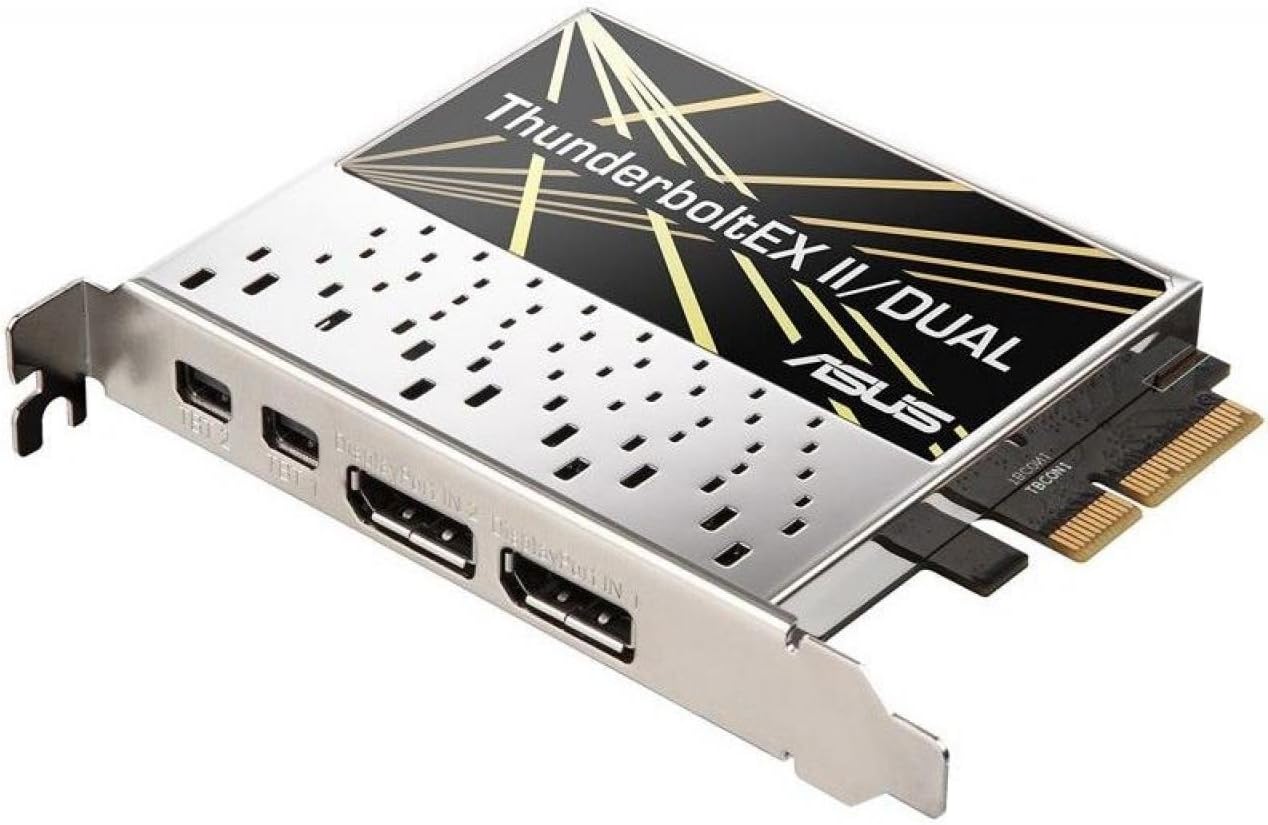
Obrázek 1: Shora dolů view of the ASUS ThunderboltEX II/DUAL Adapter card, showing the PCIe connector and the two Thunderbolt 2 ports.
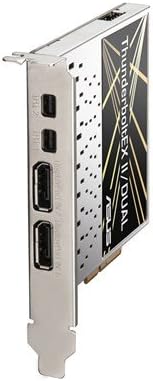
Obrázek 2: Strana view of the ASUS ThunderboltEX II/DUAL Adapter card, highlighting the two Thunderbolt 2 ports and the DisplayPort input.
5.2 BIOS Configuration
After physical installation, you may need to configure your motherboard's BIOS/UEFI settings to enable Thunderbolt functionality. The exact steps may vary depending on your motherboard model:
- Power on your computer and press the designated key (usually Del or F2) pro vstup do nastavení BIOS/UEFI.
- Přejděte na Moderní nastavení.
- Look for a section related to Blesk or Intel Thunderbolt Technology.
- Enable the Thunderbolt controller and configure any related options, such as security levels (e.g., "Security Level: User Authorization" or "No Security").
- Save changes and exit the BIOS/UEFI. Your system will restart.
5.3 Instalace ovladače
Once your operating system loads, install the necessary drivers:
- Insert the provided support CD/DVD into your optical drive, or download the latest drivers from the official ASUS support website for your motherboard model and the ThunderboltEX II/DUAL card.
- Run the driver setup program and follow the on-screen instructions.
- Po dokončení instalace ovladače restartujte počítač.
- Verify the installation in Device Manager (Windows) to ensure the Thunderbolt controller is recognized and functioning correctly.
6. Operating the ThunderboltEX II/DUAL
6.1 Connecting Thunderbolt Devices
The ThunderboltEX II/DUAL card features two Thunderbolt 2 ports. You can connect various Thunderbolt-enabled devices, such as external storage drives, audio interfaces, and docking stations. Thunderbolt 2 supports bi-directional data transfer at up to 20 Gbps.
- Use certified Thunderbolt cables for optimal performance and compatibility.
- You can daisy-chain up to six Thunderbolt devices from a single Thunderbolt port. Connect the first device to the card, then connect the second device to the first, and so on.
- Ensure all devices in the daisy chain are powered on before connecting them to the Thunderbolt port.
6.2 Podpora zobrazení
The Thunderbolt 2 ports also support DisplayPort functionality. This allows you to connect displays directly to the Thunderbolt ports, or as part of a daisy-chain with other Thunderbolt devices.
- The card supports up to three 1080p displays.
- For video output, ensure your graphics card is connected to the ThunderboltEX II/DUAL card via a DisplayPort cable as described in the installation section.
- Some Thunderbolt displays may also provide USB and Ethernet connectivity through the Thunderbolt cable.
7. Údržba
The ThunderboltEX II/DUAL adapter requires minimal maintenance. To ensure its longevity and optimal performance:
- Keep your computer's interior clean and free of dust to ensure proper airflow and prevent overheating.
- Ujistěte se, že jsou všechny kabely pevně připojeny.
- Pravidelně kontrolujte podporu ASUS website for updated drivers and firmware for both the ThunderboltEX II/DUAL card and your motherboard.
8. Řešení problémů
If you encounter issues with your ThunderboltEX II/DUAL adapter, refer to the following common troubleshooting steps:
| Problém | Možná příčina | Řešení |
|---|---|---|
| Card not detected by the system. |
|
|
| Thunderbolt devices not recognized. |
|
|
| No video output from Thunderbolt display. |
|
|
9. Specifikace
| Funkce | Detail |
|---|---|
| Název modelu | THUNDERBOLTEX II/DUAL |
| Form Factor | Zásuvná karta |
| Interface (Bus) Type | PCI Express 2.0 x4 |
| Porty | 2x Thunderbolt 2 |
| Rychlost přenosu dat | Up to 20 Gbps (bi-directional) |
| Podpora zobrazení | Supports up to three 1080p displays |
| Podpora Daisy-Chain | Up to 6 Thunderbolt devices |
| Rozměry (DxŠxV) | 3.94 x 3.54 x 0.79 palce (přibližně) |
| Hmotnost | 1.4 liber (cca) |
| Kompatibilní zařízení | Personal Computer (with compatible ASUS motherboard) |
10. Záruka a podpora
For information regarding the product warranty, please refer to the warranty card included with your purchase or visit the official ASUS support website. The warranty terms and conditions may vary by region.
For technical support, driver downloads, and frequently asked questions, please visit the ASUS support webmísto:
When contacting support, please have your product model name (THUNDERBOLTEX II/DUAL) and serial number ready.


