1. Konec produktuview
The Philips HDP1590 Screeneo is a smart ultra-short throw projector designed for versatile media display. It incorporates LED technology for long-lasting projection and offers various connectivity options for integration with multiple devices.
- Projects an image up to 100 inches when placed 18 inches from a wall.
- Utilizes DLP (Digital Light Processing) LED technology, providing up to 30,000 hours of projection.
- Supports multiple connectivity options for set-top boxes, DVD/Blu-ray players, game consoles, and media servers.
- Enables audio streaming from smartphones or tablets via Bluetooth or Wi-Fi/DLNA.
- Wireless screen mirroring from tablets or smartphones is possible using Miracast.
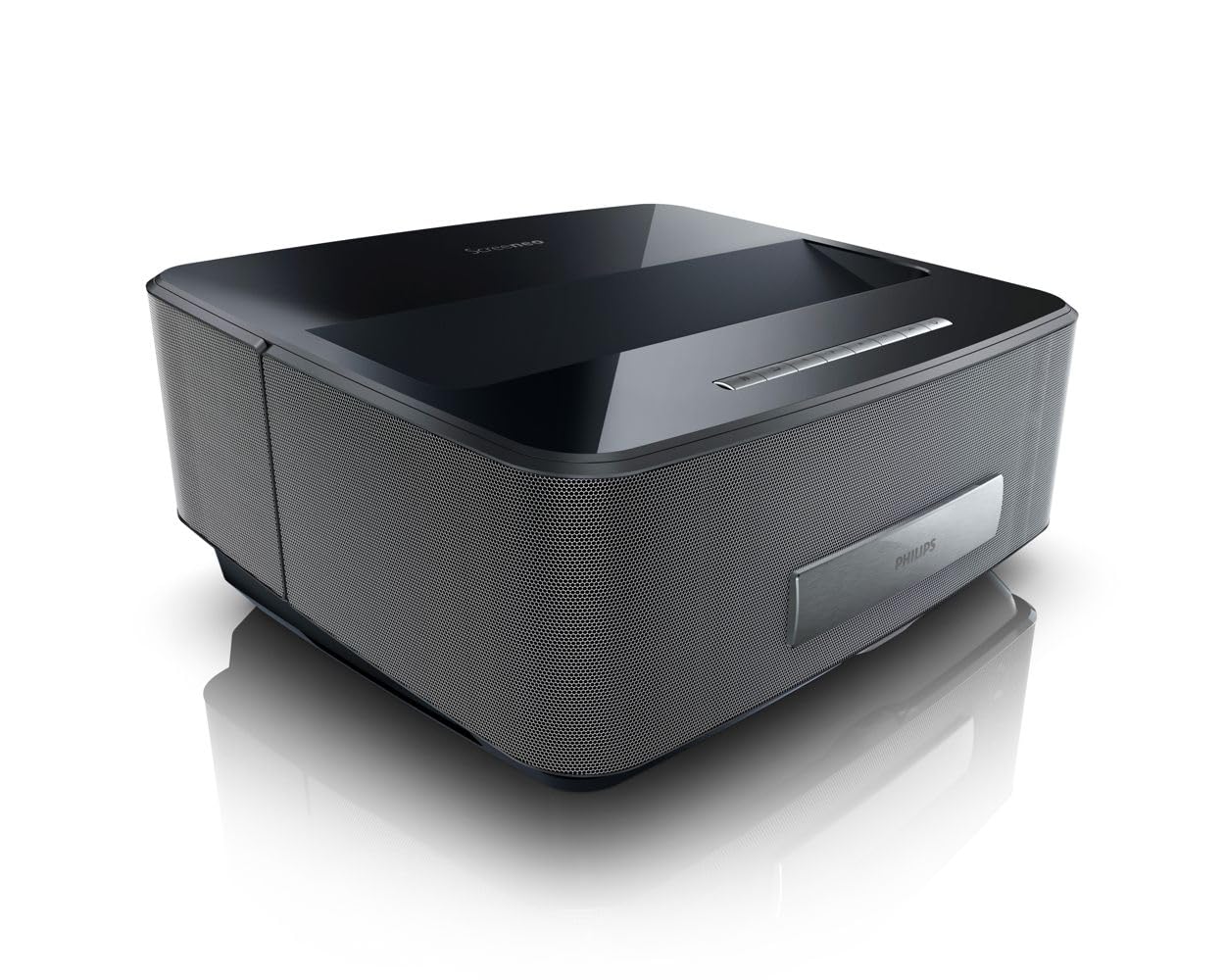
Obrázek 1: Přední strana view of the Philips HDP1590 Screeneo Smart Projector.
2. Obsah balení
Ověřte, zda jsou v balení přítomny všechny položky:
- Philips HDP1590 Screeneo Smart Projector
- Napájecí kabel
- Dálkové ovládání (s 2 bateriemi AAA součástí balení)
- Rychlý průvodce
- Other accessories as specified on the packaging
Video 1: Rozbalení a iniciály nahořeview of the Philips HDP1590 Screeneo Smart Projector.
3. Nastavení
- Umístění: Position the projector on a stable, flat surface. For a 100-inch image, place the projector approximately 18 inches from the projection surface (wall or screen). Ensure the projection path is clear of obstructions.
- Připojení napájení: Připojte napájecí kabel k napájecímu vstupu projektoru a poté do vhodné elektrické zásuvky.
- Připojení zdroje:
- For HDMI devices (e.g., Blu-ray player, game console, set-top box), connect an HDMI cable from the device to an HDMI input port on the projector.
- For USB media, insert a USB drive into the designated USB port.
- Počáteční zapnutí: Press the power button on the projector or the remote control to turn on the device. Follow any on-screen prompts for initial setup, such as language selection.
4. Provoz
- Zapnutí/vypnutí: Stisknutím tlačítka napájení na projektoru nebo dálkovém ovladači zapnete nebo vypnete zařízení.
- Navigace v nabídce: Use the arrow keys and 'OK' button on the remote control to navigate through the on-screen menus.
- Výběr zdroje: Access the input source menu to select between connected HDMI devices, USB, or internal smart features.
- Ostření a korekce lichoběžníkového zkreslení: Adjust the focus manually or via the menu. Utilize the digital keystone correction feature to square the image if the projector is not perfectly perpendicular to the screen.
- Ovládání hlasitosti: Adjust the audio volume using the dedicated volume buttons on the remote control.
5. Konektivita
The Philips HDP1590 Screeneo offers a range of connectivity options:
- HDMI: Multiple HDMI ports are available for connecting external video sources such as Blu-ray players, gaming consoles, and cable/satellite boxes.
- Wi-Fi: Integrated Wi-Fi allows for network access, enabling smart features, streaming, and DLNA connectivity.
- Bluetooth: Connect Bluetooth-enabled audio devices, such as speakers or headphones, for wireless sound output.
- Miracast: Wirelessly mirror the screen of compatible Android smartphones and tablets directly to the projector.
- USB: USB ports support playback of media filez úložných zařízení USB.
6. Údržba
Pravidelná údržba zajišťuje optimální výkon a dlouhou životnost vašeho projektoru:
- Čištění objektivu: K jemnému čištění čočky projektoru použijte měkký hadřík bez žmolků, speciálně určený pro optické čočky. Nepoužívejte abrazivní materiály ani agresivní chemikálie.
- Odstranění prachu: Periodically clean the projector's exterior with a soft, dry cloth. Ensure ventilation openings are free from dust accumulation to prevent overheating.
- Skladování: Pokud projektor delší dobu nepoužíváte, skladujte jej na chladném a suchém místě, chráněném před prachem a přímým slunečním zářením.
7. Řešení problémů
If you encounter issues with your Philips HDP1590 Screeneo, consider the following:
- Bez napájení: Ujistěte se, že je napájecí kabel bezpečně připojen k projektoru i k elektrické zásuvce. Ověřte, zda je zásuvka funkční.
- Bez obrázku: Check that the correct input source is selected. Verify that the video source device is powered on and functioning correctly. Ensure all video cables (e.g., HDMI) are securely connected.
- Rozmazaný obrázek: Adjust the focus settings. Ensure the projector is placed at the recommended distance from the projection surface.
- Žádný zvuk: Check the volume level on both the projector and the connected source device. Verify that audio cables are correctly connected or that Bluetooth audio is properly paired.
- Špatná kvalita obrazu: Ensure the projection surface is clean and flat. Check the resolution settings of the source device to match the projector's native resolution (1280 x 800).
8. Specifikace
| Funkce | Detail |
|---|---|
| Značka | Philips |
| Číslo modelu | HDP1590/F7 |
| Hmotnost položky | 10.72 libry |
| Rozměry produktu | 11.29 x 13.34 x 5.83 palce |
| Baterie | 2 baterie AAA (součástí balení pro dálkový ovladač) |
| Barva | Černý |
| Speciální funkce | Short Throw, Built-in Speakers |
| Typ reproduktoru | Built-In, Subwoofer |
| Technologie připojení | Bezdrátové připojení (Wi-Fi, Bluetooth) |
| Rozlišení displeje | 1280 x 800 |
| Projekční technologie | DLP LED |
9. Záruka a podpora
For warranty information, technical support, or service inquiries, please refer to the warranty card included with your product or visit the official Philips support webUschovejte si doklad o koupi pro případ reklamace.
Online resources and frequently asked questions may also be available on the Philips product support pages.


