Zavedení
This manual provides detailed instructions for the setup, operation, and maintenance of your MARATHON Travel and Desktop Alarm Clock, Model CL030023. Please read this manual thoroughly before using the device to ensure proper function and longevity.

The MARATHON Travel Alarm Clock features an easy-to-read display with a backlight, designed for convenience during travel.
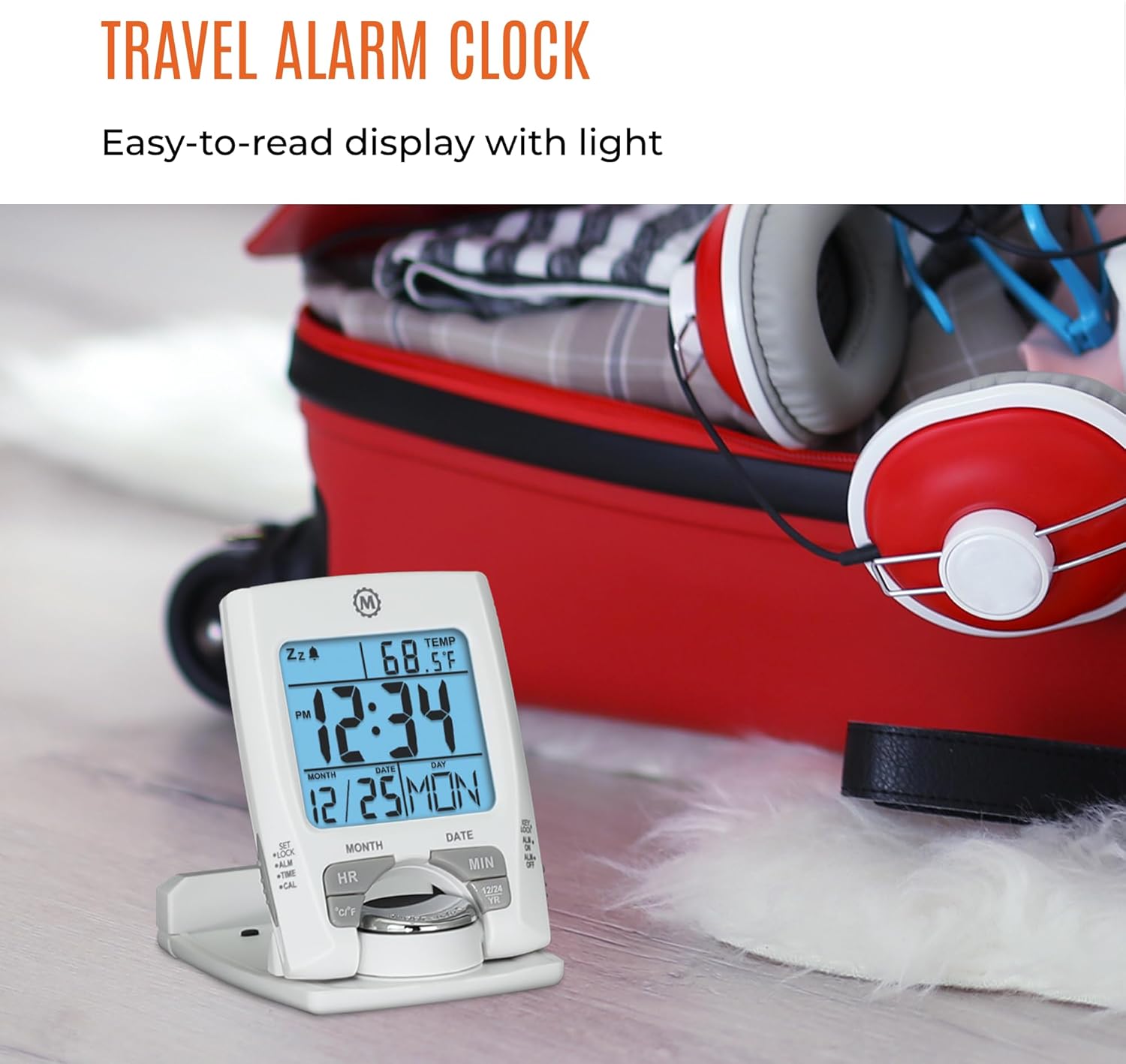
Přední view of the MARATHON Travel and Desktop Alarm Clock, displaying current time, date, and indoor temperature.
Ovládací prvky a displejview
Familiarize yourself with the clock's buttons and display elements:
- SET/LOCK/ALM/TIME/CAL Button: Used to enter setting modes for time, alarm, and calendar, and to lock settings.
- Tlačítko HR (Hodina): Adjusts the hour in setting modes.
- Tlačítko MIN (minuta): Adjusts the minute in setting modes.
- Tlačítko °C/°F: Přepíná mezi zobrazením teploty ve stupních Celsia a Fahrenheita.
- 12/24 YR Button: Toggles between 12-hour and 24-hour time format, and adjusts the year in calendar setting.
- Tlačítko Světlo/Odložení buzení: Activates the backlight and the snooze function when the alarm sounds.
- ALM ON/OFF Switch: Aktivuje nebo deaktivuje alarm.

Close-up of the control buttons located on the front and side of the alarm clock.
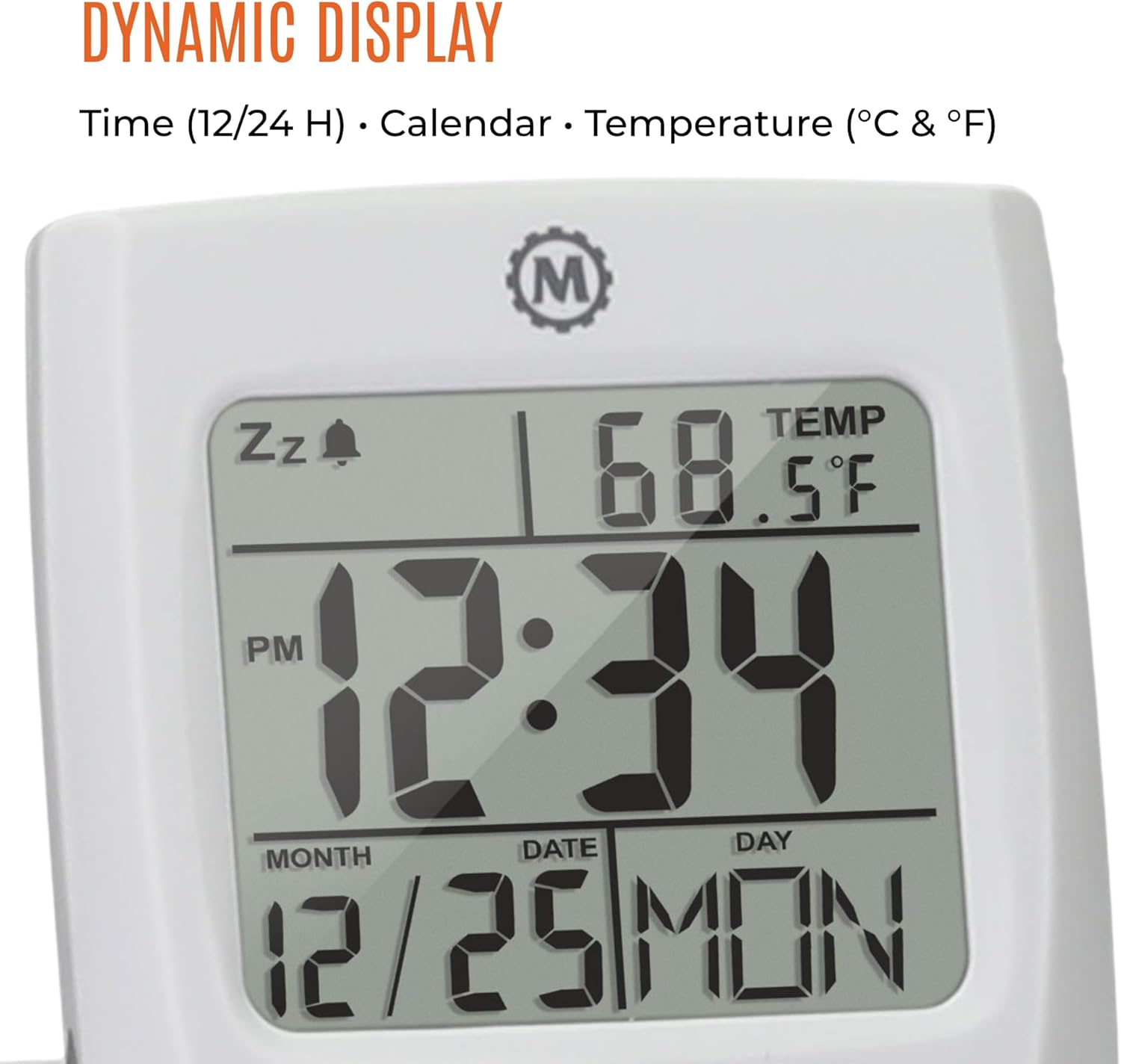
The dynamic display shows time, calendar information (month, date, day), and indoor temperature.
Nastavení
1. Instalace baterie
- Najděte přihrádku na baterie na zadní straně hodin.
- Otevřete kryt bateriového prostoru.
- Vložte jednu baterii typu AAA a dbejte na správnou polaritu (+/-).
- Bezpečně zavřete kryt bateriového prostoru.
2. Počáteční nastavení času a data
- Stiskněte a podržte SOUBOR tlačítko, dokud nezačne blikat zobrazení času.
- Použijte HR a MIN tlačítky pro nastavení aktuální hodiny a minuty.
- Stiskněte SOUBOR again to move to the date setting. Use HR a MIN to set the month, date, and year. The 12/24 YR button can be used to adjust the year.
- Stiskněte SOUBOR ještě jednou pro potvrzení a ukončení režimu nastavení.
3. Nastavení 12/24hodinového formátu a jednotek teploty
- Chcete-li přepnout mezi 12hodinovým a 24hodinovým zobrazením času, stiskněte tlačítko 12/24 YR button when not in setting mode.
- To switch between Celsius (°C) and Fahrenheit (°F) temperature display, press the ° C / ° F tlačítko.
Návod k obsluze
1. Nastavení alarmu
- Posuňte ALM ZAP/VYP switch to the 'ON' position. An alarm icon will appear on the display.
- Stiskněte a podržte ALM button until the alarm time begins to flash.
- Použijte HR a MIN tlačítky nastavte požadovaný čas buzení.
- Stiskněte ALM again to confirm and exit the alarm setting mode.
2. Použití funkce odložení buzení
Když zazvoní budík, stiskněte velké Světlo/Odložení tlačítko pro aktivaci funkce odložení. Budík se dočasně zastaví a po několika minutách se znovu spustí.
3. Aktivace podsvícení
Stiskněte velký Světlo/Odložení button to illuminate the display for approximately five seconds. This provides maximum illumination while being gentle on the eyes.
4. Folding and Positioning
The clock features a built-in stand. To position the clock, flip out the stand and rotate the clock face 180 degrees. This allows for stable placement on a desk or bedside table, and makes it compact for travel.

The compact design of the alarm clock makes it easy to hold and transport.
Údržba
Výměna baterie
When the display dims or the clock stops functioning, it is time to replace the AAA battery. Follow the battery installation steps in the Setup section. The clock's low power consumption ensures a maximum lifespan for the included AAA battery.
Čištění
Wipe the clock with a soft, dry cloth. Avoid using abrasive cleaners or solvents, as these may damage the display or casing.
Odstraňování problémů
- Displej je prázdný nebo tmavý: Replace the AAA battery. Ensure the battery is inserted with correct polarity.
- Alarm nezní: Zkontrolujte, zda ALM ZAP/VYP switch is in the 'ON' position. Verify the alarm time is set correctly.
- Nesprávný čas nebo datum: Znovu zadejte nastavení času a data, jak je popsáno v části Nastavení.
- Odečet teploty je nepřesný: Ensure the clock is placed in an area with stable ambient temperature, away from direct heat sources or drafts.
Specifikace
| Funkce | Detail |
|---|---|
| Značka | MARATHON |
| Číslo modelu | CL030023 |
| Barva | Bílý |
| Typ zobrazení | Digitální |
| Speciální funkce | Skládací |
| Rozměry produktu | 2.5 cm Š x 4 cm V |
| Zdroj napájení | Napájení baterií (1 baterie AAA součástí balení) |
| Typ pokoje | Ložnice |
| Typ montáže | Stolní deska |
| Hmotnost položky | 4 unce |
| Budík | Ano |
| Materiál | Plast |
Záruka a podpora
This MARATHON product comes with a Omezená záruka. For specific details regarding warranty coverage, terms, and conditions, please refer to the warranty card included with your purchase or visit the official MARATHON webmísto.
For technical support, troubleshooting assistance, or inquiries about your product, please contact MARATHON customer service through their official channels.
About MARATHON
MARATHON has been manufacturing precision timing instruments since 1941. The company continues its legacy by combining modern design with Swiss engineering and craftsmanship to produce high-quality products. MARATHON is a family-owned and operated business, committed to providing reliable tools.
Official video detailing the 80-year history of Marathon Watch Company, highlighting its Canadian roots, military supply, and Swiss craftsmanship in watchmaking.


