1. Úvod
This manual provides essential instructions for the proper setup, operation, and maintenance of your AmazonBasics 10-Port USB 3.0 Hub. Please read this manual thoroughly before using the product to ensure optimal performance and safety. Keep this manual for future reference.
2. Bezpečnostní pokyny
- Nevystavujte zařízení vlhkosti, extrémním teplotám ani přímému slunečnímu záření.
- Nepokoušejte se zařízení rozebírat ani upravovat. Mohlo by dojít ke zrušení záruky a k ohrožení bezpečnosti.
- Use only the provided power adapter. Using an incompatible power adapter may damage the device or connected peripherals.
- Udržujte zařízení mimo dosah dětí.
- Ensure proper ventilation around the hub during operation.
3. Obsah balení
Ověřte, zda jsou v balení přítomny všechny níže uvedené položky:
- AmazonBasics 10-Port USB 3.0 Hub
- Napájecí adaptér (DC 15V)
- USB 3.0 datový kabel
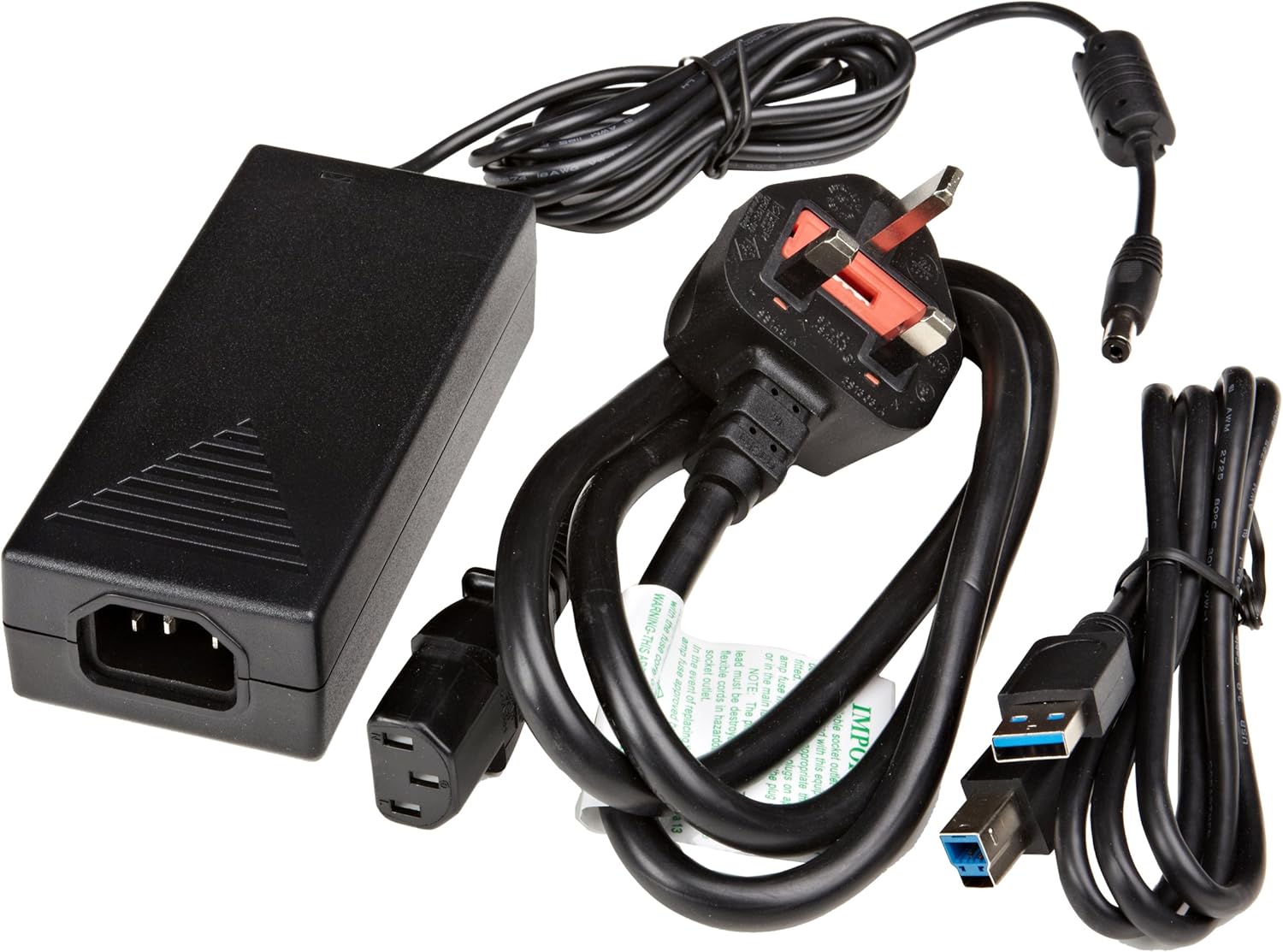
Obrázek 3.1: The image displays the AmazonBasics 10-Port USB 3.0 Hub, its power adapter, and a USB 3.0 data cable, which are the typical contents found in the product packaging.
4. Konec produktuview
The AmazonBasics 10-Port USB 3.0 Hub expands your computer's connectivity, offering ten USB 3.0 ports for various peripherals. It supports high-speed data transfer and is backward compatible with USB 2.0 devices.
4.1 Přední a boční strana View

Obrázek 4.1: This image shows the front and left side of the USB hub. On the front, three USB 3.0 ports are visible, two of which are labeled 'Fast'. The left side features the upstream USB 3.0 port for connecting to a computer and the DC 15V power input.
4.2 Top and Rear View

Obrázek 4.2: Tento obrázek nabízí pohled shora dolů view of the USB hub, highlighting five additional USB 3.0 ports located on the rear panel. An 'ON/OFF' switch is also visible on the side, allowing users to power the hub on or off.
4.3 Spodní View

Obrázek 4.3: Spodní view of the hub shows four rubber feet for stability and a product label containing regulatory information and the model number.
5. Průvodce nastavením
Follow these steps to set up your USB 3.0 hub:
- Připojte napájecí adaptér: Plug the provided power adapter into the DC 15V input port on the side of the USB hub. Then, plug the power adapter into a standard electrical outlet.
- Připojení k počítači: Use the supplied USB 3.0 data cable to connect the upstream USB 3.0 port on the hub (located on the side) to an available USB 3.0 port on your computer.
- Zapnutí: If the hub has an ON/OFF switch (refer to Figure 4.2), ensure it is in the 'ON' position.
- Připojení periferií: You can now connect your USB devices (e.g., external hard drives, keyboards, mice, flash drives) to any of the ten available USB 3.0 ports on the hub.
The hub supports automatic switching between self-power and bus-power mode. For optimal performance with multiple high-power devices, ensure the power adapter is connected.
6. Provoz
Once connected, the AmazonBasics 10-Port USB 3.0 Hub operates automatically. Your computer should recognize connected devices without requiring additional drivers for most operating systems.
- USB 3.0 Speed: The hub supports SuperSpeed (5 Gbps), High Speed (480 Mbps), Full Speed (12 Mbps), and Low Speed (1.5 Mbps) data transfer rates, depending on the connected device and your computer's USB port capabilities.
- Kompatibilita zařízení: The hub is compatible with both USB 3.0 and USB 2.0 specifications, allowing you to connect a wide range of USB devices.
- Řízení spotřeby: The hub intelligently manages power distribution to connected devices. For devices requiring more power, ensure the external power adapter is connected.
7. Řešení problémů
If you encounter issues with your USB hub, refer to the following common problems and solutions:
| Problém | Možné řešení |
|---|---|
| Devices are not recognized. |
|
| Pomalé rychlosti přenosu dat. |
|
| Hub se nezapíná. |
|
| Intermittent device connection. |
|
8. Specifikace
- Číslo modelu: HU37A0V1-UK
- Porty: 10x USB 3.0
- Rychlost přenosu dat: Až 5 Gb/s (USB 3.0 SuperSpeed)
- Zpětná kompatibilita: USB 2.0, USB 1.1
- Příkon: DC 15V (via included power adapter)
- Rozměry (DxŠxV): Přibližně 5.71 x 2.96 x 1.06 palce (14.5 x 7.5 x 2.7 cm)
- Hmotnost: Přibližně 1.29 libry (0.58 kg)
- Kompatibilita operačního systému: Windows, macOS, Linux (pro většinu systémů bez ovladačů)
9. Péče a údržba
- Clean the hub with a soft, dry cloth. Do not use liquid cleaners or aerosols.
- Vyvarujte se blokování větracích otvorů.
- Pokud náboj nepoužíváte, skladujte jej na chladném a suchém místě.
10. Informace o recyklaci
Dispose of this product according to local regulations. Do not dispose of it with general household waste. For more information on recycling electronic waste, contact your local authorities or the retailer where you purchased the product.
11. Záruka a podpora
For warranty information or technical support, please refer to the AmazonBasics support page or contact Amazon customer service directly. Details can typically be found on the Amazon webwebu v sekcích „Nápověda“ nebo „Zákaznický servis“.


