Zavedení
Thank you for choosing the AULA Befire LED Backlit Gaming Keyboard. This manual provides essential information for setting up, operating, and maintaining your keyboard. Please read it thoroughly to ensure proper usage and to maximize your gaming and typing experience.
The AULA Befire keyboard is designed for comfort and performance, featuring a durable plastic construction, responsive keys, and vibrant LED backlighting.
Nastavení
- Rozbalte klávesnici: Opatrně vyjměte klávesnici z obalu.
- Připojení k počítači: Plug the USB connector of the keyboard into an available USB port on your computer. The keyboard is plug-and-play and should be recognized automatically by most operating systems.
- Umístění: Place the keyboard on a stable, flat surface. Adjust the support frame on the underside of the keyboard for your preferred typing angle.

Návod k obsluze
Ovládání podsvícení LED
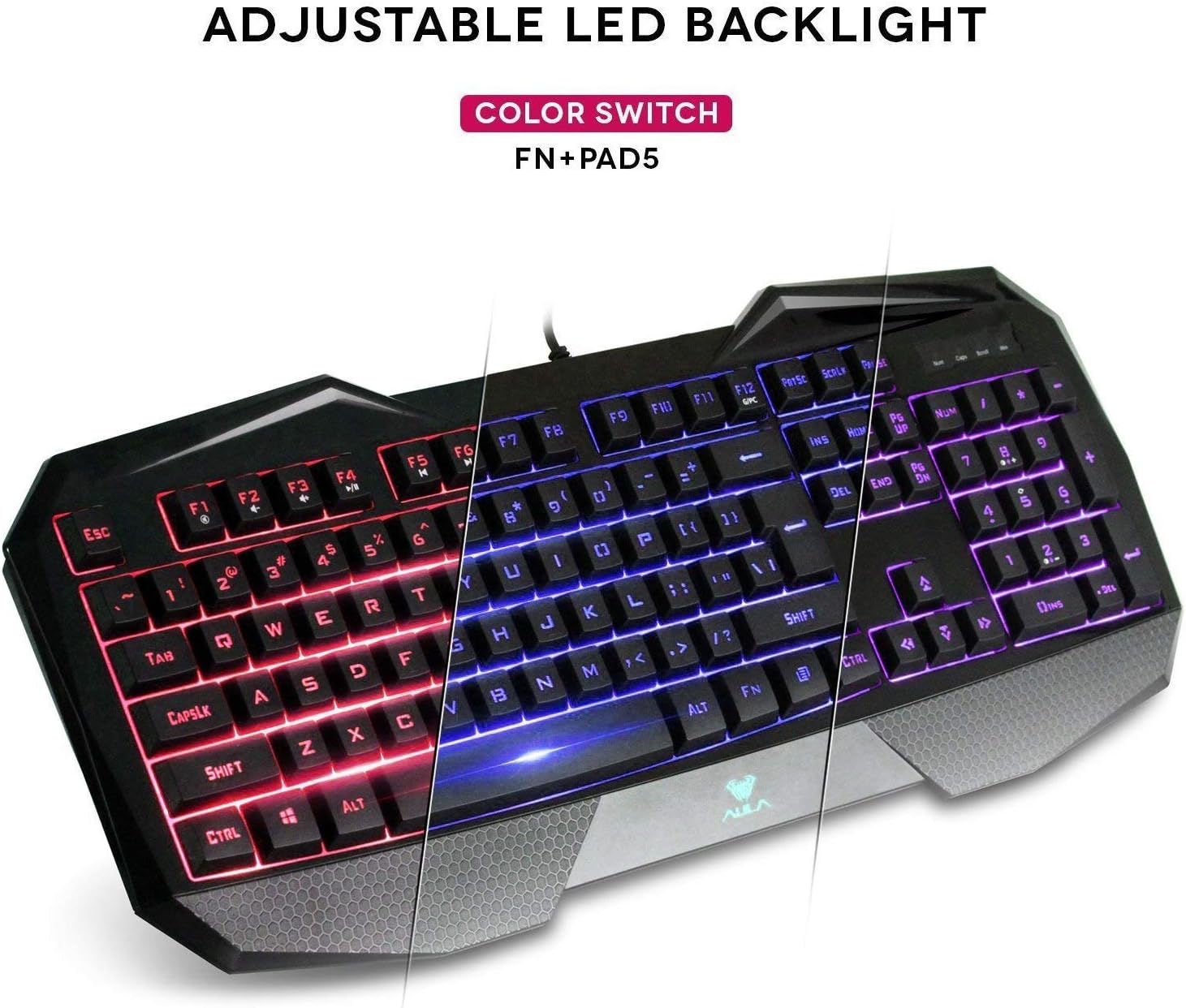
The AULA Befire keyboard features a special three-color LED backlight system (blue, red, and pink) with four adjustable brightness levels. This allows for comfortable usage in various lighting conditions and adds to the aesthetic appeal.

- Změna barev: To switch between the blue, red, and pink backlight colors, press and hold the Fn a poté stiskněte tlačítko 5 key on the numeric keypad (Fn+Pad5).
- Nastavení jasu: The backlight has four gear (levels) to adjust its intensity. Use the dedicated brightness control keys (refer to keyboard layout for exact keys, often Fn + Page Up/Page Down or similar) to cycle through the brightness levels or turn the backlight off.
Zámek kláves Windows
For an uninterrupted gaming experience, the keyboard features a lock/unlock function for the Windows key. This prevents accidental presses that could minimize your game.
- Aktivace/Deaktivace: Press the dedicated Windows Lock key (often located near the right-top bezel or combined with an Fn function) to toggle the Windows key functionality.
- Indikátor: A dedicated LED indicator on the right-top bezel will illuminate when the Windows key is locked.
Multimédia a klávesové zkratky
The keyboard incorporates a series of shortcut function keys that work in conjunction with the Fn key. These keys provide quick access to multimedia controls and other common functions.

Údržba
- Čištění: Use a soft, dry cloth to clean the keyboard surface. For deeper cleaning, a can of compressed air can be used to remove dust and debris from between the keys. Avoid using harsh chemicals or abrasive materials.
- Prevence přehřátí: If the keyboard becomes less responsive due to prolonged use or high temperatures, disconnect it from the computer and allow it to cool down in a well-ventilated area before reconnecting.
- Demontáž krytky kláves: The keycaps are designed to be removable for cleaning or customization. Use a keycap puller (if provided) or gently pry them off from the edges. Be careful not to damage the key switches.
Odstraňování problémů
- Klávesnice nereaguje:
- Ujistěte se, že je kabel USB bezpečně zapojený do klávesnice i do počítače.
- Zkuste zapojit klávesnici do jiného USB portu.
- Restartujte počítač.
- Otestujte klávesnici na jiném počítači, abyste zjistili, zda je problém s klávesnicí nebo s počítačem.
- Nefunguje podsvícení:
- Check if the backlight is simply turned off or set to the lowest brightness level. Use the brightness control keys (e.g., Fn + Page Up) to increase brightness.
- Ujistěte se, že je klávesnice správně připojena k počítači.
- Klávesy se neregistrují nebo se zasekávají:
- Vyčistěte okolí a pod postiženými klávesami, abyste odstranili veškeré nečistoty.
- If the issue persists, refer to the 'Overheating Prevention' section under Maintenance.
Specifikace
| Značka | AULA |
| Model | Befire |
| Hardwarová platforma | PC |
| Hmotnost položky | 2 libry |
| Technologie připojení | USB |
| Popis klávesnice | Hraní |
| Doporučená použití | Hraní |
| Speciální funkce | Protiskluzové |
| Backlighting Colors | Blue, Red, Pink (RGB support mentioned in specs, but product description specifies 3 colors) |
| Styl | LED Backlit Gaming Keyboard |
| Materiál | Plast |
| Rozměry (D x Š x V) | 458.5 mm x 190 mm x 30 mm |

Záruka a podpora
Informace o záruce a zákaznické podpoře naleznete v dokumentaci dodané s vaším nákupem nebo se obraťte přímo na prodejce/výrobce. Uschovejte si doklad o koupi pro případné reklamace.


