Zavedení
This manual provides essential instructions for setting up, operating, and maintaining your Alcatel 392G Big Easy Flip Phone. Designed for simplicity, this Tracfone device features large, easy-to-read keys and a clear display, making communication straightforward.
Key features include a 2 MP camera, Bluetooth connectivity, FM radio, and mobile web access. Please read this manual thoroughly to ensure proper use and to maximize the functionality of your phone.
Nastavení
1. Rozbalení a obsah balení
Po otevření balení ověřte, zda jsou v něm obsaženy následující položky:
- Alcatel 392G Big Easy Flip Phone
- Baterie
- Nabíječka
- Aktivační karta
- Servisní průvodce
2. Instalace baterie
Carefully remove the back cover of the phone. Align the battery contacts with the terminals inside the battery compartment and gently press the battery into place. Ensure it is securely seated. Replace the back cover.
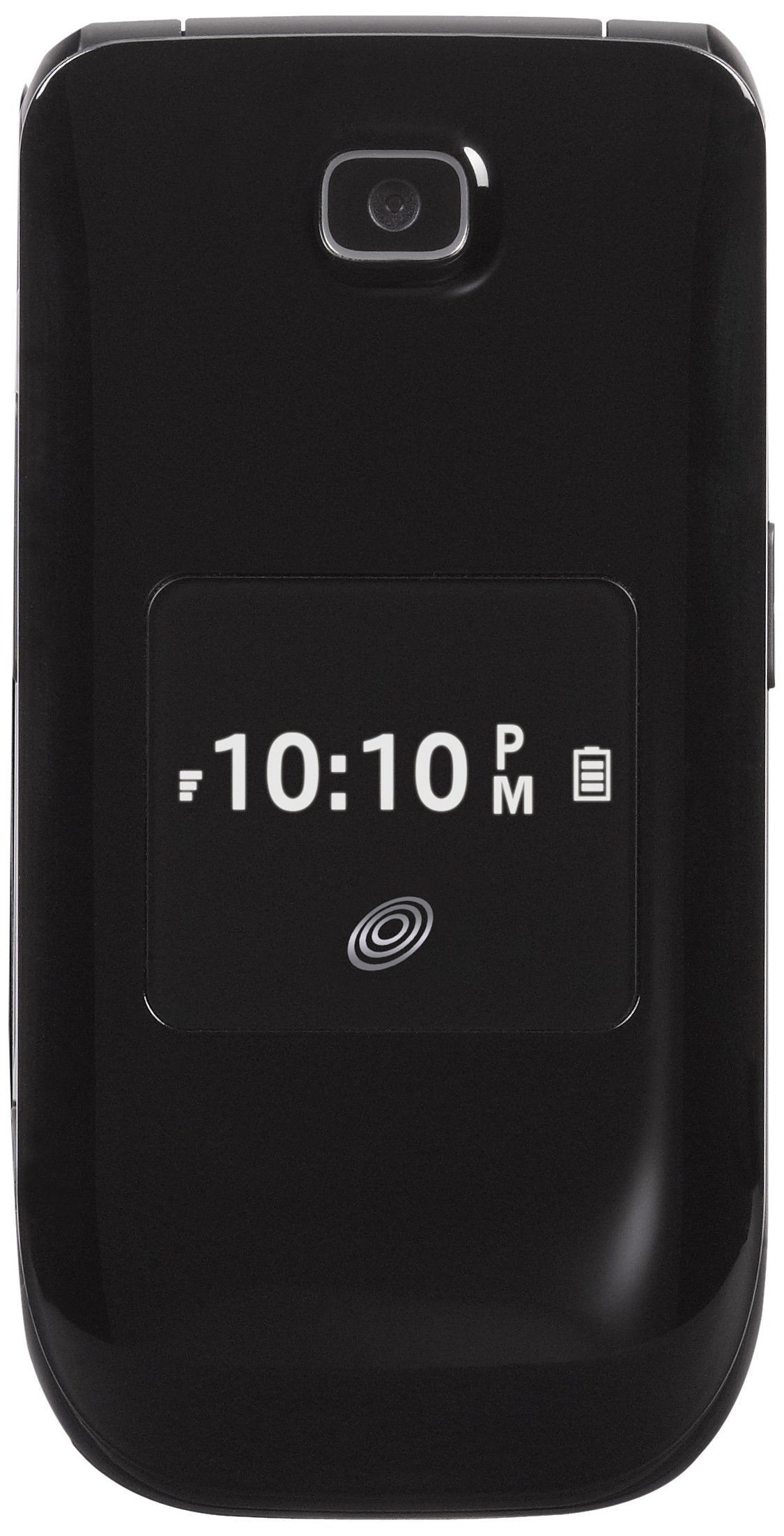
Image: The Alcatel 392G Big Easy Flip Phone in an open position, showing the main display, keypad, and navigation buttons. The screen displays "Home", "10 Minutes", "60 Service Days", "11:19 AM", "May 20 Mon", "Menu", and "Web".
3. Nabíjení telefonu
Before first use, fully charge the phone's battery. Connect the charger to the charging port on the phone and plug it into a power outlet. The charging indicator will show the charging status. A full charge typically takes approximately 3 hours.
4. Aktivace telefonu
To activate your Tracfone service, follow the instructions provided on the Activation Card included in your package. This typically involves calling Tracfone customer service or visiting their webmísto.
5. Instalace karty MicroSD (volitelné)
The phone supports a microSD card up to 32GB (not included) for additional storage. Locate the microSD card slot, usually near the battery compartment, and insert the card gently until it clicks into place.
Ovládání telefonu
1. Zapnutí/vypnutí
- Zapnutí: Stiskněte a podržte tlačítko Konec/Napájení klávesu, dokud se obrazovka nerozsvítí.
- Vypnutí: Stiskněte a podržte tlačítko Konec/Napájení key, then confirm power off on the screen.
2. Uskutečňování a přijímání hovorů
- To make a call: Enter the phone number using the keypad and press the Poslat klíč.
- To answer a call: Open the flip or press the Poslat tlačítko, když zazvoní telefon.
- To end a call: Close the flip or press the Konec/Napájení klíč.
3. Text and Picture Messaging
Navigate to the Messaging menu to compose and send text (SMS) or picture (MMS) messages. The large lighted keys facilitate easy typing.
4. Funkce kamery
The phone is equipped with a 2 MP camera. Access the camera from the main menu to take photos. Images can be stored on the phone's internal memory or an installed microSD card.
5. Připojení Bluetooth
To pair with a Bluetooth device (e.g., headset, car kit):
- Přejít na Menu > Nastavení > Bluetooth.
- Zapněte Bluetooth On.
- Vybrat Hledat nové zařízení a vyberte své zařízení ze seznamu.
- Zadejte přístupový klíč, pokud se zobrazí výzva.
6. FM Radio and MP3 Player
- FM rádio: Access the FM Radio application from the menu. A wired headset (not included) may be required to act as an antenna.
- Mp3 přehrávač: The phone includes an MP3 player. Music files can be stored on a microSD card. A USB cable (not included) is required to transfer music from a computer.
7. Telefonní seznam
Store up to 1,000 entries in the phonebook. Navigate to the Contacts or Phonebook menu to add, edit, or delete entries.
8. Funkce usnadnění
The Alcatel 392G is Hearing Aid Compatible (HAC) with a rating of M3/T4, designed to reduce interference with hearing aids.
Údržba
1. Čištění telefonu
Use a soft, lint-free cloth to clean the phone's screen and body. Avoid using harsh chemicals or abrasive materials, which can damage the surface.
2. Péče o baterie
- Nevystavujte baterii extrémním teplotám.
- Baterii nepropichujte ani nerozebírejte.
- Pokud telefon nebudete delší dobu používat, skladujte jej částečně nabitý.

Obrázek: Vedlejší profesionálfile view of the Alcatel 392G Big Easy Flip Phone, highlighting its compact, folded design and the textured surface for better grip.
Odstraňování problémů
Běžné problémy a řešení
- Telefon se nezapíná:
Ensure the battery is correctly installed and fully charged. Try removing and reinserting the battery, then attempt to power on again.
- Poor call quality or low volume:
Check the volume settings during a call. Ensure you are in an area with good network coverage. If issues persist, contact Tracfone customer service.
- Baterie se nenabíjí:
Verify that the charger is properly connected to both the phone and the power outlet. Try using a different outlet. Ensure you are using the correct battery type for the phone; some users have reported receiving incorrect batteries initially.
- Cannot send/receive messages:
Check your service plan and network coverage. Ensure message center settings are correct (these are usually configured automatically by the carrier).
- Phone freezes or becomes unresponsive:
Remove the battery, wait a few seconds, and then reinsert it and power on the phone. This performs a soft reset.
For further assistance with service-related issues, please contact Tracfone customer support. For hardware malfunctions, refer to the warranty information.
Specifikace
| Název modelu | Big Easy Flip (392G) |
| Značka | Alcatel |
| Form Factor | Flip Phone |
| Rozměry (D x Š x V) | 4.09 x 2.05 x 0.68 palce |
| Hmotnost položky | 3.67 unce |
| Zobrazit | 2.4palcový TFT LCD displej |
| Fotoaparát | 2 MP |
| Kapacita paměti | Podporuje microSD až do 32 GB |
| Bezdrátové technologie | Bluetooth 2.1, Cellular (2G), Wi-Fi |
| Operační systém | Other (Feature Phone OS) |
| Typ baterie | 1 lithium-iontová baterie (vyžadováno) |
| Doba hovoru | Až 3 hodiny (228 minut) |
| Pohotovostní doba | Up to 10 days (264 minutes with data) |
| Speciální funkce | MP3 Player, FM Radio, Large Lighted Keys, External Caller ID, HAC (M3/T4) |
| Bezdrátový nosič | Tracfone |
Informace o záruce
Your Alcatel 392G Big Easy Flip Phone is covered by a limited manufacturer's warranty. Please refer to the Service Guide included in your product package for specific terms, conditions, and duration of the warranty. Keep your proof of purchase for warranty claims.
Podpora
For technical support, service inquiries, or additional tutorials, please contact Tracfone customer service or visit their official webmísto.
- Tracfone Customer Service: Refer to your Service Guide or the Tracfone webstránky pro kontaktní údaje.
- Online zdroje: Navštivte Tracfone website for FAQs, troubleshooting guides, and video tutorials specific to your device.


