1. Úvod
This manual provides comprehensive instructions for the setup, operation, maintenance, and troubleshooting of your Gigaset DA610 Corded Phone. Please read this manual carefully to ensure proper use and to fully utilize all features of your device.
2. Konec produktuview a funkce
The Gigaset DA610 is a corded telephone designed for ease of use, offering essential communication features for home or office environments. Key features include hands-free operation, caller identification, and a clear display for call information.
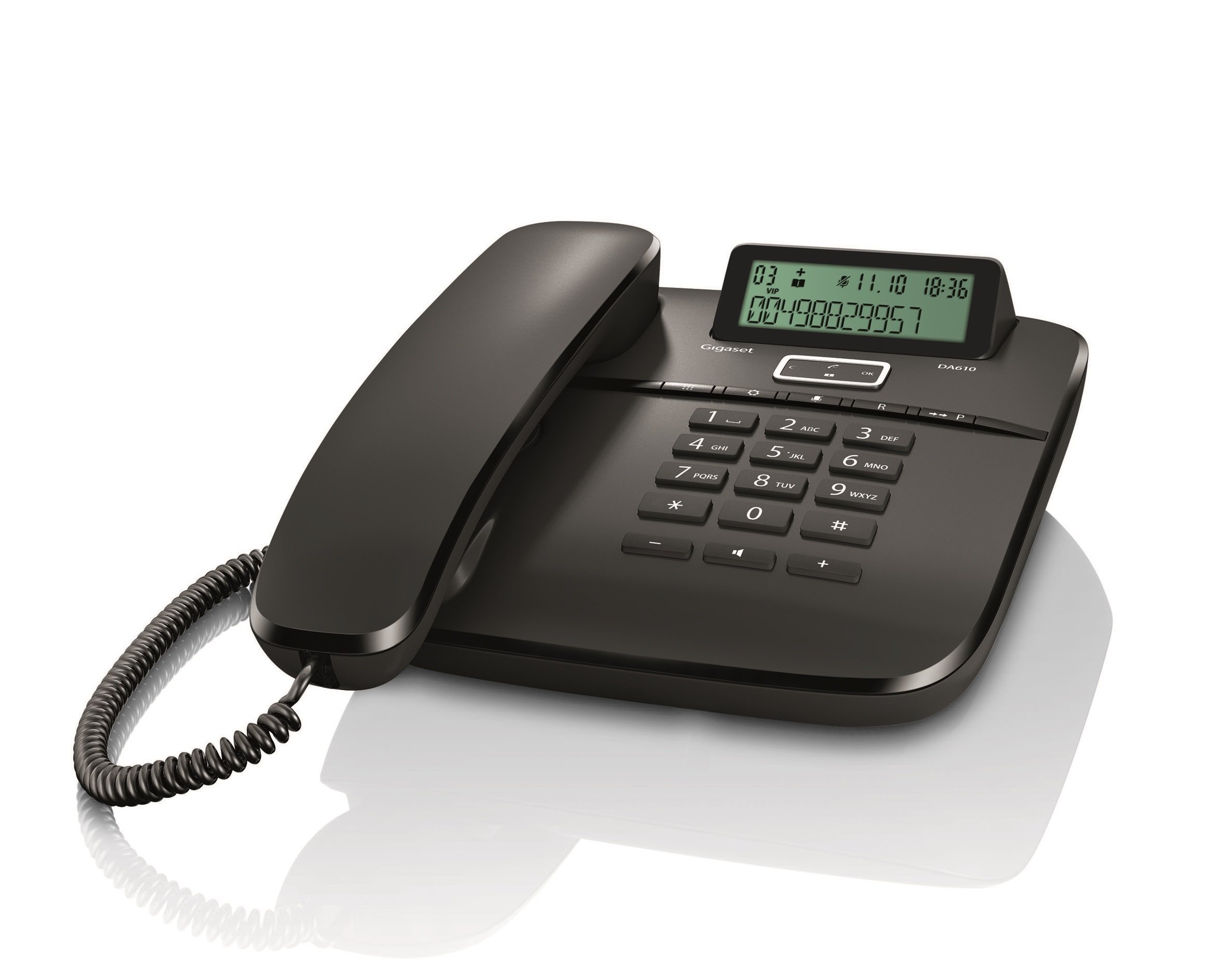
Obrázek: Přední strana view of the Gigaset DA610 Corded Phone, showing the handset, keypad, and display screen.
Vlastnosti displeje:
- Two-line display for clear information viewIng.
- Keypad lock functionality.
- Time, date, and call duration display.
- Visual signal for incoming calls.
Konektivita:
- Supports PSTN (Public Switched Telephone Network).
- Supports PABX (Private Automatic Branch Exchange) networks.
Další vlastnosti:
- Mute mode indicator.
- Hands-free function for convenient conversations.
- Caller identification feature to see who is calling.
Produktové videoview:
Video: Stručný přehledview of the Gigaset DA610 Corded Phone, highlighting its display, screen features, and connectivity options.
3. Co je v krabici
Upon opening the product packaging, please ensure all items are present and undamaged.
- Gigaset DA610 Corded Phone unit (including handset and base).
- Coiled handset cord.
- Telephone line cord.
- Uživatelská příručka (tento dokument).
4. Nastavení
Follow these steps to set up your Gigaset DA610 Corded Phone:
- Připojení sluchátka: Plug one end of the coiled handset cord into the handset and the other end into the designated port on the phone base unit.
- Připojení k telefonní lince: Plug one end of the telephone line cord into the "LINE" port on the back of the phone base unit. Plug the other end into your telephone wall socket.
- Připojení napájení (pokud je k dispozici): The Gigaset DA610 is primarily line-powered for basic functions. However, for features like the display backlight and memory retention, batteries are required (not included). Insert the specified batteries into the battery compartment if you wish to use these features.
- Počáteční kontrola: Zvedněte sluchátko a poslouchejte oznamovací tón. Pokud oznamovací tón neslyšíte, zkontrolujte všechna připojení.
- Nastavit datum a čas: Refer to the display features section or the on-screen prompts to set the current date and time for accurate call logging and display.
5. Návod k obsluze
Uskutečnění hovoru:
- Zvedněte sluchátko nebo stiskněte tlačítko Handsfree tlačítko.
- Vytočte požadované telefonní číslo pomocí klávesnice.
- Počkejte, až se hovor spojí.
- Chcete-li hovor ukončit, zavěste sluchátko nebo stiskněte Handsfree znovu tlačítko.
Přijetí hovoru:
- Když telefon zvoní, zvedněte sluchátko nebo stiskněte Handsfree tlačítko.
Using Hands-free:
- Během hovoru stiskněte Handsfree tlačítko pro aktivaci hlasitého odposlechu.
- Chcete-li přepnout zpět na sluchátko, zvedněte sluchátko.
- Chcete-li ukončit handsfree hovor, stiskněte Handsfree znovu tlačítko.
Caller Identification (CLIP):
- When an incoming call is received, the caller's number (and name, if stored in your phonebook or provided by your service provider) will be displayed on the screen.
- Ensure your telephone service provider supports Caller ID (CLIP) for this feature to function.
Funkce ztlumení:
- Během hovoru stiskněte Ztlumit button to temporarily disable your microphone. The mute mode indicator will illuminate.
- Stiskněte tlačítko Ztlumit button again to reactivate your microphone.
6. Údržba
To ensure the longevity and optimal performance of your Gigaset DA610 Corded Phone, follow these maintenance guidelines:
- Čištění: Použijte měkký, damp cloth to clean the phone's surface. Avoid abrasive cleaners or solvents that may damage the finish.
- Umístění: Place the phone on a stable, flat surface away from direct sunlight, heat sources, and moisture.
- Šňůry: Pravidelně kontrolujte sluchátko a telefonní kabely, zda nevykazují známky opotřebení nebo poškození. V případě potřeby je vyměňte.
- Větrání: Ujistěte se, že ventilační otvory telefonu nejsou zablokované, abyste zabránili přehřátí.
7. Řešení problémů
If you encounter issues with your Gigaset DA610, refer to the following common problems and solutions:
- Žádný oznamovací tón:
- Check that the telephone line cord is securely connected to both the phone and the wall socket.
- Ensure your telephone service is active.
- Caller ID Not Working:
- Verify that your telephone service provider offers Caller ID (CLIP) and that it is activated on your line.
- Some service providers may require specific settings or a brief power cycle of the phone to activate CLIP.
- Display Not Working / Blank:
- Check if batteries are installed and correctly inserted, as they power the display.
- Ensure the telephone line is connected, as the phone may draw power from the line for basic functions.
- Poor Sound Quality / Static:
- Check the handset cord and telephone line cord for damage.
- Ensure the phone is not placed too close to other electronic devices that might cause interference.
- Klávesnice nereaguje:
- Check if the keypad lock feature is activated. Refer to the "Operating Instructions" section to unlock the keypad.
Pokud problém přetrvává i po vyzkoušení těchto řešení, kontaktujte zákaznickou podporu.
8. Specifikace
| Funkce | Detail |
|---|---|
| Značka | Gigaset |
| Model | DA610 |
| Výrobce | Siemens |
| Typ telefonu | Kabelové |
| Barva | Černý |
| Typ zobrazení | LED (2 display lines) |
| Zdroj napájení | Battery Powered (for display/memory) |
| Baterie jsou součástí dodávky | Žádný |
| Jsou vyžadovány baterie | Ano |
| Typ montáže | Držák na zeď |
| Typ vytáčení | Jedna klávesnice |
| Rozměry produktu (DxŠxV) | 22.4 x 18.2 x 8 cm |
| Hmotnost položky | 897 g |
9. Záruka a podpora
The Gigaset DA610 Corded Phone comes with a 1-year manufacturing warranty.
For any service issues or after-sales support, please contact Gigaset support via email:
You can expect a response within 48 hours.


