1. Úvod
This manual provides essential information for the safe and effective use of the Panasonic DP-102-N-P Digital Pressure Sensor. Please read this manual thoroughly before installation, operation, or maintenance to ensure proper functionality and to prevent damage or injury. Keep this manual in a safe place for future reference.
2. Bezpečnostní informace
Dodržujte následující bezpečnostní opatření, abyste předešli úrazu elektrickým proudem, požáru nebo poškození produktu.
- Ensure that the power supply is disconnected before performing any wiring or maintenance.
- Do not use the sensor in environments with flammable or explosive gases.
- Do not disassemble, modify, or repair the unit. Contact qualified service personnel for repairs.
- Verify that the pressure range of the application does not exceed the sensor's specified limits.
- Properly ground the unit according to local electrical codes.
3. Konec produktuview
The Panasonic DP-102-N-P is a standard version digital pressure sensor designed for precise pressure measurement in industrial applications. It features a compact design and a clear digital display for easy reading.
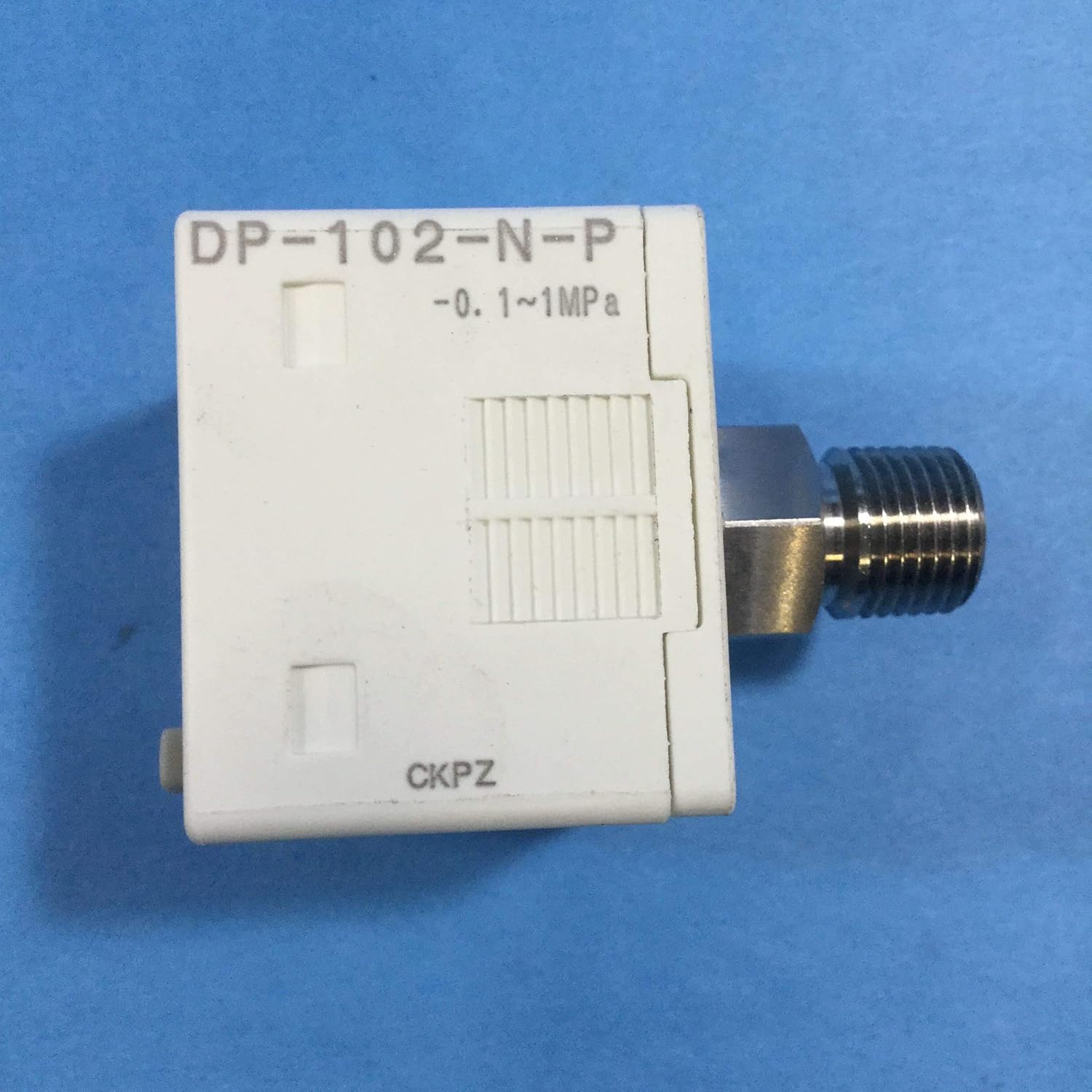
Figure 3.1: Panasonic DP-102-N-P Digital Pressure Sensor unit. This image shows the main sensor body with the model number 'DP-102-N-P' and pressure range '-0.1~1MPa' clearly visible, along with the threaded pressure port.

Figure 3.2: Panasonic DP-100 series display unit. This image displays the front panel of the sensor, featuring a digital screen for pressure readings and three control buttons: 'MODE', 'Up arrow', and 'Down arrow'.
Klíčové komponenty:
- Tělo snímače: Houses the pressure sensing element and electronic circuitry.
- Digitální displej: Shows real-time pressure readings.
- Ovládací tlačítka: Used for setting parameters and navigating menus (MODE, Up, Down).
- Tlakový port: Threaded connection for pressure input.
- Elektrický konektor: 4-pin connector for power and signal output.
4. Nastavení a instalace
Follow these steps for proper installation of the DP-102-N-P sensor.
4.1 Mechanická instalace
- Identify a suitable mounting location that is free from excessive vibration, heat, and moisture.
- Connect the sensor's threaded pressure port to the pressure source using appropriate fittings. Ensure a tight, leak-free seal. Do not overtighten.
4.2 Elektrické zapojení
- Před zapojováním se ujistěte, že je veškeré napájení vypnuto.
- Connect the 4-pin electrical connector to the control system. Refer to the wiring diagram provided with the product for specific pin assignments (e.g., power supply, ground, output signal).
- Zkontrolujte, zda jsou všechna připojení bezpečná a správně polarizovaná.
5. Návod k obsluze
Once installed and wired, the DP-102-N-P sensor is ready for operation.
5.1 Zapnutí
Apply power to the sensor. The digital display will illuminate and show the current pressure reading.
5.2 Reading Pressure
The primary display shows the real-time pressure value. The unit of measurement (e.g., MPa) is indicated on the display.
5.3 Funkce tlačítek
- Tlačítko MODE: Used to cycle through different display modes or enter parameter setting menus.
- Tlačítko šipka nahoru: Used to increase values or navigate upwards in menus.
- Tlačítko šipka dolů: Used to decrease values or navigate downwards in menus.
Refer to the detailed programming guide (if supplied separately) for advanced parameter settings and calibration procedures.
6. Údržba
Regular maintenance ensures optimal performance and longevity of your sensor.
- Čištění: Gently wipe the display and sensor body with a soft, damp tkanina. Nepoužívejte abrazivní čisticí prostředky nebo rozpouštědla.
- Inspekce: Periodically check the pressure port and electrical connections for any signs of wear, corrosion, or leaks.
- Kalibrace: If precise measurements are critical, periodic calibration by a qualified technician is recommended.
7. Řešení problémů
If you encounter issues with your DP-102-N-P sensor, refer to the following common problems and solutions.
| Problém | Možná příčina | Řešení |
|---|---|---|
| Žádný displej/Žádné napájení | Incorrect wiring, no power supply, faulty cable. | Zkontrolujte připojení napájení a napětí napájenítage. Verify wiring against diagram. |
| Nesprávný údaj o tlaku | Sensor not properly installed, leak in pressure line, sensor out of calibration. | Check pressure port for leaks. Ensure sensor is correctly installed. Consider recalibration. |
| Displej zobrazuje chybový kód | Internal malfunction, out-of-range pressure. | Refer to the detailed product manual for specific error code meanings. Reduce pressure if it exceeds limits. |
If the problem persists, contact Panasonic technical support.
8. Specifikace
Technical specifications for the Panasonic DP-102-N-P Digital Pressure Sensor.
- Model: DP-102-N-P
- Výrobce: Panasonic
- Rozsah tlaku: -0.1 to 1 MPa (Gage) / -100 kPa to 1000 kPa (Gage)
- Typ připojení: 4-pin
- Hmotnost položky: Přibližně 0.01 uncí (0.28 gramů)
- ASIN: B00DEDMPD0
9. Záruka a podpora
For warranty information, please refer to the documentation included with your purchase or visit the official Panasonic website. For technical assistance, support, or service, please contact Panasonic customer support directly.
Oficiální Panasonic Webmísto: Www.panasonic.com


