1. Úvod
Thank you for choosing the Marathon CL030033WD Atomic Self-Setting Wall Clock. This clock is designed for accuracy and convenience, automatically synchronizing with the atomic time signal to ensure precise timekeeping. It also features a clear digital display, multiple time zones, and temperature readings. This manual provides detailed instructions for setting up, operating, and maintaining your new clock.

Obrázek 1.1: Přední strana view of the Marathon CL030033WD Atomic Self-Setting Wall Clock, displaying time, date, day, and temperature.
2. Vlastnosti produktu
- Atomová synchronizace času: Automatically sets and adjusts time via the WWVB radio signal for precise accuracy.
- Velký, snadno čitelný displej: Clear digital display for time, date, day of the week, and indoor temperature.
- Více časových pásem: Supports 8 selectable time zones.
- Self-Setting: Simply insert batteries for automatic setup.
- Všestranná montáž: Includes a built-in table stand and wall-mount option.
- Elegantní design: Features a brushed steel effect frame with a wood tone finish.
- Zobrazení teploty: Shows indoor temperature in both Celsius and Fahrenheit.

Image 2.1: The Marathon Atomic Wall Clock in a room setting, highlighting its large, easy-to-read display, multiple modes (time, date, temperature), and 8 time zone capability.

Image 2.2: Close-up of the clock face with icons representing its self-setting function, versatile mounting options, and sleek design.

Obrázek 2.3: Detailní view of the clock's dynamic display, showing the date, day of the week, and temperature in both Celsius and Fahrenheit.
3. Obsah balení
Zkontrolujte prosím obsah balení, abyste se ujistili, že jsou přítomny všechny položky:
- Marathon CL030033WD Atomic Self-Setting Wall Clock
- 2 x AA baterie
- Uživatelská příručka (tento dokument)
4. Nastavení
4.1 Instalace baterie
- Najděte kryt přihrádky na baterie na zadní straně hodin.
- Odstraňte kryt.
- Insert the two AA batteries, ensuring the correct polarity (+ and -).
- Nasaďte kryt prostoru pro baterie.
4.2 Initial Power-Up and Atomic Signal Reception
Upon battery installation, the clock will automatically power on and begin searching for the WWVB atomic time signal. This process may take several minutes to several hours, depending on your location and environmental conditions. During this time, the signal reception indicator (often a wave icon) will flash.
- For optimal signal reception, place the clock near a window, away from electronic devices that may cause interference.
- The clock is designed to receive signals primarily in North America. Signal strength may vary in other regions.
- Once the signal is successfully received, the time and date will automatically set, and the signal indicator will become solid.
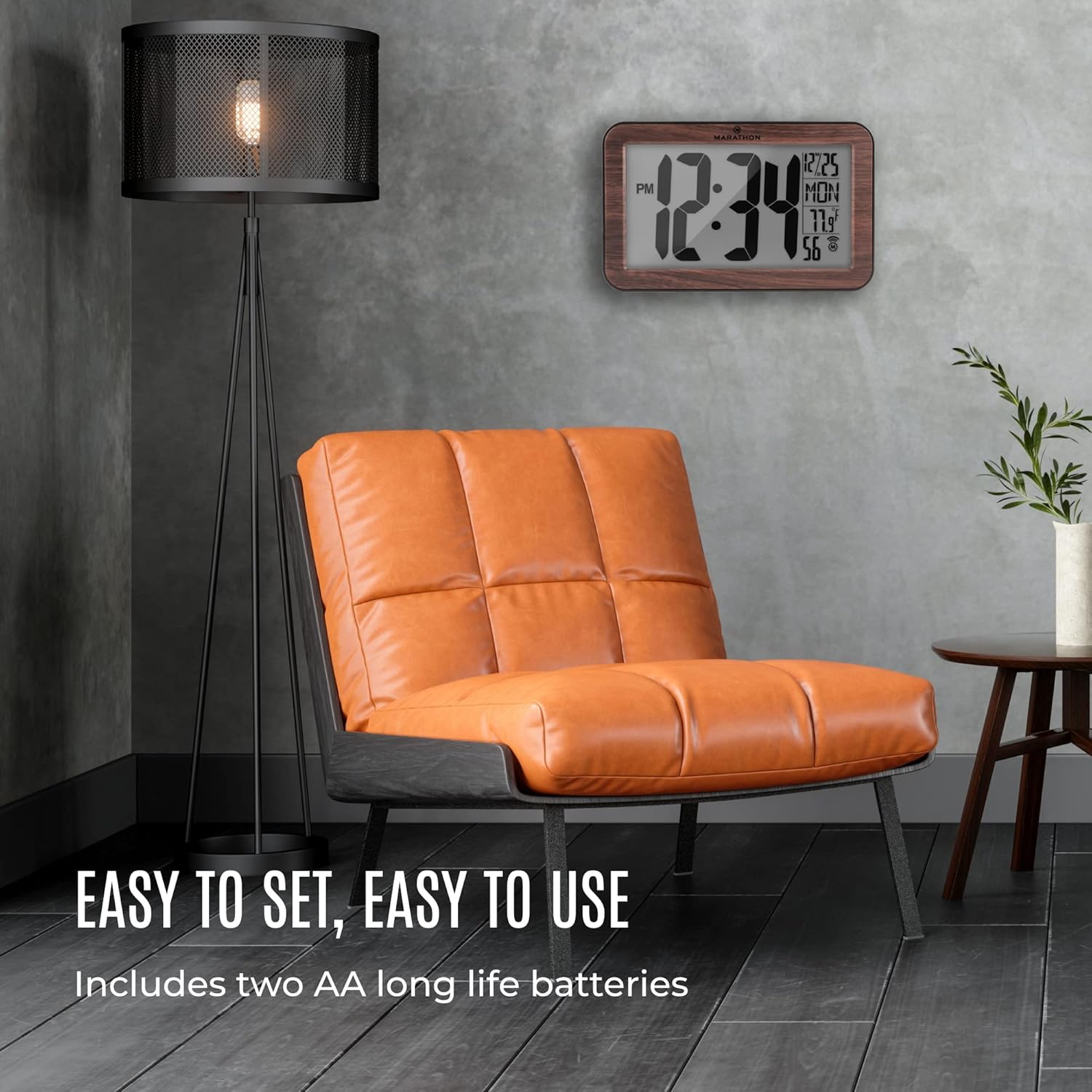
Image 4.1: The Marathon Atomic Wall Clock displayed in a living room, illustrating its ease of setup and use, including battery installation.
5. Návod k obsluze
The clock's display provides the following information:
- Čas: Large digits indicate the current time (12-hour format with AM/PM indicator).
- Datum: Měsíc a den.
- Den v týdnu: Zkrácený název dne.
- Teplota: Indoor temperature in Celsius or Fahrenheit.
- Indikátor atomového signálu: Shows the status of atomic signal reception.
5.1 Funkce tlačítek
The clock typically has buttons on the back for various settings. Common buttons include:
- SOUBOR: Enters or confirms setting modes.
- REŽIM: Toggles between display modes or setting options.
- VLNA / RCC: Ručně spouští vyhledávání atomických signálů.
- ČASOVÉ PÁSMO: Selects the desired time zone.
- +/C/F: Adjusts values during setting or switches temperature unit (Celsius/Fahrenheit).
6. Nastavení časového pásma
To set your local time zone:
- Stiskněte tlačítko ČASOVÉ PÁSMO button. The current time zone will begin to flash.
- Stiskněte tlačítko + or - button (if available, or MODE/SOUBOR) to cycle through the available time zones (e.g., PST, MST, CST, EST, AST, NST, HST, AKST).
- Once your desired time zone is displayed, press the SOUBOR button to confirm. The clock will then adjust to the correct time for that zone after receiving the atomic signal.
7. Ruční nastavení času
If the atomic signal is consistently unavailable or if you prefer to set the time manually:
- Stiskněte a podržte SOUBOR button for approximately 3-5 seconds until the hour digits begin to flash.
- Použijte + or - nastavte hodinu.
- Stiskněte SOUBOR again to move to the minute digits, then adjust with + or -.
- Pokračujte v stisknutí SOUBOR procházet nastavení roku, měsíce a dne a upravovat každé z nich pomocí + or -.
- After setting all desired parameters, press SOUBOR one last time to exit the manual setting mode.
Poznámka: If the atomic signal is enabled, the clock may attempt to override manual settings once a strong signal is received. To prevent this, you may need to disable the atomic synchronization feature if available (refer to specific button functions on your clock).
8. Údržba
8.1 Výměna baterie
When the display dims or the clock stops functioning, it is time to replace the batteries. Follow the battery installation steps in Section 4.1. Always use fresh AA alkaline batteries.
8.2 Čištění
To clean the clock, use a soft, dry cloth. Do not use abrasive cleaners or chemical solvents, as these may damage the clock's finish or display.
9. Řešení problémů
| Problém | Možná příčina | Řešení |
|---|---|---|
| Clock not setting time automatically | Weak or no atomic signal reception. | Relocate the clock near a window, away from electronic interference. Manually initiate signal search using the WAVE/RCC button. Ensure you are within the WWVB signal range (North America). |
| Zobrazuje se nesprávný čas | Incorrect time zone selected; temporary signal loss. | Verify the time zone setting (Section 6). Allow time for the clock to re-synchronize with the atomic signal. If persistent, try manual time setting (Section 7). |
| Displej je tmavý nebo prázdný | Slabé nebo vybité baterie. | Replace batteries with fresh AA alkaline batteries (Section 8.1). |
| Odečet teploty je nepřesný | Clock exposed to direct sunlight or heat source. | Přemístěte hodiny na místo se stabilní okolní teplotou. |
10. Specifikace
| Funkce | Detail |
|---|---|
| Číslo modelu | CL030033WD |
| Značka | Maratón |
| Typ zobrazení | Digital (Analog style digits) |
| Speciální funkce | Atomic Time Synchronization, Temperature Display |
| Zdroj napájení | 2 x AA baterie (součástí balení) |
| Materiál | Wood (Frame) |
| Rozměry (DxŠxV) | 22.9 x 14 x 2.5 centimetrů (přibližně 9 x 5.7 x 1 palce) |
| Hmotnost položky | 531 gramů (přibližně 1.17 libry) |
| Typ montáže | Nástěnný držák, Stolní stojan |

Image 10.1: The Marathon Atomic Wall Clock illustrating its physical dimensions, including overall width (9 inches / 23 cm), height (5.7 inches / 14.5 cm), and digit height (4 inches / 10 cm).
11. Záruka a podpora
Marathon products are manufactured to high-quality standards. For specific warranty information, please refer to the warranty card included with your product or visit the official Marathon website. For technical support or inquiries, please contact Marathon customer service through their official channels.


