Zavedení
This manual provides comprehensive instructions for the setup, operation, and maintenance of your A4tech G11-570HX-1 Rechargeable Wireless Mouse. Please read this manual thoroughly before using the device to ensure optimal performance and longevity.
Obsah balení
- A4tech G11-570HX-1 Wireless Mouse
- USB bezdrátový přijímač
- Rechargeable Lithium-Ion Battery (included, may be pre-installed)
Pokyny pro nastavení
- Nabijte myš: Ensure the mouse is fully charged before first use. Connect the mouse to a USB power source using the appropriate charging cable (not explicitly listed in package contents, but implied for rechargeable devices). The charging status indicator will provide feedback. The battery stops charging automatically when fully charged.
- Insert USB Wireless Receiver: Locate an available USB port on your computer. Insert the A4tech USB wireless receiver into the USB port. Your operating system should automatically detect and install the necessary drivers.
- Zapnutí myši: Locate the power switch on the underside of the mouse and slide it to the 'ON' position.
- Test připojení: Move the mouse to confirm cursor movement on your screen. If the mouse does not respond, ensure the receiver is securely plugged in and the mouse is powered on.

Image: The A4tech G11-570HX-1 wireless mouse shown alongside its compact USB wireless receiver, ready for connection to a computer.
Návod k obsluze
The A4tech G11-570HX-1 mouse features 7 buttons for enhanced functionality and an operating range of up to 15 meters from the USB receiver.
- Levé kliknutí: Primary function, typically for selecting items or activating commands.
- Klikněte pravým tlačítkem myši: Secondary function, typically for opening context menus.
- Rolovací kolečko: Scroll documents or web pages vertically. The scroll wheel may also function as a clickable button.
- Další tlačítka: The mouse includes additional programmable buttons. Refer to the manufacturer's software (if available) for customization options.
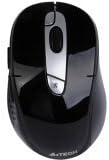
Obrázek: Nahoře view of the A4tech G11-570HX-1 wireless mouse, highlighting its ergonomic design and button layout.
Pokyny pro nabíjení
Your A4tech G11-570HX-1 mouse is equipped with a long-life, rechargeable lithium-ion battery. To charge the mouse:
- Connect the charging cable (typically a standard USB cable, not included in package contents) to the charging port on the mouse.
- Plug the other end of the charging cable into a powered USB port (e.g., on your computer or a USB wall adapter).
- Observe the charging status indicator. The indicator will show the charging progress.
- The battery stops charging automatically when it reaches full capacity, preventing overcharge and extending battery life.
Přizpůsobitelné funkce
The A4tech G11-570HX-1 features a customizable shuttle key, allowing users to assign various functions for enhanced productivity. For detailed customization options, please refer to the official A4tech software or support resources.
Multi-Link Receiver Functionality
The included USB wireless receiver is a multi-link receiver, capable of connecting up to 3 sets of compatible A4tech keyboards and mice simultaneously. This feature allows for a streamlined setup, using a single receiver for multiple wireless peripherals.
Údržba
- Čištění: K čištění myši používejte měkký, suchý hadřík. Nepoužívejte agresivní chemikálie ani abrazivní materiály.
- Péče o baterie: To prolong battery life, avoid fully discharging the mouse frequently. Store the mouse in a cool, dry place when not in use for extended periods.
- Skladování: When transporting or storing the mouse, ensure the power switch is in the 'OFF' position to conserve battery.
Odstraňování problémů
- Myš nereaguje:
- Ensure the USB wireless receiver is securely plugged into a working USB port.
- Ověřte, zda je myš zapnutá.
- Zkontrolujte stav baterie a v případě potřeby ji dobijte.
- Zkuste zapojit přijímač do jiného USB portu.
- Přerušované připojení:
- Ujistěte se, že myš je v dosahu 15 metrů od přijímače.
- Minimalizujte rušení od jiných bezdrátových zařízení (např. Wi-Fi routerů, bezdrátových telefonů).
- Problémy s nabíjením:
- Confirm the charging cable is properly connected to both the mouse and the power source.
- Zkuste jiný USB port nebo nabíjecí adaptér.
If you continue to experience issues, please refer to the A4tech official support webstránky pro další pomoc.
Specifikace
| Číslo modelu | G11-570HX-1 |
| Bezdrátový typ | Rádiová frekvence 2.4 GHz |
| Technologie připojení | Bezdrátový |
| Technologie detekce pohybu | Optický |
| Počet tlačítek | 7 |
| Provozní rozsah | Až 15 metrů |
| Zdroj napájení | Napájení z baterie |
| Typ baterie | 1 lithium-iontová baterie (součástí balení) |
| Hardwarová platforma | PC |
| Barva | Černý |
| Hmotnost položky | 5.6 unce (cca 158.76 gramů) |
| Rozměry produktu (DxŠxV) | 7.25 x 5 x 2.75 palců (přibližně 18.4 x 12.7 x 7 cm) |
| Výrobce | A4Tech |
Záruka a podpora
A4tech products typically come with a limited warranty. For specific warranty terms, registration, and technical support, please visit the official A4tech webnebo kontaktujte jejich zákaznický servis. Uschovejte si účtenku jako doklad o koupi.
Official A4tech Webmísto: www.a4tech.com


