1. Úvod
Thank you for choosing the Hama 95236 8-inch LCD Digital Photo Frame. This manual provides important information regarding the safe operation, setup, and maintenance of your device. Please read it thoroughly before using the product and keep it for future reference.
2. Bezpečnostní pokyny
- Do not open the device. Incorrect assembly or repair can lead to electric shock.
- Nepoužívejte výrobek, pokud je viditelně poškozený.
- Protect the product from dirt, moisture, and overheating. Use it only in dry environments.
- Výrobek neupusťte ani jej nevystavujte silným vibracím.
- Používejte výrobek pouze k určenému účelu.
- Udržujte tento výrobek, stejně jako všechny elektrické výrobky, mimo dosah dětí.
- Obalový materiál okamžitě zlikvidujte v souladu s místně platnými předpisy.
3. Obsah balení
Please check that the package contains the following items:
- Hama 95236 8-inch LCD Digital Photo Frame
- Napájecí adaptér
- Uživatelská příručka (tento dokument)
4. Konec produktuview
Seznamte se s komponenty a ovládacími prvky vašeho digitálního fotorámečku.
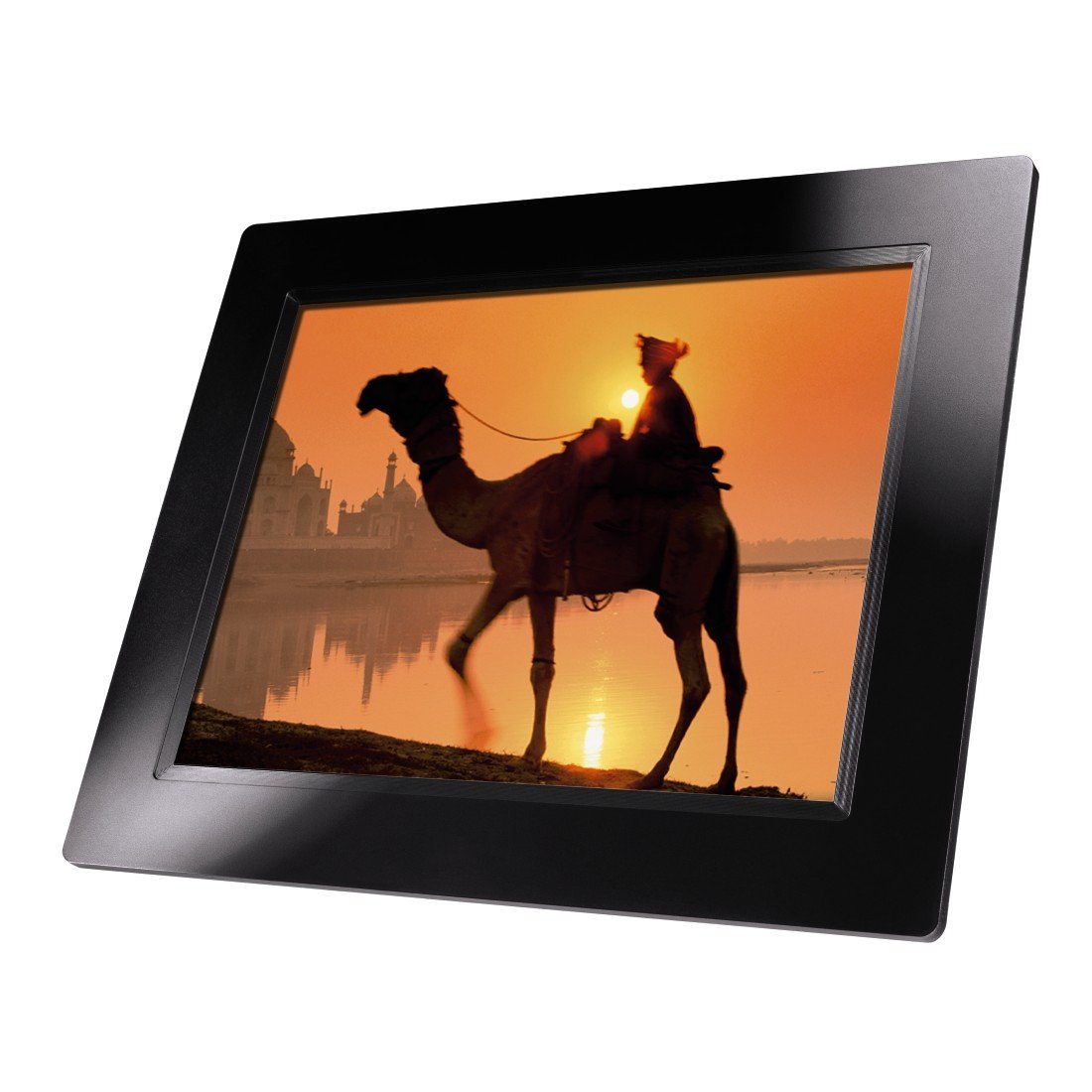
Obrázek 4.1: Přední view of the Hama 95236 Digital Photo Frame, showing the 8-inch LCD screen.

Obrázek 4.2: Strana view of the digital photo frame, highlighting the various input ports including the SD/MMC/MS card slot, USB port, and DC IN power port.

Obrázek 4.3: Zadní view of the digital photo frame, showing the stand attachment point, ventilation grilles, and the control panel with power, navigation, and menu buttons.
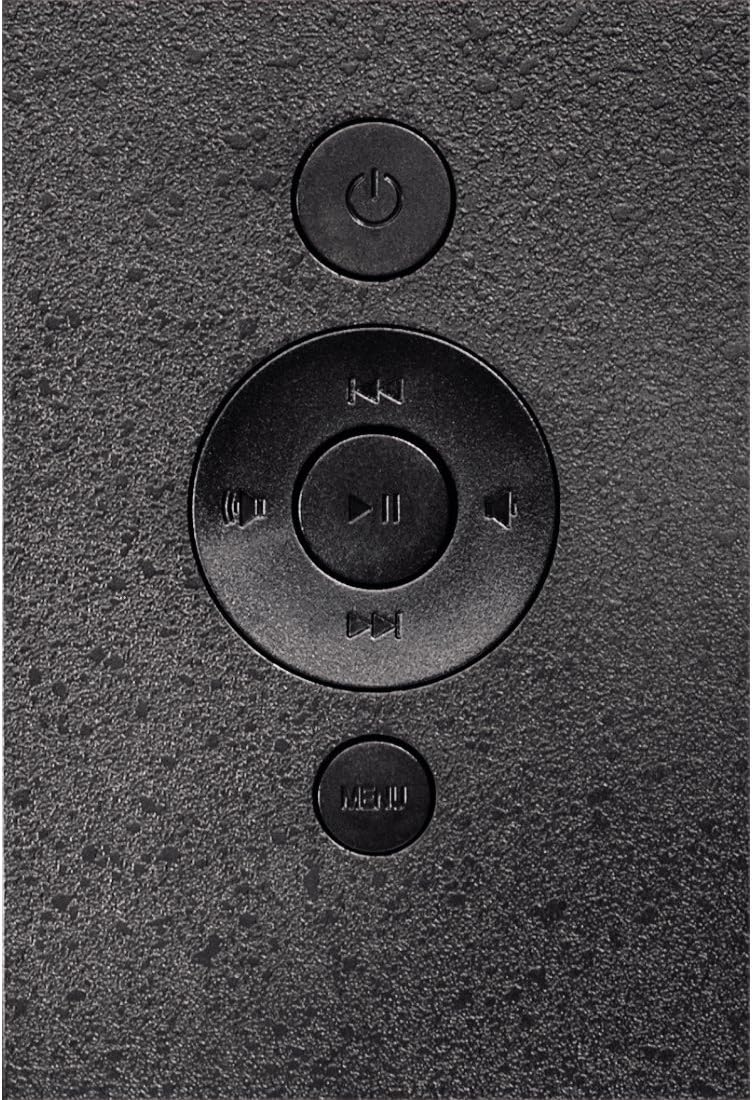
Obrázek 4.4: Close-up of the control buttons located on the back of the frame. These include the power button, directional navigation buttons (up, down, left, right), play/pause/enter button, and the menu button.
4.1. Porty a ovládací prvky
- SD/MMC/MS Card Slot: For inserting memory cards to display photos and videos.
- USB port: For connecting USB flash drives or other compatible USB storage devices.
- DC IN: Power input for connecting the provided power adapter.
- Vypínač: Zapíná nebo vypíná zařízení.
- Navigační tlačítka (nahoru/dolů/vlevo/vpravo): Používá se k navigaci v nabídkách a výběru možností.
- Play/Pause/Enter Button: Confirms selections or controls media playback.
- Tlačítko nabídky: Přístup k hlavní nabídce s nastaveními a možnostmi.
5. Nastavení
5.1. Připevnění stojanu
Insert the metal stand into the designated slot on the back of the digital photo frame. Ensure it is securely fastened to provide stable support for the frame.
5.2. Připojení napájení
- Connect the power adapter to the DC IN port on the back of the photo frame.
- Zapojte napájecí adaptér do vhodné elektrické zásuvky.
- The frame will typically power on automatically or can be turned on using the power button.
5.3. Inserting a Memory Card or USB Drive
The Hama 95236 supports SD/MMC/MS memory cards and USB flash drives.
- Locate the SD/MMC/MS card slot or the USB port on the side of the frame (refer to Figure 4.2).
- Carefully insert your memory card or USB drive into the corresponding slot/port. Ensure it is inserted correctly to avoid damage.
- The frame should automatically detect the storage device and prompt you to view its contents or start a slideshow.
6. Návod k obsluze
6.1. Základní navigace
Use the navigation buttons on the back of the frame to move through menus and options. The Play/Pause/Enter button confirms your selection.
6.2. Hlavní nabídka
Stiskněte tlačítko MENU button to access the main menu. From here, you can select different modes and settings:
- Fotografie: View photos in a slideshow or individually.
- Hudba: Přehrát zvuk files.
- Video: Přehrát video files.
- Calendar/Clock: Display the calendar and time.
- Nastavení: Adjust various device parameters.
6.3. Photo Playback
- Z hlavní nabídky vyberte Fotografie.
- Navigate to your desired folder or select all photos.
- Stiskněte tlačítko Přehrát/Pozastavit/Zadat button to start the slideshow.
- During a slideshow, you can use the navigation buttons to skip photos or pause playback.
6.4. Nastavení systému
Přístup k Nastavení menu to customize your photo frame:
- Nastavení obrazovky: Adjust brightness, contrast, and display mode.
- Nastavení prezentace: Configure transition effects, display time per photo, and repeat mode.
- Datum a čas: Nastavte aktuální datum a čas. Note: Some users have reported that date and time settings may reset after power loss.
- Jazyk: Vyberte preferovaný jazyk pro rozhraní nabídky.
- Informace o úložišti: View details about connected storage devices.
7. Údržba
7.1. Čištění zařízení
- Před čištěním vždy odpojte zařízení od napájení.
- Clean the screen and exterior surfaces with a soft, dry, lint-free cloth.
- Do not use aggressive cleaning agents, solvents, or abrasive materials.
7.2. Skladování
Pokud budete zařízení skladovat delší dobu, odpojte jej od napájení a uložte jej na chladném a suchém místě mimo dosah přímého slunečního záření a extrémních teplot.
8. Řešení problémů
| Problém | Možná příčina | Řešení |
|---|---|---|
| Zařízení se nezapne. | Napájecí adaptér není připojen nebo je vadný. | Ensure the power adapter is securely connected to both the frame and the power outlet. Test the outlet with another device. |
| Nezobrazují se žádné obrázky. | No memory card/USB drive inserted or files not supported. | Insert a compatible memory card or USB drive with supported image formats (e.g., JPEG). Check if the storage device is properly inserted. |
| Date and time reset after power off. | Chybí interní záložní baterie pro hodiny. | This model may not retain date/time settings without continuous power. Re-enter settings if necessary after power interruption. |
| Video playback is choppy or distorted. | Unsupported video format or high bitrate. | Zajistěte video files are in a supported format and resolution. Convert videos to a lower resolution or bitrate if issues persist. |
| Tlačítka nereagují. | Dočasná softwarová závada. | Disconnect the power adapter, wait a few seconds, then reconnect it to restart the device. |
9. Specifikace
| Funkce | Detail |
|---|---|
| Číslo modelu | 00095236 |
| Velikost obrazovky | 8 palce |
| Rozlišení displeje | 800 x 600 pixelů |
| Poměr stran | 4:3 |
| Interní úložiště | 2 GB (2048 MB) |
| Konektivita | USB, SD/MMC/MS Card Slot |
| Rozměry (D x Š x V) | 2.6 x 22.2 x 17.8 cm |
| Hmotnost | 550 g |
| Výrobce | Hama |
10. Informace o záruce
Hama GmbH & Co KG provides a manufacturer's warranty for this product. The specific terms and conditions of the warranty period and coverage are subject to the purchase date and the region of purchase. Please retain your proof of purchase (receipt) for any warranty claims.
For detailed warranty information, please refer to the official Hama webwebu nebo se přímo obraťte na jejich zákaznickou podporu.
11. Zákaznická podpora
Should you have any questions regarding this product, please contact Hama Customer Support:
- Webmísto: Visit the official Hama website for FAQs, drivers, and further product information. www.hama.com
- Kontakt: Refer to the contact section on the Hama webweb s telefonními čísly nebo e-mailovou podporou ve vašem regionu.
Před kontaktováním podpory mějte prosím připravené číslo modelu (00095236) a doklad o koupi.


