1. Úvod
This manual provides instructions for the setup, operation, and maintenance of your ViewSonic VX2770SMH-LED 27-inch IPS 1080p Frameless LED Monitor. This monitor features a sleek design, Full HD 1920x1080 resolution, and an IPS panel for wide viewing angles and accurate color reproduction. It includes HDMI, DVI, and VGA inputs, along with integrated speakers.
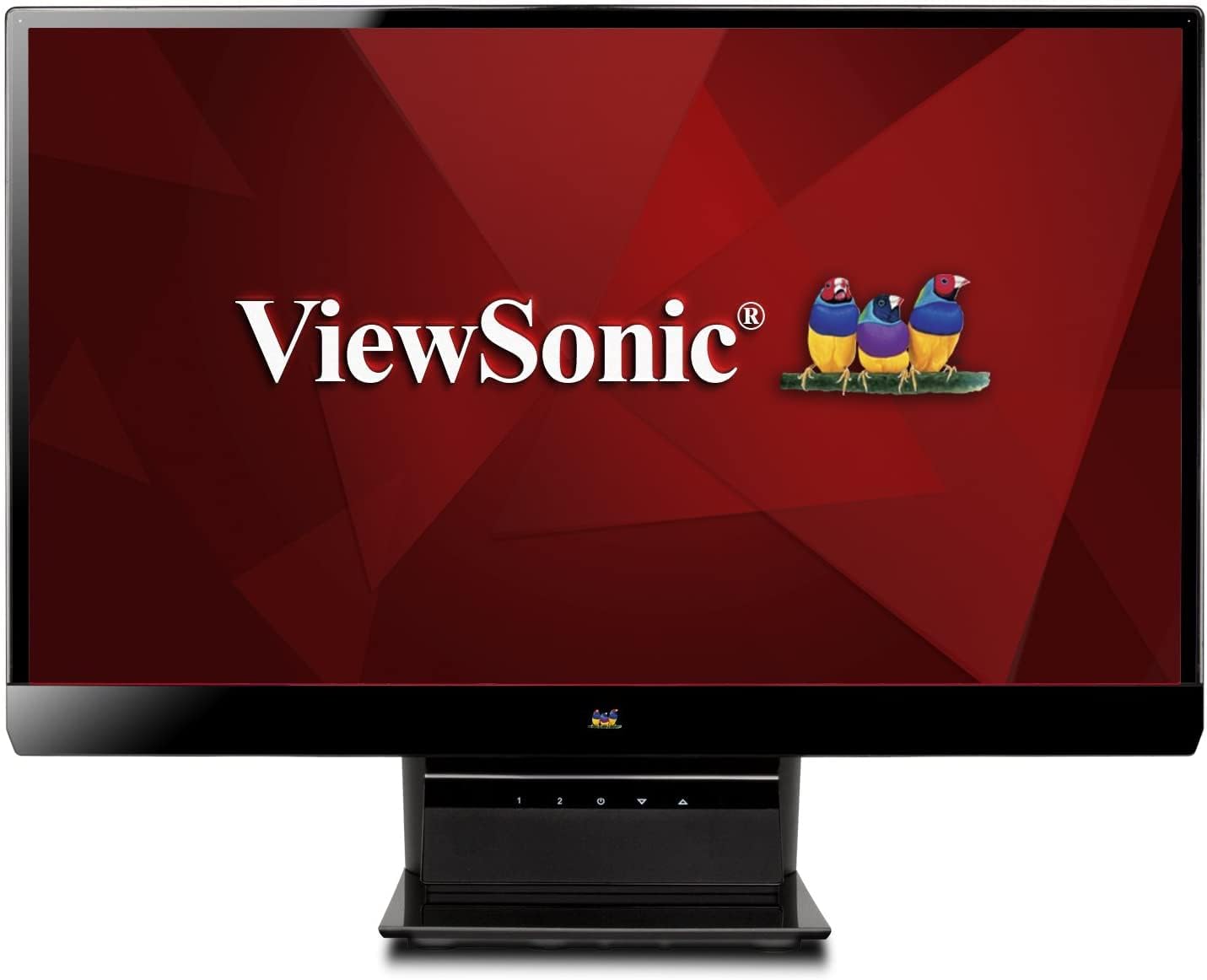
Obrázek 1: ViewSonic VX2770SMH-LED 27-inch monitor displaying a tropical beach scene.
2. Obsah balení
Ověřte, zda jsou v balení produktu přítomny všechny položky:
- VX2770Smh-LED display
- Napájecí kabel
- AC/DC adaptér
- VGA kabel
- HDMI kabel
- Rychlý průvodce
- ViewCD Sonic Wizard
3. Nastavení
Při nastavení monitoru postupujte takto:
- Sestavte stojan: Carefully attach the monitor panel to the stand base according to the Quick Start Guide. Ensure it is securely fastened.
- Připojte napájení: Connect the AC/DC adapter to the monitor's power input, then plug the power cable into the adapter and a power outlet.
- Připojte video kabel: Connect one end of the appropriate video cable (HDMI, DVI, or VGA) to the corresponding port on the back of the monitor and the other end to your computer's video output port.
- Zapnutí: Stisknutím tlačítka napájení na monitoru jej zapněte.

Obrázek 2: Zadní view of the monitor, illustrating the stand attachment area and overall design.
4. Obsluha monitoru
The monitor features capacitive control buttons located on the stand for easy access to settings and power functions.

Obrázek 3: Přední strana view of the monitor, showing the control buttons on the stand.
Zapnutí/vypnutí
Press the power button (usually indicated by a power symbol) to turn the monitor on or off.
Nabídka na obrazovce (OSD).
Use the control buttons to navigate the OSD menu. This menu allows you to adjust various display settings such as brightness, contrast, color temperature, input source, and more. Refer to the digital manual on the ViewSonic Wizard CD for detailed OSD navigation.
5. Konektivita
The ViewSonic VX2770SMH-LED monitor offers multiple input options for versatile connectivity:
- HDMI: Pro digitální video a audio ve vysokém rozlišení.
- DVI-D: For digital video input.
- VGA: Pro analogový video vstup.
The monitor also features integrated speakers with SRS Premium Sound for audio output.

Obrázek 4: Detail view of the HDMI, DVI, and VGA input ports on the monitor's rear panel.
Video 1: Official product video demonstrating the features and design of the ViewSonic VX2770SMH-LED monitor, including its frameless design, IPS panel technology, connectivity options, and energy efficiency.
6. Funkce displeje
- Technologie panelu IPS: Provides consistent and accurate colors with wide 178/178-degree viewing angles, ensuring clear images from nearly any perspective.
- Rozlišení Full HD 1080p: Delivers sharp and detailed images (1920x1080) for an enhanced viewzkušenosti.
- Bezrámový design: The ultra-thin bezel creates a seamless visual experience, ideal for multi-monitor setups.
- MEGA Dynamic Contrast Ratio: A 30,000,000:1 dynamic contrast ratio enhances image depth and detail.
- LED podsvícení: Energy-efficient LED backlighting contributes to lower power consumption.
- Ekologický režim: Further reduces power consumption and extends the monitor's lifespan.
- sRGB Color Correction: Ensures accurate color reproduction for various applications.
7. Údržba
Pro zajištění dlouhé životnosti a optimálního výkonu monitoru dodržujte tyto pokyny pro údržbu:
- Čištění obrazovky: Jemně otřete obrazovku měkkým hadříkem, který nepouští vlákna. V případě odolných skvrn lehceampOtřete hadřík vodou nebo jemným, neabrazivním čističem obrazovek. Nestříkejte tekutinu přímo na obrazovku.
- Čištění Casing: K čištění povrchu monitoru použijte měkký, suchý hadřík.asing.
- Větrání: Abyste zabránili přehřátí, ujistěte se, že ventilační otvory monitoru nejsou zablokované.
- Vypnutí, když se nepoužívá: Turn off the monitor when not in use to save energy and prolong its life.
8. Řešení problémů
Pokud narazíte na problémy s monitorem, postupujte podle následujících běžných kroků pro řešení potíží:
- Bez napájení: Check if the power cable and AC/DC adapter are securely connected to the monitor and a working power outlet.
- Bez signálu: Verify that the video cable is correctly connected to both the monitor and your computer. Ensure the correct input source is selected via the OSD menu.
- Problémy s obrazem (rozmazaný, zkreslený, nesprávné barvy): Adjust the display settings through the OSD menu. Ensure your computer's display resolution is set to the monitor's native resolution (1920x1080).
- Žádný zvuk: Check the audio cable connection (if using VGA) or ensure HDMI audio is selected. Adjust the volume settings on both the monitor and your computer.
For more detailed troubleshooting, consult the digital manual on the ViewCD Sonic Wizard.
9. Specifikace
| Funkce | Specifikace |
|---|---|
| Velikost zobrazení na stojící obrazovce | 27 palce |
| Rozlišení obrazovky | 1920x1080 |
| Maximální rozlišení obrazovky | 1920 x 1080 |
| Série | Viewsonic VX2770SMH-LED |
| Číslo modelu položky | VX2770SMH-LED |
| Hmotnost položky | 11 libry |
| Rozměry produktu | 7.6 x 24.5 x 18.1 palce |
| Barva | Černý |
| Velikost obrazovky | 27 palce |
| Rezoluce | FHD 1080p |
| Poměr stran | 1.78:1 |
| Popis povrchu obrazovky | Lesklý |

Obrázek 5: Rozměry monitoru pro plánování pracovního prostoru.
10. Záruka a podpora
Tento ViewSonic monitor is covered by a 3letá omezená záruka. For warranty claims or technical support, please refer to the contact information provided in your Quick Start Guide or visit the official ViewZvuková podpora webmísto.


