ATI Radeon HD 3450 Video Card Instruction Manual
Model: HD3450 (ATI-102-B62902(B))
PCIe x16 Low Profile
Zavedení
This manual provides comprehensive instructions for the installation, operation, maintenance, and troubleshooting of your ATI Radeon HD 3450 PCIe x16 Low Profile video card. Please read this manual carefully before installation and use to ensure optimal performance and longevity of your product.
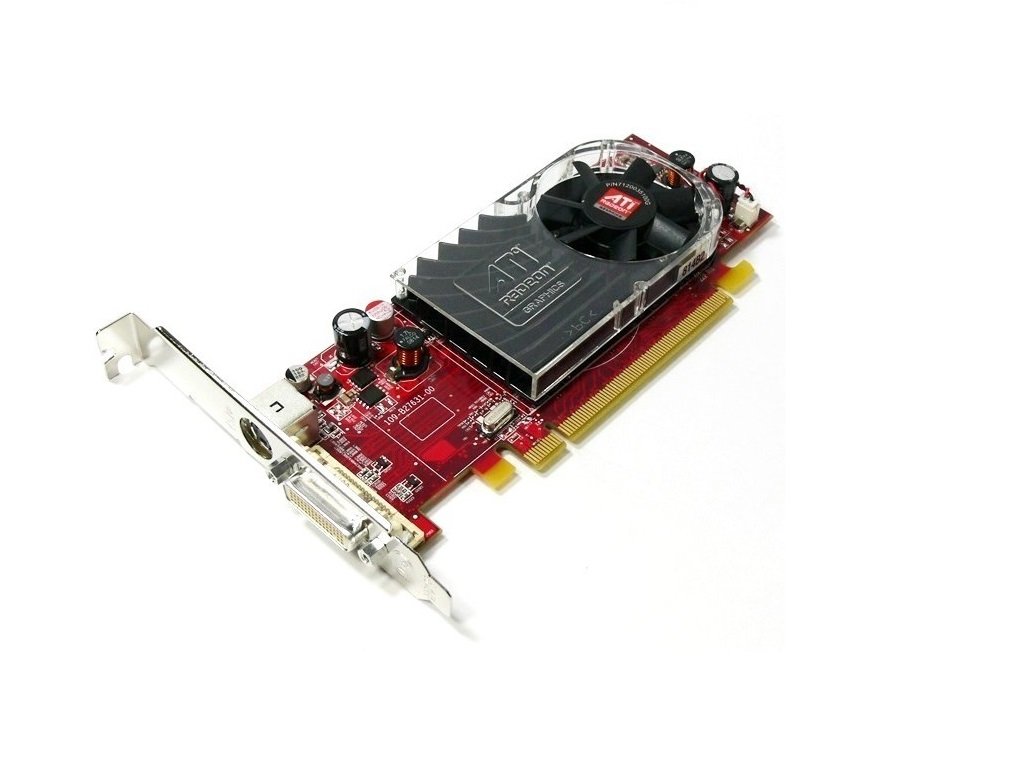
An image showing the ATI Radeon HD 3450 video card. It features a red PCB, a low-profile bracket, a cooling fan with an ATI Radeon logo, and a DVI output port. The PCIe x16 connector is visible at the bottom.
Nastavení
1. Fyzická instalace
- Vypnout: Ujistěte se, že je počítač zcela vypnutý a odpojený od zásuvky.
- Otevřený případ: Otevřete kryt počítače, abyste se dostali k základní desce.
- Locate PCIe x16 Slot: Identify an available PCI Express x16 slot on your motherboard. This is typically the longest PCIe slot.
- Odstraňte kryt slotu: Remove the metal slot cover from the back of your computer case corresponding to the chosen PCIe x16 slot.
- Vložte grafickou kartu: Carefully align the video card with the PCIe x16 slot and press down firmly until it is securely seated. You should hear a click from the retention clip.
- Bezpečná karta: Secure the video card to the computer case with a screw or retention clip.
- Zavřít případ: Zavřete skříň počítače a znovu připojte všechny kabely.
2. Instalace ovladače
- Zapnutí: Power on your computer. The operating system may install a generic display driver automatically.
- Stáhnout ovladače: Visit the official AMD (formerly ATI) website or your computer manufacturer's support page to download the latest drivers for the Radeon HD 3450.
- Nainstalujte ovladače: Run the downloaded driver installer and follow the on-screen prompts. You may need to restart your computer after installation.
- Ověřte instalaci: After restarting, verify that the drivers are correctly installed by checking your operating system's Device Manager (Windows) or System Information (Linux/macOS).
Provozní
Once installed and drivers are updated, your ATI Radeon HD 3450 video card is ready for use. It supports multiple display outputs.
- Připojení displejů: Connect your monitor(s) to the available ports on the video card (VGA, DisplayPort, HDMI). Use appropriate cables and adapters.
- Nastavení obrazovky: Access your operating system's display settings to configure resolution, refresh rate, and multiple monitor setups (extend, duplicate).
- AMD Catalyst Control Center (or equivalent): For advanced settings and performance tuning, use the AMD software suite installed with the drivers.
Údržba
Regular maintenance helps ensure the longevity and stable performance of your video card.
- Odstranění prachu: Periodically open your computer case and gently clean dust from the video card's fan and heatsink using compressed air. Ensure the fan blades do not spin rapidly during cleaning.
- Aktualizace ovladačů: Check the AMD website regularly for updated drivers. Newer drivers often include performance improvements, bug fixes, and compatibility updates.
- Monitorování teploty: Use system monitoring software to keep an eye on the GPU temperature, especially during heavy load. Excessive temperatures can indicate poor airflow or a failing fan.
Odstraňování problémů
If you encounter issues with your video card, consider the following troubleshooting steps:
- Žádný výstup na displej:
- Ensure the monitor is connected securely to the video card and powered on.
- Verify the video card is fully seated in the PCIe slot.
- Pokud je to možné, vyzkoušejte s jiným monitorem nebo kabelem.
- Driver Issues (e.g., low resolution, artifacts):
- Reinstall the latest drivers from the AMD webmísto.
- Try uninstalling existing drivers completely before installing new ones.
- Nestabilita/pády systému:
- Ensure your power supply unit (PSU) meets the minimum requirements for your system, including the video card.
- Check for overheating (refer to Maintenance section).
For persistent issues, consult the AMD support website or your computer manufacturer's support resources.
Specifikace
| Funkce | Detail |
|---|---|
| Značka | ATI |
| Číslo modelu | Ati Radeon HD3450 (ATI-102-B62902(B)) |
| Grafický koprocesor | AMD Radeon |
| Velikost grafické paměti RAM | 256 MB |
| Video výstupní rozhraní | VGA, DisplayPort, HDMI |
| Rozhraní | PCIe x16 |
| Form Factor | Low Profile |
| Hmotnost položky | 0.01 unce |
| Výrobce | ATI Technologies |
Informace o záruce
Specific warranty terms for the ATI Radeon HD 3450 video card may vary depending on the retailer and region of purchase. Please refer to your purchase documentation or contact the seller for detailed warranty information. Keep your proof of purchase for any warranty claims.
Podpora
For further technical assistance, driver downloads, or product information, please visit the official AMD support website. You may also contact your computer manufacturer's support if the card was pre-installed in a system.
- AMD Support: www.amd.com/support (Please note: ATI is now part of AMD)


