Zavedení
The SeKi Easy Plus remote control is designed for simplicity and ease of use, making it ideal for seniors, children, and individuals who prefer a straightforward control experience. This universal learning remote can replace any infrared remote control, allowing you to consolidate multiple remotes into one. Its large, freely assignable buttons ensure comfortable operation, and all programmed settings are retained even when changing batteries.
Vlastnosti produktu
- Universal Learning Function: Capable of learning commands from any existing infrared remote control.
- Replaces Multiple Remotes: Consolidate control for your TV and other IR devices.
- Freely Assignable Keys: Customize button functions to your preference.
- Large, Easy-to-Use Buttons: Designed for enhanced visibility and tactile feedback.
- Uchování paměti: Programmed settings are saved even after battery replacement.
- Kompatibilní zařízení: Primarily designed for televisions, but can learn from other IR devices.
- Technologie připojení: Infrared (IR).
- Počet tlačítek: 20.
- Maximální rozsah: Až 10 metrů.
Obsah balení
The SeKi Easy Plus remote control package includes:
- 1x SeKi Easy Plus Universal Learning Remote Control (Silver-Black)
- Uživatelská příručka (tento dokument)
Poznámka: 2x AAA batteries are required for operation and are not included in the package.

Image: SeKi Easy Plus remote control in its retail packaging, showing the silver-black design and large buttons.
Nastavení
1. Instalace baterie
- Locate the battery compartment on the back of the SeKi Easy Plus remote control.
- Vysuňte kryt přihrádky na baterie.
- Vložte dvě (2) baterie typu AAA a dbejte na správnou polaritu (+ a -) uvedenou uvnitř přihrádky.
- Bezpečně zavřete kryt bateriového prostoru.

Obrázek: Zadní view of the SeKi Easy Plus remote control with the battery cover removed, showing the empty battery slots.

Obrázek: Detail view of the battery compartment, clearly indicating the requirement for AAA batteries and their correct orientation.
2. Počáteční zapnutí
After installing the batteries, the remote is ready for programming. There is no separate power-on button; the remote will activate when a button is pressed.
Operating Instructions: Learning Function
The SeKi Easy Plus remote control learns commands directly from your original remote. Follow these steps carefully to program each button:
- Příprava dálkových ovladačů: Place the SeKi Easy Plus remote and your original remote control on a flat surface, facing each other, with their infrared emitters aligned and approximately 1-3 cm apart. Ensure both remotes have fresh batteries.
- Vstup do výukového režimu: Stiskněte a podržte TV Power (red button) a AV buttons simultaneously on the SeKi Easy Plus remote for approximately 3 seconds until the red LED indicator light stays on continuously. This indicates the remote is in learning mode.
- Vyberte tlačítko pro programování: On the SeKi Easy Plus remote, press the button you wish to program (e.g., Volume Up '+'). The red LED will start blinking slowly.
- Vysílat příkaz: On your original remote control, press and hold the corresponding button (e.g., Volume Up) until the red LED on the SeKi Easy Plus remote blinks rapidly three times and then stays on continuously. This confirms the command has been learned successfully.
- Program More Buttons: Repeat steps 3 and 4 for all other buttons you wish to program (e.g., Volume Down '-', Channel Up '^', Channel Down 'v', Mute, Number buttons, etc.).
- Ukončit režim učení: Jakmile jsou všechna požadovaná tlačítka naprogramována, stiskněte TV Power (red button) a AV buttons simultaneously again, or wait for approximately 10 seconds without any input. The red LED will turn off, indicating that the remote has exited learning mode and saved the settings.
Důležité poznámky:
- Perform the programming steps promptly. If there is a long pause between button presses during learning mode, the remote may exit learning mode automatically.
- Ensure a clear line of sight between the two remotes during the learning process.
- If a button does not learn correctly, repeat the process for that specific button.

Image: Technical diagram illustrating the dimensions and button layout of the SeKi Easy Plus remote control, highlighting the large button design.

Obrázek: Side profile of the SeKi Easy Plus remote control, showcasing its ergonomic design and slim form factor.
Údržba
Výměna baterie
When the remote's performance degrades or the LED indicator light does not respond, it's time to replace the batteries. Follow the battery installation steps in the "Setup" section. The SeKi Easy Plus remote retains its programmed settings even when batteries are removed, so reprogramming is not necessary after replacement.
Čištění
K čištění dálkového ovladače použijte měkký, suchý hadřík. V případě odolných nečistot lehceampen the cloth with water or a mild cleaning solution. Do not use abrasive cleaners or immerse the remote in water.
Odstraňování problémů
- Dálkové ovládání nereaguje:
- Check if the batteries are correctly inserted and have sufficient charge. Replace with fresh AAA batteries if necessary.
- Ensure there is a clear line of sight between the remote and the device (TV).
- Buttons not working after programming:
- The learning process might have failed for specific buttons. Repeat the "Operating Instructions: Learning Function" steps for the affected buttons.
- Ensure the original remote's signal is strong and consistent during programming.
- Learning mode exits prematurely:
- This can happen if there's too long a pause between steps during the learning process. Try to complete each step more quickly.
- Ensure the original remote is transmitting a clear signal when its button is pressed.
- Device not responding to learned commands:
- Verify that the SeKi Easy Plus remote is pointed directly at the device's IR receiver.
- Confirm that the original remote works correctly with the device. If not, the issue might be with the device itself.
Specifikace
| Značka | SeKi |
| Název modelu | EASY PLUS |
| Číslo modelu | 311154 |
| Barva | Stříbro-černá |
| Technologie připojení | Infračervený (IR) |
| Kompatibilní zařízení | Television (and other IR-controlled devices) |
| Speciální funkce | Universal, Learning Function, Large Buttons, Senior-Friendly, Freely Programmable, Settings retained during battery change |
| Počet tlačítek | 20 |
| Maximální dosah | 10 metrů |
| Jsou vyžadovány baterie | 2x AAA (není součástí balení) |
Záruka a podpora
The SeKi Easy Plus remote control comes with a 2-letá záruka od data nákupu. Uschovejte si prosím doklad o koupi pro případné reklamace.
For further assistance, troubleshooting tips, or to view additional product information, please visit the official SeKi webmísto:
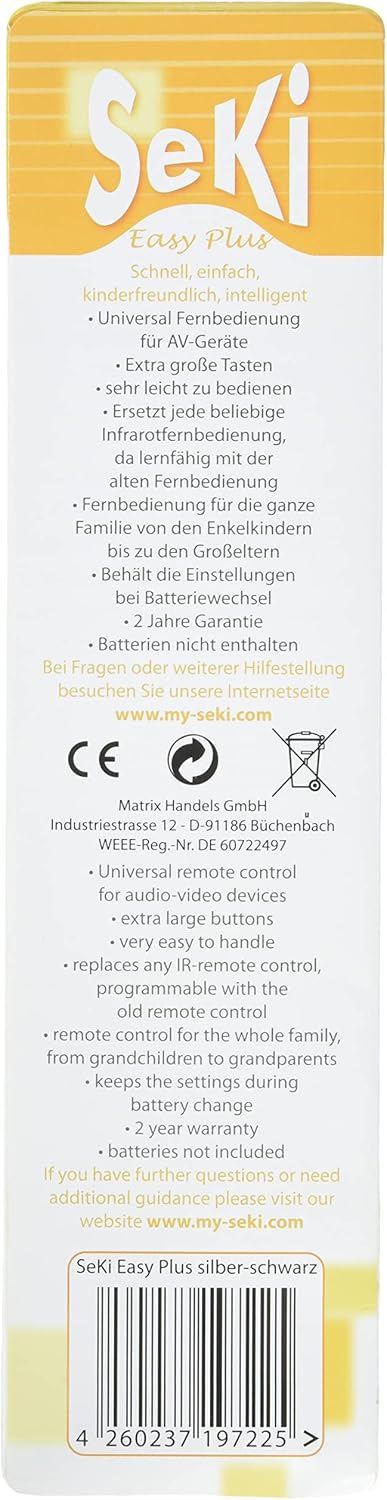
Image: Back of the product packaging, detailing key features, warranty information, and the official support webmísto.


