1. Úvod
This owner's manual provides essential information for the safe and efficient operation of your BMW vehicle. It covers various aspects from basic controls to advanced features, maintenance schedules, and troubleshooting tips. Please read this manual thoroughly to familiarize yourself with your vehicle's capabilities and ensure a safe driving experience.
Keep this manual in your vehicle for quick reference. For any questions not covered here, please contact an authorized BMW service center.
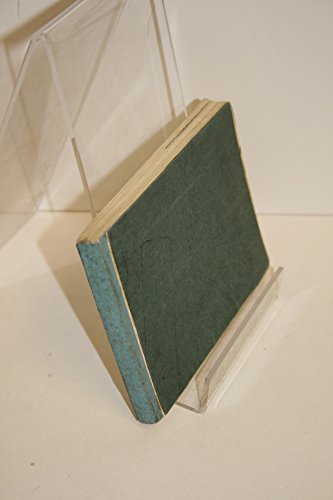
Image 1.1: The physical instruction manual for a BMW vehicle, shown in a display stand. This manual contains all the information detailed within this digital guide.
2. Bezpečnostní informace
Your safety and the safety of your passengers are paramount. Always adhere to the following safety guidelines:
- Bezpečnostní pásy: Always wear your seat belt and ensure all passengers are properly buckled.
- Airbagy: Do not place objects over or near airbag deployment areas.
- Bezpečnost dětí: Use appropriate child restraint systems for children as per local regulations.
- Jízdní podmínky: Adjust your driving style to suit road, weather, and traffic conditions.
- Údržba: Regular maintenance is crucial for vehicle safety. Follow the recommended service intervals.
Warning: Failure to follow safety instructions can result in serious injury or death.
3. Getting Started and Initial Setup
3.1. Key and Ignition
To start your BMW, insert the key into the ignition slot or place the Comfort Access key fob inside the vehicle. Press the brake pedal and then press the START/STOP ENGINE button.
3.2. Seat and Mirror Adjustment
Adjust your seat for optimal driving position using the controls located on the side of the seat. Adjust the side mirrors and rearview mirror to ensure clear visibility of the road behind and to the sides of the vehicle.
3.3. Infotainment System Initial Setup
Upon first use, the iDrive infotainment system may prompt you to set up language, time zone, and connect your mobile device via Bluetooth. Follow the on-screen instructions to complete these initial configurations.
4. Návod k obsluze
4.1. Režimy jízdy
Your BMW offers various driving modes (e.g., ECO PRO, COMFORT, SPORT) that adjust engine, transmission, and steering characteristics. Select the desired mode using the Driving Experience Control switch near the gear selector.
4.2. Řízení klimatu
Use the climate control panel to set desired temperature, fan speed, and air distribution. The automatic climate control system maintains the set temperature efficiently.
4.3. Navigační systém
To use the navigation system, access it via the iDrive controller. Enter your destination using the rotary controller, voice commands, or the touch screen (if equipped). The system provides turn-by-turn directions and real-time traffic information.
5. Údržba a péče
Regular maintenance is vital for the longevity and performance of your BMW. Adhere to the service intervals outlined below:
| Servisní položka | Interval | Poznámky |
|---|---|---|
| Výměna motorového oleje | Každých 10 000 mil nebo 1 rok | Use BMW approved synthetic oil. |
| Brake Fluid Change | Každé 2 roky | Important for brake system performance. |
| Vzduchový filtr kabiny | Každých 48 000 km nebo 2 roky | Ensures clean cabin air. |
| Rotace pneumatik | Every 5,000-7,500 miles | Promotes even tire wear. |
For detailed instructions on checking fluid levels, tire pressure, and other routine checks, refer to the relevant sections in this manual or consult your authorized BMW service center.
6. Odstraňování běžných problémů
This section addresses common issues you might encounter with your BMW. For more complex problems, always consult an authorized BMW service technician.
6.1. Engine Warning Light Illuminated
Možné příčiny: Loose fuel cap, sensor malfunction, emissions system issue.
Řešení: Check fuel cap is tightened. If light persists, have the vehicle inspected by a BMW service center immediately.
6.2. Píchnutá pneumatika
Možné příčiny: Puncture, low tire pressure.
Řešení: If equipped with run-flat tires, drive cautiously to the nearest service center. If not, use the tire repair kit or call roadside assistance.
6.3. Infotainment System Not Responding
Možné příčiny: Software glitch, temporary system freeze.
Řešení: Try restarting the iDrive system by holding down the volume knob for approximately 30 seconds until the screen goes blank and restarts.
7. Technické specifikace
This section provides general technical specifications for BMW vehicles. Specific details may vary by model and year.
- Typ motoru: Varies by model (e.g., Inline 4-cylinder, Inline 6-cylinder, V8)
- Typ paliva: Premium Unleaded Gasoline (minimum 91 RON)
- Přenos: Automatic (8-speed Steptronic) or Manual (6-speed)
- Kapacita palivové nádrže: Varies by model (e.g., 50-70 liters)
- Tlak v pneumatikách: Refer to the label on the driver's side door jamb for specific pressures.
- Hmotnost: Varies significantly by model and configuration.
Note: For precise specifications for your specific BMW model, please consult the vehicle's data sticker or an authorized BMW dealership.
8. Informace o záruce
BMW vehicles typically come with a comprehensive limited warranty covering defects in materials or workmanship. The standard warranty period is generally 4 years or 50,000 miles, whichever comes first, from the original in-service date.
Specific warranty coverage, including emissions, rust perforation, and roadside assistance, may vary by region and model year. Please refer to your separate BMW Warranty Information booklet for complete details, terms, and conditions.
Important: Unauthorized modifications or improper maintenance may void your warranty. Always use genuine BMW parts and authorized service centers for repairs and maintenance.
9. Zákaznická podpora
For further assistance, technical support, or to schedule service, please contact BMW Customer Relations or your nearest authorized BMW dealership.
- BMW Customer Relations: 1-800-831-1117 (USA, example)
- BMW Roadside Assistance: 1-800-332-4269 (USA, example)
- Najít prodejce: Visit the official BMW website for a dealer locator: www.bmw.com/en/dealer-locator.html
When contacting support, please have your vehicle's Vehicle Identification Number (VIN) readily available.


