1. Konec produktuview
The APC SMX3000RMHV2U is an Uninterruptible Power Supply (UPS) designed to provide reliable power protection for critical electronic equipment. This unit operates on AC 208/220/230/240 V, delivering 2.7 kW / 3000 VA of power. It features RS-232 and USB communication ports and includes nine output connectors. The UPS is a 2U rack/tower convertible unit, finished in black.

Figure 1: APC Smart-UPS X series SMX3000RMHV2U. This image displays the product model and series branding.
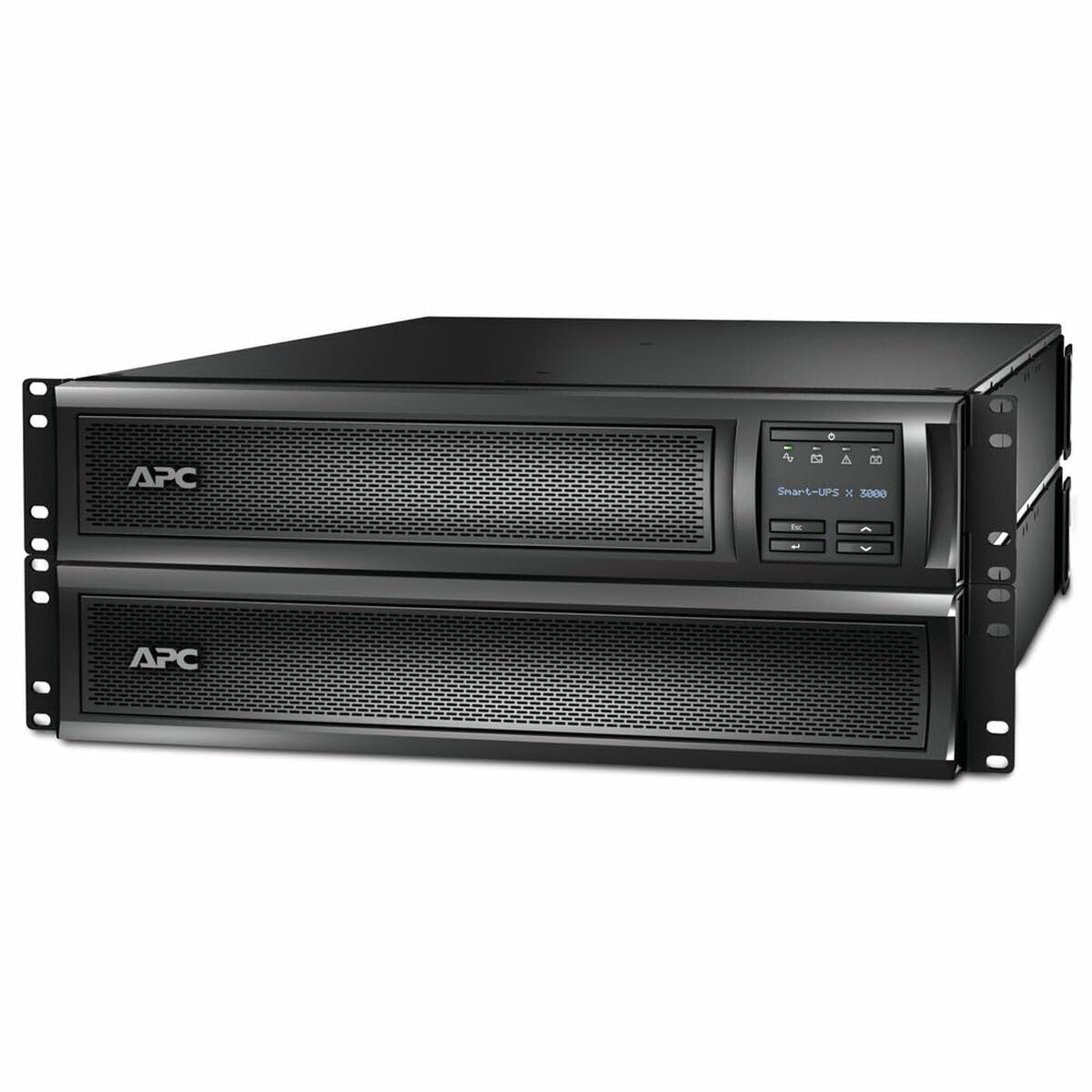
Obrázek 2: Přední strana view of the APC SMX3000RMHV2U External UPS, showing the LCD display and control buttons.
2. Klíčové vlastnosti
- Inteligentní nabíjení: Maximizes battery performance, life, and reliability through precision charging.
- Ochrana napájení: Safeguards connected loads from surges, spikes, lightning, and other power disturbances.
- Teplotně kompenzované nabíjení: Prolongs battery life by regulating charge voltage na základě teploty baterie.
- Automatický restart: Automatically starts up connected equipment upon the return of utility power.
- Autotest baterie: Periodic battery self-test ensures early detection of a battery that requires replacement.

Figure 3: Illustration of key power protection features including 3KVA/2700W battery backup, pure sine wave output, and 98.5% efficiency.

Figure 4: Comparison of estimated battery runtime at half load: 18 minutes without external batteries versus 10 hours with 10 external battery packs.
3. Nastavení a instalace
The SMX3000RMHV2U UPS is designed for flexible installation, supporting both rackmount and tower configurations. Ensure the installation environment meets the specified temperature and humidity requirements.

Figure 5: The SMX series UPS can be configured as a rackmount unit or a tower unit to suit different installation needs.
3.1 Připojení zadního panelu
Identify the various ports and outlets on the rear panel for proper connection of input power, protected equipment, and communication cables.

Figure 6: Rear panel of the UPS, illustrating the input power connector, various output receptacles (Groups 1, 2, 3), and communication ports (Serial, USB, EPO, SmartSlot).

Figure 7: Detailed diagram of communication ports and power outlets. This includes a SmartSlot for network management or accessory cards, four IEC 320 C13 switched outlets (Group 1), four IEC 320 C13 switched outlets (Group 2), and one IEC 320 C19 switched outlet (Group 3).
Connect the UPS to a grounded utility power outlet. Connect your equipment to the appropriate output receptacles. Utilize the SmartSlot for network management cards or other accessories as needed. The serial and USB ports allow for direct communication with a computer for monitoring and management.
4. Návod k obsluze
4.1 Zapnutí/vypnutí
To power on the UPS, press the main power button on the front panel. The LCD display will illuminate, and the UPS will perform a self-test. To power off, press and hold the power button until the unit shuts down.
4.2 LCD displej a ovládání
LCD displej na předním panelu poskytuje informace o stavu v reálném čase, včetně vstupní/výstupní hlasitostitage, load level, battery charge, and estimated runtime. Use the navigation buttons to scroll through menus and configure settings.
4.3 PowerChute Software
For advanced UPS management, graceful shutdown of connected equipment, and energy management, install the PowerChute Serial Shutdown Software on your connected desktops, servers, or workstations. This software allows for proactive management of power events.

Figure 8: Screenshot of the PowerChute Serial Shutdown Software interface, displaying system status, UPS load, battery runtime, and power status.
5. Údržba
5.1 Battery Self-Test
The UPS performs periodic battery self-tests to ensure optimal battery health. You can also initiate a manual self-test through the LCD menu or PowerChute software. Refer to the LCD display for test results.
5.2 Výměna baterie
When the UPS indicates a battery replacement is needed, follow the instructions provided in the full user manual. The rear panel of the unit indicates "FOR BATTERY REPLACEMENT REMOVE FRONT BEZEL." Always use genuine APC replacement batteries to ensure compatibility and performance.
5.3 Čištění
Udržujte UPS bez prachu a nečistot. K čištění vnějšího povrchu používejte suchý hadřík. Nepoužívejte tekuté čisticí prostředky ani rozpouštědla.
6. Řešení problémů
If the UPS experiences an issue, check the LCD display for error messages or status indicators. Common issues include:
- Bez napájení: Ensure the input power cable is securely connected to a live outlet.
- Přetížení: Reduce the number of connected devices or their power consumption if an overload alarm is active.
- Porucha baterie: Perform a battery self-test. If the fault persists, the battery may need replacement.
For detailed troubleshooting steps, consult the comprehensive user manual available on the APC support webwebu nebo kontaktujte technickou podporu společnosti APC.
7. Specifikace
| Rozměry produktu | 0.02 x 0.02 x 0.02 palce |
| Hmotnost položky | 82.3 libry |
| Číslo modelu položky | SMX3000RMHV2U |
| Baterie | Product Specific batteries required |
| Výrobce | APC |
| Složení článků baterie | Lithium Ion |
| svtage | 230 voltů |
| Barva | Černý |
| Ampvymazat | 11.74 Amps |
8. Co je v krabici
The APC SMX3000RMHV2U package includes:
- UPS - external unit
9. Záruka a podpora
For warranty information and technical support, please refer to the documentation included with your product or visit the official APC website. Contacting APC customer service directly can provide assistance with product registration, troubleshooting, and service requests.


