1. Úvod
This instruction manual provides essential information for the safe and efficient use of your Toshiba 40SL412U 40-Inch 1080p 60 Hz LED-LCD HDTV. Please read this manual thoroughly before operating the television and retain it for future reference. This model features a 40-inch screen, 1080p Full HD resolution, LED backlight technology, and a 60 Hz refresh rate, designed to deliver a clear and vibrant viewzkušenosti.
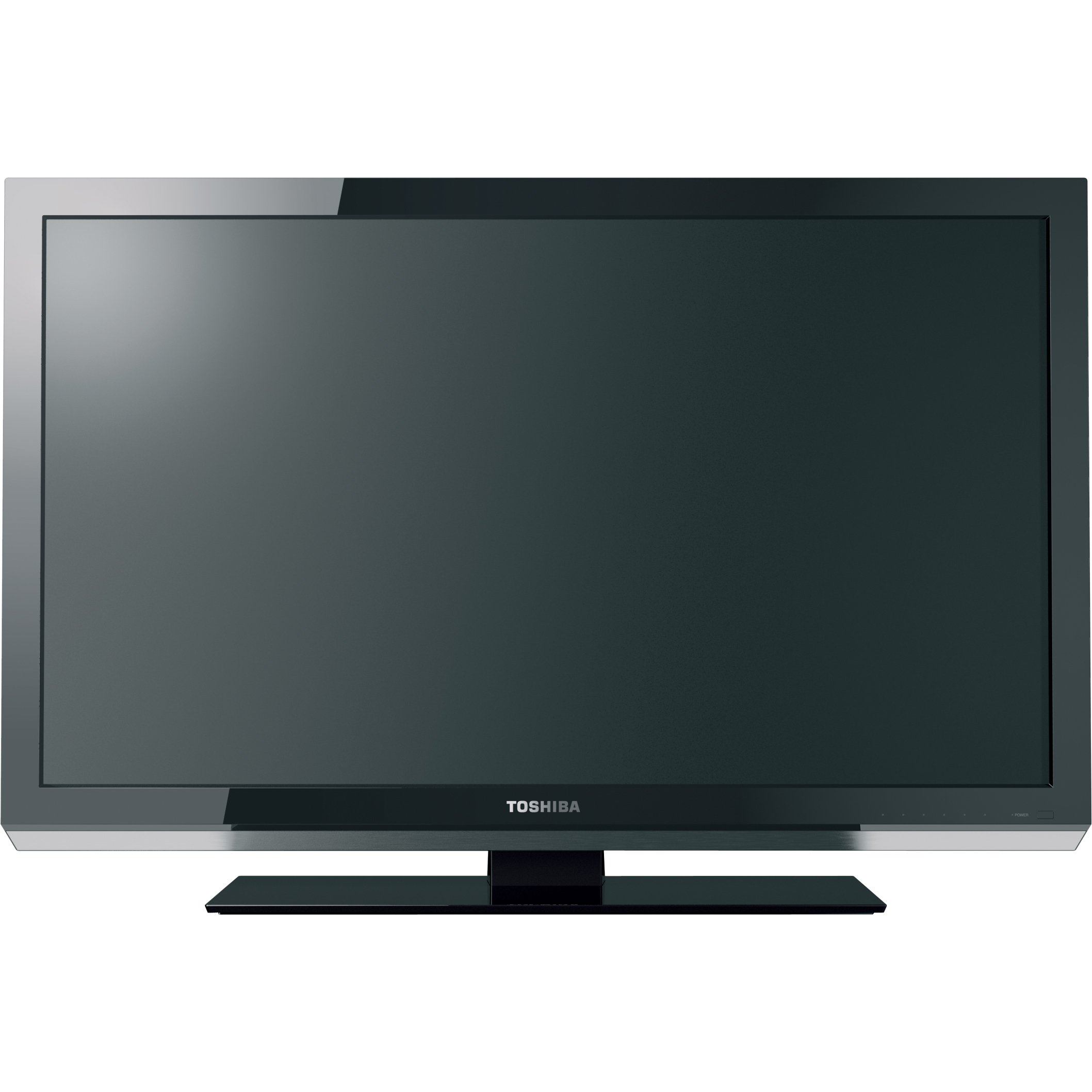
Tento obrázek ukazuje přední stranu view of the Toshiba 40SL412U LED-LCD HDTV, featuring its slim black bezel and screen.
2. Bezpečnostní informace
Pro zajištění bezpečného provozu a prevenci poškození dodržujte následující bezpečnostní opatření:
- Zdroj napájení: Připojujte televizor pouze k určenému zdroji napájení.
- Větrání: Zajistěte dostatečné větrání kolem televizoru. Neblokujte větrací otvory.
- Expozice tekutin: Nevystavujte televizor dešti ani vlhkosti. Nepokládejte na televizor předměty naplněné tekutinami.
- Čištění: Před čištěním televizor odpojte ze zásuvky. Použijte měkký, suchý hadřík. Nepoužívejte tekuté čisticí prostředky.
- Umístění: Place the TV on a stable, level surface or mount it securely to a wall using a VESA-compatible mount.
- Blesk: Během bouřek nebo pokud televizor delší dobu nepoužíváte, odpojte jej ze zásuvky.
3. Obsah balení
Ověřte, zda jsou v balení přítomny všechny položky:
- Toshiba 40SL412U LED-LCD TV
- TV stojan
- Dálkové ovládání
- AA baterie (2)
- Uživatelská příručka (tento dokument)
4. Nastavení
4.1. Montáž stojanu nebo montáž na zeď
Sestava stojanu: Attach the provided stand to the television using the screws included. Ensure the stand is securely fastened before placing the TV on a flat, stable surface. Use a #2 Phillips screwdriver for proper tightening.
Montáž na stěnu: The TV supports a VESA mount standard of 200 x 200 mm. Use a compatible wall mount kit (sold separately) and follow the instructions provided with the mount for secure installation.
4.2. Připojení zařízení
Locate the connection ports on the rear or side of your TV. Ensure all devices are powered off before making connections.
- HDMI (3 porty): Connect high-definition devices such as Blu-ray players, game consoles, or cable/satellite boxes. These ports support HDMI with CEC for integrated control.
- Component A/V (1 port): Connect devices using component video (YPbPr) and analog audio cables for high-quality standard definition or progressive scan video.
- Composite A/V (1 port): Connect older devices using composite video (yellow) and analog audio (red/white) cables.
- Ant/Cable (1 port): Připojte anténu pro bezdrátové vysílání nebo připojení kabelové televize.
- PC Input (H-Res): Connect a computer via a VGA cable for use as a high-resolution monitor.
- USB (1 port): Connect USB storage devices for viewing photos or playing music.
- Digital Audio Output (1 port): Connect to a home theater system or soundbar for digital audio.
- Analog Audio Output (1 port): Connect to an external audio system using RCA cables. Note that this output is not volume-controlled by the TV remote.
5. Návod k obsluze
5.1. Základní obsluha
- Zapnutí/vypnutí: Stiskněte tlačítko MOC button on the remote control or the TV to turn the unit on or off.
- Výběr vstupu: Stiskněte tlačítko VSTUP button on the remote to cycle through available input sources (HDMI 1, HDMI 2, Component, etc.).
- Výběr kanálu: Použijte CH +/- tlačítka pro změnu kanálů nebo zadání čísel kanálů přímo pomocí numerické klávesnice.
- Ovládání hlasitosti: Upravte hlasitost pomocí VOL +/- tlačítka.
5.2. Nastavení obrazu
- 1080p Resolution: The TV supports 1920 x 1080 pixel resolution, providing Full HD picture quality.
- Technologie LED: Utilizes LED backlighting for improved contrast, deeper blacks, brighter whites, and vivid colors compared to traditional LCDs.
- Obnovovací frekvence 60Hz: Ensures smooth motion for standard viewobsahu.
- DynaLight: This feature automatically adjusts backlight intensity based on the video content to enhance contrast and detail, creating deeper blacks and a more balanced image.
- CineSpeed LED Panel: Designed for superior high-speed video performance and wide viewing úhly.
- Nativní režim: Allows the TV to display content at its original resolution (e.g., 480i, 720p) without unnecessary scaling, preserving image quality and displaying content edges often lost to over-scanning.
5.3. Nastavení zvuku
The TV features integrated speakers with a total RMS output power of 14 W (7W + 7W). Audio settings can be adjusted via the TV's on-screen menu to suit your preferences.
5.4. Speciální funkce
- Herní režim: Reduces input lag for a more responsive gaming experience. Activate this mode through the TV's menu when playing video games.
- HDMI with CEC: Consumer Electronics Control (CEC) allows compatible devices connected via HDMI to communicate and be controlled with a single remote.
- USB with Music and Photo: Plug in a USB drive to view photos or play music filepřímo na vašem televizoru.
6. Údržba
Pro zachování výkonu a vzhledu vašeho televizoru:
- Čištění obrazovky: Jemně otřete obrazovku měkkým hadříkem, který nepouští vlákna. V případě odolných skvrn lehceampen the cloth with water or a specialized screen cleaner, then wipe dry. Do not spray liquid directly onto the screen.
- Čištění exteriéru: Wipe the TV's cabinet with a soft, dry cloth.
- Větrání: Periodically check that the ventilation openings are free from dust and obstructions.
7. Řešení problémů
Pokud narazíte na problémy s televizorem, podívejte se na následující běžná řešení:
- Bez napájení: Ujistěte se, že je napájecí kabel bezpečně zapojený do televizoru i do funkční elektrické zásuvky.
- Žádný obraz/zvuk: Verify the correct input source is selected. Check all cable connections to external devices.
- Dálkové ovládání nereaguje: Ensure the remote control batteries are fresh and inserted correctly. Point the remote directly at the TV's remote sensor, typically located at the bottom right of the screen. Obstructions can weaken the signal.
- Špatná kvalita zvuku: If using the TV's internal speakers, check audio settings in the menu. If connected to an external sound system, ensure connections are secure and the external system's volume is adjusted. Note that the TV's analog audio output is not volume-controlled by the TV remote.
- TV Turns On/Changes Channels Unexpectedly: Check for any programmed timers or sleep settings that might be causing this behavior. If the issue persists, try unplugging the TV from power for a few minutes to reset it.
- Žádný signál/Špatný signál: If using an antenna, ensure it is properly connected and positioned. Perform a channel scan through the TV's menu. A stronger antenna may be required in some areas.
8. Specifikace
| Číslo modelu | 40SL412U |
| Velikost obrazovky | 40 palce |
| Technologie displeje | LED-LCD |
| Rezoluce | 1080p (1920x1080) |
| Obnovovací frekvence | 60 Hz |
| Poměr stran | 16:9 |
| Technologie podsvícení | Přímá LED |
| RMS výstupní výkon | 14 W (7 W + 7 W) |
| HDMI porty | 3 (with CEC) |
| USB porty | 1 |
| Component A/V Inputs | 1 |
| Composite A/V Inputs | 1 |
| PC vstup | 1 (H-Res VGA) |
| Digitální výstup zvuku | 1 |
| Analogový Audio výstup | 1 |
| Standardní držák VESA | 200 x 200 mm |
| Rozměry produktu (Š x V x H) | 37.8 x 23.5 x 1.4 palce (bez stojanu) |
| Hmotnost (přibližná) | 31.31 lb (without stand) |
| Energy Compliance | Energy Star |
| Datum první dostupnosti | 1. března 2011 |
9. Záruka a podpora
This Toshiba 40SL412U HDTV comes with a 1 rok omezená záruka. For warranty claims, technical support, or additional product information, please refer to the official Toshiba support channels or visit their webUschovejte si účtenku jako doklad o koupi pro případ záručního servisu.