Zavedení
This manual provides comprehensive instructions for the Verbatim 2.4G Wireless Mini Travel Optical Mouse, Model 97471. It covers setup, operation, maintenance, and troubleshooting to ensure optimal performance and longevity of your device. This ultra-compact wireless mouse is designed for portability and ease of use with notebooks and netbooks.

Image: The Verbatim 2.4G Wireless Mini Travel Optical Mouse in blue, shown with its compact Nano receiver.
Obsah balení
Ověřte, zda jsou v balení přítomny všechny položky:
- Verbatim 2.4G Wireless Mini Travel Optical Mouse
- Nano USB přijímač
- 1x AAA Baterie
- Rychlý průvodce
Systémové požadavky
The Verbatim 2.4G Wireless Mini Travel Optical Mouse is compatible with the following operating systems:
- Windows XP, Vista, Windows 7, and higher
- Mac OS X 10.1 a vyšší
- Linux kernel 2.6 and higher
A free USB 1.1 or 2.0 port is required for the Nano USB Receiver.
Pokyny pro nastavení
1. Nainstalujte baterii
- Najděte kryt přihrádky na baterie na spodní straně myši.
- Jemně posuňte nebo zvedněte kryt a otevřete přihrádku.
- Insert the included AAA battery, ensuring the positive (+) and negative (-) terminals align correctly with the markings inside the compartment.
- Nasaďte kryt přihrádky na baterie zpět, dokud bezpečně nezacvakne.

Image: The underside of the mouse with the battery compartment open, showing the AAA battery and the Nano receiver stored inside.
2. Connect the Nano USB Receiver
- Remove the Nano USB receiver from its storage slot within the mouse's battery compartment (if stored there).
- Zapojte Nano USB přijímač do volného USB portu na vašem počítači.
- Váš počítač by měl automaticky detekovat a nainstalovat potřebné ovladače. Tento proces může chvíli trvat.
Návod k obsluze
Zapnutí/vypnutí
The mouse typically powers on automatically when the receiver is connected and the mouse is moved. To conserve battery life, ensure the mouse is turned off when not in use. A power switch is usually located on the underside of the mouse.
Základní použití
- Levé tlačítko: Primary click function, used for selecting items, opening links, etc.
- Pravé tlačítko: Funkce sekundárního kliknutí, obvykle otevírá kontextové nabídky.
- Rolovací kolečko: Pro navigaci v dokumentech a posouváním nahoru nebo dolů web pages. The scroll wheel may also function as a middle button when pressed.
Údržba
Výměna baterie
When the mouse performance degrades or stops responding, it is likely time to replace the AAA battery. Follow the battery installation steps outlined in the Setup section.
Čištění
K čištění myši použijte měkký, suchý hadřík, který nepouští vlákna. V případě odolné nečistoty lehceampen the cloth with water. Avoid using harsh chemicals, solvents, or abrasive cleaners, as these can damage the mouse's surface or internal components.
Odstraňování problémů
| Problém | Řešení |
|---|---|
| Myš neodpovídá |
|
| Pohyb kurzoru je nepravidelný nebo trhaný |
|
| Receiver not detected by computer |
|
Specifikace
| Funkce | Detail |
|---|---|
| Číslo modelu | 97471 |
| Rozměry produktu | 3 x 2 x 1.25 palce (D x Š x V) |
| Hmotnost položky | 2.4 unce |
| Technologie připojení | 2.4GHz Bezdrátové připojení |
| Technologie detekce pohybu | Optický |
| Typ baterie | 1x AAA (součástí balení) |
| Rozhraní | USB 2.0 (kompatibilní s USB 1.1) |

Obrázek: Shora dolů view of the Verbatim Mini Travel Mouse showing its approximate dimensions of 3 inches length and 2 inches width.
Informace o záruce
Tento produkt Verbatim je kryt 1letá omezená záruka from the date of purchase. This warranty covers defects in materials and workmanship under normal use. For full terms and conditions, please refer to the official Verbatim warranty documentation or contact customer support.
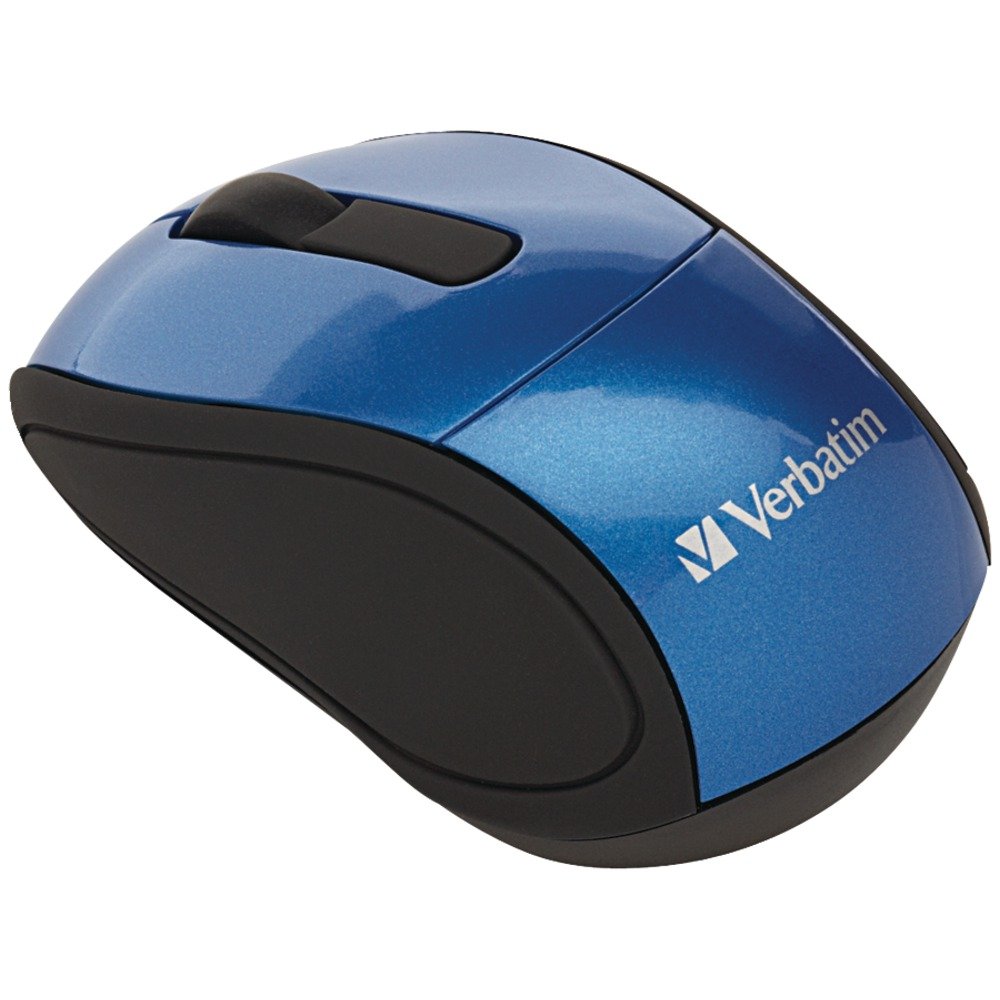
Image: A blue circular badge indicating a "1-Year Limited Warranty".
Podpora
For further assistance, technical support, or warranty claims, please visit the official Verbatim website or contact their customer service department. Contact information can typically be found on the Verbatim webwebu nebo v průvodci rychlým spuštěním, který je součástí vašeho produktu.