Zavedení
Thank you for choosing the Fellowes Powershred PS-12Cs Cross-Cut Shredder. This manual provides essential information for the safe and efficient operation, setup, and maintenance of your new shredder. Designed for personal and home office use, this shredder offers reliable document security with its cross-cut shredding capabilities and advanced safety features.
Důležité bezpečnostní informace
Please read all instructions before use. Keep this manual for future reference.
- SafeSense Technology: This shredder is equipped with patented SafeSense Technology, which automatically stops shredding when hands or fingers touch the paper opening. This feature enhances user safety, especially in environments with children or pets.
- Keep loose clothing, hair, and jewelry away from the paper entry.
- Do not place hands or fingers into the paper entry.
- Udržujte děti a domácí zvířata mimo dosah drtiče.
- Unplug the shredder when not in use or before cleaning/maintenance.
- V blízkosti drtiče nepoužívejte aerosolové produkty.
Nastavení
- Rozbalení: Carefully remove the shredder from its packaging. Ensure all components are present and undamaged.
- Umístění: Place the shredder on a flat, stable surface. Its slim profile design allows for easy placement next to or under your desk.
- Připojení napájení: Zapojte napájecí kabel do standardní elektrické zásuvky.
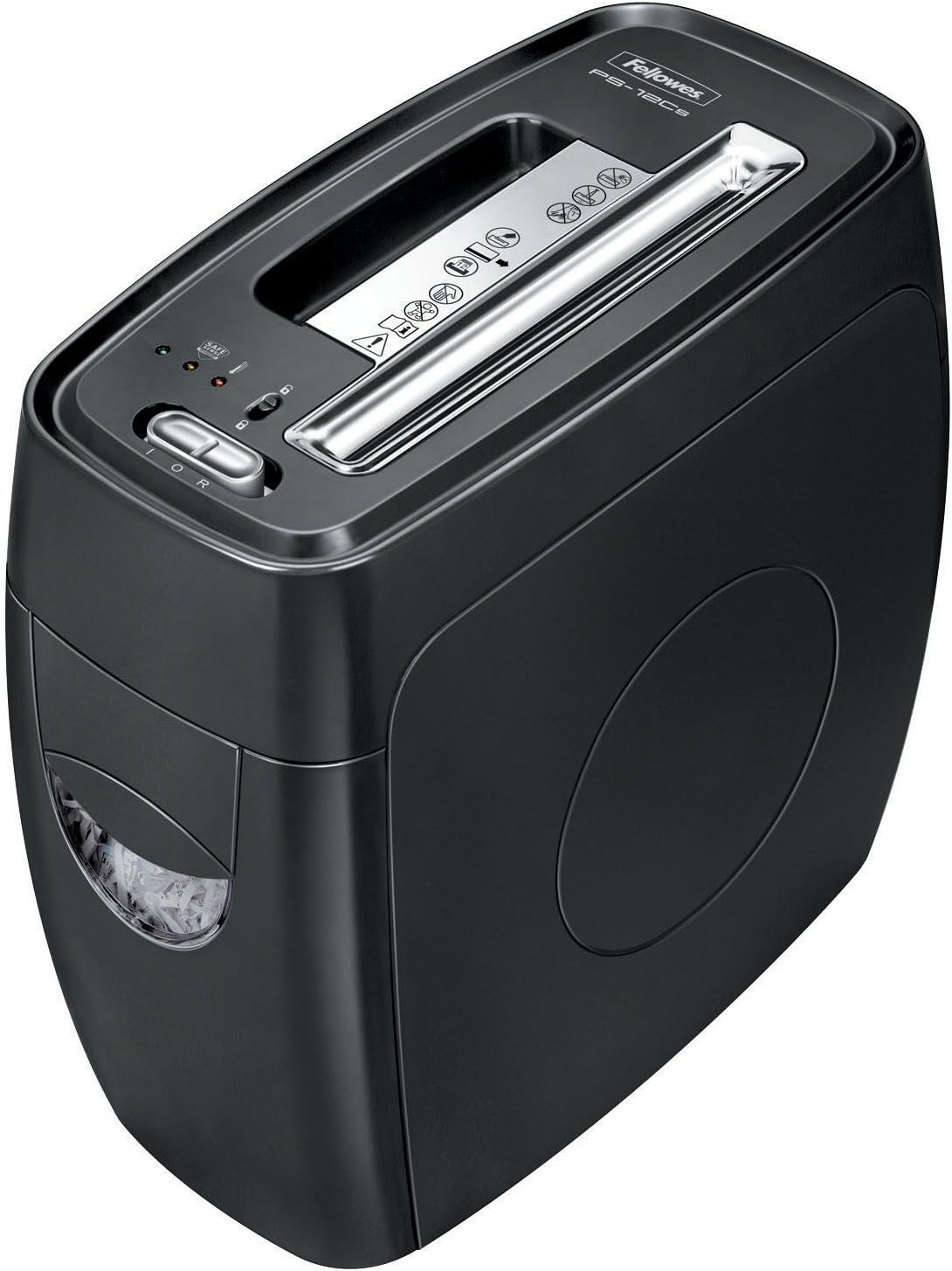
Image: The Fellowes Powershred PS-12Cs shredder, showcasing its compact design and paper entry slot.
Návod k obsluze
Skartování papíru
The PS-12Cs can shred up to 12 sheets of paper per pass into 0.16" x 2" cross-cut particles (Security Level P-3).
- Ensure the shredder is plugged in and the power switch is in the 'ON' position.
- Insert paper directly into the paper entry slot. The shredder will automatically start and stop.
- Avoid exceeding the maximum sheet capacity to prevent jams.
- The shredder can run for up to 4-5 minutes before a cool-down period is needed.
Shredding Credit Cards, Staples, and Small Paper Clips
This shredder is designed to handle more than just paper.
- Insert credit cards one at a time into the designated slot (if available, otherwise use the main paper entry).
- Staples and small paper clips can be shredded along with paper, eliminating the need for removal.
Obrázek: Pohled shora dolů view of the Fellowes Powershred PS-12Cs, highlighting the paper entry and control panel.
Video: Video s ukázkou produktuasing the features and operation of the Fellowes Powershred PS-12Cs shredder.
Údržba
Vyprázdnění odpadkového koše
The shredder features a convenient 4-gallon pull-out wastebasket for easy disposal of shredded materials.
- Když je odpadkový koš plný, drtič se přestane provozovat.
- Pull the wastebasket out from the front of the unit.
- Empty the shredded contents into a recycling bin or trash.
- Slide the wastebasket back into the unit until it clicks securely into place. Ensure it is fully closed for the shredder to operate.
Mazání drtiče
Regular oiling is recommended for optimal performance and longevity of your cross-cut shredder. Use Fellowes shredder oil or a vegetable-based oil in a squeeze bottle.
- Apply a thin line of oil across the paper entry slot.
- Run the shredder in reverse for 10 seconds to distribute the oil.
- Repeat this process after every 30 minutes of continuous shredding or when emptying the wastebasket.
Odstraňování problémů
| Problém | Možná příčina | Řešení |
|---|---|---|
| Skartovač nefunguje. | Not plugged in; wastebasket not fully inserted; overheating; SafeSense activated. | Check power connection; ensure wastebasket is secure; allow 20-30 minutes for cool-down; remove hands from paper entry. |
| Zaseknutý papír. | Overfeeding; crumpled paper. | Switch to reverse mode to clear the jam. If persistent, unplug and carefully remove paper. |
| Drtič je hlučný. | Needs oiling; wastebasket full. | Oil the shredder blades; empty the wastebasket. |
Specifikace
- Model: PS-12Cs (3271301)
- Typ skartace: Příčný řez
- Kapacita archu: 12 listů na průchod
- Velikost částic: 5/32" x 2" (Security Level P-3)
- Šířka hrdla: 9 palců
- Wastebasket Capacity: 4 gallons (pull-out bin)
- Nepřetržitá doba chodu: 4-5 minut
- Bezpečnostní funkce: SafeSense Technology
- Skartuje: Paper, staples, small paper clips, credit cards
- Rozměry (V x Š x H): 17 x 8.75 x 16 palce
- Hmotnost položky: 19.28 libry
- Barva: Černý
Záruka a podpora
Specific warranty details for the Fellowes Powershred PS-12Cs are not included in this manual. For comprehensive warranty information, product registration, or technical support, please refer to the official Fellowes webnebo se obraťte přímo na jejich zákaznický servis. Uschovejte si účtenku jako doklad o koupi pro případ reklamace.


