Konec produktuview
Manage two different phone lines from one phone using the VTech DS6151 DECT 6.0 Expandable 2-Line Cordless Phone with Answering System and Caller ID. Stay organized by placing and answering calls on distinct lines, while having access to all your messages in one place. This 2-line phone stores up to 13 minutes of recording time per line of incoming messages, outgoing announcements and memos. Dedicated mailboxes for each line make it easy to keep things separated.

The VTech DS6151 2-Line Cordless Phone system, featuring a handset and base unit, designed for efficient communication in home or small business environments.
Klíčové vlastnosti
- Digitální technologie DECT 6.0: Ensures interference-free audio, secure transmission, and extended range - ensuring clear, encrypted calls throughout your home, indoors and out.
- Dual Line Support: Manage two distinct phone lines, allowing for call holding, switching, and conferencing.
- Digitální záznamník: Records up to 13 minutes per line, with dedicated mailboxes for each line.
- ID volajícího/čekající hovor: Stores up to 50 calls, displaying names, numbers, dates, and times.
- Handset and Base Intercom: Facilitates easy communication between handsets and the base unit.
- Kompatibilní s naslouchátky: Provides clear, uninterrupted sound for users with hearing aids.
- Conference Hub: Connects lines 1, 2, and outside calls for seamless group conversations.
- Rozšiřitelný systém: Supports up to 12 handsets using up to two phone jacks (DS6101 handsets sold separately).
- Blue Backlit Keypad and Display: Zlepšuje viditelnost za zhoršených světelných podmínek.
Obsah balení
Ověřte, zda váš balíček obsahuje následující položky:
- Vtech Ds6151 Dect 6.0 2-Line Expandable Cordless Phone With Digital Answering System And Caller Id
- Silver Handset
- 1-Handset Base
- Baterie
- Remote Charger
- Návod k použití (tento dokument)
Počáteční nastavení
Připojení základní jednotky
- Connect the small end of the power adapter to the POWER jack on the back of the telephone base.
- Zapojte větší konec napájecího adaptéru do elektrické zásuvky, která není ovládána vypínačem ve zdi.
- Connect one end of the telephone line cord to the TEL LINE 1 jack on the back of the telephone base.
- Připojte druhý konec telefonního kabelu do telefonní zásuvky ve zdi.
- If you have a second telephone line, repeat steps 3 and 4 for TEL LINE 2.

The VTech DS6151 base unit of the VTech DS6151, demonstrating the connection points for two separate telephone lines, providing dual-line operation capability.
Handset Battery Installation and Charging
- Otevřete kryt bateriového prostoru na zadní straně sluchátka.
- Connect the battery pack plug into the jack inside the compartment, ensuring correct polarity.
- Vložte baterii do přihrádky a zavřete kryt.
- Place the handset in the telephone base or charger with the display facing up. The CHARGE light on the handset will illuminate, indicating proper charging.
- Allow the handset to charge for at least 16 hours before initial use. For optimal performance, keep the handset in the charger when not in use.
Nastavení data a času
The date and time are typically set automatically by your Caller ID service. If the date and time are incorrect or not displayed, you may need to set them manually. Refer to the full user guide for detailed instructions on manual date and time settings.
Návod k obsluze
Making and Receiving Calls (2-Line Operation)
The DS6151 supports two distinct telephone lines. You can easily switch between lines or place calls on hold.
- Chcete-li uskutečnit hovor, stiskněte ŘÁDEK 1 or ŘÁDEK 2a poté vytočte číslo.
- Chcete-li přijmout příchozí hovor, stiskněte ŘÁDEK 1 or ŘÁDEK 2, or any dial key.
- To switch between active calls on different lines, press the corresponding ČÁRA tlačítko.
The VTech DS6151 base and handset, illustrating the capability for 2-line operation, ideal for managing separate business and personal calls.
Používání digitálního záznamníku
The integrated digital answering system records messages for both lines, with up to 13 minutes of recording time per line.
- Chcete-li přehrávat zprávy, stiskněte PLAY/STOP na telefonní základně.
- To access messages for a specific line, use the dedicated mailbox buttons (MAILBOX LINE 1 or MAILBOX LINE 2).
- You can also access and manage messages from the handset.

The VTech DS6151 base unit highlighting its digital answering system, capable of recording up to 13 minutes of messages per line, ensuring no call is missed.
ID volajícího a čekající hovor
The phone stores up to 50 Caller ID entries, allowing you to see who is calling before you answer.
- When a call comes in, the caller's information (name, number, date, time) appears on the display.
- Stiskněte CID znovuview protokol ID volajícího.

The VTech DS6151 handset and base displaying Caller ID information, indicating the phone's ability to store up to 50 incoming call details.
Telefonní seznam
Store up to 50 contacts in the phonebook for quick dialing.
- To add a new entry, navigate to the Phonebook menu and select "Add New Entry".
- To dial from the phonebook, press DIR and scroll to the desired entry, then press ŘÁDEK 1 or ŘÁDEK 2.

The VTech DS6151 handset and base unit, illustrating the phonebook directory feature which allows storage of up to 50 contacts for easy access.
Funkce interkomu
Communicate instantly between handsets or between a handset and the base unit.
- To initiate an intercom call, press INT on the handset or base, then select the desired handset.

Two VTech DS6151 handsets demonstrating the intercom feature, allowing for direct communication between units with a single touch.
Konferenční hovor
Easily connect multiple parties, including both phone lines and an outside call, into a single conversation.
- While on a call, you can add another line or an outside party to create a three-way conference. Refer to the full user guide for specific steps.

An illustration of conference calling with the VTech DS6151, showing how multiple individuals can join a single conversation using the phone's capabilities.
Hlasitý telefon
Both the handset and the base unit feature a speakerphone for hands-free conversations.
- Chcete-li během hovoru aktivovat hlasitý odposlech, stiskněte REPRODUKTOR tlačítko.
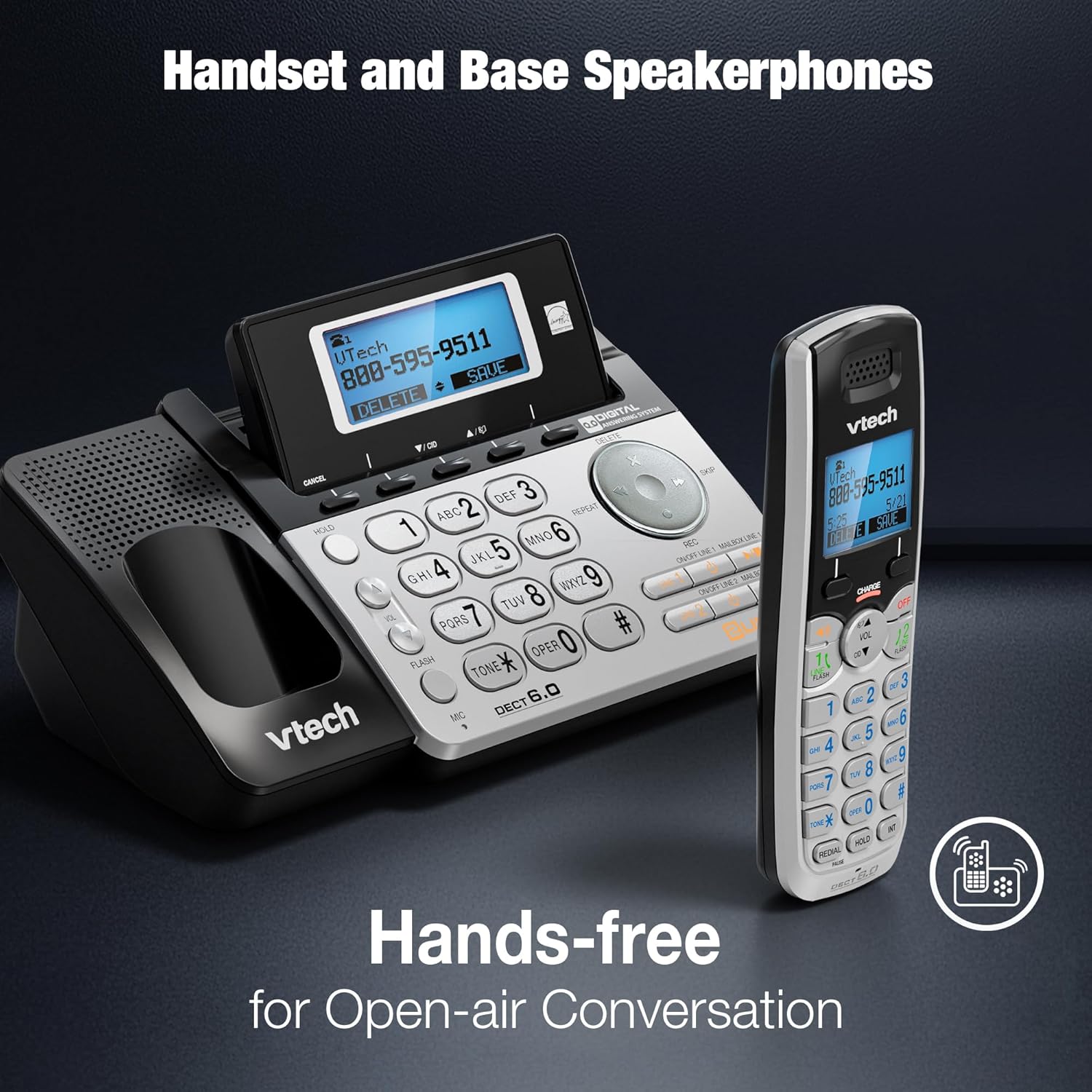
The VTech DS6151 handset and base unit, highlighting their integrated speakerphones for convenient hands-free communication.
Podsvícená klávesnice a displej
The handset features a blue backlit keypad and display, making it easy to see and dial in any lighting condition.

A close-up of the VTech DS6151 handset, showcasing its blue backlit keypad and display for improved visibility in low-light environments.
Péče a údržba
- Čištění: Telefon a základnu čistěte měkkým hadříkemamp hadříkem. Nepoužívejte čisticí spreje ani agresivní chemikálie.
- Péče o baterie: For optimal battery life, keep the handset in the charger when not in use. If the phone will not be used for an extended period, remove the battery.
- Podmínky prostředí: Nevystavujte telefon extrémním teplotám, přímému slunečnímu záření nebo vlhkosti.
Odstraňování problémů
If you experience any issues with your VTech DS6151 phone, please refer to the following table for common problems and solutions.
| Problém | Řešení |
|---|---|
| Žádný oznamovací tón. | Ensure the telephone line cord is securely plugged into the phone base and the wall jack. Check if the power adapter is properly connected. |
| Nelze uskutečňovat ani přijímat hovory. | Verify that the phone line is active. Check if the handset battery is charged. Ensure the phone is not in "Do Not Disturb" mode. |
| Handset display is blank or "Low Battery". | Place the handset in the charger. Allow at least 16 hours for a full charge. Replace the battery if it no longer holds a charge. |
| Čas a datum jsou nesprávné. | The time and date are usually set by Caller ID. If incorrect, manually set them via the handset menu. |
| Špatná kvalita zvuku nebo statický šum. | Move the handset closer to the base unit. Avoid placing the phone near other electronic devices that may cause interference. Check for loose connections. |
Technické specifikace
| Funkce | Detail |
|---|---|
| Rozměry produktu | 8.9 x 5.8 x 4.7 palce |
| Hmotnost položky | 2.2 libry |
| Číslo modelu | DS6151 |
| Baterie | Je vyžadována 1 baterie specifická pro produkt (součástí balení) |
| Typ telefonu | Bezdrátový |
| Zdroj napájení | Elektrický kabel |
| Typ systému odpovědí | Digitální |
| Technologie | DECT 6.0 |
| Barva | Stříbro |
| Materiál | Krystal |
| Výrobce | Vtech |
| Země původu | Čína |

The VTech DS6151 base unit and handset, with key dimensions (length, width, height) indicated for reference.
Záruka a podpora
For detailed warranty information, please refer to the warranty card included with your product or visit the VTech official webmísto.
Additional support and comprehensive user guides are available in PDF format:
For further assistance, please contact VTech Customer Support.


