Důležité bezpečnostní informace
Please read this instruction manual thoroughly before installation and use. Improper installation or use may cause damage to the product, TV, or personal injury. Keep this manual for future reference.
- Ujistěte se, že montážní povrch bezpečně unese celkovou hmotnost držáku a televizoru.
- Nepřekračujte maximální nosnost 70 kg (154 liber).
- Use appropriate tools and follow all steps carefully. If unsure, consult a qualified installer.
- Během instalace držte děti a domácí zvířata mimo dosah.
Obsah balení
Verify all components are present before beginning installation. If any parts are missing or damaged, do not proceed with installation and contact customer support.
- Sestava držáku na zeď
- Držáky pro TV (2x)
- Mounting Hardware Kit (screws, washers, spacers for various TV types and wall fixings)
- Návod k použití
Note: Specific screw sizes and quantities may vary. Refer to the hardware kit for exact contents.
Požadované nástroje (nejsou součástí dodávky)
- Vrtat
- Drill Bits (appropriate for wall type and screw size)
- Stud Finder (for stud wall installation)
- Úroveň
- Tužka
- Měřicí páska
- Šroubovák s křížovou hlavou
- Socket Wrench or Spanner
Pokyny k instalaci
This mount is designed for flat screens up to 65 inches (165cm) and 70kg (154lbs). It supports VESA and non-VESA mounting patterns. The installation process involves mounting the wall plate and then attaching the TV with its arms.
Krok 1: Příprava televizoru
- Carefully place the TV face down on a soft, clean surface.
- Attach the TV mounting arms to the back of your TV using the appropriate screws, washers, and spacers from the hardware kit. Ensure the arms are securely fastened and evenly spaced.
- Verify the VESA pattern compatibility. This mount fits various VESA patterns.
Krok 2: Označte a vyvrtejte otvory ve zdi
- Určete požadovanou výšku pro váš televizor.
- Position the wall mount bracket against the wall at the desired location. Use a level to ensure it is perfectly horizontal.
- Mark the drilling points through the holes on the wall mount bracket with a pencil.
- For concrete/brick walls: Drill pilot holes using an appropriate drill bit. Insert wall anchors (if provided and necessary for your wall type).
- For stud walls (up to 32 inches apart): Locate the center of the studs using a stud finder. Drill pilot holes into the center of the studs.
Step 3: Mount the Wall Bracket
- Align the wall mount bracket with the drilled holes.
- Secure the bracket to the wall using the provided wall screws and washers. Tighten all screws firmly, but do not overtighten.
- Double-check that the wall bracket is securely fastened and level.
Krok 4: Zavěste televizor
- With assistance, carefully lift the TV with the attached mounting arms.
- Hook the TV mounting arms onto the wall mount bracket. This is a simple 'hook-on' installation.
- Ensure both TV arms are securely seated on the wall bracket.
- Engage any safety locking mechanisms on the TV arms to prevent accidental dislodgement.
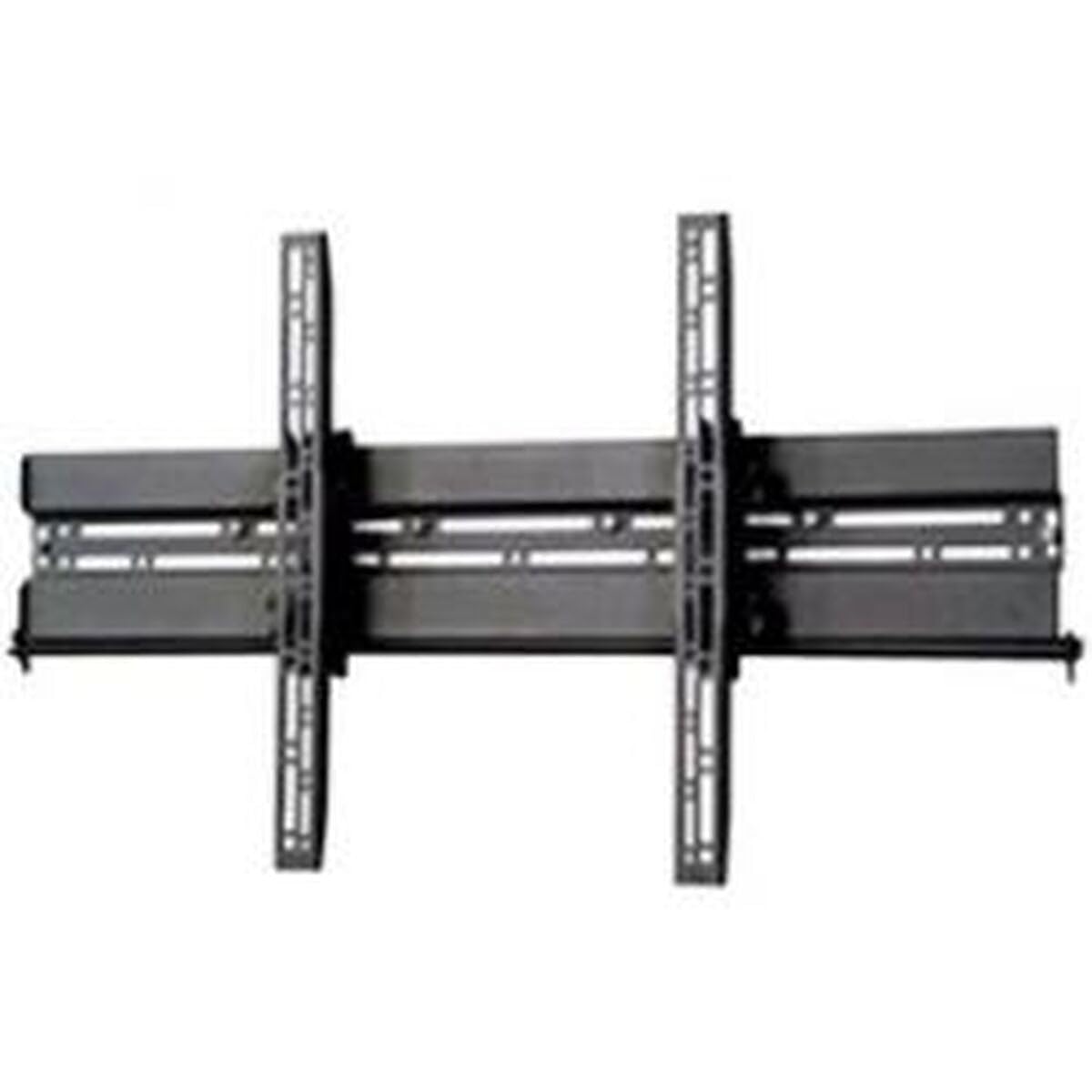
Obrázek: Přample of a TV mounted using a similar flat screen wall mount. The BT8432 mounts the screen approximately 80mm (3.1 inches) from the wall.
Návod k obsluze
Nastavení sklonu
The BT8432 mount features a simple tilt adjustment of +/-15 degrees. This allows you to optimize your viewúhel záření a snížení oslnění.
- Locate the tilt adjustment knobs or bolts on the side of the TV mounting arms.
- Loosen the knobs/bolts slightly.
- Carefully tilt the TV to the desired angle.
- Tighten the knobs/bolts firmly to secure the TV in the new position. Do not overtighten.
Údržba
- Čištění: Use a soft, dry cloth to clean the mount. Avoid abrasive cleaners or solvents.
- Pravidelné kontroly: Pravidelně kontrolujte všechny šrouby a vruty, zda jsou pevně utažené. V případě potřeby je dotáhněte.
- Nosnost: Nezavěšujte další předměty ani nepřekračujte maximální nosnost držáku.
Odstraňování problémů
Televizor po instalaci není vodorovně umístěn:
- Ensure the wall mount bracket was installed perfectly level. If not, you may need to adjust its position.
- Check if the TV mounting arms are attached evenly to the back of the TV.
Držák se na zdi zdá být uvolněný:
- Okamžitě sejměte televizor z držáku.
- Check all wall screws for tightness.
- Verify that the wall anchors (if used) are properly seated and suitable for your wall type.
- Ensure the wall material is strong enough to support the mount and TV.
Obtíže s nakláněním televizoru:
- Ensure the tilt adjustment knobs/bolts are sufficiently loosened before attempting to adjust the angle.
- Do not force the tilt mechanism.
Specifikace
| Číslo modelu | BT8432 |
| Maximální velikost obrazovky | 65 palců (165 cm) |
| Maximální nosnost | 70 kg (154 lb) |
| Typ montáže | Držák na zeď |
| Typ pohybu | Náklon |
| Nastavení sklonu | +/-15 stupňů |
| Vzdálenost od zdi | 80 mm (3.1 palce) |
| Kompatibilní typy stěn | Concrete / Brick, Stud Walls (up to 32 inches) |
| Materiál | Akrylonitrilbutadienstyren (ABS) |
| Rozměry produktu | 5.83 x 27.56 x 16.54 palce |
| Hmotnost položky | 11.22 libry |
| Výrobce | B-Tech |
| ASIN | B002C1OZYC |
| GTIN | 05019318084294 |
Záruka a podpora
Specific warranty information for the B-Tech BT8432 wall mount may vary by region and retailer. Please refer to your purchase documentation or contact the retailer where you purchased the product for details regarding warranty coverage.
For technical support or inquiries, please visit the official B-Tech webwebu nebo kontaktujte jejich oddělení zákaznických služeb. Při hledání podpory mějte po ruce doklad o koupi.


