1. Konec produktuview
The ONKYO AV Center SA-205HD is a 5.1-channel AV receiver designed to enhance your home entertainment experience. It supports high-definition audio formats such as DOLBY TrueHD and DTS-HD Master Audio, providing immersive sound for movies, music, and games. Featuring multiple HDMI inputs and digital audio connections, this unit serves as the central hub for your audio and video components.

Obrázek 1.1: Přední strana view of the ONKYO AV Center SA-205HD. This image shows the silver-colored receiver with its main volume knob, display, and front panel controls.
2. Front Panel Controls and Indicators
Seznamte se s ovládacími prvky na předním panelu pro snadné ovládání.

Obrázek 2.1: Detailní view of the ONKYO AV Center SA-205HD front panel, highlighting the main controls and display area.
- Tlačítko ON/STANDBY: Press to turn the unit on or put it into standby mode.
- MASTER VOLUME Knob: Upravuje celkovou úroveň zvuku.
- TELEFONY Jack: Připojte sluchátka pro soukromý poslech.
- ZOBRAZIT: Zobrazuje aktuální vstup, úroveň hlasitosti a zvukový režim.
- SW LVL CTRL (Subwoofer Level Control): Nastavuje výstupní úroveň subwooferu.
- LISTENING MODE Buttons: Selects various audio listening modes (e.g., Stereo, Surround).
- INPUT Selectors: Cycles through available input sources (e.g., HDMI 1, Optical 2).
- Konektor pro nastavení mikrofonu: Connect the included setup microphone for automatic speaker calibration.
3. Připojení zadního panelu
The rear panel provides all the necessary ports for connecting your audio and video devices, as well as your speakers.

Figure 3.1: Rear panel of the ONKYO AV Center SA-205HD, showing all input and output terminals.
- HDMI IN (1, 2): Connect HDMI-compatible devices such as Blu-ray players, game consoles, or cable boxes.
- HDMI VÝSTUP: Connect to your TV or projector for video output.
- DIGITAL IN (OPTICAL 1, 2 / COAXIAL 1): Connect digital audio sources like TVs, CD players, or satellite receivers.
- ANALOG AUDIO IN (LINE 1, 2, 3): Connect analog audio devices using RCA cables.
- SPEAKER TERMINALS (FRONT, CENTER, SURROUND): Connect your passive speakers. Ensure correct polarity (+/-).
- VÝSTUP PŘEDSUBWOOFERU: Připojte k aktivnímu subwooferu.
- DÁLKOVÉ OVLÁDÁNÍ: Input for external IR receiver (if applicable).
4. Nastavení
4.1 Připojení reproduktoru
Connect your 5.1 channel speakers to the corresponding terminals on the rear panel. Ensure that the positive (+) and negative (-) terminals on the receiver match those on your speakers. Use appropriate speaker wire for optimal performance.
Důležitá poznámka: Speaker compatibility is not guaranteed. Ensure your speakers' impedance matches the receiver's specifications. The receiver supports 3Ω for the subwoofer and 6Ω for other speakers.
4.2 Audio/Video Device Connection
- Zařízení HDMI: Connect your Blu-ray player, game console, or streaming device to the HDMI IN 1 or 2 ports. Connect the HDMI OUT port to your TV.
- Digital Audio Devices: For devices without HDMI, use optical or coaxial cables to connect to the DIGITAL IN ports.
- Analog Audio Devices: Use RCA cables to connect older audio equipment to the ANALOG AUDIO IN ports.
4.3 Připojení napájení
After all audio/video and speaker connections are made, connect the power cord to the receiver and then to a wall outlet.
5. Návod k obsluze
5.1 Základní obsluha
- Zapnutí/vypnutí: Stiskněte tlačítko V POHOTOVOSTNÍM REŽIMU tlačítko na předním panelu nebo na dálkovém ovladači.
- Výběr vstupu: Použijte VSTUP selector buttons on the front panel or the remote control to choose your desired source (e.g., HDMI 1, Optical 2).
- Nastavení hlasitosti: Otočte HLAVNÍ HLASITOST knob on the front panel or use the volume buttons on the remote control.
5.2 Výběr zvukového režimu
Stiskněte tlačítko REŽIM POSLECHU buttons on the front panel or remote control to cycle through available sound modes, such as Stereo, Direct, or various surround sound modes (e.g., Dolby TrueHD, DTS-HD Master Audio) depending on the input signal.
5.3 Používání dálkového ovladače
The included remote control provides full functionality for your AV receiver. Insert two AAA batteries (not included) into the remote control before use.
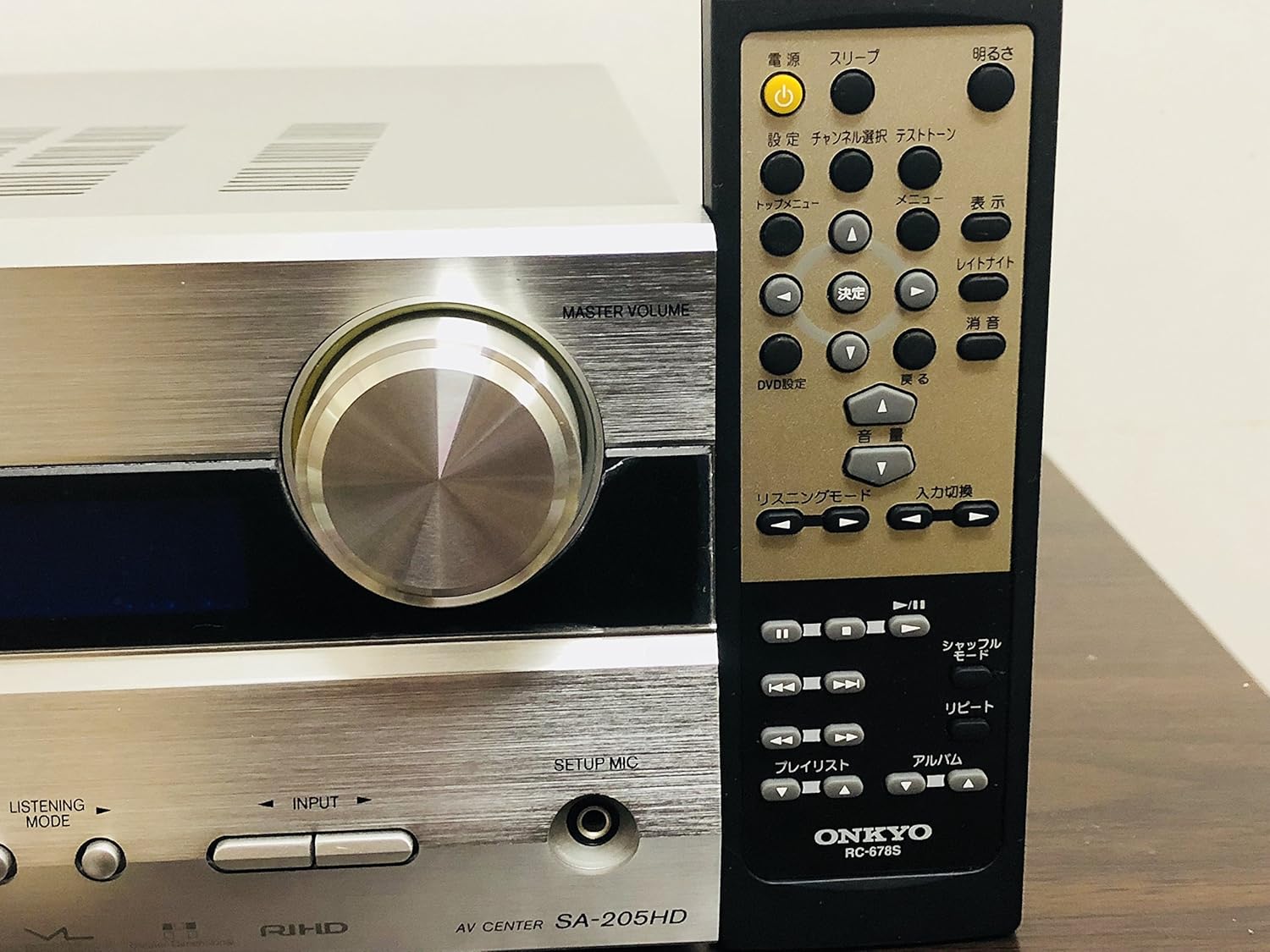
Figure 5.1: The ONKYO AV Center SA-205HD shown with its dedicated remote control, which allows for convenient operation from a distance.
6. Údržba
- Čištění: Otřete přístroj měkkým, suchým hadříkem. Nepoužívejte abrazivní čisticí prostředky ani rozpouštědla.
- Větrání: Ensure adequate ventilation around the unit. Do not block the ventilation openings on the top or sides. Overheating can cause malfunction.

Obrázek 6.1: Nahoře view of the ONKYO AV Center SA-205HD, illustrating the ventilation grilles essential for proper heat dissipation.
7. Řešení problémů
Pokud narazíte na problémy, podívejte se na následující běžné problémy a jejich řešení:
| Problém | Možná příčina | Řešení |
|---|---|---|
| Žádný zvuk | Incorrect input selected, volume too low, speaker wires disconnected. | Select correct input, increase volume, check speaker connections. |
| Žádný obrázek | HDMI cable not connected properly, incorrect input selected on TV. | Check HDMI cable connections, select correct HDMI input on TV. |
| Dálkové ovládání nefunguje | Batteries depleted or inserted incorrectly, obstruction between remote and receiver. | Replace batteries, ensure correct polarity, remove obstructions, point remote directly at receiver. |
| Jednotka se neočekávaně vypne | Overheating due to poor ventilation, power surge. | Ensure proper ventilation, connect to a surge protector. |
8. Specifikace
- Model: SA-205HD
- kanály: 5.1-kanálový
- Maximální výstupní výkon: 210W (30W x 5 channels + 60W subwoofer)
- Podporované zvukové formáty: DOLBY TrueHD, DTS-HD Master Audio, AAC
- Digitální audio vstupy: 2x optický, 1x koaxiální
- HDMI vstupy: 2
- HDMI výstupy: 1
- Analogové audio vstupy: RCA (Line 1, 2, 3)
- Konektory: HDMI, RCA, USB (for service/firmware, not user device port)
- Supported Media Formats (via USB, if applicable): WAV, WMA
- Impedance reproduktoru: Subwoofer 3Ω, Other Speakers 6Ω
- Barva: Stříbro
- Hmotnost produktu: 4.5 kg
- Baterie do dálkového ovládání: 2 x AAA (nejsou součástí balení)
9. Záruka a podpora
For warranty information and technical support, please refer to the official Onkyo website or contact your local Onkyo dealer. Keep your purchase receipt as proof of purchase for warranty claims.