Zavedení
The Hosa USB-203AB is a high-quality USB 2.0 cable designed for reliable data transfer between compatible devices. This 3-foot cable features a USB Type-A connector on one end and a USB Type-B connector on the other, making it suitable for a wide range of applications including connecting USB audio interfaces, MIDI keyboards, and various computer peripherals.
This manual provides essential information regarding the setup, operation, maintenance, and troubleshooting of your Hosa USB-203AB cable.
Konec produktuview
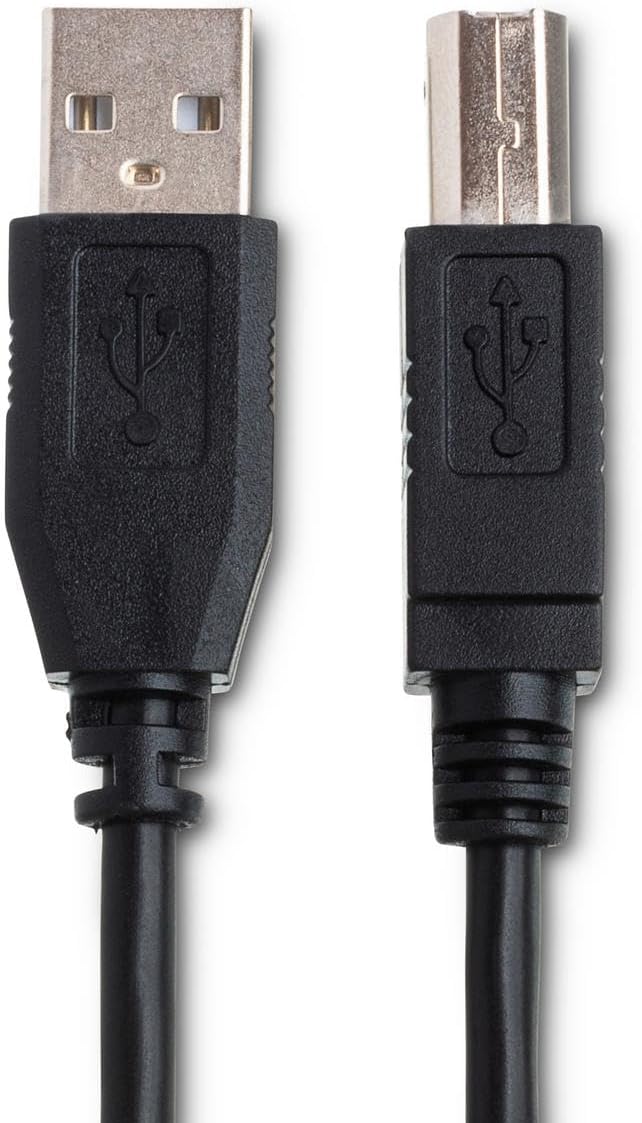
Figure 1: The Hosa USB-203AB cable, illustrating both the USB Type-A connector (left) and the USB Type-B connector (right).
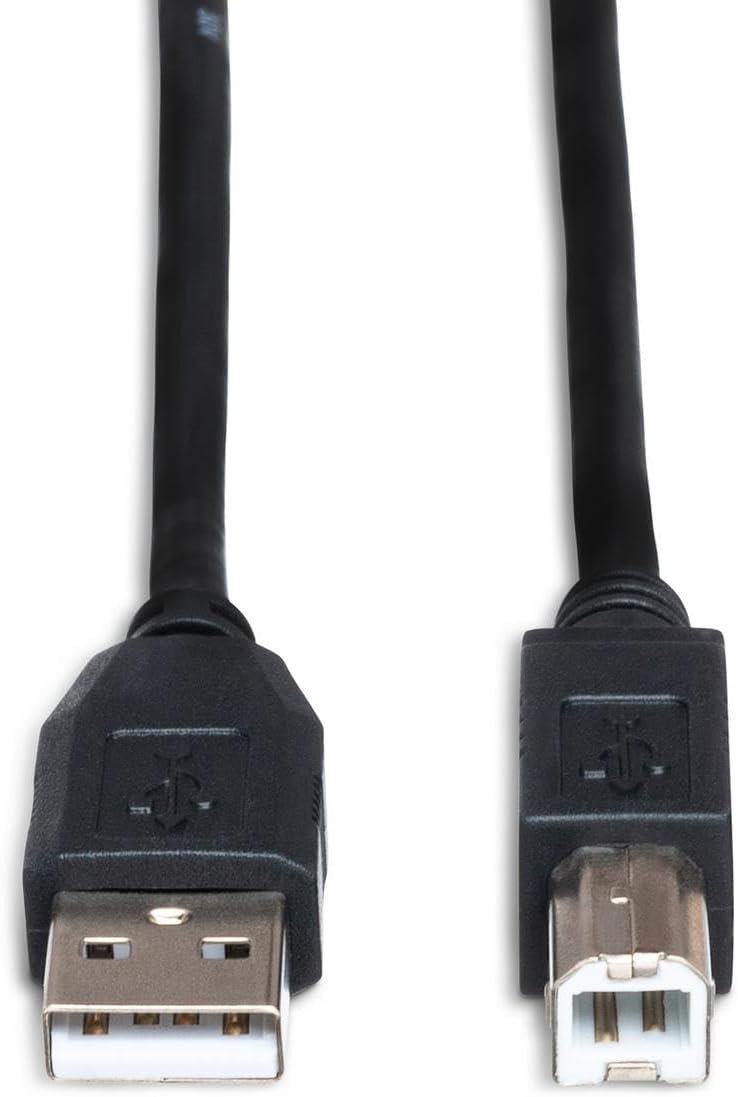
Figure 2: A top-down perspective of the USB Type-A and USB Type-B connectors, highlighting their distinct shapes.

Figure 3: The Hosa USB-203AB cable coiled, demonstrating its flexibility and typical storage form.

Figure 4: The Hosa USB-203AB cable extended, providing a visual representation of its 3-foot length.
Nastavení
Setting up the Hosa USB-203AB cable is a straightforward process. Ensure that both the host device (e.g., computer) and the peripheral device (e.g., audio interface, printer) are powered off before making connections, if recommended by the device manufacturers.
- Identifikujte konektory: Locate the USB Type-A port on your host device (typically a rectangular port) and the USB Type-B port on your peripheral device (typically a square port with two angled corners).
- Connect USB Type-A: Insert the USB Type-A end of the Hosa cable into the corresponding USB Type-A port on your computer or host device. Ensure it is fully seated.
- Connect USB Type-B: Insert the USB Type-B end of the Hosa cable into the corresponding USB Type-B port on your peripheral device. Ensure it is fully seated.
- Zapnutí zařízení: Once both ends of the cable are securely connected, power on your host device and then your peripheral device. The devices should recognize each other automatically.
- Instalace ovladače (pokud je to nutné): Some peripheral devices may require specific drivers to be installed on your host computer. Refer to the peripheral device's instruction manual for driver installation procedures.
Provozní
The Hosa USB-203AB cable facilitates high-speed data transfer between connected devices. Its operation is passive, meaning it functions by simply connecting two compatible USB 2.0 devices.
- Přenos dat: Once connected, the cable enables the flow of digital data. For example, an audio interface can send audio signals to a computer, or a printer can receive print commands.
- Dodávka energie: In some cases, the USB connection may also provide power to the peripheral device, depending on the device's power requirements and the host device's USB port capabilities.
- Kompatibilita: This cable is fully compatible with USB 2.0 specifications, offering data transfer rates up to 480 Mbps. It is backward compatible with USB 1.1 devices, though data transfer will occur at the slower USB 1.1 speed.
Always ensure that the devices you are connecting are compatible with USB 2.0 standards for optimal performance.
Údržba
Proper care and maintenance will extend the lifespan of your Hosa USB-203AB cable.
- Skladování: When not in use, coil the cable loosely. Avoid tight coiling or sharp bends, which can damage the internal wires.
- Čištění: K otření kabelu a konektorů použijte měkký, suchý hadřík. Nepoužívejte tekuté čisticí prostředky ani abrazivní materiály.
- Zacházení: Always grasp the connector housing when plugging or unplugging the cable. Do not pull on the cable itself, as this can strain the connection points and lead to damage.
- Prostředí: Store and use the cable in a dry environment, away from extreme temperatures, direct sunlight, and moisture.
Odstraňování problémů
If you encounter issues with your Hosa USB-203AB cable, consider the following troubleshooting steps:
| Problém | Možná příčina | Řešení |
|---|---|---|
| Zařízení nebylo rozpoznáno. | Loose connection, incorrect port, driver issue, faulty port. |
|
| Pomalý přenos dat. | Connecting USB 2.0 to a USB 1.1 port, high network traffic, background processes. |
|
| Přerušované připojení. | Damaged cable, loose connection, power fluctuations. |
|
If problems persist after attempting these solutions, consult the support resources for your host or peripheral device.
Specifikace
- Model: USB-203AB
- Typ kabelu: USB 2.0 A to B
- Délka: 3 stop (0.91 metrů)
- Konektory: USB Type-A Male, USB Type-B Male
- Rychlost přenosu dat: Up to 480 Mbps (USB 2.0 High Speed)
- Zpětná kompatibilita: USB 1.1
- Barva: Černý
- Materiál: Měděné vodiče
- Hmotnost: Přibližně 1.92 uncí (54.4 gramů)
- Rozměry: 1 x 1 x 1 inches (packaging/coil dimensions, cable itself is flexible)
- Výrobce: Hosa
- UPC: 728736031975
Záruka a podpora
For information regarding warranty coverage and technical support for your Hosa USB-203AB cable, please refer to the official Hosa website or contact Hosa customer service directly. Specific warranty terms may vary by region and retailer.
Hosa Webmísto: www.hosatech.com


