1. Úvod
The V315 OBD2 Universal Diagnostic Scanner is a powerful and compact tool designed to assist in diagnosing issues in OBD2 compliant vehicles. It functions as a code reader, diagnostic scanner, and battery voltage tester, providing essential information to help identify and resolve vehicle problems. This manual provides detailed instructions for setup, operation, and maintenance of your V315 scanner.

2. Vlastnosti produktu
- Široká kompatibilita: Supports gasoline vehicles manufactured after 1996 (USA), 2002 (EU), and 2008 (Asia).
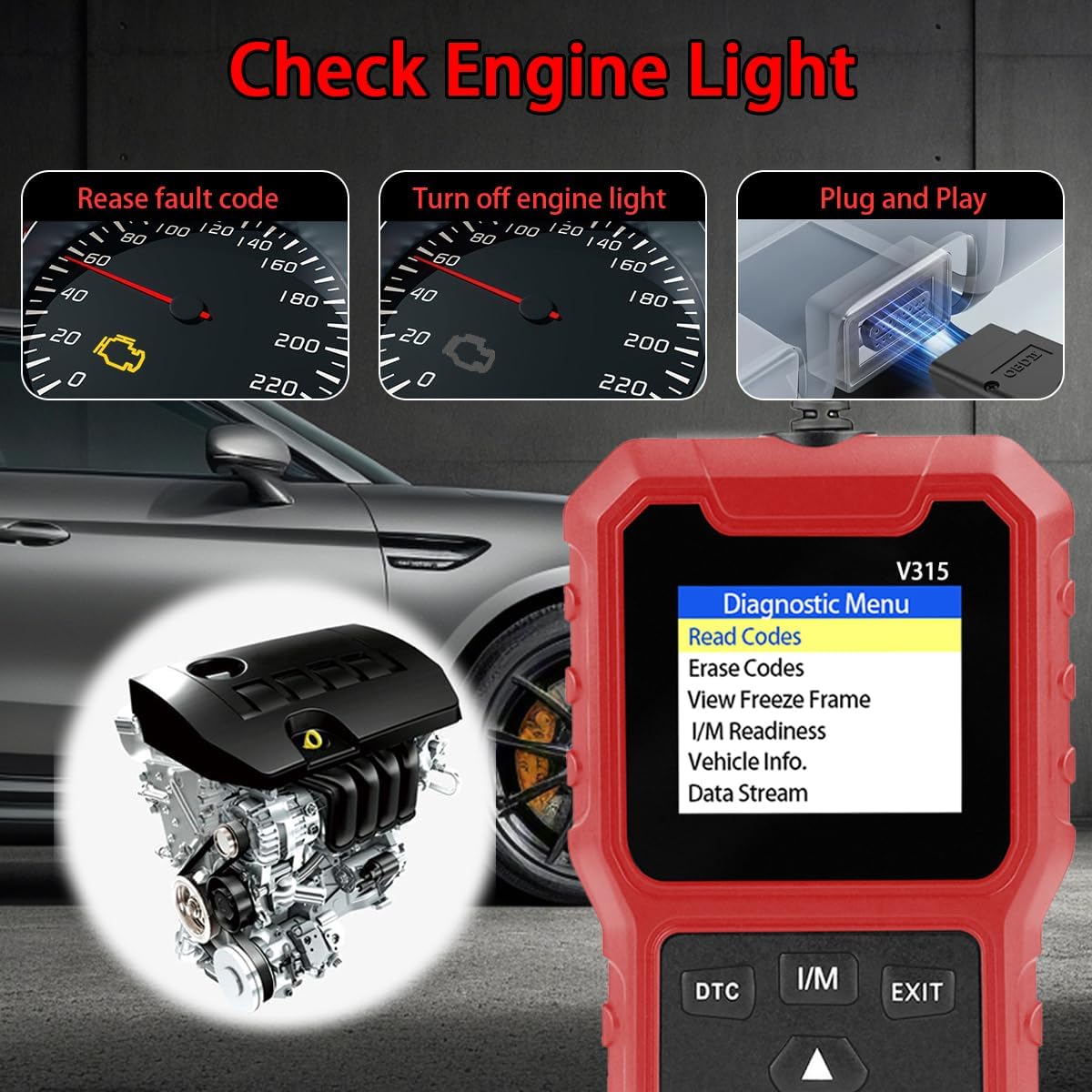
- Plné funkce OBD2: Read/Clear Codes, Reset Check Engine Lights, Analyze Freeze Frames, Test Battery Voltage, Live Data Stream, Run Component Tests.
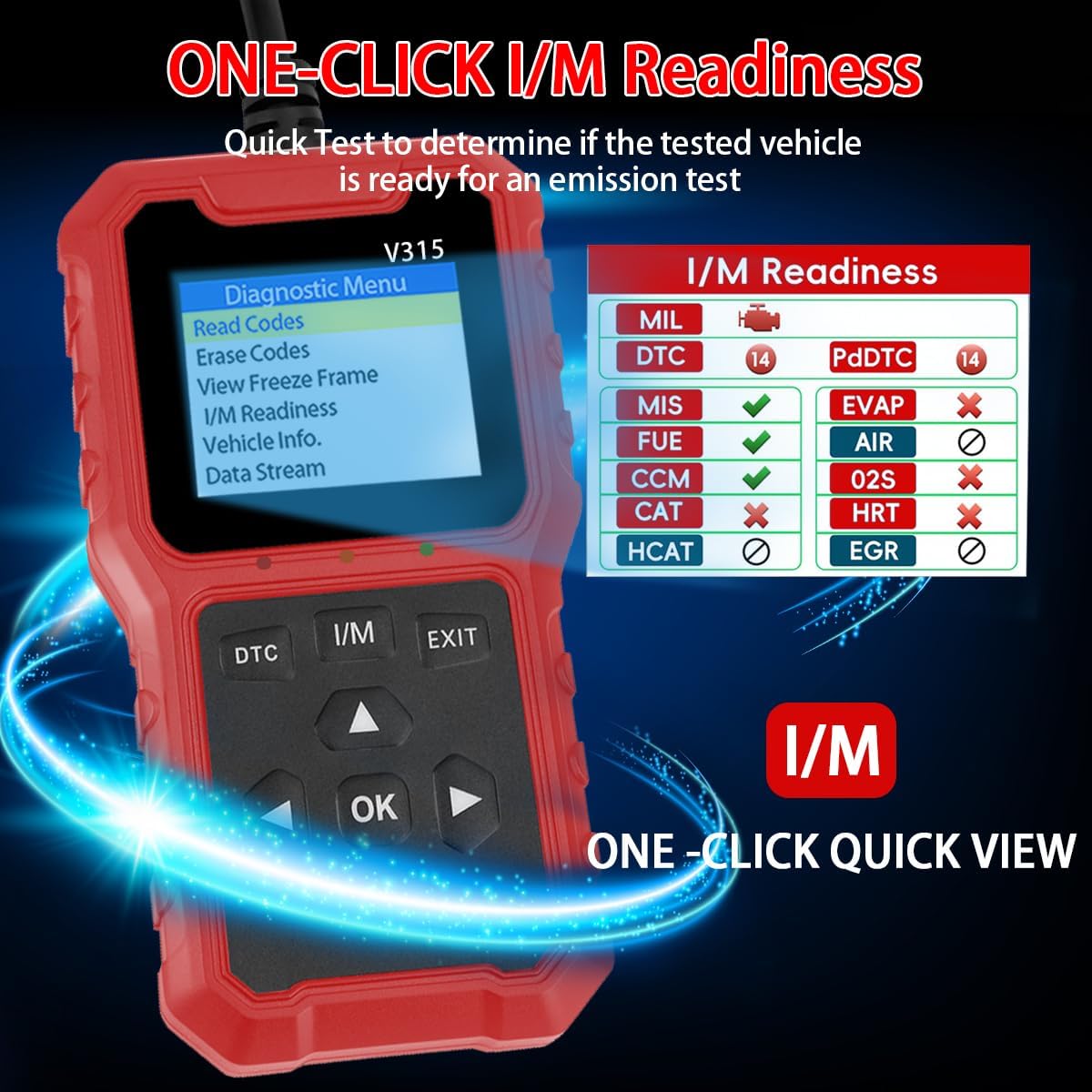
- Připravenost I/M: Quick test to determine if the vehicle is ready for an emission test.
- Data v reálném čase: Tracks over 20 data streams including fuel pressure and coolant temperature.
- Uživatelsky přívětivý design: 2.8-inch LCD screen, durable 16-pin OBDII plug, soft silicone buttons.
- Podpora více jazyků: Includes English, German, Italian, Spanish, Japanese, Portuguese, Dutch, French.

3. Průvodce nastavením
3.1 Připojení skeneru
- Vyhledejte 16pinový datový konektor (DLC) vašeho vozidla. Obvykle se nachází pod palubní deskou na straně řidiče.
- Před připojením skeneru se ujistěte, že je zapalování vozidla VYPNUTÉ.
- Firmly plug the V315 scanner's OBDII connector into the vehicle's DLC port.
- Zapněte zapalování vozidla (motor může být vypnutý nebo běžící, v závislosti na testu). Skener se automaticky zapne.

3.2 Výběr jazyka
Upon first use or after a reset, you may be prompted to select your preferred language. Use the arrow buttons to navigate and the 'OK' button to confirm your selection.
4. Návod k obsluze
The V315 scanner features a simple button layout for easy navigation:
- DTC: Přímý přístup k diagnostickým chybovým kódům.
- I/M: Direct access to I/M Readiness status.
- VÝSTUP: Návrat do předchozí nabídky nebo ukončení funkce.
- OK: Potvrzuje výběr.
- Šipky (nahoru/dolů/doleva/doprava): Procházení nabídek a dat.

4.1 Diagnostic Menu Functions
From the main 'Diagnostic Menu', use the arrow buttons to select and 'OK' to enter the desired function:
- Číst kódy: Načítá diagnostické chybové kódy (DTC) z počítače vozidla. Tyto kódy indikují specifické problémy zjištěné autodiagnostickým systémem vozidla.
- Vymazat kódy: Clears DTCs from the vehicle's computer and turns off the Check Engine Light (MIL). Ensure the underlying issue is resolved before clearing codes to prevent recurrence.
- View Freeze Frame: Displays a snapshot of the vehicle's operating conditions at the moment a fault code was set. This data can help pinpoint the cause of the fault.
- Připravenost I/M: Kontroluje stav různých monitorů souvisejících s emisemi, aby se zjistilo, zda je vozidlo připraveno k emisní zkoušce.
- Informace o vozidle: Získá identifikační číslo vozidla (VIN), kalibrační ID (CALID) a ověřovací číslo kalibrace (CVN).
- Datový tok: Displays real-time operational data from the vehicle's sensors and components, such as engine RPM, vehicle speed, coolant temperature, and fuel system status.

5. Compatibility and Limitations
The V315 scanner is designed for broad compatibility but has specific limitations:
- Podporovaná vozidla: Gasoline cars produced after 1996 (USA), 2002 (EU), and 2008 (Asia).
- Vyloučení: This scanner does NOT support hybrid vehicles, electric vehicles, or non-OBD2 compliant models.
- Unsupported Detections: The V315 does NOT support ABS (Anti-lock Braking System), SRS (Supplemental Restraint System), or TPMS (Tire Pressure Monitoring System) detection.
- Diesel Vehicles: For diesel vehicles, please verify that the specific protocols used by your vehicle are supported by the V315 scanner.

5.1 Podporované protokoly
The V315 scanner supports the following OBDII communication protocols:
- SAE J1850 PWM (41.6 kbaud)
- SAE J1850 VPW (10.4 kbaud)
- ISO9141-2 (5 baud init, 10.4 kbaud)
- ISO14230-4 KWP (5 baud init, 10.4 Kbaud)
- ISO14230-4 KWP (rychlý start, 10.4 Kbaud)
- ISO15765-4 CAN (11bit ID, 500 Kbaud)
- ISO15765-4 CAN (29bit ID, 500 Kbaud)
- ISO15765-4 CAN (11bit ID, 250 Kbaud)
- ISO15765-4 CAN (29bit ID, 251 Kbaud)
6. Specifikace
| Funkce | Popis |
|---|---|
| Zobrazit | 2.8palcový LCD displej |
| Rozhraní | Standard 16-pin OBDII Connector |
| Provozní svtage | 9-16V (via vehicle OBDII port) |
| Podporované protokoly | SAE J1850 PWM, SAE J1850 VPW, ISO9141-2, ISO14230-4 KWP, ISO15765-4 CAN |
| Podporované jazyky | English, German, Italian, Spanish, Japanese, Portuguese, Dutch, French |
| Rozměry (D x Š x V) | 13.00 cm x 6.20 cm x 7.00 cm (přibližně 5.12 palce x 2.44 palce x 2.76 palce) |
| CPU | Upgraded for high-speed processing |
7. Údržba
- Čištění: Použijte měkký, damp cloth to clean the exterior of the scanner. Do not use abrasive cleaners or solvents.
- Skladování: Zařízení skladujte v suchém a chladném prostředí mimo dosah přímého slunečního záření a extrémních teplot.
- Péče o kabely: Avoid bending or twisting the OBDII cable excessively. Always grasp the connector when plugging or unplugging, not the cable itself.
- Ochrana obrazovky: The device comes with a bright acrylic screen protective cover. Avoid scratching the screen.
8. Řešení problémů
- Skener se nezapne:
- Ensure the OBDII connector is securely plugged into the vehicle's DLC.
- Ověřte, zda je zapalování vozidla v poloze ON.
- Check the vehicle's fuse for the OBDII port (refer to your vehicle's owner's manual).
- Chyba komunikace:
- Confirm the vehicle is OBD2 compliant and within the supported manufacturing years.
- Ensure the ignition is ON.
- Zkuste se připojit k jinému vozidlu kompatibilnímu s OBD2, abyste vyloučili poruchu skeneru.
- Check for any loose connections in the OBDII cable.
- Codes Cannot Be Cleared:
- The underlying fault causing the code may still be present. Codes cannot be cleared if the issue persists.
- Ensure the ignition is ON and the engine is OFF when attempting to clear codes.
9. Uživatelské tipy
- Always consult your vehicle's owner's manual for specific information regarding your vehicle's diagnostic system and OBDII port location.
- When diagnosing a Check Engine Light, always read the codes first before attempting to clear them. This provides valuable information for troubleshooting.
- Use the 'Freeze Frame' data to understand the conditions under which a fault occurred, which can be crucial for intermittent problems.
- For diesel vehicles, double-check the supported protocols to ensure compatibility before use.
10. Záruka a podpora
For any issues or questions regarding your V315 OBD2 Universal Diagnostic Scanner, please contact customer service. We are committed to providing support and will respond to inquiries within 24 hours.