1. Úvod
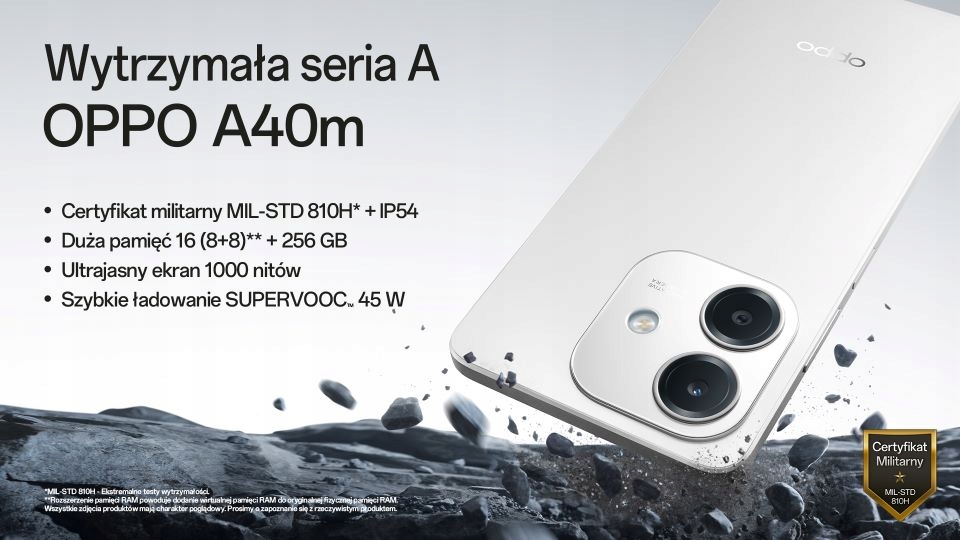
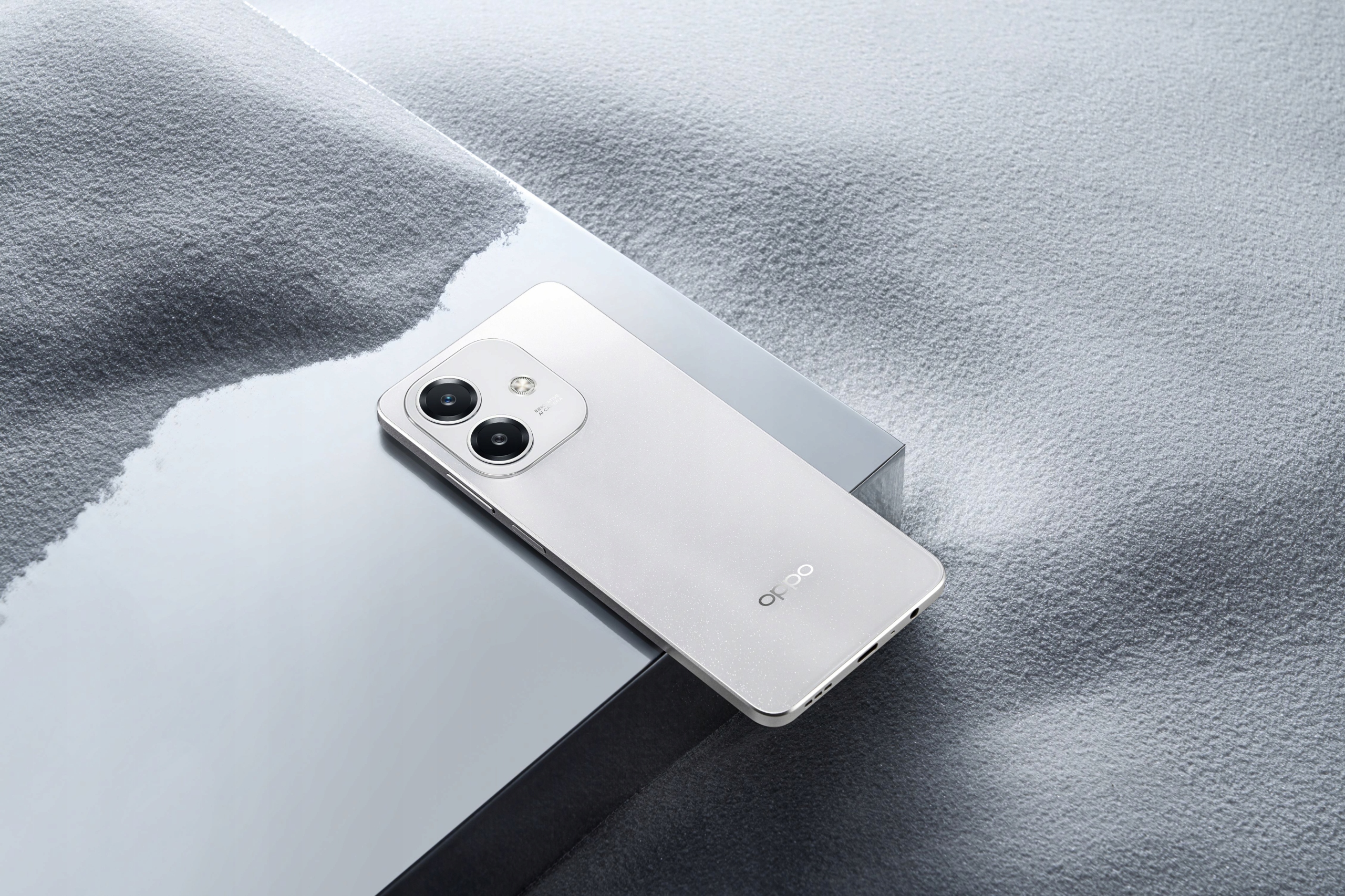
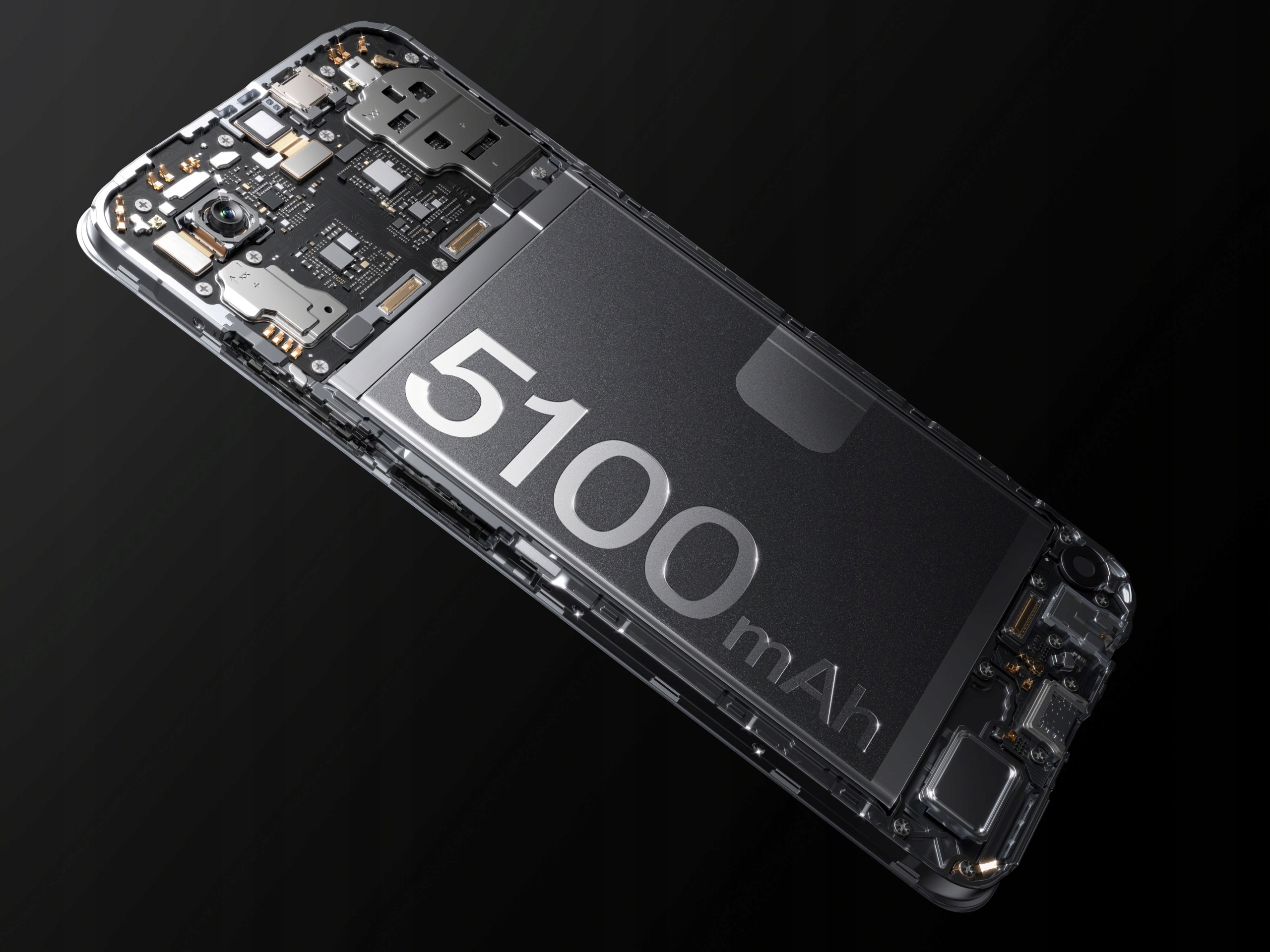
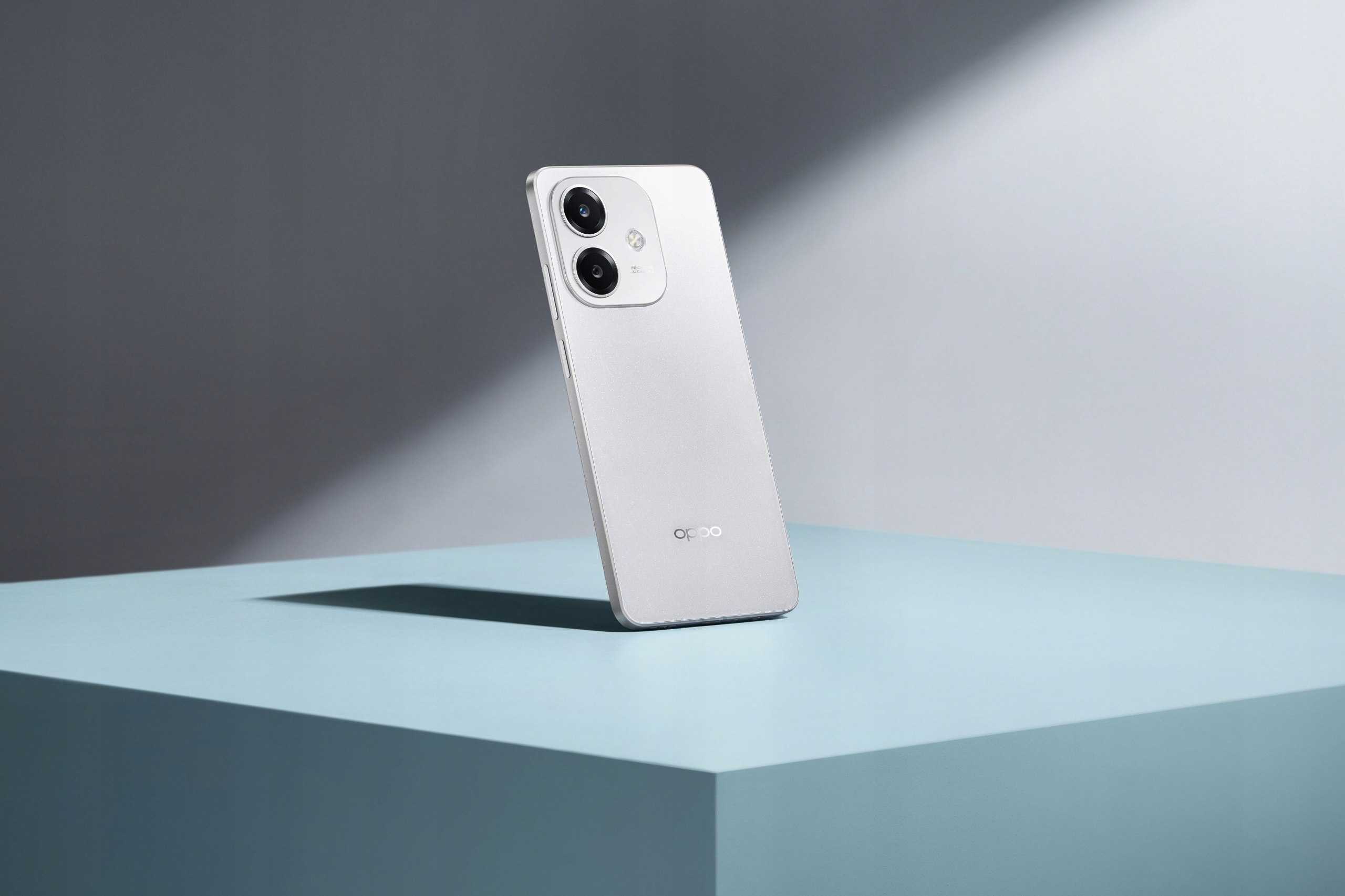
The OPPO A40m is a robust and feature-rich smartphone designed for reliable performance and durability. It boasts a MIL-STD 810H military standard certification and IP54 water resistance, making it resilient against drops, shocks, and fluid exposure. Powered by a Snapdragon® 6s 4G Gen1 processor, it offers smooth operation and ample storage with 8GB RAM (expandable with +8GB virtual RAM) and 256GB ROM, further expandable up to 1TB via microSD. The device features a vibrant 6.67-inch 1000-nit ultra-bright display with a 90Hz refresh rate and Splash Touch technology for responsive interaction even with wet hands. Capture stunning photos with its 50MP main camera and 5MP front camera, and enjoy fast charging with the 5100mAh battery and 45W SUPERVOOC™ technology.

2. Obsah balení
Zaškrtněte prosím políčko u následujících položek:
- OPPO A40m Smartphone
- USB kabel (typ C)
- SIM Ejector Tool (SIM needle)
- Reduced Instruction Manual
Pokud některé položky chybí nebo jsou poškozené, kontaktujte prosím svého prodejce.
3. Specifikace
| Funkce | Specifikace |
|---|---|
| Značka | OPPO |
| Model | A40m |
| BERAN | 8 GB (expandable with +8 GB virtual RAM) |
| ROM | 256 GB (expandable up to 1 TB via microSD) |
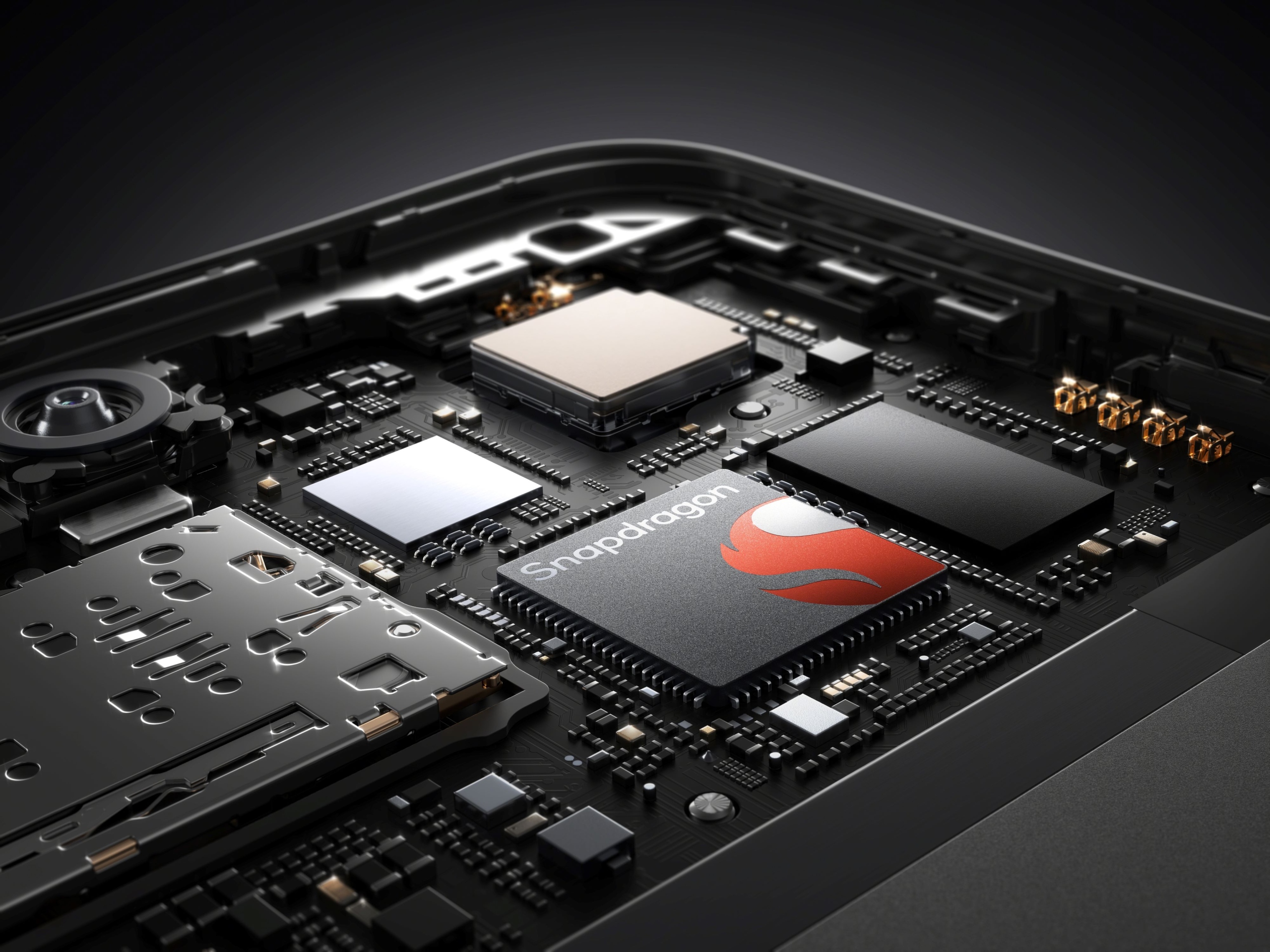
| Procesor | Snapdragon® 6s 4G Gen1 |
| Velikost displeje | 6.67 palců |
| Rozlišení displeje | 720x1604 |
| Typ obrazovky | Full Screen, 1000 NIT ultra-bright, 90Hz refresh rate, Touch Screen, Splash Touch |
| Kapacita baterie | 5100 mAh (neodnímatelná) |
| Nabíjení | SUPERVOOC™ 45W Fast Charging (Type-C Interface) |
| Zadní kamera | 50 MP (Single lens) |
| Přední kamera | 5 MP (Single lens) |
| Biometrická technologie | Snímač otisků prstů namontovaný na straně |
| Port pro sluchátka | 3.5mm Jack |
| Množství SIM karet | 2 SIM Card slots |
| Operační systém | Android |
| Trvanlivost | MIL-STD 810H Military Standard, IP54 Water Resistance |
| NFC | 360° NFC |
| Bezdrátové nabíjení | Žádný |
| Původ | pevninská Čína |
4. Průvodce nastavením
4.1. Vložení SIM karet a karty MicroSD
- Locate the SIM card tray on the side of your OPPO A40m.
- Vložte nástroj pro vysunutí SIM karty do malého otvoru vedle zásobníku a jemně zatlačte, dokud zásobník nevyskočí.
- Vložte kartu (karty) Nano-SIM a/nebo kartu microSD do určených slotů v držáku. Ujistěte se, že zlaté kontakty směřují dolů.
- Opatrně vložte zásobník zpět do telefonu, dokud nezacvakne na místo.
4.2. Počáteční zapnutí a nastavení
- Stiskněte a podržte tlačítko napájení (umístěné na boku), dokud se neobjeví logo OPPO.
- Postupujte podle pokynů na obrazovce a vyberte jazyk, připojte se k síti Wi-Fi a nastavte si účet Google.
- You will be guided through setting up security features like the side-mounted fingerprint sensor and screen lock.
5. Návod k obsluze
5.1. Zapnutí/vypnutí a restartování
- Zapnutí: Stiskněte a podržte tlačítko napájení, dokud zařízení nezavibruje a nezobrazí se logo OPPO.
- Vypnout: Stiskněte a podržte tlačítko Napájení a poté na obrazovce klepněte na „Vypnout“.
- Restartovat: Stiskněte a podržte tlačítko Napájení a poté na obrazovce klepněte na „Restartovat“.
5.2. Nabíjení zařízení
The OPPO A40m supports SUPERVOOC™ 45W fast charging. Use the provided USB Type-C cable and a compatible 45W SUPERVOOC™ charger for optimal charging speeds. The device can charge from 0% to 50% in approximately 30 minutes.
- Připojte kabel USB k portu typu C na telefonu.
- Druhý konec kabelu připojte k napájecímu adaptéru a poté zapojte adaptér do elektrické zásuvky.
- The phone will display a charging indicator.
5.3. Funkce displeje
The 6.67-inch display offers a 1000-nit ultra-bright experience and a 90Hz refresh rate for smooth visuals. The Splash Touch feature ensures the screen remains responsive even when wet.
5.4. Použití fotoaparátu
The OPPO A40m is equipped with a 50MP main lens and a 5MP front lens.
- Fotit: Open the Camera app. By default, the 50MP main lens operates in a 12.5MP mode for enhanced light sensitivity. To capture more detailed photos, switch to the dedicated 50MP mode within the camera settings.
- Přední kamera: The 5MP front camera features AI Smart portrait retouching, allowing you to customize your natural look.
- Dvojí-View Video: This feature allows you to record video simultaneously from both the front and rear cameras, automatically combining the footage into a single video.
5.5. Funkce NFC
The 360° NFC feature provides a convenient digital wallet experience for contactless payments and other NFC-enabled interactions.
5.6. Turbo Flashlight
Access the Turbo Flashlight from your quick settings panel. It is 70% brighter than previous generations, providing enhanced illumination when needed.
6. Údržba
- Aktualizace softwaru: Pravidelně kontrolujte a instalujte aktualizace systému, abyste zajistili optimální výkon, zabezpečení a přístup k novým funkcím.
- Čištění: Use a soft, lint-free cloth to clean the screen and body of the phone. Avoid harsh chemicals. For ports, use a soft brush to gently remove dust.
- Ochrana životního prostředí: While the OPPO A40m is MIL-STD 810H certified and IP54 water resistant, avoid exposing it to extreme temperatures, direct sunlight for prolonged periods, or corrosive liquids.
- Péče o baterie: To prolong battery life, avoid fully discharging the battery frequently. Use the original charger and cable.
7. Řešení problémů
- Zařízení nereaguje: If your phone freezes, press and hold the Power button for about 10-15 seconds to force a restart.
- Problémy s nabíjením: Ensure the charging cable and adapter are securely connected. Try a different outlet or charger if available.
- Síťové připojení: Check if Airplane Mode is off. Restart your phone. If issues persist, contact your network provider.
- Pomalý výkon: Close unused apps, clear cache, or restart your device. Consider uninstalling rarely used applications.
- Is this phone 5G LTE? The OPPO A40m is equipped with a Snapdragon® 6s 4G Gen1 processor, indicating it supports 4G LTE networks. It does not support 5G connectivity.
8. Uživatelské tipy
- Využijte trvanlivost: Don't be afraid to use your OPPO A40m in challenging environments. Its MIL-STD 810H and IP54 ratings mean it's built to withstand more than typical smartphones.
- Fast Charging Advantage: Utilize the 45W SUPERVOOC™ charging for quick power boosts, especially when you're short on time.
- Detailed Photography: For photos requiring maximum detail, remember to switch to the 50MP mode in the camera app.
- Rozšíření úložiště: If you find yourself running out of space, take advantage of the microSD card slot to expand storage up to 1TB.
9. Záruka a podpora
For warranty information and technical support, please refer to the warranty card included with your product or visit the official OPPO website. You may also contact your point of purchase for assistance.


