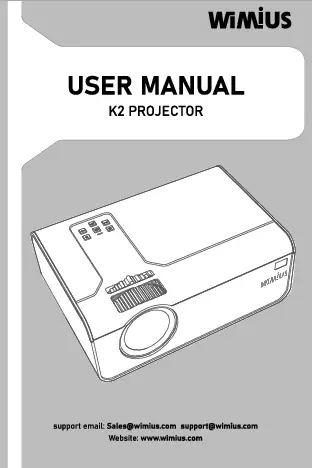
1. Konec produktuview
The Salange K2 is a versatile smart projector featuring Android 11.0, dual-band WiFi (2.4G & 5G), Bluetooth 5.2, and a built-in 5200mAh battery for portable use. It offers automatic keystone correction and auto-focus for a seamless viewzkušenosti.


2. Obsah balení
Zkontrolujte prosím balení, zda neobsahuje následující položky:
- 1 x Salange K2 Projector
- 1 x Uživatelská příručka
- 1 x Napájecí kabel
- 1 x Dálkové ovládání
- 1 x napájecí adaptér

3. Nastavení
3.1 Zapnutí
- Připojte napájecí kabel k projektoru a poté do elektrické zásuvky.
- Stisknutím tlačítka napájení na projektoru nebo na dálkovém ovladači jej zapněte.

3.2 Umístění a nastavení úhlu
The K2 projector offers a 230° flexible projection angle, allowing you to project images from the wall to the ceiling. Adjust the fuselage gently to achieve your desired viewúhel.

3.3 Zaostření a korekce lichoběžníkového zkreslení
The projector features 3-second auto-focus and 2-second auto keystone correction to ensure a clear and perfectly rectangular image.


4. Návod k obsluze
4.1 Dálkové ovládání
Use the mouse-like Bluetooth remote control to navigate the Android 11.0 interface and adjust settings without needing to be close to the projector.

Operační systém a aplikace Android 4.2
The projector runs on Android 11.0, providing access to over 4,000 apps including popular streaming services like Netflix, YouTube, and Amazon Prime.
4.3 Sdílení obrazovky
Easily connect your iPhone or Android smartphone/tablet via WiFi for convenient screen sharing.

4.4 Audio and Ambient Lighting
The projector features 10W Hi-Fi stereo speakers (2x5W with 2 bass boosters) for immersive sound. It also functions as an ambient light, enhancing your viewprostředí.


4.5 Konektivita
The projector supports 2.4G+WIFI6+5G WiFi and Bluetooth 5.2 for fast and stable internet and device connections.

4.6 Ochrana očí
The projector uses diffuse reflection and low blue light technology to protect your eyes during extended viewing, making it suitable for watching TV shows or online learning.

5. Specifikace
| Funkce | Specifikace |
|---|---|
| Název značky | Salange |
| Model | K2 |
| Systém | Android 11.0 |
| CPU | H713 / Quad-core ARM Cortex-A53 |
| GPU | Mali-G31 (podporuje OpenGL ES3.2, Vulkan 1.1, OpenCL2.0) |
| BERAN | 1G |
| ROM | 8G |
| WiFi | 2.4G + 5G + WiFi6 |
| Bluetooth | BT 5.2 |
| Ansi lumenů | 200 ANSI (approx. 130-150 lumens by ANSI test) |
| Jas | 1600 XNUMX lumenů |
| Optické rozlišení | 1280x720dpi (Max support 4K video signal input) |
| Kontrastní poměr | 1000:1-2000:1 |
| Projektovaný rozměr | 40-150 palců |
| Projekční vzdálenost | 1.2-4 m |
| Optimální projekční vzdálenost | 1.68 m |
| Projektivní režim | Vrhací, Stropní, Zpětná projekce, Zrcadlový obraz |
| Korekce lichoběžníkového zkreslení | Auto Correction (2s Auto Keystone) |
| Soustředit | Auto Focus (3s Auto Focus) |
| Měřítko obrazovky | 4:3/16:9 |
| Projekční technologie | LED |
| Světelný zdroj | LED světlo |
| Světelný život | Více než 50000 hodin |
| Výkon (W) | 60W |
| Zdroj napájení | DC (AC100-240V/50-60Hz Working Voltage) |
| Vestavěná baterie | 5200mAh Li-ion (91 minutes continuous operation after full charge) |
| Vestavěný reproduktor | Yes, 2*5W |
| Hluk ventilátoru | <36 dB (test standard is 1 meter) |
| Rozhraní | USB*1/HDMI-compatible*1/AUDIO*1 |
| Velikost produktu | Diameter 100.8X103.5MM |
| Hmotnost | 1.5 kg |
| Přenosný | Ano |
| Použití | Entertainment Projector, Home theater, early childhood education, video conference, online teaching |
| Obrátit obrázek | Otočení o 230 stupňů |
| Čočka | 3 pieces glass lens |
| Jazyk | Podpora více jazyků |
| Provozní režim | Button panel and remote control |
| Zvuk File Podpora | MP3/WMA/ACC |
| Obraz File Podpora | JPG, BMP, PNG (support image scaling) |
| Video File Podpora | Plnoformátové dekódování včetně HEVC/VP9/AVS2/AVC 4K@30fps a MPEG1/MPEG2/AV1 1080p/60fps atd. |
| Text Reading Support | TXT |
| Osvědčení | CE, FCC, RoHS |


6. Údržba
6.1 Čištění
- K čištění vnější strany projektoru použijte měkký, suchý hadřík.
- Na čočky použijte speciální hadřík a roztok na čištění čoček, abyste zabránili poškrábání.
- Ensure the ventilation grilles are free from dust to maintain optimal performance.
6.2 Skladování
- Projektor skladujte na chladném a suchém místě mimo dosah přímého slunečního záření a extrémních teplot.
- Pokud baterii skladujete delší dobu, ujistěte se, že je částečně nabitá (kolem 50 %), abyste prodloužili její životnost.
6.3 Péče o baterii
The built-in 5200mAh Li-ion battery provides approximately 91 minutes of continuous movie playback or 4 hours of music playback on a full charge.
- Vyhněte se častému úplnému vybíjení baterie.
- Pravidelně nabíjejte baterii, i když ji nepoužíváte, abyste zachovali její dobrý stav.

7. Řešení problémů
7.1 Žádný obraz nebo zkreslený obraz
- Ujistěte se, že je projektor zapnutý a správně připojený.
- Zkontrolujte, zda je sejmuta krytka objektivu.
- Ověřte, zda je správně vybrán vstupní zdroj.
- Allow the auto-focus and auto keystone correction to complete. If the image is still distorted, try manually adjusting the projector's position.
7.2 Žádný zvuk
- Check the volume settings on the projector and the connected device.
- Ensure no external audio devices are connected that might override the internal speakers.
- If using Bluetooth speakers (optional), ensure they are correctly paired and connected.
7.3 Dálkové ovládání nereaguje
- Ujistěte se, že baterie v dálkovém ovladači nejsou vybité.
- Namiřte dálkový ovladač přímo na infračervený přijímač projektoru.
- If it's a Bluetooth remote, ensure it's paired with the projector.
7.4 Přehřátí
- Ensure the projector's ventilation grilles are not blocked.
- Projektor používejte v dobře větraném prostoru.
- If the projector feels excessively hot, turn it off and let it cool down before resuming use.
8. Záruka a podpora
The Salange K2 Smart Projector comes with a standard manufacturer's warranty. For detailed warranty information, technical support, or service inquiries, please contact your retailer or the official Salange customer service.
Uschovejte si prosím doklad o koupi pro uplatnění záruky.
9. Uživatelské tipy
- Pro dosažení nejlepší kvality obrazu používejte projektor v tmavém prostředí.
- Využijte flexibilní projekční úhel 230° k projekci na stropy a vytvořte tak jedinečný obraz viewzkušenosti.
- Vezměte si náskoktage of the built-in Android 11.0 system to directly access streaming apps without needing external devices.
- Keep the projector's fan vents clear to ensure efficient cooling and quiet operation (<36dB fan noise).
- When using the built-in battery, consider the 'Cinema audio built-in battery' feature for extended audio playback.