Zavedení
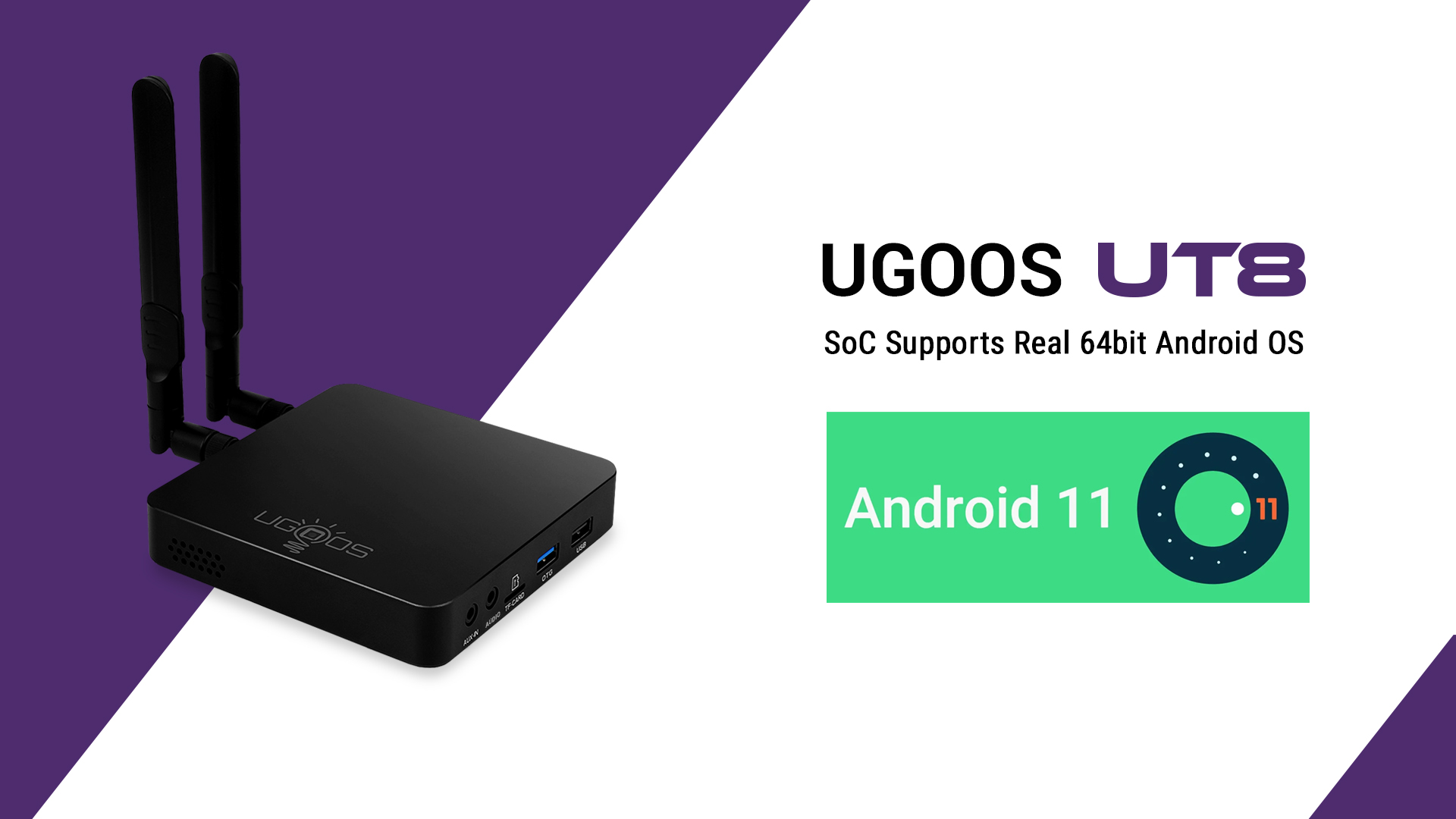
The UGOOS UT8 and UT8 PRO are advanced Android 11.0 TV Boxes designed to enhance your media experience. Powered by the Rockchip RK3568 Quad-Core Cortex-A55 processor and ARM Mali-G52 2EE GPU, these devices offer robust performance for streaming, gaming, and various applications. Key features include WiFi 6, Bluetooth 5.0, 4K@60fps resolution support, and HDR10 for superior visual quality. This manual provides essential information for setting up, operating, maintaining, and troubleshooting your UGOOS TV Box.
Co je v krabici


- 1 x UGOOS UT8 or UT8 PRO TV Box
- 2x WiFi anténa
- 1 x BT Voice Remote Control (with Gyroscope)
- 1 x napájecí adaptér (DC 5V/3A)
- Kabel 1 x HD
Pokyny pro nastavení
- **Connect Antennas**: Screw the two provided WiFi antennas into the designated ports on the back of the TV Box.
- **Connect to TV**: Connect one end of the HD Cable to the HDMI Output port on the TV Box and the other end to an available HDMI input on your television.
- **Connect to Network (Optional)**:
- **Wired**: For a stable connection, connect an Ethernet cable from your router to the RJ45 1000M port on the TV Box.
- **Wireless**: The device supports WiFi 6. You can configure the wireless connection after powering on the device.
- **Connect Peripherals (Optional)**:
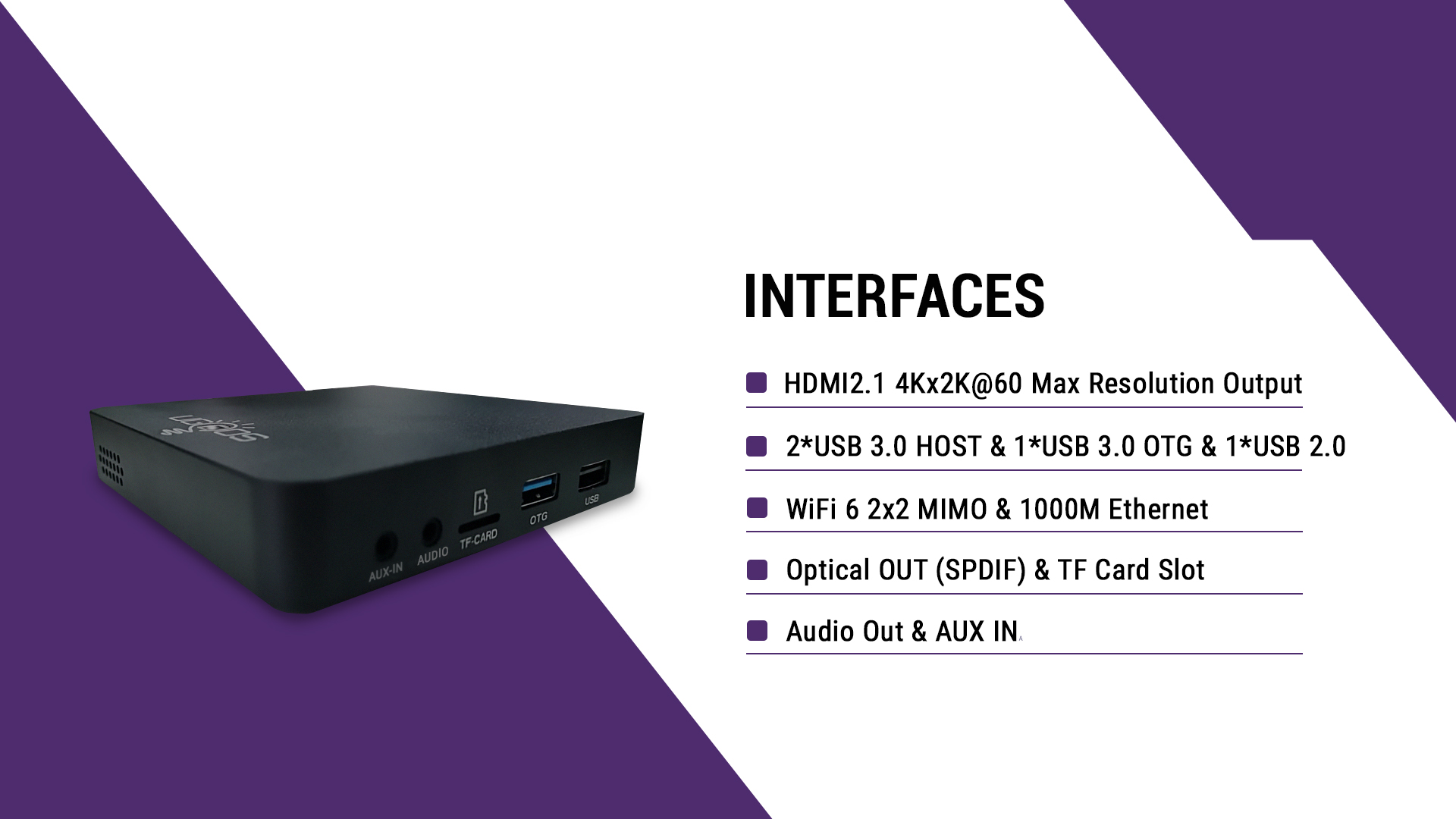
- **USB Devices**: Connect USB storage devices, keyboards, or mice to the USB 3.0 HOST, USB 3.0 OTG, or USB 2.0 ports.
- **Audio Devices**: If using external audio equipment, connect it to the Audio Out or AUX IN ports.
- **Power On**: Connect the Power Adapter (DC 5V/3A) to the DC IN port on the TV Box and then plug the adapter into a power outlet. The device should power on automatically or can be turned on using the power button on the unit or remote control.
- **Initial Setup**: Follow the on-screen instructions to complete the initial Android 11 setup, including language selection, network configuration, and Google account login.
Návod k obsluze
Operační systém Android 11.0
The UGOOS UT8 series runs on Android 11.0, providing a familiar and user-friendly interface. Navigate using the included BT Voice Remote Control with Gyroscope for intuitive control.
Klíčové vlastnosti
- **4K@60fps Resolution & HDR10**: Enjoy high-definition content with vibrant colors and sharp details. The device supports HDR for an enhanced viewzkušenosti.
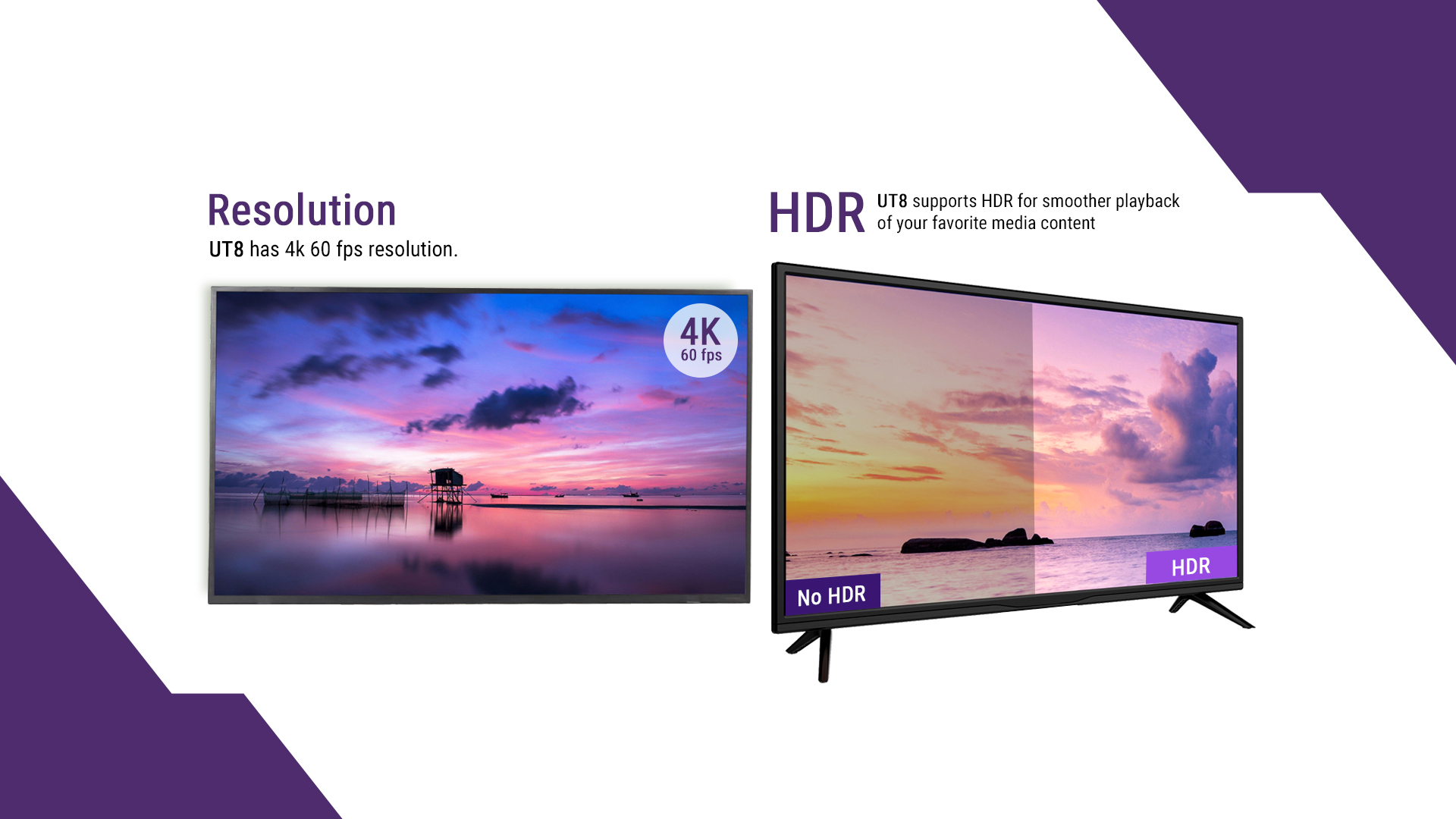
The UT8 supports 4K 60fps resolution and HDR for smoother media playback. - **WiFi 6 (802.11ax)**: Benefit from faster and more reliable wireless connectivity with 2x2 MIMO technology.
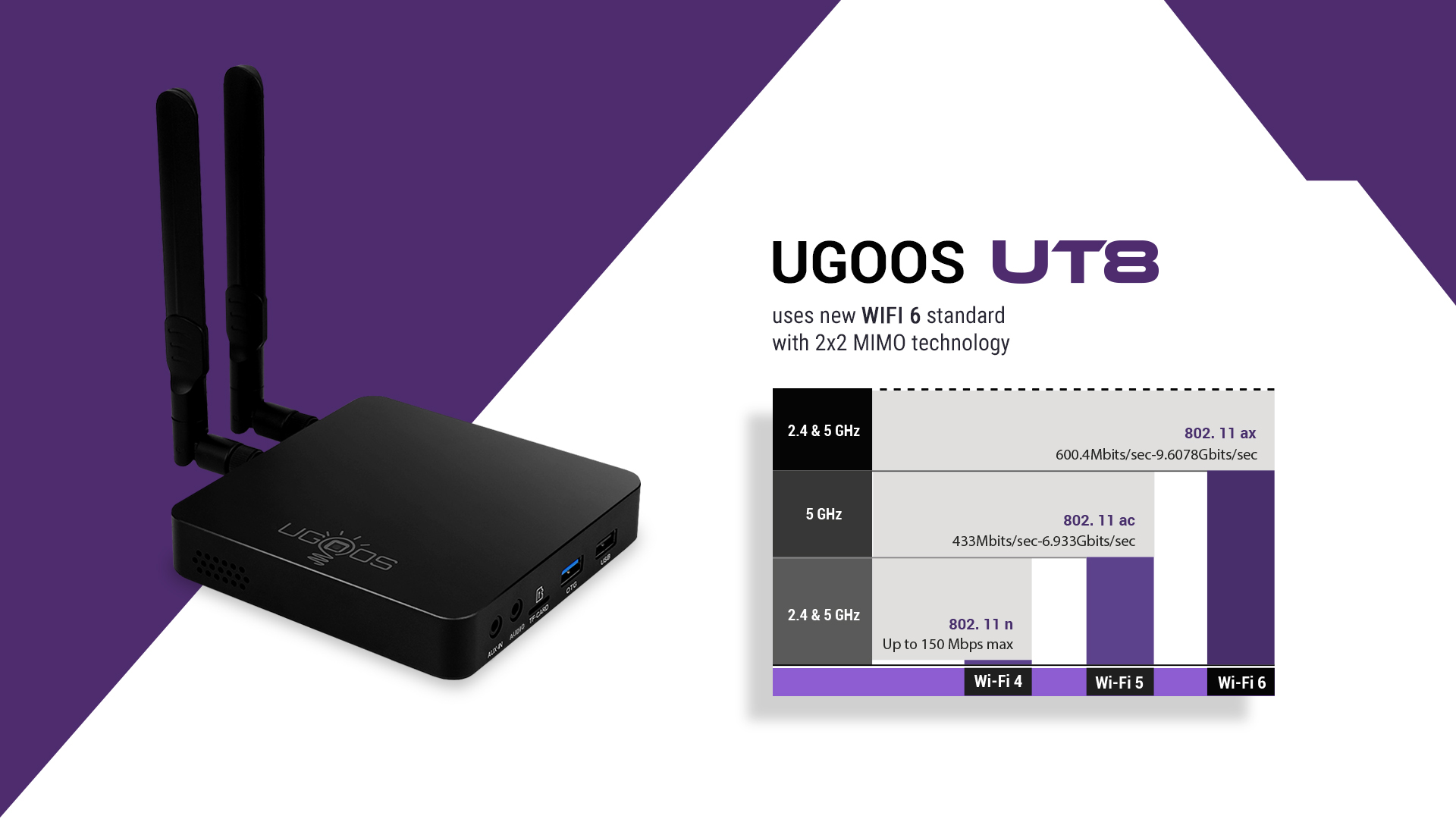
The UGOOS UT8 utilizes the new WiFi 6 standard with 2x2 MIMO technology for improved wireless performance. - **Bluetooth 5.0**: Connect wireless peripherals such as headphones, game controllers, or speakers with improved speed and range.
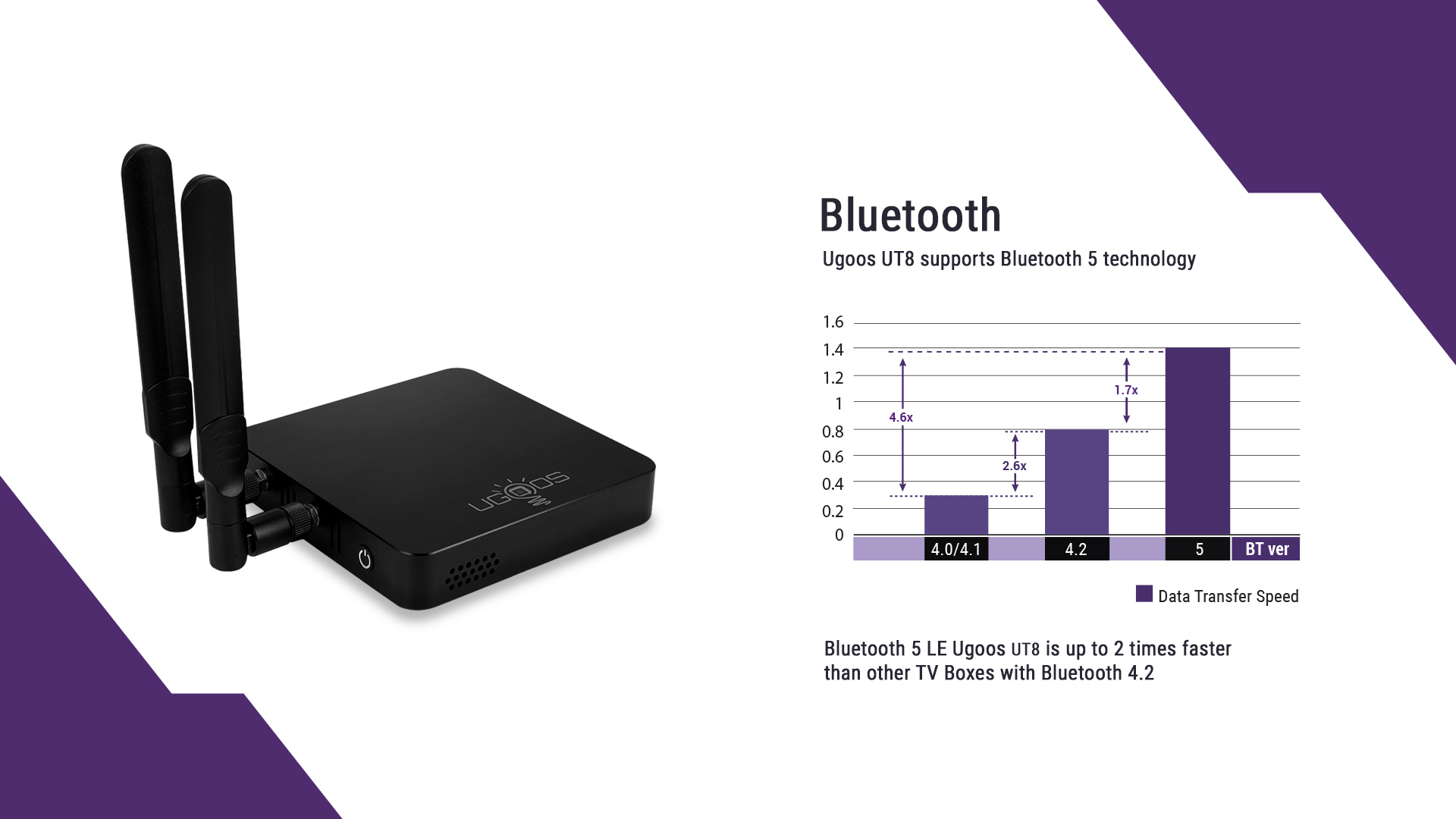
Bluetooth 5.0 technology in UGOOS UT8 offers faster data transfer speeds compared to older Bluetooth versions. - **Automatic Frame Rate (AFR)**: The system automatically adjusts the resolution and frequency for smooth video playback, especially for content with varying frame rates.
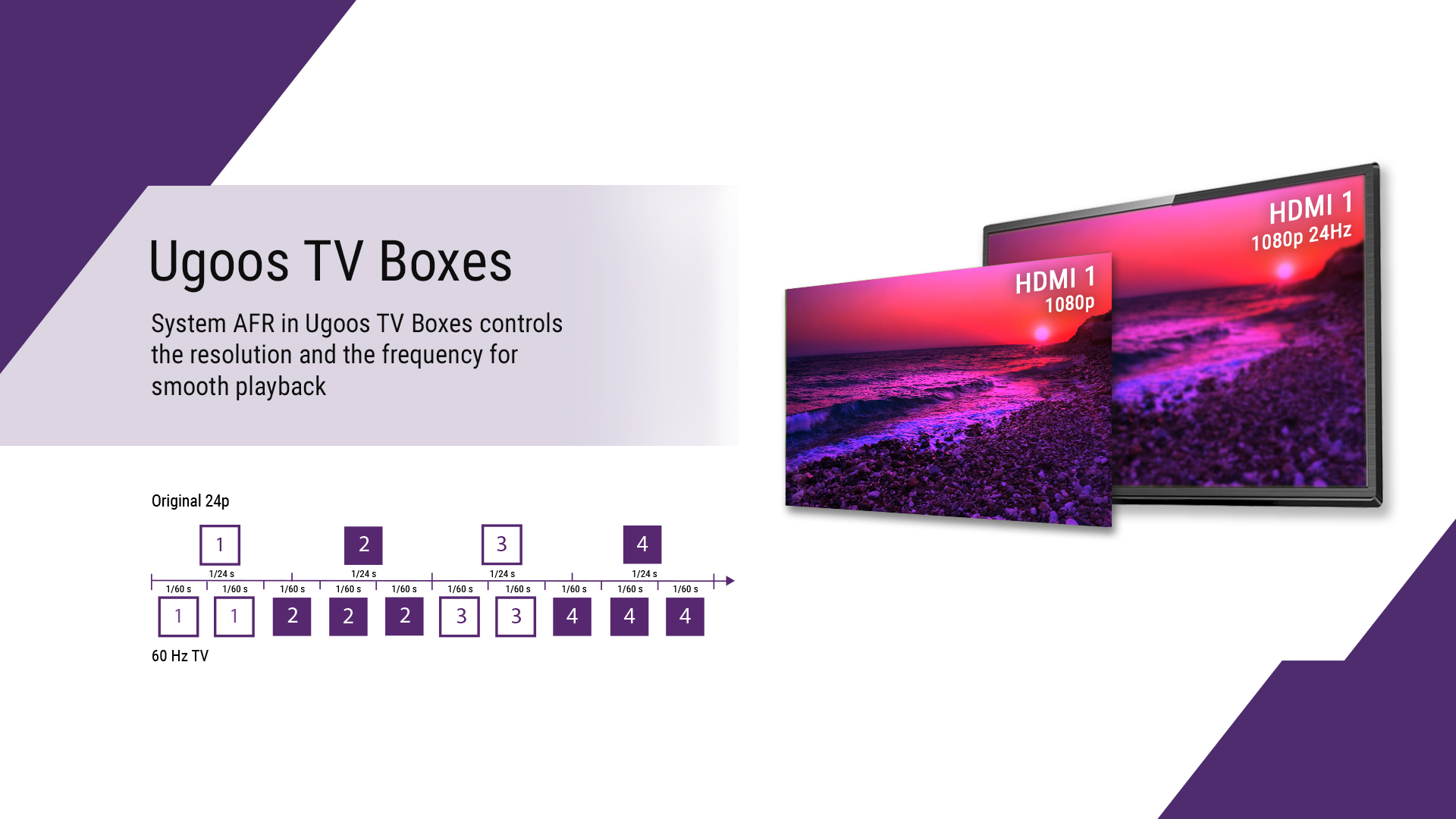
System AFR in Ugoos TV Boxes controls the resolution and frequency for smooth playback. - **Samba Server (Future Update)**: This feature will allow your TV Box to function as a simple file server for easy local network sharing.
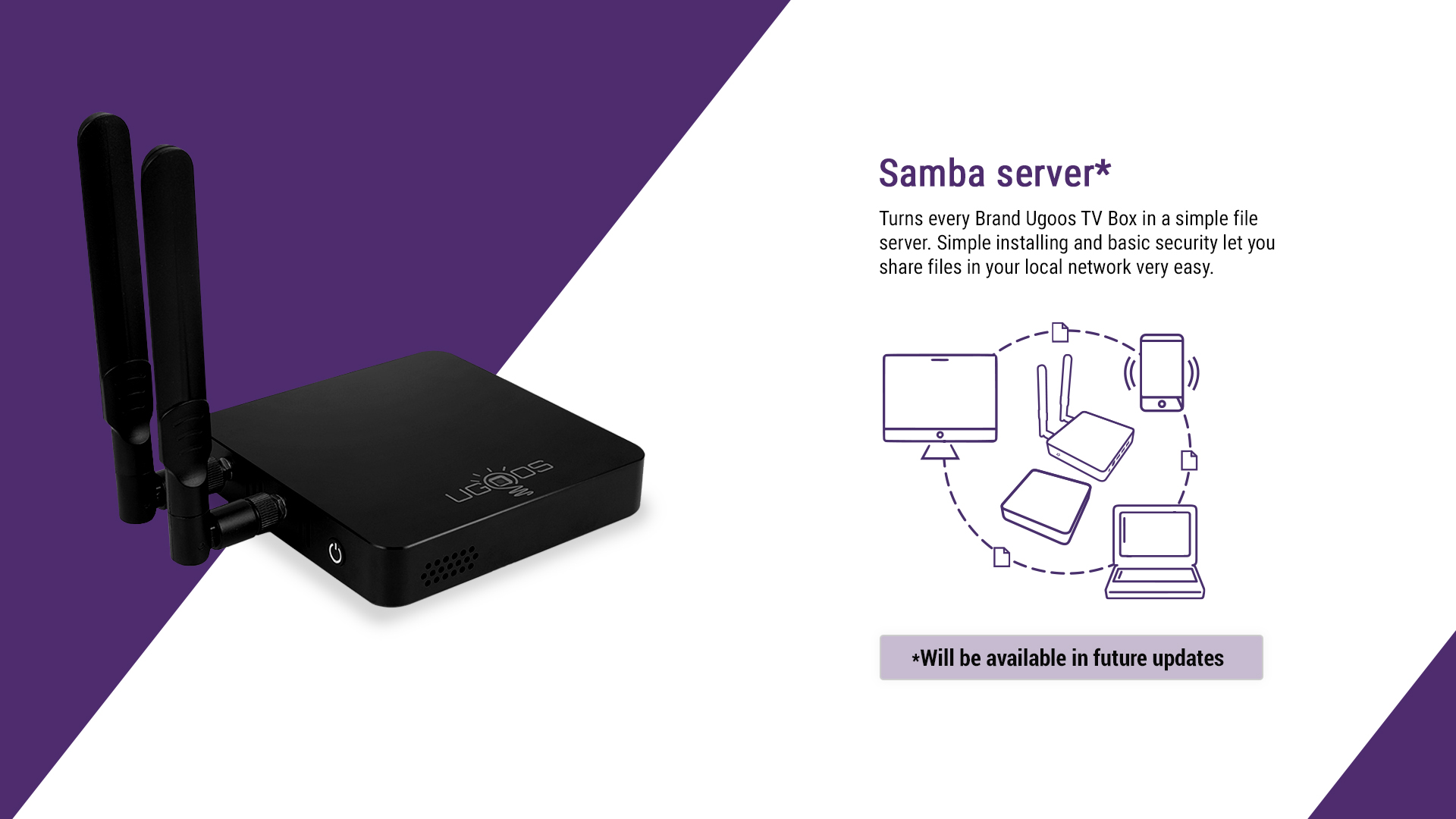
The Samba server feature, to be available in future updates, will enable easy file sharing within your local network.
Specifikace
Hardwarové specifikace
| Funkce | Popis |
|---|---|
| Operační systém | Android 11 |
| Jazyk | Vícejazyčná podpora |
| CPU | RK3568(Rockchip) CPU + 2.0G (64bit) Quad-Core Cortex-A55 |
| GPU | ARM Mali-G52 2EE |
| SDRAM | DDR4 4GB / 8GB |
| eMMC | 32 GB/64 GB |
| WIFI a BT | 2.4G/5G 802.11a/b/g/n/ac/ax 2T2R WiFi6; BT 5.0 |
| Modul WIFI | AP6275P |
| ETHERNET | 1000MBPS (Gigabit network) |
| Dálkové ovládání | BT remote with Voice+Gyro |
| CEC | Podpora |
| RTC | Podpora |
| Napájení | DC 5V/3A DC ADAPTER |
| HDR | Podpora |
| Anténa | 2 Extra Antennas |
| Led pracovní světlo | Podpora |

Specifikace rozhraní
| Rozhraní | Popis |
|---|---|
| HDMI výstup | HD2.1 4Kx2K@60 max resolution output |
| OTG | USB |
| USB port | 2*USB 3.0 HOST & 1*USB 3.0 OTG & 1*USB 2.0 |
| Výstup dat | 1*SPDIF (Optical Out) |
| Karta TF | 1*TF Card Slot (Max. Extended Capacity: 32GB) |
| Síť | 1*RJ45 1000M (Gigabit network) |
| Zvukový výstup | 1 x Audio Out & 3.5mm, Built-in SPDIF/IEC958 output and PCM input/output, Built-in stereo audio DAC |
| Audio kontejner | MP3, AAC, WMA, RM, FLAC, Ogg and programmable 7.1/5.1 |
Media Parameters
| Parametr | Podrobnosti |
|---|---|
| Video CODEC | H.265 HEVC/MVC Main10 Profile yuv420@L5.1 up to 4096x2304@60fps; H.264 AVC/MVC Main10 Profile yuv400/yuv420/yuv422/@L5.1 up to 4096x2304@60fps; VP9 Profile0/2 yuv420@L5.1 up to 4096x2304@60fps; VP8 version2, up to 1920x1088@60fps; VC1 Simple Profile@low, medium, high level, Main Profile@nízká, střední, vysoká úroveň, Advanced Profile@level0~3, up to 1920x1088@60fps; MPEG-4 Simple Profile@L0~6, Advanced Simple Profile@L0~5, up to 1920x1088@60fps; MPEG-2 Main Profile, low, medium and high levels, up to 1920x1088@60fps; MPEG-1 Main Profile, low, medium and high levels, up to 1920x1088@60fps; H.263 Profile0, levels 10-70, up to 720x576@60fps |
| Software Extension | Support Google Play & APK install |
| DLNA, Miracast Protocol | Support DLNA, Miracast Protocol |
| IM Software | Support Skype/QQ/MSN/GTALK (Depends on APK install) |
| Kancelářský software | WORD/EXCEL/PDF (Depends on APK install) |

Parametry životního prostředí
| Parametr | Hodnota |
|---|---|
| Provozní teplota | 0~60 ℃ |
| Skladovací teplota | -10~60℃ |
| Vlhkost prostředí | 5% -90% (bez kondenzace) |
| Osvědčení | CCC, CE, FCC, Wi-Fi |
Údržba
- **Cleaning**: Use a soft, dry cloth to clean the exterior of the device. Avoid using liquid cleaners or abrasive materials.
- **Ventilation**: Ensure the TV Box is placed in a well-ventilated area to prevent overheating. Do not block the ventilation holes.
- **Software Updates (OTA)**: The UGOOS UT8 supports Over-The-Air (OTA) updates. Keep your device connected to the internet, and the system will automatically notify you of available updates and install them. Regular updates ensure optimal performance and security.
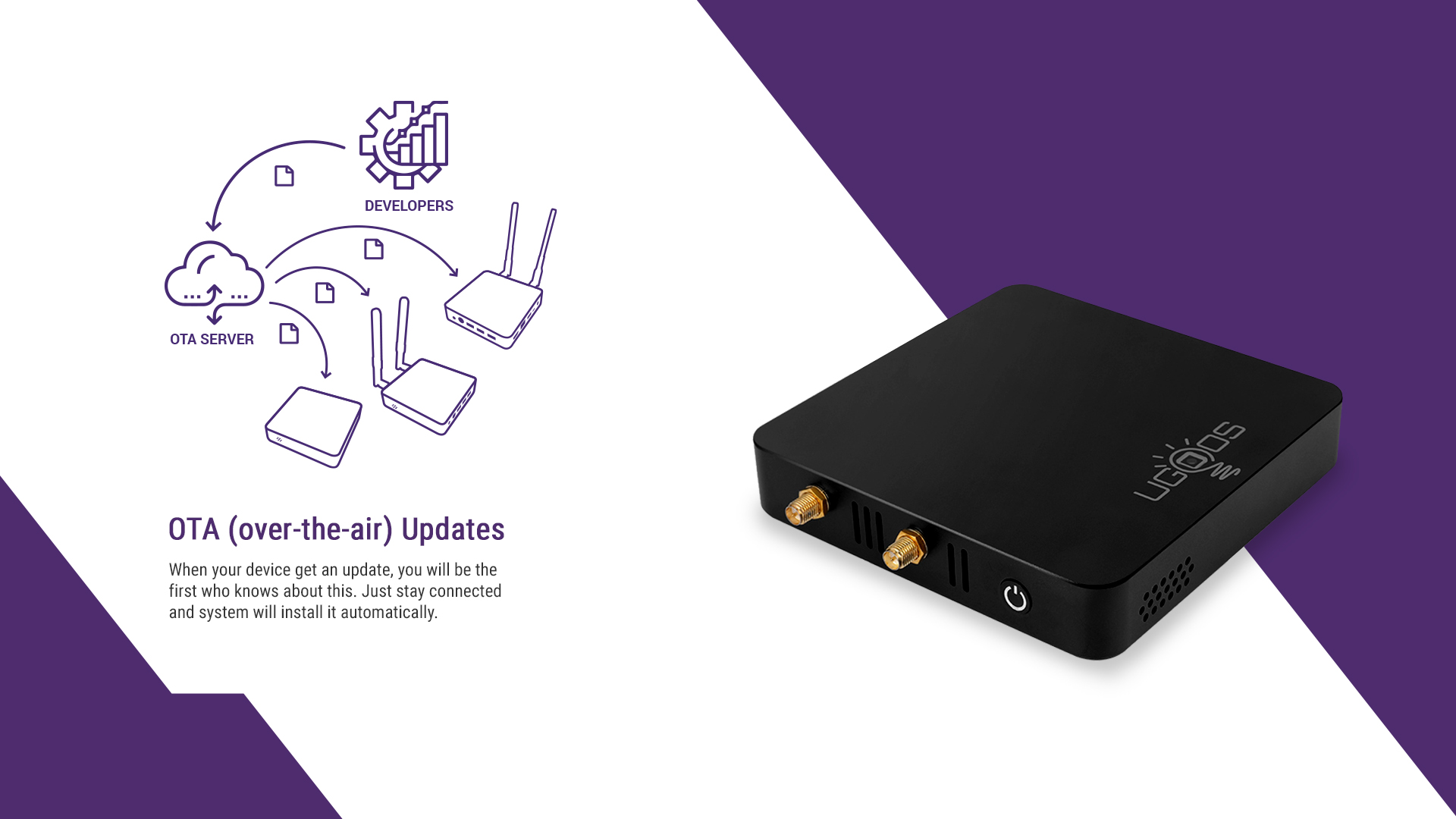
OTA updates ensure your device stays current with the latest software and features. - **Power Management**: Always use the provided power adapter. Disconnect the power adapter during electrical storms or when unused for long periods.
Odstraňování problémů
- **Žádné napájení**:
- Ujistěte se, že je napájecí adaptér bezpečně připojen k zařízení a k funkční zásuvce.
- Ověřte funkčnost elektrické zásuvky zapojením jiného zařízení.
- Try pressing the power button on the device or remote control.
- **No Picture on TV**:
- Check if the HD Cable is securely connected to both the TV Box and the TV.
- Ujistěte se, že je váš televizor nastaven na správný vstupní zdroj HDMI.
- Zkuste jiný kabel HDMI nebo vstupní port televizoru.
- **Žádný zvuk**:
- Check the volume levels on both the TV Box and your television/audio system.
- Ensure audio cables (if used) are correctly connected.
- Ověřte nastavení zvukového výstupu v systému Android.
- **Dálkové ovládání nereaguje**:
- Ujistěte se, že jsou baterie v dálkovém ovladači správně vloženy a nejsou vybité.
- The remote is a Bluetooth remote; ensure it is paired with the TV Box. If not, try re-pairing it according to the on-screen instructions or device settings.
- Ujistěte se, že mezi dálkovým ovladačem a televizním přijímačem nejsou žádné překážky.
- **Network Connection Issues**:
- **Wired**: Check if the Ethernet cable is properly connected to both the TV Box and the router. Verify router functionality.
- **Wireless**: Go to Android Settings -> Network & Internet -> Wi-Fi to ensure Wi-Fi is enabled and connected to the correct network. Re-enter the password if necessary.
- Restartujte router a televizní přijímač.
- **Device Freezes or Crashes**:
- Restart the device by unplugging the power adapter, waiting a few seconds, and plugging it back in.
- Close background applications that might be consuming too many resources.
- Ujistěte se, že firmware zařízení je aktuální.
Tipy pro uživatele
- **Regular Updates**: Keep your device's firmware updated via OTA to ensure stability and access to the latest features.
- **Resource Management**: If you experience slowdowns, try closing unused applications running in the background to free up RAM.
- **Storage**: While the device supports TF cards up to 32GB, consider external USB storage for larger media libraries to avoid filling up internal storage.
- **Performance**: For demanding applications or games, a wired Ethernet connection is generally more stable than Wi-Fi, even with WiFi 6.
- **Longevity**: One user reported an issue after 2 months of use. While this is not typical, ensuring proper ventilation and avoiding extreme temperatures can help prolong the device's lifespan.
Záruka a podpora
The UGOOS UT8 / UT8 PRO TV Box comes with a 12-month manufacturer's warranty for defective items, excluding damage due to misuse. Accessories typically have a 3-month warranty. For technical support, warranty claims, or further assistance, please contact your retailer or the official UGOOS support channels.


