
1. Úvod
The Monster TVLink 300 wireless TV headphones are designed to provide a personal audio experience for television viewing. This system includes comfortable over-ear headphones and a transmitter charging base, allowing for clear, synchronized sound without disturbing others. The headphones feature Bluetooth 5.3 for stable connectivity and a long battery life for extended listening sessions.
2. Obsah balení
Prosím, ověřte, zda jsou v balení přítomny všechny položky:
- Bezdrátová sluchátka Monster TVLink 300
- Nabíjecí základna vysílače
- Optický audio kabel
- 3.5mm audio kabel AUX
- Adaptérový kabel RCA
- Nabíjecí kabel USB-C
- Uživatelská příručka

Image: Components of the Monster TVLink 300 system, including headphones, charging base, and various audio cables.
3. Konec produktuview
Familiarize yourself with the main components and controls of your Monster TVLink 300 headphones and transmitter base.
Image: Labeled diagram of the headphones and transmitter base, indicating buttons, ports, and indicator lights.
Sluchátka
- Tlačítko zapnutí/vypnutí: Zapíná nebo vypíná sluchátka.
- Tlačítko pro zvýšení hlasitosti: Increases audio volume. Also functions as 'previous song' in Bluetooth mode.
- Tlačítko snížení hlasitosti: Decreases audio volume. Also functions as 'next song' in Bluetooth mode.
- Multi-function button (MFB): Controls playback (play/pause), answers/ends calls.
- Nabíjecí port USB-C: Pro přímé nabíjení sluchátek.
- Kontrolka: Zobrazuje stav napájení a připojení.
- Mikrofon: Vestavěný mikrofon pro hovory.
Nabíjecí základna vysílače
- Nabíjecí port USB-C: Napájí základnu vysílače.
- Optický vstup: Connects to TV via optical cable.
- Aux-in port: Connects to TV via 3.5mm AUX cable.
- LED kontrolka: Shows connection status and charging status.
- Nabíjecí rozhraní: For automatic charging of headphones when placed on the base.
4. Pokyny k nastavení
Follow these steps to set up your Monster TVLink 300 system:
- Power the Transmitter Base: Connect the USB-C charging cable to the transmitter base and plug the other end into a power adapter (not included) or a USB port on your TV. The LED indicator on the base will light up.
- Připojte se k televizoru: Vyberte jednu z následujících metod připojení zvuku:
- Optical (Recommended): Connect the optical audio cable from the transmitter's optical input to your TV's optical audio output (often labeled 'Digital Audio Out' or 'Optical Out'). Ensure your TV's audio output is set to 'PCM' format if necessary.
- AUX: Connect the 3.5mm AUX audio cable from the transmitter's Aux-in port to your TV's 3.5mm audio output (headphone jack).
- RCA: If your TV has RCA audio outputs (red and white ports), use the RCA adapter cable with the 3.5mm AUX cable to connect to the transmitter's Aux-in port.
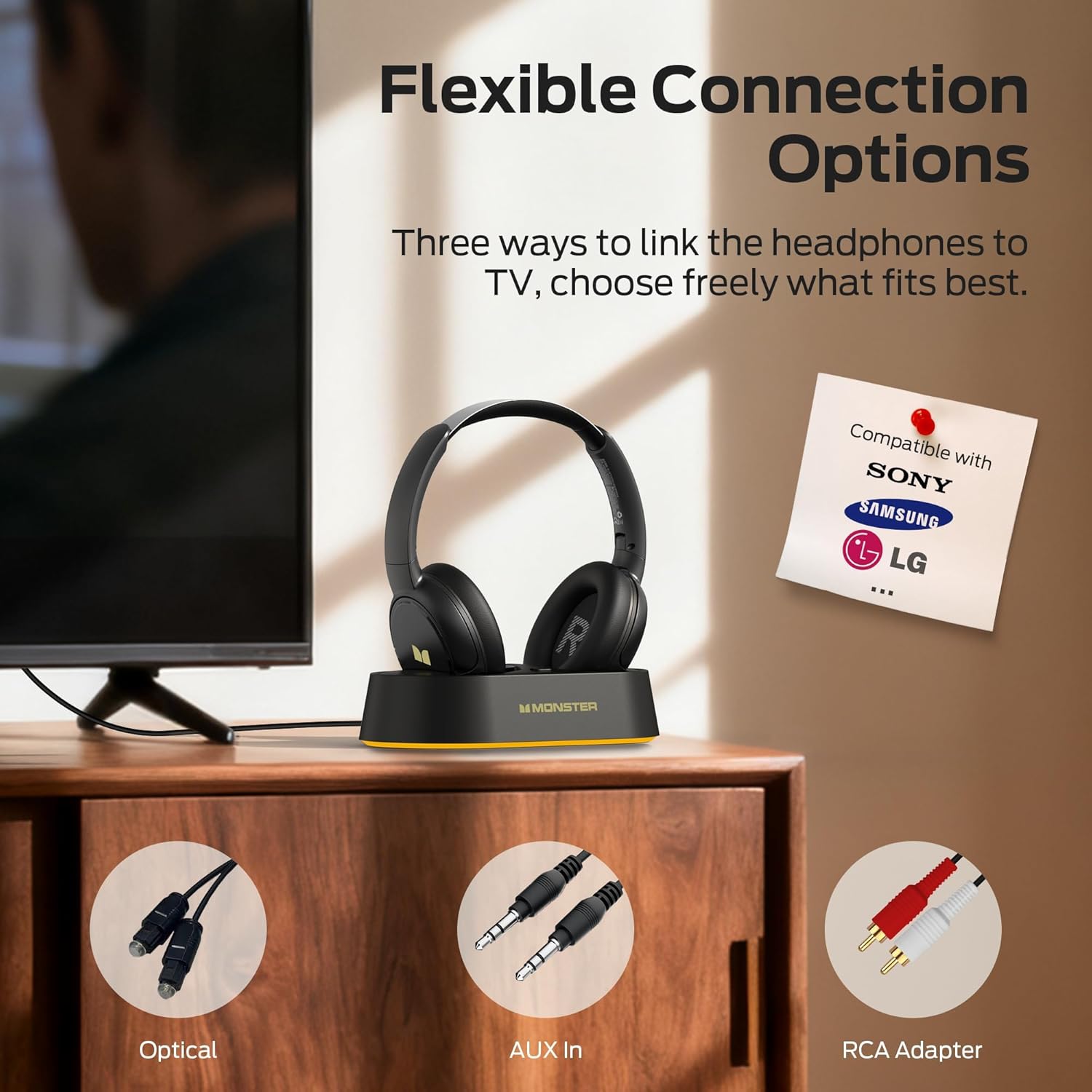
Image: Flexible connection options for the transmitter base, including Optical, AUX, and RCA.
- Nabijte sluchátka: Place the headphones onto the transmitter charging base. Ensure the charging contacts align. The headphone indicator light will show charging status. A full charge provides up to 45 hours of playback.
- Zapnutí sluchátek: Press and hold the On/Off button on the headphones until the indicator light illuminates. The headphones will automatically connect to the transmitter base.
Once connected, audio from your TV will be transmitted wirelessly to your headphones.
5. Návod k obsluze
5.1 Základní obsluha
- Zapnutí/vypnutí: Press and hold the On/Off button on the headphones for approximately 3 seconds.
- Ovládání hlasitosti: Use the Volume Up (+) and Volume Down (-) buttons on the headphones to adjust the listening volume.
- Automatické připojení: After initial setup, the headphones will automatically connect to the transmitter base when powered on and within range.
5.2 Nabíjení
To charge the headphones, simply place them onto the transmitter charging base. The headphones will begin charging automatically. The indicator light on the headphones will show charging status (e.g., red for charging, off or blue for fully charged, refer to specific LED behavior in the quick start guide if available). You can also charge the headphones directly using a USB-C cable connected to their USB-C port.
5.3 Bluetooth Mode (Independent Use)
The headphones can also be used independently via Bluetooth 5.3 with other devices like smartphones or tablets.
- Párování: With the headphones powered off, press and hold the On/Off button for approximately 5-7 seconds until the indicator light flashes rapidly (indicating pairing mode).
- Připojit: On your device, enable Bluetooth and select "Monster TVLink 300" from the list of available devices.
- Ovládání přehrávání: Use the Multi-function button (MFB) for play/pause, and the Volume Up/Down buttons for next/previous track.

Image: The Monster TVLink 300 system demonstrating compatibility with various devices including TV, laptop, and smartphone.
6. Údržba
Správná péče zajistí dlouhou životnost a výkon vašich sluchátek:
- Čištění: Use a soft, dry cloth to clean the headphones and transmitter base. Do not use abrasive cleaners or solvents.
- Skladování: Pokud sluchátka nepoužíváte, skladujte je v nabíjecí základně nebo na chladném a suchém místě. Skládací konstrukce umožňuje kompaktní skladování.
- Péče o baterie: To maintain battery health, avoid fully discharging the headphones frequently. Charge them regularly, even if not used for extended periods.
- Vyhněte se vlhkosti: Chraňte zařízení před vodou a nadměrnou vlhkostí.
7. Řešení problémů
Pokud narazíte na problémy, podívejte se na následující běžná řešení:
| Problém | Možná příčina | Řešení |
|---|---|---|
| Ze sluchátek není slyšet žádný zvuk. | Headphones not powered on or not connected. TV audio output settings incorrect. Cables loose or incorrect. | Ensure headphones are powered on and charged. Check that the transmitter base is powered and connected to the TV. Verify TV audio output is set to the correct source (e.g., PCM for optical). Re-seat all audio cables. |
| Audio lag or delay. | Interference or distance from transmitter. | Ensure headphones are within optimal range of the transmitter. Minimize obstacles between headphones and transmitter. |
| Headphones not charging on base. | Improper placement on base. Base not powered. Dirty charging contacts. | Ensure headphones are correctly seated on the base and contacts align. Verify the transmitter base is powered. Clean charging contacts on both headphones and base with a dry cloth. |
| Cannot pair headphones via Bluetooth. | Headphones not in pairing mode. Device Bluetooth off. | Ensure headphones are powered off, then press and hold the On/Off button for 5-7 seconds to enter pairing mode. Verify Bluetooth is enabled on your device. |
8. Specifikace
| Funkce | Detail |
|---|---|
| Název modelu | Monster TVLink 300 |
| Technologie připojení | Bezdrátové (Bluetooth) |
| Verze Bluetooth | 5.3 |
| Umístění uší | Přes ucho |
| Form Factor | Přes ucho |
| Životnost baterie | Až 45 hodin |
| Kompatibilní zařízení | Televize |
| Další funkce | Skládací |
| Jack pro sluchátka | Žádný Jack |
| Barva | Černý |
| Výrobce | Netvor |
| Rozměry balíku | 21.3 x 19.8 x 8.4 cm; 680 g |
9. Záruka a podpora
Informace o záruce a zákaznické podpoře naleznete v záruční kartě, která je součástí balení produktu, nebo navštivte oficiální webové stránky společnosti Monster. webmísto. Uschovejte si doklad o koupi pro případ záručních reklamací.