
1. Konec produktuview
This manual provides instructions for the assembly, operation, and maintenance of your SEDETA L-Shaped Electric Standing Desk. This desk is designed to offer a versatile workspace with adjustable height, integrated storage, and convenient power access.
Klíčové vlastnosti:
- Prostorná pracovní plocha ve tvaru L: Poskytuje ample surface area for multiple monitors and office equipment.
- Integrované úložiště: Features 6 large drawers (3 on each side) for organized storage of documents and supplies.
- Elektrické nastavení výšky: Smooth and quiet motor for effortless transitions between sitting and standing positions (28.3" to 47.2").
- Předvolby paměti: Three programmable memory height settings for quick adjustments.
- Vestavěné elektrické zásuvky: Includes 4 AC outlets (120V/12A) and 2 USB ports (5V/2A) with a 6.5-foot power cord.
- Odolná konstrukce: Heavy-duty steel frame supports up to 200 lbs, with a scratch-resistant, FSC-certified engineered wood desktop.

Image 1.1: The SEDETA L-Shaped Electric Standing Desk in a home office environment.
2. Bezpečnostní informace
- Před montáží a použitím si pečlivě přečtěte všechny pokyny.
- Během provozu držte děti a domácí zvířata v dostatečné vzdálenosti od stolu.
- Ensure all cables are properly managed to prevent tripping hazards and entanglement during height adjustments.
- Do not overload the desk. The maximum load capacity is 200 lbs (90.7 kg).
- Avoid placing liquids directly on the desk surface, especially near power outlets.
- Nepokoušejte se rozebírat ani opravovat motor ani řídicí systém sami. Pro pomoc kontaktujte zákaznickou podporu.
- Ujistěte se, že je stůl umístěn na rovném povrchu.
3. Montážní návod
The SEDETA L-Shaped Electric Standing Desk ships in two boxes and includes all necessary hardware and an installation manual. Follow the detailed instructions provided in the separate installation manual for proper assembly.
3.1. Než začnete:
- Vybalte všechny součásti a ověřte je podle seznamu dílů v instalační příručce.
- Ujistěte se, že máte dostatek prostoru pro montáž.
- Gather any additional tools that may be required (e.g., screwdriver, if not included).
3.2. Key Assembly Steps (Refer to separate manual for details):
- Assemble the desk frame components.
- Připevněte zvedací sloupky k rámu.
- Mount the desktop sections onto the frame.
- Install the 6 drawers into their respective cabinets.
- Connect the motor and control panel cables.
- Install the built-in power outlet unit.

Image 3.1: Product dimensions and drawer sizes. The desk ships in two boxes.

Image 3.2: Detail of the heavy-coated steel tube frame, indicating durability and load capacity.
4. Návod k obsluze
4.1. Ovládací panel Overview
The desk features a multi-function control panel for height adjustment and memory presets.

Image 4.1: Multi-Function Control Panel.
- Digitální obrazovka: Zobrazuje aktuální výšku stolu.
- Šipky nahoru/dolů (▲ / ▼): Press and hold to adjust the desk height manually. Release to stop.
- Tlačítka paměti (1, 2, 3): Uložte a vyvolejte preferované nastavení výšky.
- 'S' Button (Set): Používá se k ukládání předvoleb do paměti.
- 'RST' Button (Reset): Used for resetting the desk (see Troubleshooting).
4.2. Adjusting Desk Height
- Ruční nastavení: Press and hold the Up (▲) or Down (▼) arrow button to move the desk to your desired height. Release the button to stop. The desk height ranges from 28.3 inches to 47.2 inches.
- Používání předvoleb paměti:
- To save a height: Adjust the desk to your desired height using the Up/Down arrows. Press the 'S' button, then press one of the memory buttons (1, 2, or 3) within 3 seconds. The display will show "S-1", "S-2", or "S-3" to confirm the setting is saved.
- To recall a height: Simply press the corresponding memory button (1, 2, or 3). The desk will automatically move to the saved height.
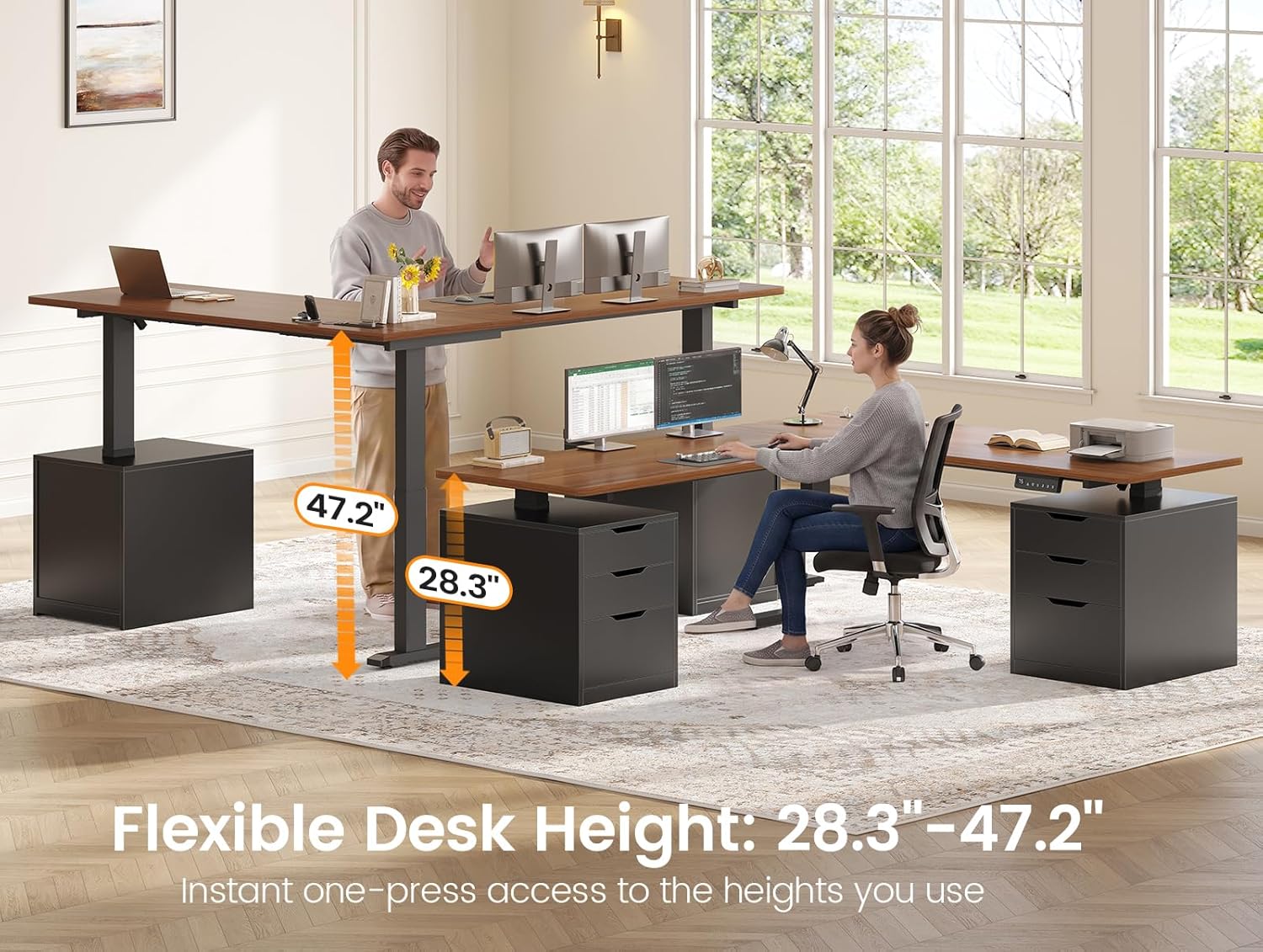
Image 4.2: Flexible desk height adjustment from 28.3" to 47.2".
Video 4.1: Demonstration of the SEDETA L-Shaped Electric Standing Desk's smooth height adjustment and stability.
4.3. Using Built-in Power Outlets
The desk includes an integrated power strip for convenient device charging.

Image 4.3: Built-in power outlet with 4 AC outlets and 2 USB ports.
- The power strip features 4 standard AC outlets (120V/12A) and 2 USB charging ports (5V/2A).
- Use the integrated switch to turn the power outlets on or off.
- Connect the desk's main power cord (6.5-foot) to a wall outlet.
4.4. Použití zásuvky
The desk features 6 spacious drawers for organizing your workspace.

Image 4.4: Organized workspace with open drawers.
- Each side of the L-shaped desk includes three drawers.
- Ensure drawers are closed before adjusting desk height to prevent items from falling.
5. Údržba
- Čištění: Otřete povrch stolu reklamouamp cloth for general cleaning. For stubborn marks, use a mild cleaner. Dry immediately with a clean, dry cloth.
- Inspekce: Pravidelně kontrolujte všechny šrouby a spoje, zda jsou pevně utažené. V případě potřeby je dotáhněte.
- Správa kabelů: Regularly inspect power cords and cables for any signs of wear or damage. Replace if necessary. Ensure cables are not pinched or stretched during height adjustments.
- Péče o motor: The electric motor is designed for long-term use. Avoid continuous operation for extended periods without rest.
6. Řešení problémů
If you encounter issues with your SEDETA Electric Standing Desk, refer to the following common troubleshooting steps:
| Problém | Možná příčina | Řešení |
|---|---|---|
| Stůl se nehýbe. |
|
|
| Displej zobrazuje chybový kód (např. E01, E02). | Specific error detected by the control system. |
|
| Stůl se pohybuje nerovnoměrně nebo vydává neobvyklé zvuky. |
|
|
| Nefunkční elektrické zásuvky. |
|
|
6.1. Postup resetování
If the desk is not functioning correctly, a reset may resolve the issue:
- Press and hold the 'RST' button on the control panel until the desk moves to its lowest position and then slightly rises.
- Release the button. The desk is now reset.
- If the reset fails, unplug the desk from the wall outlet for 10-15 minutes, then plug it back in and attempt the reset procedure again.
7. Specifikace
| Funkce | Detail |
|---|---|
| Značka | SEDETA |
| Název modelu | Stojící stůl |
| Barva | Černá + hnědá |
| Tvar | Tvar |
| Rozměry produktu (D x Š x V) | 57.1 cm x 66.9 cm x 28.3 cm |
| Nastavitelný rozsah výšky | 28.3" - 47.2" |
| Hmotnost položky | 162 liber (73.5 kg) |
| Maximální nosnost | 200 lb (90.7 kg) |
| Počet zásuvek | 6 |
| Základní materiál | Engineered Wood, Steel Frame |
| Typ horního materiálu | Technické dřevo (certifikováno FSC) |
| Elektrické zásuvky | 4x AC (120 V/12 A), 2x USB (5 V/2 A) |
| Hladina hluku (provoz) | <30dB |
| Montáž Vyžadována | Ano (všechny nástroje jsou součástí balení) |
8. Záruka a podpora
SEDETA is committed to providing quality products and customer satisfaction.
- Záruka: This product comes with a 3-year service commitment. For detailed warranty terms and conditions, please refer to the documentation included with your purchase or contact customer support.
- Zákaznická podpora: If you have any questions, require assistance with assembly, or experience any issues with your desk, please contact the seller, goodgoodsstore, through your purchase platform or refer to the contact information provided in your product packaging.
- Please have your purchase details and model number (Standing Desk) ready when contacting support.