
1. Úvod
This manual provides detailed instructions for the safe and effective use of your DIGIERA DGW100BL 5K Digital Camera. Please read this manual thoroughly before operating the camera and retain it for future reference.
The DIGIERA DGW100BL is a versatile digital camera designed for high-quality photography and videography, featuring 5K video recording, 80MP photo resolution, a 3.0-inch IPS LCD flip screen, and advanced autofocus capabilities.
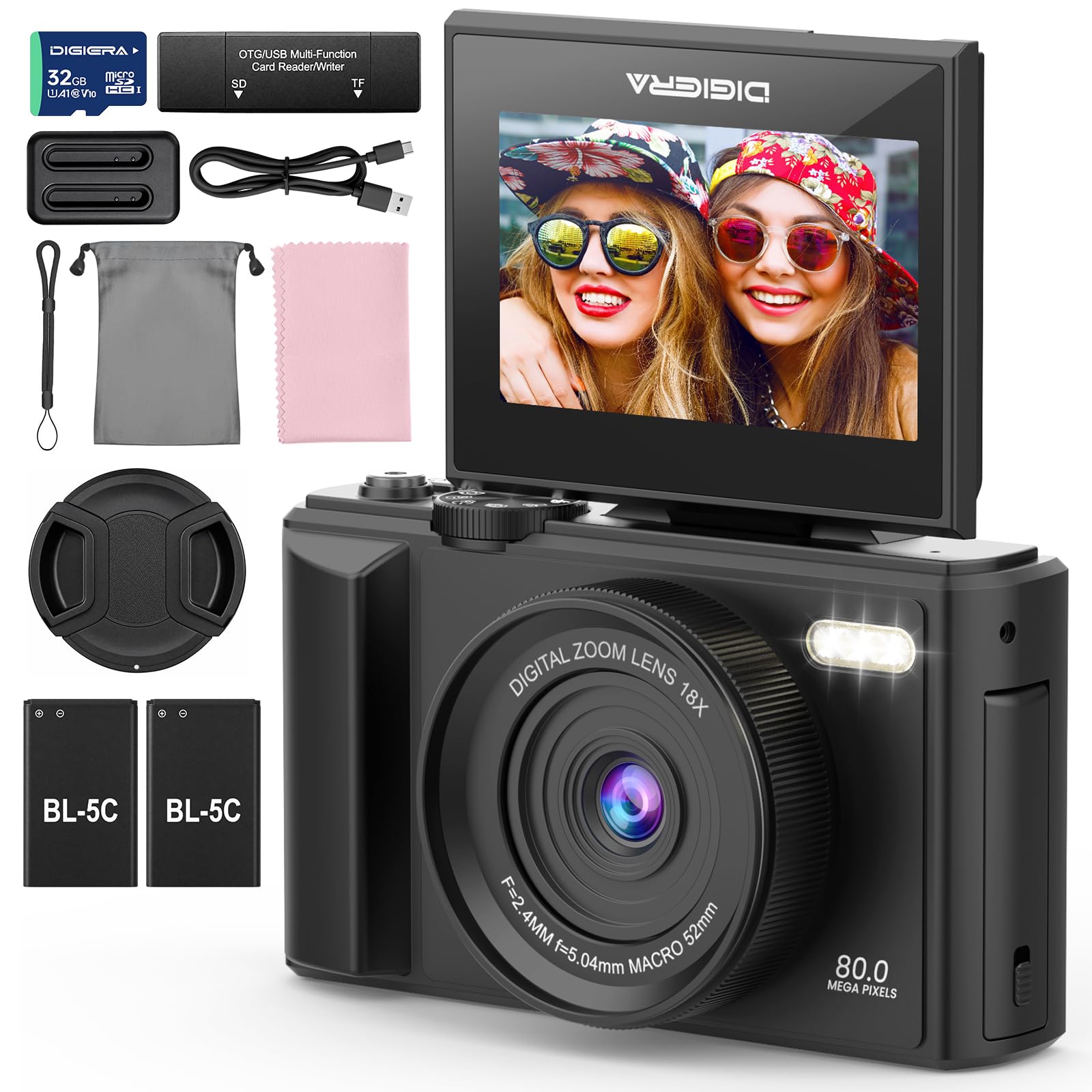
Image 1.1: The DIGIERA DGW100BL 5K Digital Camera.
2. Obsah balení
Ověřte, zda jsou v balení přítomny všechny položky:
- DIGIERA DGW100BL Camera Body
- 2 x Detachable Rechargeable Lithium-ion Batteries
- Nabíječka baterií
- 32GB SD karta
- USB kabel
- Uživatelská příručka
- Řemínek na zápěstí
3. Nastavení
3.1. Instalace a nabíjení baterie
- Otevřete kryt přihrádky na baterie, který se nachází na spodní straně fotoaparátu.
- Insert a rechargeable lithium-ion battery, ensuring the contacts align correctly. Close the cover.
- To charge the battery, insert it into the provided external charger. Connect the charger to a power source using the USB cable. The indicator light on the charger will show charging status.
- A fully charged battery provides approximately 80 minutes of 4K video recording.
3.2. Instalace SD karty
- Vyhledejte slot pro SD kartu, obvykle na boku nebo ve spodní části fotoaparátu.
- Insert the included 32GB SD card with the metal contacts facing the correct direction (refer to the diagram near the slot). Push until it clicks into place.
- Chcete-li kartu SD vyjmout, jemně ji zatlačte dovnitř, dokud nevyskočí.
3.3. Zapnutí/vypnutí
- Pro zapnutí stiskněte a podržte tlačítko napájení, dokud se obrazovka nerozsvítí.
- To power off, press and hold the Power button again until the screen shuts down.
3.4. Počáteční nastavení
Upon first power-on, you may be prompted to set the date, time, and language. Use the navigation buttons to select and confirm your preferences.
4. Ovládání fotoaparátu
4.1. Základy fotografování a nahrávání videa
The camera supports 80MP still images and 5K video recording.

Image 4.1: Demonstrating 5K video and 80MP photo capabilities.
- Přepínací režimy: Use the mode dial or menu options to switch between photo, video, and playback modes.
- Fotit: In photo mode, frame your shot and press the Shutter button halfway to focus, then fully to capture the image.
- Záznam videa: In video mode, press the Record button to start and stop recording.
- Snapshot While Recording: You can capture still photos during video recording by pressing the Shutter button.
4.2. Režimy ostření
The camera offers flexible focusing options:
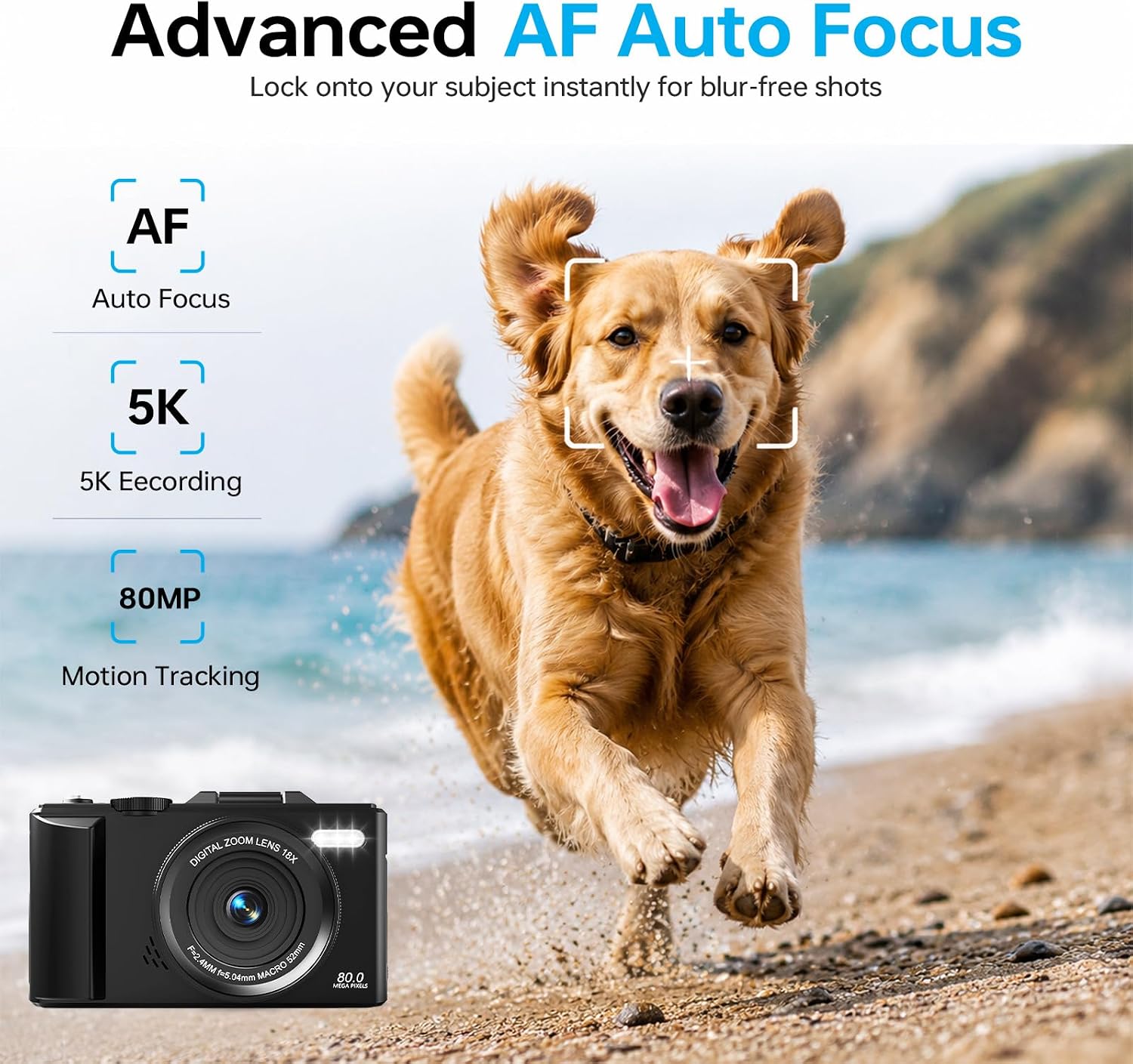
Image 4.2: Advanced Autofocus for sharp images.
- Automatické ostření (AF): The camera automatically detects and focuses on subjects. This is ideal for most situations, including moving subjects.
- Pevné zaostření: Maintains a fixed focus distance, suitable for specific scenarios where manual adjustment is not desired.
- Manuální ostření (MF): Allows you to manually adjust the focus for precise control.
4.3. Using the Flip Screen and Digital Zoom

Image 4.3: The 180° flip screen for easy selfies and vlogging.
- Překlápěcí obrazovka: The 3.0-inch IPS LCD screen can be flipped 180 degrees, making it convenient for self-portraits, vlogging, and monitoring your shots from various angles.
- 18x digitální zoom: Use the zoom controls (usually 'W' for wide and 'T' for telephoto) to digitally zoom in or out on your subject. Note that digital zoom may reduce image quality compared to optical zoom.
4.4. Anti-Shake Technology
The built-in anti-shake technology helps to stabilize your footage and photos, reducing blur caused by camera movement, especially useful during handheld shooting or when using digital zoom.
4.5. Speciální funkce
- Časová prodleva: Capture sequences of images over time to create time-lapse videos. Access this feature through the camera's menu. For extended sessions, consider connecting a power bank.
- Zpomalený pohyb: Record videos at a higher frame rate to play back in slow motion.
- Kreativní filtry: Apply various artistic filters and effects directly to your photos and videos.

Obrázek 4.4: Příkladamples of built-in creative filters.
4.6. Připojení k Wi-Fi a ovládání aplikací

Image 4.5: Wi-Fi transfer for instant sharing.
The camera features built-in Wi-Fi for seamless transfer of photos and videos to your smartphone via a dedicated mobile app. This also enables remote control for convenient selfies and group shots.
- Download the official DIGIERA camera app from your device's app store.
- Enable Wi-Fi on your camera and connect your smartphone to the camera's Wi-Fi network.
- Use the app to browse, transfer, and share your media, or to control the camera remotely.
4.7. External Lens Support

Image 4.6: The camera supports external 52mm wide-angle lenses (sold separately).
The camera supports external 52mm wide-angle lenses (not included) to expand your field of view, ideal for capturing landscapes or group photos.
5. Údržba
5.1. Čištění fotoaparátu
- Čočka: Use a soft, lint-free cloth or a lens brush to gently remove dust. For smudges, use a specialized lens cleaning solution applied to a cloth, not directly to the lens.
- Obrazovka: Wipe the LCD screen with a soft, dry microfiber cloth. Avoid harsh chemicals.
- Tělo: Use a dry, soft cloth to clean the camera body. Do not use water or cleaning solvents.
5.2. Péče o baterie
- Pokud baterie nepoužíváte, skladujte je na chladném a suchém místě.
- Vyhněte se častému úplnému vybíjení baterií, abyste prodloužili jejich životnost.
- Nevystavujte baterie extrémním teplotám.
5.3. Skladování
When storing the camera for extended periods, remove the battery and SD card. Store the camera in a protective case in a dry, dust-free environment.
6. Řešení problémů
Pokud narazíte na problémy s fotoaparátem, podívejte se na následující běžné problémy a jejich řešení:
| Problém | Možná příčina | Řešení |
|---|---|---|
| Fotoaparát se nezapne. | Baterie je vybitá nebo nesprávně vložená. | Ensure battery is fully charged and correctly inserted. Try a different charged battery. |
| Nelze fotografovat/nahrávat videa. | SD karta je plná, uzamčená nebo není vložena. | Check SD card status. Ensure it is unlocked, has sufficient space, and is inserted correctly. Format the SD card if necessary (this will erase all data). |
| Obrázky jsou rozmazané. | Nesprávné zaostření, chvění fotoaparátu nebo znečištěný objektiv. | Check focus mode. Ensure anti-shake is enabled. Clean the lens. Hold the camera steady. |
| Problémy s připojením k Wi-Fi. | Nesprávné nastavení Wi-Fi nebo problémy s aplikací. | Ensure Wi-Fi is enabled on both camera and phone. Reconnect to the camera's Wi-Fi network. Restart the camera and the app. |
| Krátká výdrž baterie. | Frequent use of power-intensive features or old battery. | Reduce screen brightness, limit continuous recording. Ensure batteries are fully charged. Consider replacing old batteries. |
Pokud problém přetrvává i po vyzkoušení těchto řešení, kontaktujte zákaznickou podporu.
7. Specifikace
| Funkce | Detail |
|---|---|
| Název modelu | DGW100BL |
| Technologie fotosenzoru | CMOS |
| Maximum WebRozlišení obrazu kamery | 80 MP |
| Rozlišení videa | 5K |
| Digitální zoom | 18X |
| Velikost obrazovky | 3.0 palců |
| Typ zobrazení | IPS LCD (Flip Screen) |
| Stabilizace obrazu | Digital (Anti-Shake) |
| Režimy ostření | Autofocus, Fixed Focus, Manual Focus |
| Podporováno File Formát | JPEG (Photos) |
| Kapacita paměti | 32 GB (SD Card included) |
| Compatible Flash Memory Type | microSD |
| Technologie připojení | USB, Wi-Fi |
| Typ baterie | Detachable Rechargeable Lithium-ion |
| Průměrná životnost baterie | Approx. 80 minutes (4K recording) |
| Speciální funkce | Anti-Shake, Slow Motion, Wi-Fi Control, Time-Lapse, Snapshot While Recording, 5K Ultra-HD |
| Výrobce | Shenzhen Kerun E-commerce Co.,Ltd |
8. Informace o záruce
This DIGIERA DGW100BL camera comes with a 1-letá záruka výrobce od data nákupu. Tato záruka se vztahuje na výrobní vady a vady zpracování při běžném používání. Nevztahuje se na škody způsobené nesprávným použitím, nehodami, neoprávněnými úpravami nebo přírodními katastrofami.
Uschovejte si prosím doklad o koupi pro uplatnění záruky.
9. Zákaznická podpora
For technical assistance, troubleshooting not covered in this manual, or warranty inquiries, please contact DIGIERA customer support. We offer 4/7 after-sale support to assist you.
- E-mail: Refer to your product packaging or the official DIGIERA webstránky pro kontaktní údaje.
- Webmísto: Visit the DIGIERA Store on Amazon