
Zavedení
The Leadjoy R20 2.4GHz Wireless USB Adapter is designed to enhance your gaming experience on Xbox Series S/X consoles by providing a robust and reliable wireless connection for compatible controllers. This manual will guide you through the installation, operation, and maintenance of your R20 adapter.
Obsah balení
Ověřte prosím, zda jsou ve vašem balení obsaženy všechny níže uvedené položky:
- Leadjoy R20 Wireless USB Adapter
- Návod k použití (tento dokument)
The image below illustrates the R20 Wireless USB Adapter and its key features.
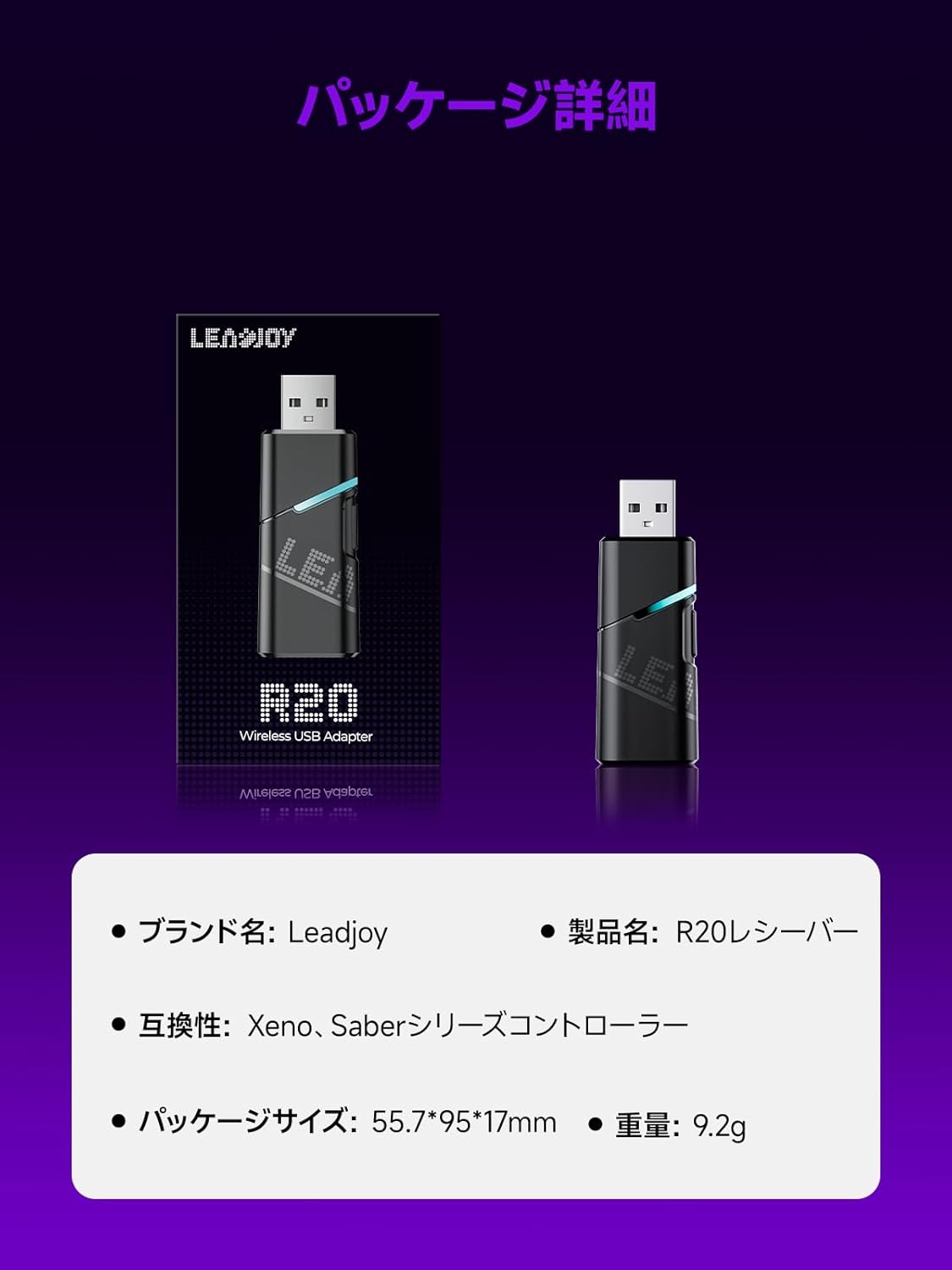
Image: Leadjoy R20 Wireless USB Adapter. This image displays the R20 adapter in its packaging, highlighting its compact design. Text overlays indicate the brand name 'Leadjoy', product name 'R20 Receiver', compatibility with 'Xeno, Saber series controllers', package size '55.7*95*17mm', and weight '9.2g'.
Nastavení a instalace
Follow these steps to connect your Leadjoy R20 Wireless USB Adapter to your Xbox console:
- Krok 1: Insert the R20 receiver into an available USB port on your Xbox console. Ensure the console is powered on.
- Krok 2: Connect your original Xbox controller to the R20's USB port using a USB cable.
- Krok 3: Once the controller's indicator light remains steadily lit, the connection is successful. You can now pair your Leadjoy controller with the R20 receiver.
The diagram below visually explains the connection process.

Image: Connection Method. This diagram illustrates the three steps for connecting the R20 adapter. Step 1 shows inserting the R20 into the Xbox console. Step 2 shows connecting an original Xbox controller to the R20 via a cable. Step 3 shows pairing a Leadjoy controller with the R20 receiver after successful connection.
Poznámka: Do not disconnect the original controller from the R20 receiver during use to maintain a stable connection.
Návod k obsluze
The R20 receiver provides a stronger signal compared to the original R10 receiver, offering improved performance. If you find the functions of the original Xbox controller insufficient or the operation feel unsatisfactory, and wish to enjoy games on your Xbox console using Xeno Plus, this R20 receiver makes it possible.
After successful setup, your compatible Leadjoy controller will connect wirelessly to the Xbox console via the R20 adapter, allowing for seamless gameplay.
Specifikace
| Značka | Leadjoy |
| Číslo modelu | LJR2001-1 (R20) |
| Barva | Černý |
| Konektivita | 2.4GHz Bezdrátové připojení |
| Kompatibilita | Xbox Series S/X, Xeno, Saber series controllers |
| Hmotnost položky | 9.2 g |
| Rozměry balení | 55.7 x 95 x 17 mm |
| Země původu | Čína |
Údržba
To ensure the longevity and optimal performance of your Leadjoy R20 Wireless USB Adapter, please observe the following maintenance guidelines:
- Udržujte adaptér čistý a bez prachu. K čištění používejte měkký, suchý hadřík.
- Nevystavujte adaptér extrémním teplotám, vlhkosti nebo přímému slunečnímu záření.
- Do not attempt to disassemble or repair the adapter yourself. This may void your warranty.
- Pokud adaptér nepoužíváte, uložte jej na bezpečném místě, abyste zabránili jeho fyzickému poškození.
Odstraňování problémů
If you encounter issues with your Leadjoy R20 Wireless USB Adapter, please try the following steps:
- Žádné připojení: Ensure the R20 adapter is fully inserted into the Xbox console's USB port and the original Xbox controller is securely connected to the R20. Check if the controller's indicator light is steadily lit.
- Přerušované připojení: Ensure there are no obstructions between your Leadjoy controller and the R20 adapter. Avoid placing the adapter near other wireless devices that may cause interference.
- Ovladač nereaguje: Try disconnecting and reconnecting both the R20 adapter from the console and the original controller from the R20. Restart your Xbox console if necessary.
- Aktualizace firmware: Check the official Leadjoy website for any available firmware updates for the R20 adapter, which may resolve performance issues.
Pokud problém přetrvává i po vyzkoušení těchto kroků, kontaktujte prosím zákaznickou podporu.
Záruka a podpora
The Leadjoy R20 Wireless USB Adapter comes with a standard manufacturer's warranty. Please refer to the warranty card included in your product packaging for specific terms and conditions, including the warranty period and coverage details.
For technical support, troubleshooting assistance, or warranty claims, please contact Leadjoy customer service through their official webwebu nebo kontaktních informací uvedených v dokumentaci k produktu.
Uschovejte si prosím doklad o koupi pro účely záruky.