
Zavedení
Thank you for choosing the Gamrombo Wired Controller. This manual provides detailed instructions for setting up, operating, and maintaining your controller. This controller is designed for use with Xbox Series X/S, Xbox One, and PC, offering a stable and responsive gaming experience with features like programmable macro functions, turbo mode, and a 3.5mm headphone jack.
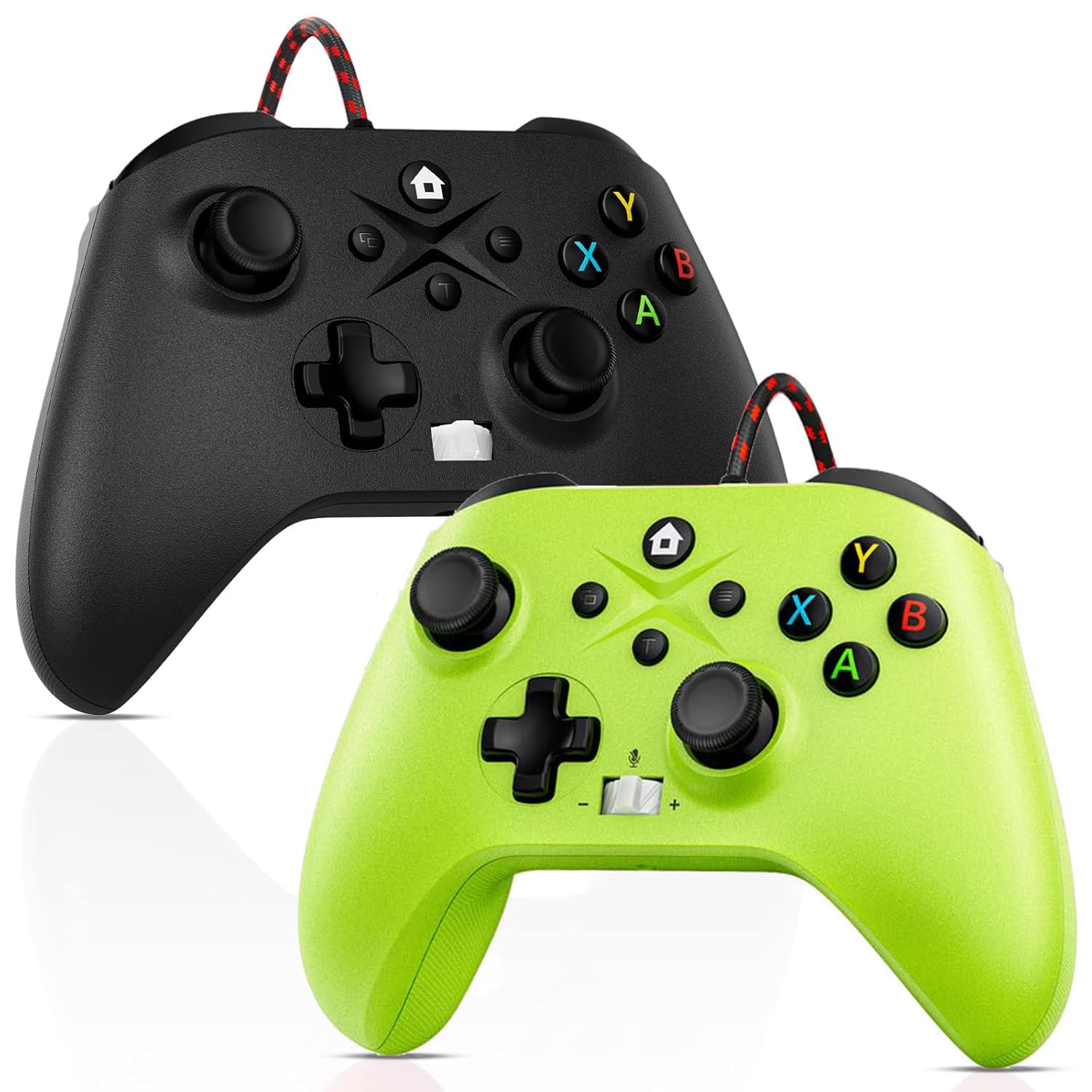
Image: Gamrombo Wired Controller in Black and Green.
Vlastnosti produktu
- Všestranná kompatibilita: Compatible with Xbox Series X/S, Xbox One (including One S/One X), and PC.
- Kabelové připojení: Provides a stable, low-latency gaming experience with a 10-foot (3-meter) durable, tangle-free cable. No batteries required.
- Programmable Macro Function: Two back mappable buttons (PR/PL) allow programming up to 16 button inputs for complex actions.
- Funkce Turbo: Enables rapid-fire for selected buttons.
- 3.5mm konektor pro sluchátka: Supports audio output and microphone input for clear in-game communication.
- One-Touch Mic Mute: Rychle ztlumte mikrofon přímo z ovladače.
- Asymetrické vibrační motory: Built-in motors provide varied vibration feedback for an immersive gaming experience.
- Precise 3D Gaming Joysticks: Offers 360-degree response with zero delay for accurate control.
- Ergonomický design: Comfortable grip for extended gaming sessions.

Image: Diagram illustrating the wide compatibility of the Gamrombo Wired Controller with Xbox consoles and PC.
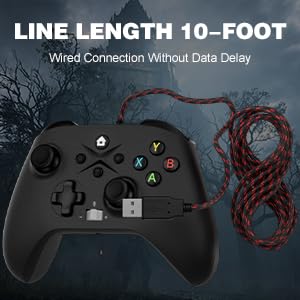
Image: The Gamrombo Wired Controller showcasing its 10-foot long braided cable for extended reach.
Obsah balení
Balíček obvykle obsahuje:
- 2 x Gamrombo Wired Controllers
- 1 x Uživatelská příručka
Nastavení
- Connect to Xbox Console: Plug the USB connector of the controller into an available USB port on your Xbox Series X/S or Xbox One console. The controller will automatically be recognized and ready for use.
- Připojení k PC: Plug the USB connector of the controller into an available USB port on your PC. The operating system (Windows 10/11 recommended) will typically install the necessary drivers automatically. The controller will be recognized as an Xbox controller.
- Počáteční připojení: Once connected, the controller's indicator light will illuminate, signifying a successful connection.
Návod k obsluze
Rozložení ovladače

Image: Detailed diagram of the Gamrombo Wired Controller showing all buttons and their labels, including Home, View, Menu, A/B/X/Y, D-pad, Joysticks (L3/R3), Bumpers (L1/R1), Triggers (L2/R2), Turbo, Programming Function Keys (PR/PL, Set), Adjustable Volume, and Headphone Jack.
Základní ovládací prvky
- Tlačítko Domů: Powers on/off the console (Xbox) or opens the Xbox Game Bar (PC).
- View Tlačítko: Provides additional context-sensitive options in games or apps.
- Tlačítko nabídky: Opens in-game menus or system settings.
- Tlačítka A/B/X/Y: Standardní akční tlačítka.
- D-Pad: Směrový vstup.
- Left/Right Joysticks (L3/R3): Analog movement and camera control. Pressing them down activates L3/R3 buttons.
- L1/R1 (Bumpers): Ramenní tlačítka pro různé herní akce.
- L2/R2 (Spouštěče): Analog triggers for precise control, often used for acceleration/braking or aiming/firing.
Funkce Turbo
The Turbo function allows a button to be pressed repeatedly as long as it is held down.
- Aktivace Turba: Stiskněte a podržte Turbo button, then press the desired action button (e.g., A, B, X, Y, L1, R1, L2, R2, D-pad directions). The button will now have Turbo functionality.
- Deaktivace Turba: To remove Turbo from a specific button, press and hold the Turbo button again, then press the button with active Turbo.
Macro Function (Programmable Back Buttons)
The two back buttons (PR and PL) can be programmed to execute a sequence of up to 16 button presses.
- Vstupte do režimu programování: Stiskněte tlačítko SOUBOR button. The indicator light will start blinking.
- Select Macro Button: Stiskněte buď PR or PL tlačítko.
- Záznam makra: Input the desired sequence of up to 16 button presses (e.g., A, B, X, Y, L1, R1, D-pad, etc.).
- Uložit makro: Stiskněte tlačítko SOUBOR button again to save the macro. The indicator light will stop blinking.
- Use Macro: Stiskněte naprogramované PR or PL button to execute the recorded sequence.
- Vymazat makro: To clear a macro, enter programming mode (press SOUBOR), poté stiskněte PR or PL button you wish to clear, and then press SOUBOR again without inputting any sequence.
3.5mm Headphone Jack and Mic Mute
- Připojení headsetu: Plug any standard 3.5mm gaming headset into the headphone jack located at the bottom of the controller.
- Upravit hlasitost: Use the volume control buttons (+/-) on the controller to adjust headset audio levels.
- Ztlumení mikrofonu: Press the dedicated mic mute button to toggle your microphone on or off. An indicator light may show the mute status.
Zpětná vazba od vibrací
The controller features asymmetric vibration motors in the grips, providing varied haptic feedback based on in-game events for enhanced immersion.

Image: Illustration of the asymmetric vibration motors within the grips of the Gamrombo Wired Controller.

Image: Depiction of the adjustable vibration feature and 6-axis gyro sensor in the Gamrombo Wired Controller.
3D Gaming Joysticks and Linear Triggers
The controller is equipped with high-precision 3D joysticks for accurate 360-degree movement and Hall Effect linear triggers that offer responsive and immersive control.

Obrázek: Detail view of the 3D gaming joystick on the Gamrombo Wired Controller, highlighting its precision.

Image: Visual representation of the precise 360-degree joystick and E-Sports level linear triggers with vibration function.
Údržba
- Čištění: K otření ovladače použijte měkký, suchý hadřík. V případě odolné nečistoty lehceamphadřík vodou. Nepoužívejte agresivní chemikálie ani abrazivní materiály.
- Skladování: Regulátor skladujte na chladném a suchém místě mimo dosah přímého slunečního záření a extrémních teplot.
- Péče o kabely: Avoid sharply bending or twisting the cable. Do not pull the controller by its cable.
- Vyhněte se tekutinám: Chraňte regulátor před tekutinami, abyste zabránili poškození vnitřních součástí.
Odstraňování problémů
- Ovladač nereaguje:
- Ujistěte se, že je kabel USB bezpečně zapojený do ovladače i konzole/počítače.
- Zkuste zapojit ovladač do jiného USB portu.
- Restartujte konzoli nebo počítač.
- Zvuk sluchátek nefunguje:
- Check if the headset is fully plugged into the 3.5mm jack.
- Verify that the volume is not muted or set too low using the controller's volume controls and system settings.
- Test the headset with another device to ensure it is functioning correctly.
- Macro/Turbo Function Not Working:
- Review the programming steps in the 'Operating Instructions' section to ensure correct setup.
- Ensure no other conflicting software or settings are interfering.
- Vibrace nefungují:
- Zkontrolujte nastavení ve hře, zda je zapnutá vibrační zpětná vazba.
- Ensure the game supports vibration functionality.
Specifikace
| Funkce | Popis |
|---|---|
| Kompatibilní zařízení | Xbox Series X, Xbox Series S, Xbox One, Xbox One S, Xbox One X, PC (Windows) |
| Typ ovladače | Kabelové |
| Technologie připojení | Kabel USB |
| Délka kabelu | 10 stop (přibližně 3 metry) |
| Další funkce | 3.5mm Headphone Jack, Turbo Function, Macro Function, Vibration Feedback, 6-Axis Gyro Sensor |
| Množství tlačítek | 21 |
| Hardwarová platforma | Xbox, PC |
Informace o záruce
Gamrombo products are manufactured to high-quality standards. For specific warranty details, please refer to the warranty card included with your purchase or contact Gamrombo customer support. Keep your proof of purchase for warranty claims.
Podpora
If you encounter any issues or have questions not covered in this manual, please contact Gamrombo customer support through the retailer's platform or the official Gamrombo webmísto pro pomoc.