
1. Přesview
This manual provides essential information for setting up, operating, maintaining, and troubleshooting your INSIGNIA 85-inch Class QF Series QLED 4K UHD Smart Fire TV. This television offers a high-quality viewing experience with 4K UltraHD resolution, Quantum Dot Technology for enhanced color, and Direct LED Backlight for uniform brightness. It integrates the Fire TV Smart OS, providing access to various streaming services and features like the Voice Remote with Alexa. The design features a metal bezel-less display for a modern aesthetic.
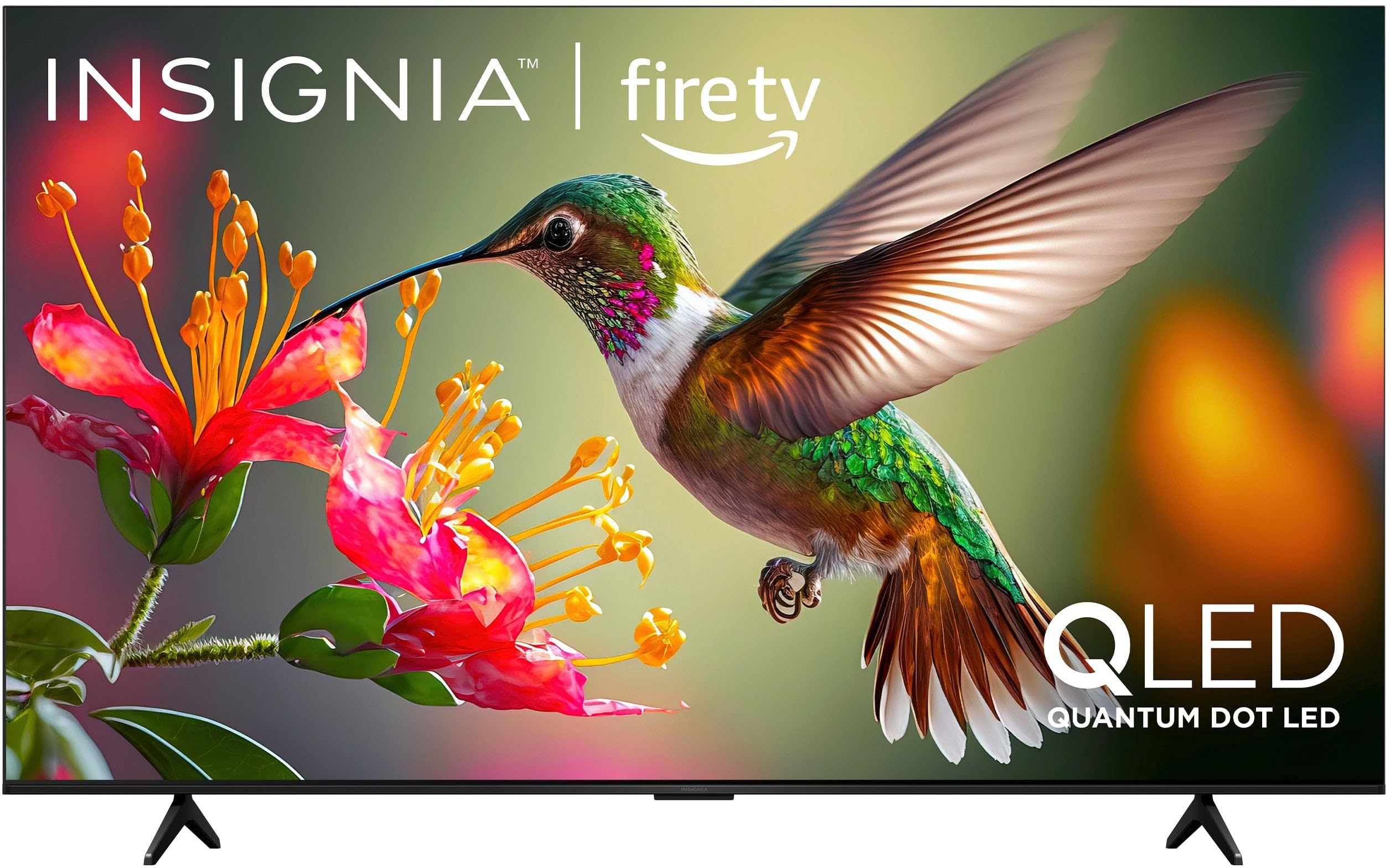
Obrázek 1.1: Přední strana view of the INSIGNIA 85-inch QF Series QLED 4K UHD Smart Fire TV.
2. Co je v krabici
Před zahájením instalace ověřte, zda jsou všechny komponenty přítomny:
- INSIGNIA 85-inch QF Series QLED 4K UHD Smart Fire TV
- Hlasové ovládání s Alexou
- Baterie do dálkového ovladače (2 AAA)
- TV stojan
- Šrouby pro instalaci stojanu
- Stručný návod k obsluze (tento dokument)
3. Nastavení
3.1. Instalace televizního stojanu
If you are not wall-mounting your TV, attach the included stand:
- Televizor opatrně položte obrazovkou dolů na měkký, čistý povrch, abyste zabránili poškození obrazovky.
- Zarovnejte nohy stojanu s otvory pro šrouby na spodní straně televizoru.
- Zajistěte nohy stojanu pomocí dodaných šroubů. Ujistěte se, že jsou pevně utažené.
3.2. První zapnutí a připojení k síti
- Připojte napájecí kabel k televizoru a poté do elektrické zásuvky.
- Stisknutím tlačítka napájení na televizoru nebo na dálkovém ovladači televizor zapněte.
- Follow the on-screen instructions to select your language, connect to your Wi-Fi network, and sign in to your Amazon account.
3.3. Vzdálené párování
Your Voice Remote with Alexa should pair automatically. If it does not, press and hold the Domov button on the remote for 10 seconds until the LED indicator flashes blue, then release. The remote will attempt to pair.

Image 3.1: The Voice Remote with Alexa, used for controlling the TV and accessing smart features.
4. Návod k obsluze
4.1. Fire TV Smart OS Navigation
The Fire TV Smart OS provides a centralized hub for all your entertainment. Use the navigation buttons on your remote to browse:
- Domovská obrazovka: Access recommended content, recently used apps, and various streaming services.
- Aplikace: Download and manage your favorite streaming applications.
- Živé televizní vysílání: Integrate live TV channels from supported services or an antenna.
- Nastavení: Adjust picture, sound, network, and device preferences.

Image 4.1: The Fire TV interface displaying a selection of streaming services and content.
4.2. Voice Remote with Alexa
Utilize the built-in Alexa voice assistant for hands-free control:
- Stiskněte a podržte tlačítko mikrofonu na vašem dálkovém ovládání.
- Speak commands such as "Find action movies," "Launch Netflix," "Switch to HDMI 2," or "Show me the weather."
- Alexa can also control compatible smart home devices.
4.3. Připojení externích zařízení
Your TV is equipped with four HDMI inputs for connecting external devices:
- Connect gaming consoles, Blu-ray players, soundbars, or cable/satellite boxes to the HDMI ports.
- One HDMI port supports eARC for enhanced audio return channel functionality with compatible sound systems.
- Chcete-li přepnout vstupy, stiskněte tlačítko Vstup button on your remote and select the desired source.

Image 4.2: Illustration of the TV's connectivity options, including HDMI ports.
4.4. Vylepšení obrazu a zvuku
This TV features advanced technologies for an immersive experience:
- QLED (Quantum Dot LED): Delivers vibrant, lifelike colors and improved brightness.
- Rozlišení 4K Ultra HD: Provides four times the detail of Full HD TVs.
- Dolby Vision & Dolby Atmos: Supports advanced HDR for enhanced contrast and accurate colors, along with immersive spatial audio.

Image 4.3: Visual representation of Dolby Vision and Dolby Atmos features, highlighting cinematic picture and immersive sound.
5. Údržba
5.1. Čištění televizoru
Pro zachování vzhledu a výkonu televizoru:
- Před čištěním vždy odpojte televizor ze zásuvky.
- K jemnému otření obrazovky a skříně použijte měkký, suchý hadřík, který nepouští vlákna.
- Pro odolné skvrny na obrazovce lehceampOtřete hadřík vodou nebo specializovaným čističem obrazovek. Nikdy nestříkejte tekutinu přímo na obrazovku.
- Nepoužívejte abrazivní čisticí prostředky, vosky nebo rozpouštědla.
5.2. Aktualizace softwaru
Your Fire TV automatically receives software updates to improve performance and add new features. Ensure your TV is connected to the internet to receive these updates. You can manually check for updates in the Settings menu.
6. Řešení problémů
Pokud narazíte na problémy s televizorem, podívejte se na následující běžná řešení:
| Problém | Řešení |
|---|---|
| Žádná síla | Ujistěte se, že je napájecí kabel bezpečně zapojený do televizoru i do funkční elektrické zásuvky. Zkuste jinou zásuvku. |
| Žádný obraz, ale zvuk je přítomný | Zkontrolujte vstupní zdroj. Stiskněte tlačítko Vstup button on the remote to cycle through inputs. Verify external devices are powered on and connected correctly. |
| Dálkový ovladač nereaguje | Replace the AAA batteries in the remote. If the issue persists, re-pair the remote by holding the Domov tlačítko na 10 sekund. |
| Nelze se připojit k Wi-Fi | Ensure your Wi-Fi router is on and within range. Restart your router and TV. Check Wi-Fi settings in the TV's menu to ensure the correct network and password are entered. |
| Špatná kvalita obrazu | Adjust picture settings (brightness, contrast, color) in the TV's menu. Ensure the content source is high-quality (e.g., 4K content for 4K resolution). |
| Žádný zvuk | Check the volume level and ensure the TV is not muted. Verify external audio devices (soundbar, receiver) are connected and configured correctly. |
7. Specifikace
| Funkce | Detail |
|---|---|
| Název modelu | NS85-UQFL27 |
| Velikost obrazovky | 84.6 inches (85-inch class) |
| Technologie displeje | QLED (Quantum Dot LED) |
| Rezoluce | 4K Ultra HD (3840 2160 x XNUMX XNUMX) |
| Obnovovací frekvence | 60 Hz |
| Operační systém | FireOS |
| Podpora HDR | Dolby Vision |
| Audio technologie | Dolby Atmos |
| Konektivita | Wi-Fi |
| Vstupy HDMI | 4 (včetně 1 eARC) |
| Speciální funkce | Voice Remote with Alexa, Apple Airplay |
| Rozměry produktu (D x Š x V) | 2.5"H x 74.4"Š x 42.8"V |
| Item Weight Without Stand | 64.6 libry |
| Zahrnuté komponenty | Remote Control, Remote Control Battery, Screws, Stand |
| UPC | 600603325472 |
8. Záruka a podpora
8.1. Informace o záruce
This INSIGNIA TV comes with a 1-letá záruka. For specific terms and conditions, please refer to the warranty card included with your product or visit the official INSIGNIA support webmísto.
8.2. Zákaznická podpora
If you require further assistance or encounter issues not covered in this manual, please contact INSIGNIA customer support. Contact information can typically be found on the manufacturer's webna webu nebo v obalu vašeho produktu.