
Zavedení
Thank you for choosing the PUSOKEI Single Ear Bluetooth Headset. This manual provides detailed instructions for the proper setup, operation, and maintenance of your device. Please read this manual thoroughly before use to ensure optimal performance and longevity of your headset.
Obsah balení
Ověřte, zda jsou v balení přítomny všechny níže uvedené položky:
- 1 x Bluetooth Earphone
- 1 x Earphone Charging Case
- 2 x Ear Tips (different sizes)
- 1 x USB Adapter (Dongle)
- 1 x Uživatelská příručka (tento dokument)
- 1 x USB nabíjecí kabel

Image: All components included in the PUSOKEI Single Ear Bluetooth Headset package.
Konec produktuview
The PUSOKEI Single Ear Bluetooth Headset is designed for clear communication and comfort. Key features include:
- Bluetooth V6.1: For stable and fast wireless connections.
- ENC Dual Microphone Noise Cancellation: Filters background noise for clear calls.
- IPX6 voděodolnost: Chrání před postříkáním a potem.
- Rotatable Earpiece and Ear Hook: Allows wearing on either left or right ear with adjustable fit.
- Multifunkční tlačítko (MFB): For call management and media control.
- Tlačítka hlasitosti: For adjusting audio levels and track navigation.
Headset Components and Controls
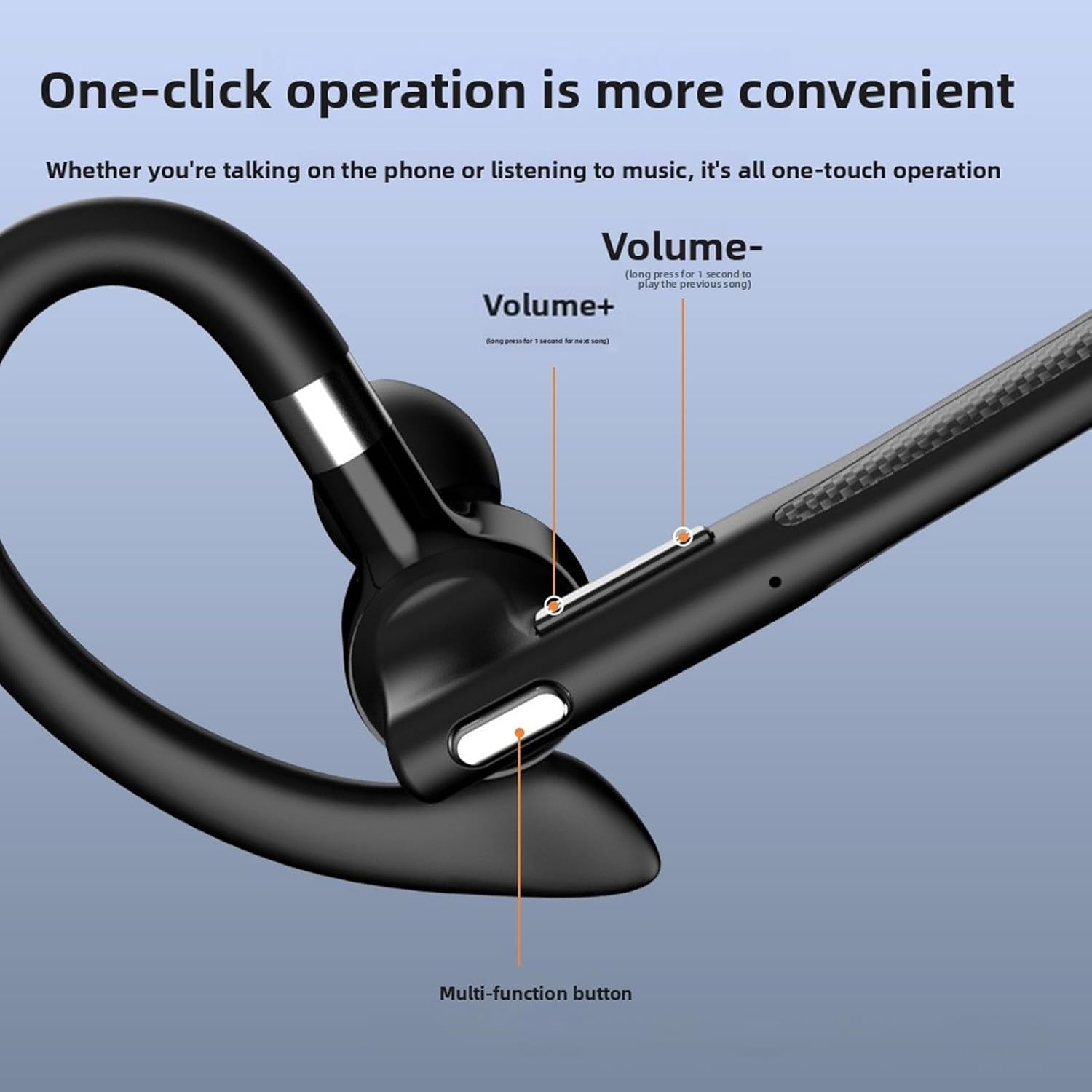
Obrázek: Podrobný view of the headset's control buttons, including Volume +/-, and the Multi-function button.
- Hlasitost + klávesa: Short press to increase volume. Long press for 1 second to play the next song.
- Hlasitost - Klávesa: Short press to decrease volume. Long press for 1 second to play the previous song.
- Multifunkční tlačítko (MFB): Used for power on/off, answering/ending calls, playing/pausing music, and activating voice assistant.
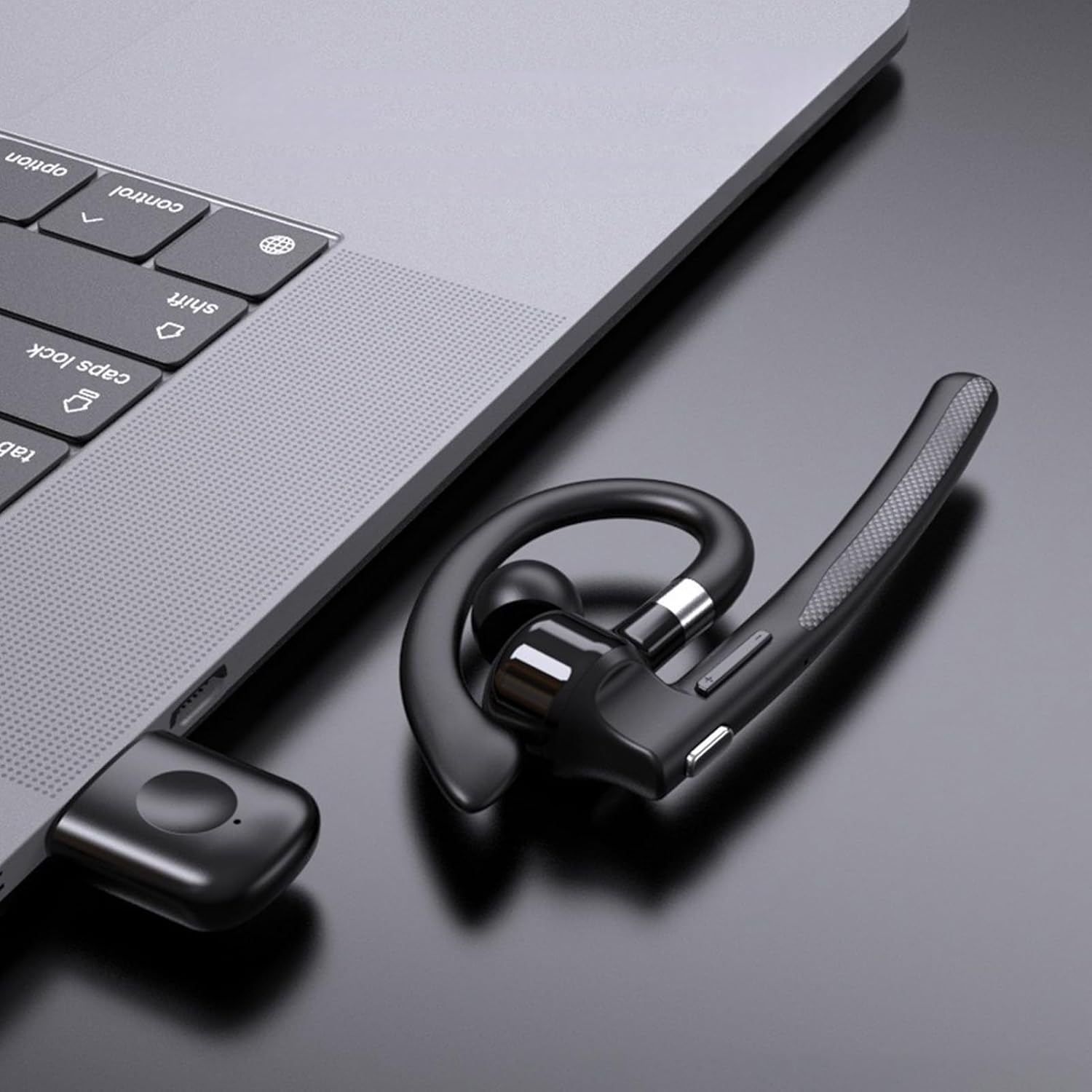
Image: Illustration of the headset's rotatable earpiece and ear hook for left or right ear wearing.
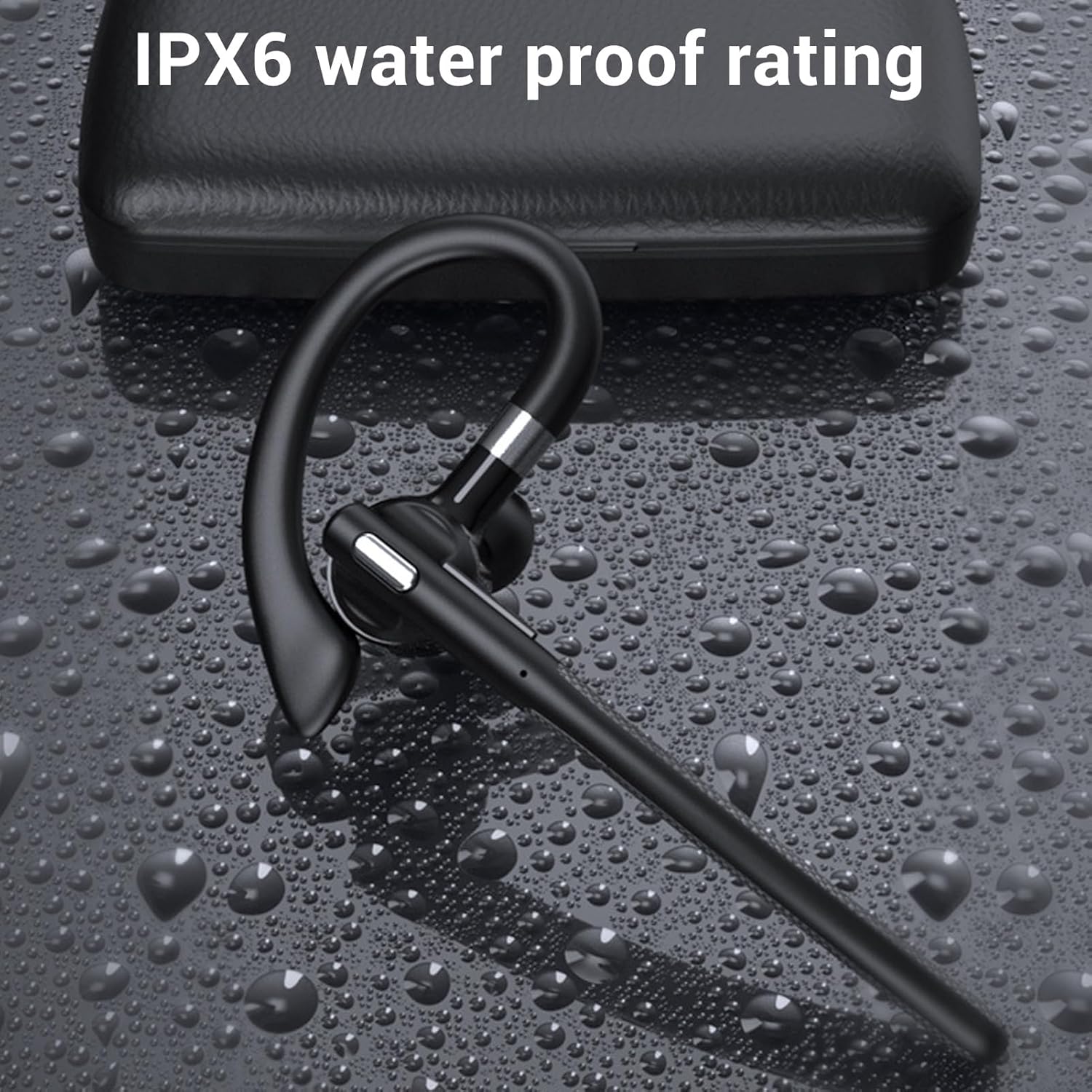
Image: The headset demonstrating its IPX6 water resistance.

Image: The headset highlighting its ENC Dual Microphone Noise Cancellation feature.
Nastavení
1. Nabíjení headsetu a nabíjecího pouzdra
Před prvním použitím plně nabijte sluchátka i nabíjecí pouzdro.
- Place the headset into the charging case.
- Připojte nabíjecí kabel USB k nabíjecímu pouzdru a ke zdroji napájení (např. k portu USB počítače, síťovému adaptéru).
- The LED display on the charging case will indicate the charging status. Ensure both are fully charged for optimal battery life.
2. Zapnutí/vypnutí
- Zapnutí: Press and hold the Multi-function Button (MFB) for approximately 3 seconds until you hear a voice prompt or see an indicator light.
- Vypnout: Press and hold the MFB for approximately 5 seconds until you hear a voice prompt or see an indicator light turn off.
3. Bluetooth Pairing (Without USB Dongle)
To connect the headset directly to your phone, tablet, or other Bluetooth-enabled device:
- Zkontrolujte, zda je náhlavní souprava vypnutá.
- Press and hold the MFB for about 5-7 seconds until the indicator light flashes red and blue alternately, indicating pairing mode.
- V zařízení přejděte do nastavení Bluetooth a zapněte Bluetooth.
- Hledat available devices and select "YYK 526 USB" from the list.
- Once connected, the indicator light on the headset will flash blue slowly.
4. Connecting with USB Dongle (For PC/Laptop)
The USB dongle provides a stable connection for computers, especially those without built-in Bluetooth or for enhanced stability.
- Plug the USB adapter (dongle) into an available USB port on your computer.
- Power on the headset (if not already on). The headset will automatically attempt to connect to the dongle.
- Once connected, the indicator light on the headset will flash blue slowly, and the dongle's indicator light will be solid blue.
- On your computer's sound settings, ensure the PUSOKEI headset is selected as the input and output device.

Image: Headset, smartphone, and laptop with USB dongle demonstrating pairing capabilities.
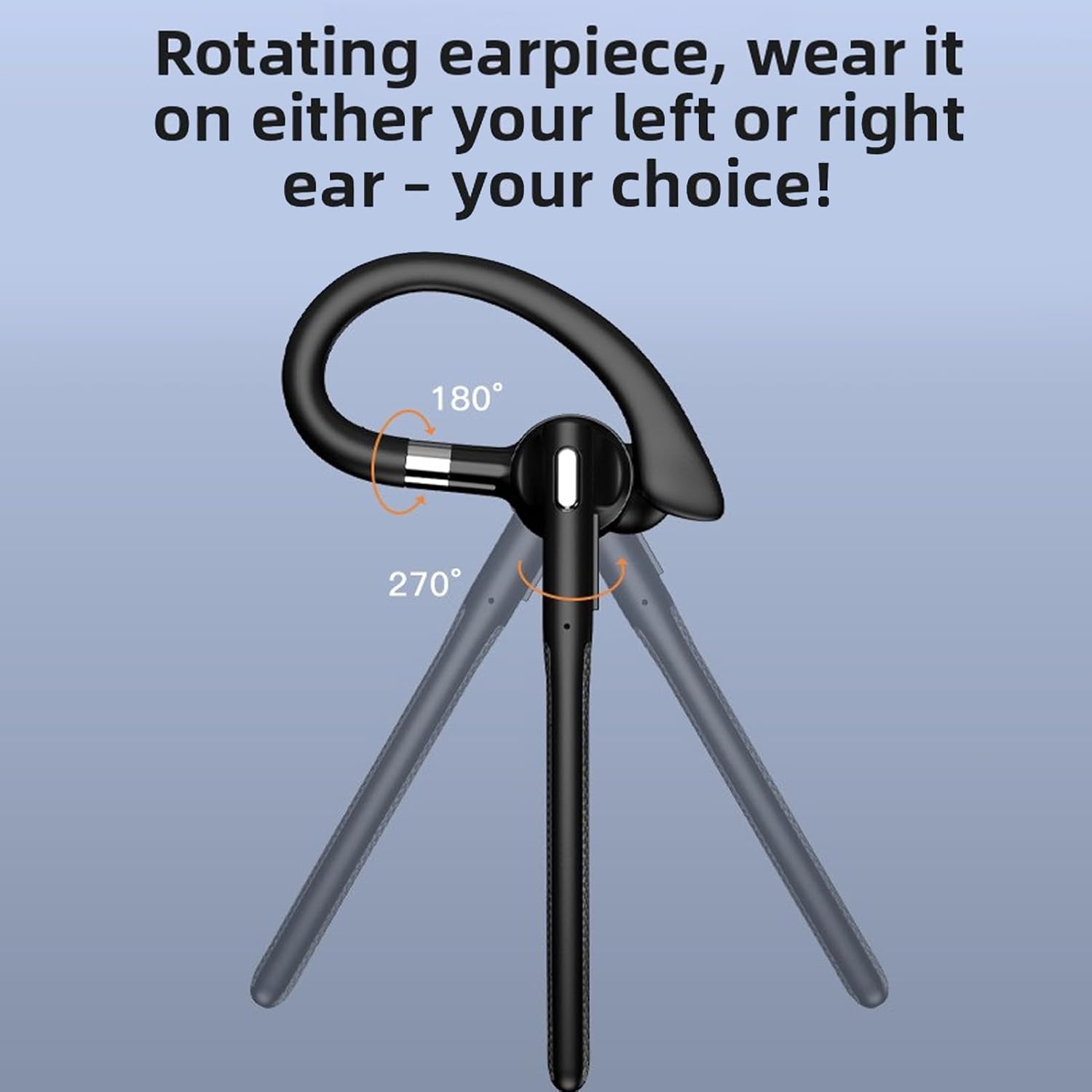
Image: The headset and USB dongle connected to a laptop.
Návod k obsluze
Nošení náhlavní soupravy
The headset features a rotatable earpiece and ear hook for comfortable wear on either your left or right ear.
- Adjust the ear hook to fit comfortably over your ear.
- Rotate the earpiece to position the speaker inside your ear canal and the microphone boom towards your mouth.
- Ensure a snug fit for optimal sound quality and microphone performance.
Správa hovorů
- Přijmout hovor: Krátce stiskněte MFB.
- Ukončit hovor: Během hovoru krátce stiskněte multifunkční tlačítko.
- Odmítnout hovor: Long press the MFB for 2 seconds during an incoming call.
- Ztlumit/Zapnout: During a call, short press the MFB twice to mute or unmute the microphone.
- Znovu vytočit poslední číslo: Double-press the MFB when not on a call.
Přehrávání hudby
- Přehrát/pozastavit: Krátce stiskněte MFB.
- Další skladba: Long press the Volume + button for 1 second.
- Předchozí skladba: Long press the Volume - button for 1 second.
Ovládání hlasitosti
- Zvýšení hlasitosti: Krátce stiskněte tlačítko Hlasitost +.
- Snížit hlasitost: Krátce stiskněte tlačítko Hlasitost -.
Hlasový asistent
- Aktivovat Voice Assistant: Triple-press the MFB when not on a call.
Údržba
Čištění
Pravidelné čištění pomáhá udržovat výkon a hygienu náhlavní soupravy.
- Otřete sluchátka a nabíjecí pouzdro měkkým, suchým hadříkem, který nepouští vlákna.
- Na odolné nečistoty použijte mírně damp hadříkem s jemným mýdlem a poté ihned otřete dosucha.
- Nepoužívejte abrazivní čisticí prostředky, alkohol ani chemická rozpouštědla.
- The headset has an IPX6 water-resistant rating, meaning it can withstand splashes and sweat. Do not submerge it in water.
Skladování
- When not in use, store the headset in its charging case to protect it and keep it charged.
- Skladujte na chladném a suchém místě mimo dosah extrémních teplot a přímého slunečního záření.
Péče o baterie
- To preserve battery life, charge the headset and case regularly, even if not used frequently.
- Vyhněte se delšímu úplnému vybíjení baterie.
Odstraňování problémů
Pokud narazíte na problémy s náhlavní soupravou, podívejte se na následující běžná řešení:
Headset Not Powering On
- Ensure the headset is charged. Place it in the charging case and connect the case to power.
- Press and hold the MFB for at least 3 seconds.
Nelze spárovat se zařízením
- Ujistěte se, že jsou sluchátka v režimu párování (střídavě blikají červené a modré kontrolky).
- Make sure Bluetooth is enabled on your device and it is within 10 meters (33 feet) of the headset.
- Forget/delete "YYK 526 USB" from your device's Bluetooth list and try pairing again.
- Restartujte headset i zařízení.
Žádný zvuk nebo špatná kvalita zvuku
- Zkontrolujte úroveň hlasitosti na sluchátkách i na připojeném zařízení.
- Ensure the headset is properly connected to your device. Re-pair if necessary.
- If using the USB dongle, ensure it is securely plugged in and the headset is selected as the audio device in your computer's sound settings.
- Přesuňte se blíže k zařízení, abyste se vyhnuli rušení nebo abyste byli mimo dosah.
- Zkuste přehrát zvuk z jiné aplikace nebo zdroje.
Mikrofon nefunguje
- Ensure the microphone is not muted (double-press MFB during a call to toggle mute).
- Check your device's settings to ensure the headset is selected as the input (microphone) device.
- Ujistěte se, že je rameno mikrofonu správně umístěno směrem k vašim ústům.
Specifikace
| Typ položky | Bluetooth sluchátka |
| Model | PUSOKEIxkopsj7mg5 |
| Materiál | ABS |
| Verze Bluetooth | V6.1 |
| Podpora Bluetooth | A2DP/AVDTP/AVRCP/RFCOMM/HSP/SPP |
| Vzdálenost příjmu | Cca. 10m / 32.81ft |
| Název Bluetooth | YYK 526 USB |
| Frekvenční pásmo | 2.402 GHz - 2.480 GHz |
| Impedance reproduktoru | 32Ω±10% |
| Citlivost mikrofonu | -84 dBm |
| Hodnocení voděodolnosti | IPX6 |
| Baterie pro sluchátka | Built-in Polymer Lithium-ion Battery (Capacity: 40mAh) |
| Nabíjecí pouzdro Baterie | Built-in Polymer Lithium-ion Battery (Capacity: 500mAh) |
| Doba hovoru | Až 50 hodin |
| Pohotovostní doba | Až 200 hodin |
| Hmotnost | Approx. 0.39 oz (earpiece only) |
Informace o záruce
This PUSOKEI product is covered by a manufacturer warranty for 90 days from the date of purchase. This warranty covers manufacturing defects and workmanship. It does not cover damage caused by misuse, accidents, unauthorized modifications, or normal wear and tear.
Uschovejte si prosím doklad o koupi pro uplatnění záruky.
Podpora
For further assistance, technical support, or warranty inquiries, please contact your retailer or refer to the official PUSOKEI webstránky pro kontaktní informace.
When contacting support, please have your product model number (PUSOKEIxkopsj7mg5) and proof of purchase readily available.