
1. Úvod
The abxylute M4 is a compact, snap-on mobile gaming controller designed for on-the-go retro gaming and mobile gaming experiences. It offers broad compatibility with Android and iOS devices, featuring multiple connection modes and a portable design.
2. Bezpečnostní informace
- Do not use the controller without a phone case, especially when using the magnetic ring, to prevent accidental drops.
- Avoid using the controller while lying down with the phone facing upwards, as the magnetic attachment may not be strong enough to prevent the phone from falling.
- Udržujte zařízení mimo dosah vody a extrémních teplot.
- Nepokoušejte se zařízení rozebírat ani opravovat sami. Požádejte o pomoc podporu.
3. Obsah balení
The abxylute M4 package includes the following items:
- abxylute M4 Controller
- Magnetický prsten
- Magnetická nálepka
- Řemínek na zápěstí
- Uživatelská příručka

4. Průvodce nastavením
The abxylute M4 controller is designed for easy setup. Follow these steps to get started:
4.1 Attaching the Controller to Your Phone
- For MagSafe-compatible phones (e.g., iPhone 12/13/14/15/16/17 series):
Attach the magnetic ring to your MagSafe-compatible phone case. The controller will then snap onto this magnetic ring. Power on the controller to begin playing.
- For non-MagSafe compatible phones (e.g., Android devices, iPhone 11/SE and earlier models):
It is recommended to attach the included magnetic sticker to your phone case. Then, attach the magnetic ring to the sticker. The controller will snap onto the magnetic ring. Power on the controller to begin playing.
Důležitá poznámka:
- Always use a phone case when attaching the magnetic ring to prevent damage to your phone.
- Do not use the controller without a case to avoid accidental drops.


4.2 Zapnutí a párování přes Bluetooth
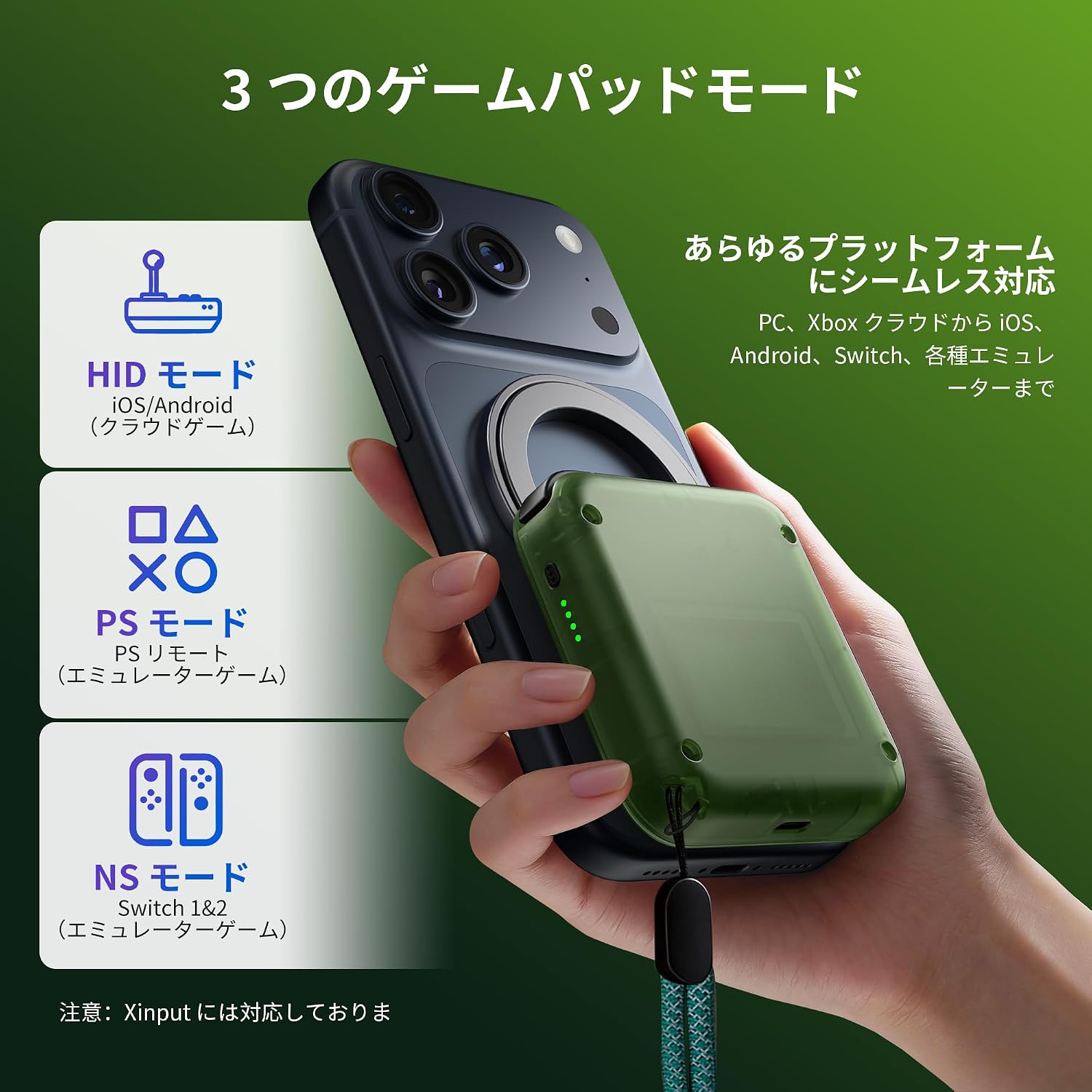
Once attached, simply power on the controller. It will automatically connect to your device via Bluetooth after the initial pairing. The controller supports HID, PS, and NS modes for seamless connection to various gaming platforms.
Video: Demonstrates the quick and easy snap-on attachment and power-on process of the abxylute M4 controller for instant mobile gaming.
5. Provozní režimy
The abxylute M4 supports three distinct operating modes to ensure compatibility with a wide range of devices and games:
5.1 HID Mode
Používání: Primarily for Android local games and cloud gaming platforms.
- Press and hold the A button and the pairing button.
- Hledat a Bluetooth device named "Gamepad".
- The 1st and 4th LED indicators will flash.

5.2 PS Mode
Používání: For Android and iOS Call of Duty Mobile (CODM) and PS Remote Play.
- Press and hold the B button and the pairing button.
- Hledat a Bluetooth device named "Wireless Controller" or "DUALSHOCK 4 Wireless Controller".
- The 2nd and 3rd LED indicators will flash.

5.3 NS Mode
Používání: For various emulators (e.g., Delta, RetroArch, PPSSPP) on iOS and Android, and as a backup controller for Switch 1 & 2.
- Press and hold the pairing button.
- Hledat a Bluetooth device named "Pro Controller".
- All four LED indicators will flash alternately.

6. Funkce a kompatibilita
The abxylute M4 is designed for versatility and convenience:
- Ultra přenosný design: Weighing only 56g, it's pocket-sized for gaming anywhere.
- Široká kompatibilita: Supports Android devices, iPhones (MagSafe required for iPhone 12/13/14/15/16/17 series), and card-sized smartphones. Not compatible with foldable smartphones.
- Retro Gaming Focus: Optimized for retro emulators like Delta, RetroArch, and PPSSPP, supporting platforms such as 3DS, FC, SFC, SS, N64, GBA, GBC, and NDS.
- Dual Joystick Mode: Features flat analog sticks with a default circular mode for modern mobile games and a square mode for classic retro games.
- Dlouhá výdrž baterie: Enjoy up to 12 hours of continuous play.
- Multifunkční: Can also be used as a stable backup controller for PC, Switch 1, and Switch 2.


7. Specifikace
| Funkce | Detail |
|---|---|
| Číslo modelu produktu | M4 |
| Hmotnost ovladače | 56 g |
| Rozměry | 74.8 x 69.5 x 15 mm |
| Počet tlačítek | 18 |
| Podporovaný OS | Android a iOS |
| Způsob připojení | Bluetooth |
| Doporučené použití | Retro Games, Mobile Games, Cloud Gaming |
| Životnost baterie | Až 12 hodin |
| Původ | Čína |
8. Údržba
- Clean the controller regularly with a soft, dry cloth.
- Vyhněte se používání agresivních chemikálií nebo abrazivních materiálů.
- Pokud ovladač nepoužíváte, uložte jej na chladném a suchém místě.
- Ensure the magnetic surfaces are clean for optimal attachment strength.
9. Řešení problémů
9.1 Problémy s připojením
- Ovladač se nespáruje: Ensure the controller is charged and in the correct pairing mode (HID, PS, or NS) for your device. Check your phone's Bluetooth settings to ensure it's discoverable and try re-pairing.
- Nestabilní připojení: Ensure there are no obstructions between the controller and your phone. Move closer to your device if experiencing interference.
9.2 Problémy s magnetickým uchycením
- Weak magnetic hold: Ensure the magnetic ring and sticker (if used) are properly aligned and securely attached to your phone case. Clean the magnetic surfaces to remove any dust or debris.
- Phone falling off: Always use a phone case. Avoid using the controller in orientations where gravity might overcome the magnetic force, such as lying down with the phone facing upwards.
9.3 Button/Joystick Unresponsiveness
- Tlačítka nereagují: Check if the controller is fully charged. Restart the controller and your phone, then attempt to reconnect.
- Joystick drift or inaccuracy: Ensure the controller's firmware is up to date (check the abxylute official website or Discord for updates). If the issue persists, contact customer support.
10. Záruka a podpora
All abxylute products come with a 1-year warranty. If you encounter any issues or have questions regarding usage, please refer to the following resources:
- Video tutoriály: The user manual includes a QR code that links to video tutorials for setup and operation.
- Official Discord Forum: Join the official abxylute Discord forum to connect with other players and get support.
- Kontaktujte podporu: For further assistance, please contact abxylute customer support through their official channels.
