
Zavedení
This manual provides detailed instructions for the safe and efficient operation of your Reshow Portable Cassette Tape Player. Please read this manual thoroughly before using the device and retain it for future reference.
Konec produktuview
The Reshow Portable Cassette Tape Player is designed for playing audio cassette tapes. It features a built-in speaker for direct listening and a headphone jack for private audio. The device can be powered via USB-C or batteries, offering portability and convenience.
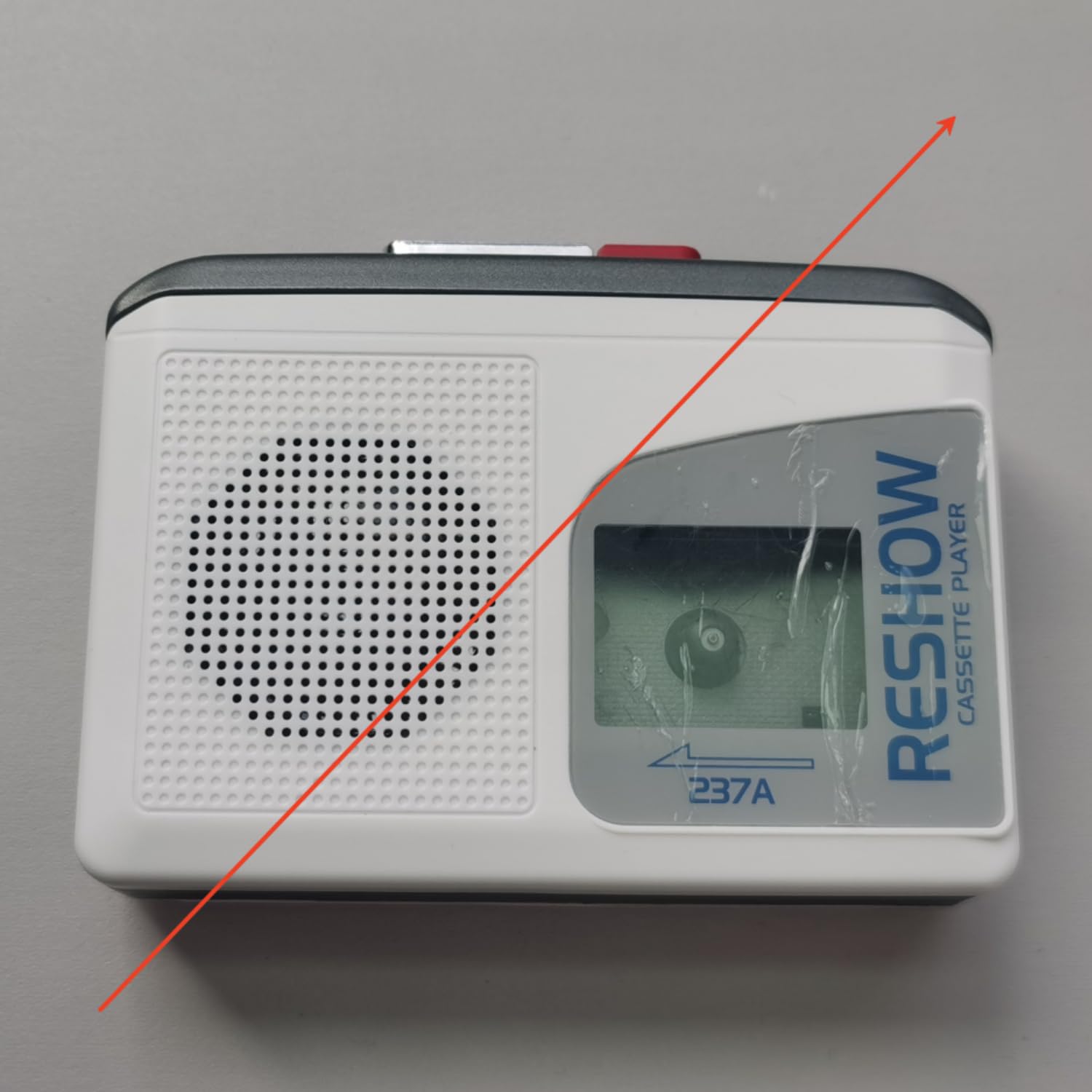
Image: The Reshow Portable Cassette Tape Player, a compact device for playing audio cassettes.

Obrázek: Přední strana view of the Reshow Cassette Player showing the cassette window and playback controls.
Bezpečnostní informace
- Nevystavujte zařízení vodě ani nadměrné vlhkosti.
- Vyhněte se extrémním teplotám.
- Nepokoušejte se zařízení rozebírat ani opravovat sami. Obraťte se na kvalifikovaný servisní personál.
- Use only the specified power source (USB-C cable or appropriate batteries).
- Uchovávejte mimo dosah dětí.
Obsah balení
Ověřte, zda jsou v balení přítomny všechny položky:
- Reshow Portable Cassette Tape Player
- Napájecí kabel USB-C
- Uživatelská příručka
Nastavení
Napájení zařízení
The cassette player can be powered in two ways:
- Napájení USB-C: Connect the provided USB-C cable to the USB-C port on the side of the player and plug the other end into a compatible USB power adapter (not included) or a computer USB port.
- Napájení baterie: Open the battery compartment on the back of the player. Insert 2 AA batteries (not included), ensuring correct polarity (+/-). Close the battery compartment securely.

Obrázek: Boční view of the Reshow Cassette Player, highlighting the USB-C power input and headphone jack.
Loading a Cassette Tape
- Press the 'OPEN' button or slide the latch to open the cassette compartment door.
- Insert a standard audio cassette tape with the exposed tape facing upwards and the side you wish to play facing the front.
- Gently close the cassette compartment door until it clicks shut.
Návod k obsluze
Ovládací prvky přehrávání
- PŘEHRÁT (►): Press this button to start playing the cassette tape.
- STOP (■): Stisknutím tohoto tlačítka zastavíte přehrávání.
- FAST FORWARD (FF): Press this button to quickly advance the tape. Press STOP to disengage.
- REWIND (REW): Press this button to quickly rewind the tape. Press STOP to disengage.
- HLASITOST: Rotate the volume dial (typically on the side) to adjust the audio output level.
Using the Built-in Speaker
The built-in speaker will automatically activate when no headphones are connected to the headphone jack. Adjust the volume dial to your desired listening level.
Používání sluchátek
To listen privately, plug a standard 3.5mm headphone jack into the headphone port on the side of the player. The built-in speaker will automatically mute. Adjust the volume dial for comfortable listening.
Údržba
Čištění
- Vnější povrch přehrávače otřete měkkým, suchým hadříkem.
- Nepoužívejte tekuté čisticí prostředky ani abrazivní materiály.
- Periodically clean the tape head and pinch roller using a specialized cassette head cleaning kit to ensure optimal sound quality and tape longevity.
Skladování
When not in use, store the cassette player in a cool, dry place away from direct sunlight and extreme temperatures. Remove batteries if the device will not be used for an extended period to prevent leakage.
Odstraňování problémů
| Problém | Možná příčina | Řešení |
|---|---|---|
| Žádná síla | Batteries are dead or incorrectly inserted; USB-C cable not connected properly. | Replace batteries or check USB-C connection. |
| Žádný zvuk | Volume too low; headphones connected; tape head dirty. | Increase volume; unplug headphones; clean tape head. |
| Tape not playing/moving | Tape is jammed; tape compartment not closed; batteries low. | Check tape for damage; ensure compartment is closed; replace batteries. |
| Špatná kvalita zvuku | Dirty tape head; worn-out tape. | Clean tape head; try a different tape. |
Specifikace
- Značka: Znovu zobrazit
- Model: B0GSPR9NFW
- Zdroj napájení: USB-C (DC 5V) or 2 x AA Batteries
- Zvukový výstup: Vestavěný reproduktor, 3.5mm konektor pro sluchátka
- Kompatibilní média: Standard Audio Cassette Tapes
- UPC: 797465915221
Záruka a podpora
For warranty information or technical support, please refer to the contact details provided with your purchase or visit the official Reshow webwebu. Uschovejte si účtenku jako doklad o koupi.