
1. Úvod
Thank you for choosing the Baseus Bowie MC2 Air Open Ear Clip-on Earbuds. These earbuds are designed for comfortable, open-ear listening, featuring CloudComfort Air Cushions, 11mm drivers for enhanced bass, IP67 waterproofing, and up to 40 hours of playtime. This manual provides essential information for proper setup, operation, and maintenance of your device.
2. Co je v krabici
- Baseus Bowie MC2 Air Open Earbuds
- Bezdrátové nabíjecí pouzdro
- Nabíjecí kabel USB-C
3. Konec produktuview
The Baseus Bowie MC2 Air earbuds feature an open-ear clip-on design for comfort and situational awareness. The compact charging case ensures portability and extended battery life.

Image: Baseus Bowie MC2 Air Open Earbuds and their compact charging case. The earbuds are shown in their charging slots within the case, highlighting their sleek design.
3.1 Design a pohodlí
These earbuds are designed for all-day wear with a lightweight 4.9g per earbud and soft silicone CloudComfort air cushions to relieve ear pressure. The flexible C-ring adapts to various ear shapes for a secure, gentle clip-on fit.
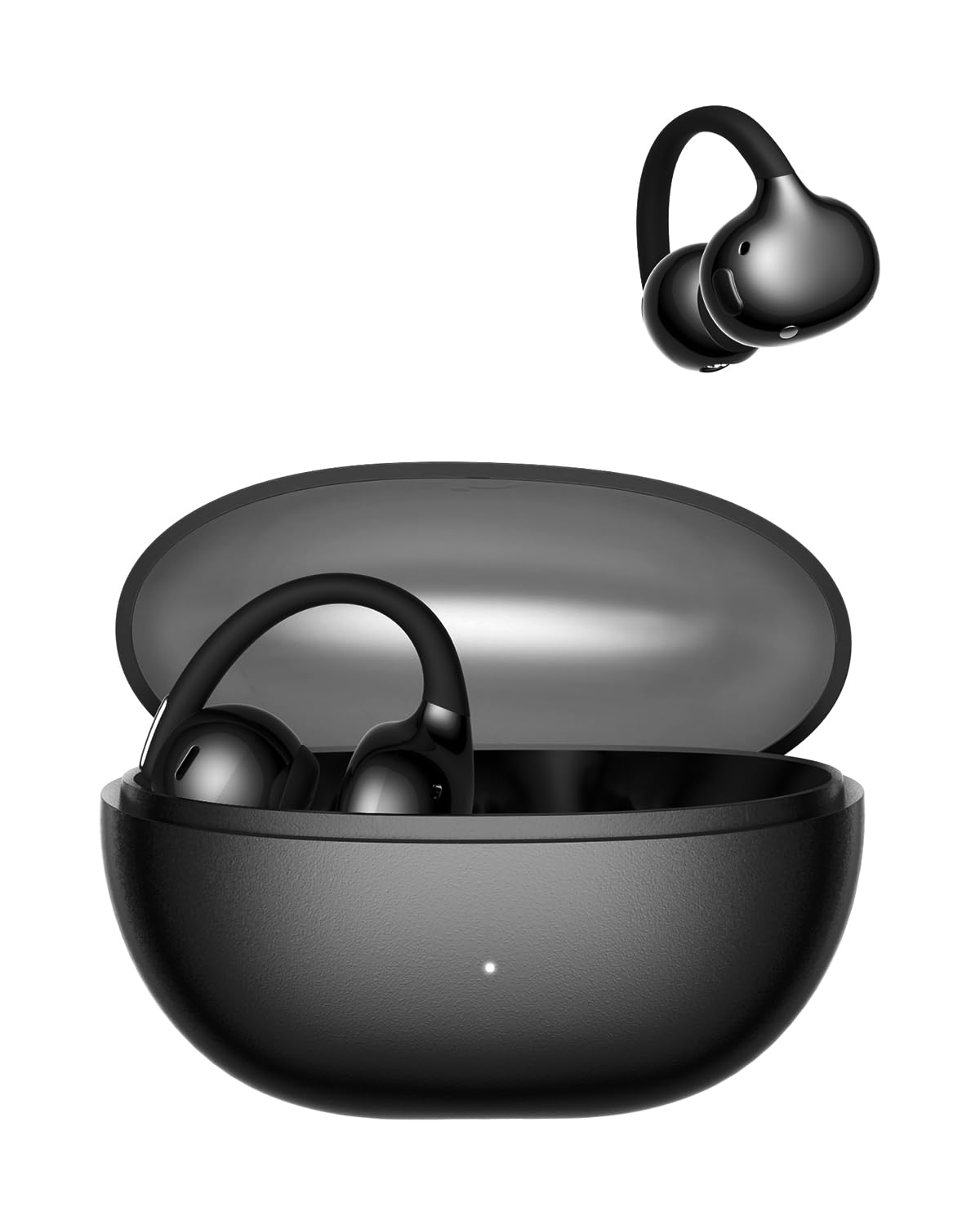
Image: A woman wearing the Baseus Bowie MC2 Air earbuds, demonstrating their discreet and stylish clip-on fit on the earlobe.

Image: A diagram illustrating the CloudComfort Air Cushion technology, showing the soft silicone material designed for pressure relief and a snug fit compared to standard designs.
3.2 Přenositelnost
The ultra-slim charging case is lightweight and compact, making it easy to carry in a pocket or bag.

Image: The Baseus Bowie MC2 Air charging case being placed into a jeans pocket, illustrating its compact and portable design.
4. Nastavení
4.1 Nabíjení sluchátek a pouzdra
- Nabijte pouzdro: Connect the provided USB-C charging cable to the charging port on the case and a power source. The LED indicator on the case will show charging status. A full charge takes approximately 2 hours.
- Nabijte sluchátka: Place the earbuds into their respective slots in the charging case. Ensure they are properly seated. The earbuds will begin charging automatically. The case provides up to 40 hours of total playtime with SuperBass 2.0 enabled. A quick 10-minute charge can provide 2 hours of playtime.
4.2 Spárování se zařízením
- Počáteční párování: Otevřete nabíjecí pouzdro. Sluchátka se automaticky přepnou do režimu párování.
- Povolit Bluetooth: Na svém zařízení (chytrý telefon, tablet, notebook) povolte Bluetooth.
- Vyberte zařízení: Hledat available Bluetooth devices and select "Baseus Bowie MC2 Air" from the list.
- Potvrdit připojení: Po připojení uslyšíte zvukový signál a sluchátka budou připravena k použití.
- Opětovné připojení: Po počátečním spárování se sluchátka po vyjmutí z pouzdra automaticky připojí k poslednímu spárovanému zařízení a na zařízení je zapnutá funkce Bluetooth.
5. Návod k obsluze
5.1 Nošení sluchátek do uší
Gently clip the earbuds onto your earlobes. Adjust the flexible C-ring for a comfortable and secure fit. The open-ear design allows you to remain aware of your surroundings while enjoying audio.
5.2 Ovládací tlačítka
The Baseus Bowie MC2 Air earbuds feature physical button controls for reliable operation.
- Přehrát/pozastavit: Jedno stisknutí na kterémkoli sluchátku.
- Další skladba: Double press on either the left or right earbud.
- Předchozí skladba: Triple press on either the left or right earbud.
- Přijmout/ukončit hovor: Jedno stisknutí na kterémkoli sluchátku.
- Odmítnout hovor: Stiskněte a podržte kterékoli sluchátko.
- Aktivovat Voice Assistant: (Functionality may vary, refer to Baseus App for customization).
5.3 Zvukové funkce
Equipped with 11mm custom dynamic drivers and AI-powered SuperBass 2.0, these earbuds deliver crisp highs, rich detail, and enhanced bass. The AI-powered SuperBass 2.0 dynamically enhances low frequencies for an immersive listening experience.

Image: An illustration depicting the 'Bass-Heavy Punchy Sound' feature, with sound waves emanating from an earbud, emphasizing the deep bass provided by the 11mm drivers and SuperBass 2.0 technology.
5.4 Jasné hovory
The 4-mic AI with matrix microphone array intelligently filters background noise and wind, ensuring your voice is captured clearly during calls.
5.5 Baseus Smart Connect App
For enhanced functionality and customization, download the Baseus Smart Connect application. The app allows for firmware updates, EQ adjustments, and personalized control settings. It also enables seamless switching between two connected devices.
6. Údržba
6.1 Čištění
- Otřete sluchátka a nabíjecí pouzdro měkkým, suchým hadříkem, který nepouští vlákna.
- Nepoužívejte abrazivní materiály, rozpouštědla nebo aerosolové spreje.
- Pro optimální nabíjení se ujistěte, že jsou nabíjecí kontakty čisté a bez nečistot.
6.2 Voděodolnost
The earbuds are IP67 water and sweat resistant, making them suitable for workouts and use in light rain. This rating means they are protected from dust and can withstand immersion in water up to 1 meter for 30 minutes. However, they are not designed for swimming or prolonged submersion in water. Ensure the earbuds are dry before placing them back in the charging case to prevent damage.
7. Řešení problémů
- Sluchátka se nespárují: Ensure earbuds are charged and in pairing mode. Turn off and on your device's Bluetooth. Try resetting the earbuds (refer to the Baseus App or product support for specific reset instructions).
- Žádný zvuk nebo nízká hlasitost: Check the volume level on both your device and the earbuds. Ensure earbuds are properly connected. Clean any debris from the earbud speakers.
- Problémy s nabíjením: Verify the charging cable and power source are working. Ensure the charging contacts on both the earbuds and case are clean and dry.
- Button controls not responding: Ensure the earbuds are connected to your device. If specific controls like 'previous track' are inconsistent, check for firmware updates via the Baseus Smart Connect App, as updates can resolve such issues.
- Přerušované připojení: Keep the earbuds within range of your device. Avoid obstacles that may interfere with the Bluetooth signal.
8. Specifikace
| Značka | Baseus |
| Název modelu | Baseus Bowie MC2 Air Open Earbuds |
| Umístění uší | Otevřete ucho |
| Form Factor | Otevřené ucho, Spona |
| Verze Bluetooth | 6.0 |
| Impedance | 14 ohmů |
| Typ zvukového ovladače | 11mm dynamický ovladač |
| Průměrná životnost baterie | 40 hodin (s nabíjecím pouzdrem) |
| Doba nabíjení baterie | 2 hodiny (pouzdro) |
| Úroveň odolnosti proti vodě | IP67 Voděodolný |
| Typ ovládání | Ovládání tlačítkem |
| Kompatibilní zařízení | Mobilní telefony, stolní počítače, notebooky, tablety |
| Materiál | PC + ABS |
| Hmotnost přepravního pouzdra | 33.5 gramů |
9. Záruka a podpora
For warranty information and customer support, please refer to the documentation included with your purchase or visit the official Baseus website. If you encounter any issues not covered in this manual, please contact Baseus customer service for assistance.