
1. Úvod
Thank you for choosing the Oilsky M502 MP3 Player. This device combines a powerful Android 13.0 operating system with extensive media capabilities, including Bluetooth, Wi-Fi, a high-definition touchscreen, and dual cameras. It is designed for versatile entertainment and communication. This manual provides essential information for setting up, operating, and maintaining your device.

Obrázek 1.1: Přední strana view of the Oilsky M502 MP3 Player, showcasing its sleek design and large touchscreen.
2. Co je v krabici
Po vybalení zkontrolujte obsah balení:
- 1 x Oilsky M502 MP3 Player
- 1 x Uživatelská příručka
- 1 x ochranná fólie
- 1 x USB kabel
- 1x sluchátka

Image 2.1: The Oilsky M502 MP3 Player and its included accessories: USB cable, earphones, protective film, and user manual.
3. Konec produktuview
Klíčové vlastnosti:
- Operační systém: Android 13.0
- Procesor: MTK 6762 Octa-core processor
- Paměť: 4GB RAM + 128GB Internal Storage (expandable up to 1TB via MicroSD card)
- Zobrazit: 5.5-inch HD Touchscreen (1440x720 resolution, IPS wider viewúhel záběru)
- Konektivita: Bluetooth 5.0, Dual-band Wi-Fi (2.4GHz/5GHz), USB
- Kamery: 13MP Rear Camera, 5MP Front Camera
- Baterie: 2500mAh Lithium-ion (approx. 30 hours music playback, 5 hours video playback)
- Předinstalované aplikace: Spotify, Pandora, Amazon Music, Audible, Tidal, Deezer, etc.
- Podporované hudební formáty: MP3, WAV, APE, FLAC, AAC
- Podporované video formáty: AVI, MKV, RMVB, MP4, MPG, MOV
Vizuální konecview:

Image 3.1: Device powered by Android 13.0 and MTK 6762 octa-core chip for smooth performance.

Image 3.2: Bluetooth 5.0 for stable wireless connections to speakers, headsets, mobile phones, and computers.

Image 3.3: Capture moments with the 13MP rear camera and 5MP front camera.

Image 3.4: Large storage capacity with 128GB built-in and up to 1TB expandable storage.

Image 3.5: 1440P HD full-format video player with a 5.5-inch full touch screen and IPS display.

Image 3.6: Powerful music app (HiByMusic player) supporting various formats and features.
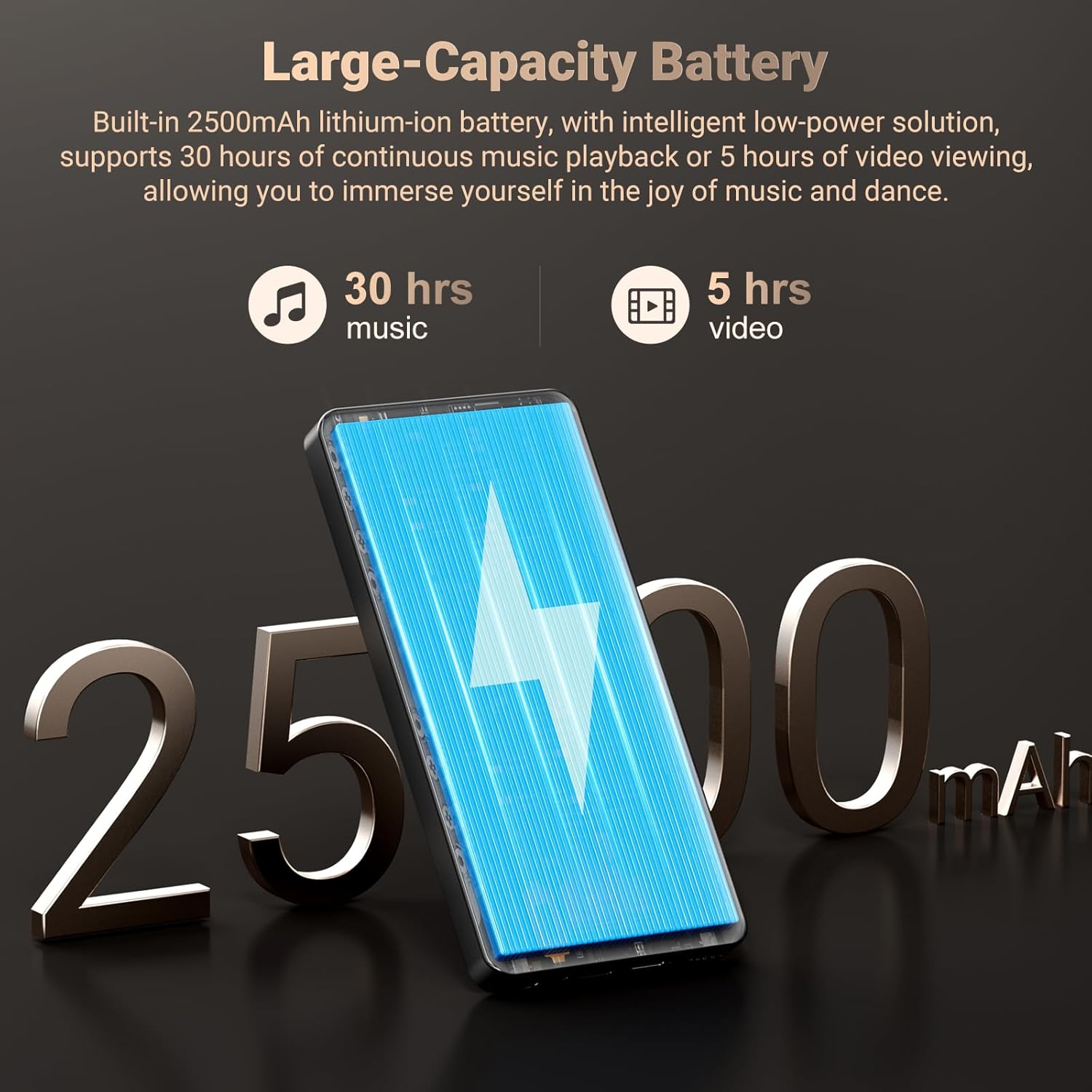
Image 3.7: Long-lasting 2500mAh battery for extended music and video playback.

Image 3.8: Access to streaming apps and local music playback for a rich audio experience.
Produktové videoview
Video 3.1: Úředník u konceview of the Oilsky 128GB MP3 Player, highlighting its key features and functionalities.
4. Nastavení
4.1 Nabíjení zařízení
Before first use, fully charge the MP3 player. Connect the provided USB cable to the device's charging port and the other end to a USB power adapter (not included) or a computer's USB port. The charging indicator will show the charging status.
4.2 Zapnutí/vypnutí
- Zapnutí: Press and hold the Power button on the side of the device until the screen lights up.
- Vypnutí: Stiskněte a podržte tlačítko napájení a poté z možností zobrazených na obrazovce vyberte možnost „Vypnout“.
4.3 Počáteční nastavení
Upon first power-on, follow the on-screen prompts to complete the initial setup, which includes selecting your language, connecting to a Wi-Fi network, and setting up your Google account (optional, but recommended for app downloads).
4.4 Vložení karty MicroSD
To expand storage, locate the MicroSD card slot on the device. Gently insert a MicroSD card (up to 1TB, not included) into the slot until it clicks into place. Ensure the card is inserted in the correct orientation.
5. Návod k obsluze
5.1 Přehrávání hudby
The device features a professional-grade music player. You can play local music files or stream from pre-installed apps.
- Místní hudba: Transfer MP3, WAV, APE, FLAC, AAC files to the device's internal storage or MicroSD card. Use the built-in music app to scan folders, create playlists, and search for tracks.
- Streamování: Connect to Wi-Fi and open pre-installed apps like Spotify, Pandora, Amazon Music, etc., to stream music online.
- Bluetooth audio: Pair with Bluetooth headphones or speakers via Settings > Connected devices > Bluetooth.
5.2 Přehrávání videa
The 5.5-inch HD screen supports 720P/1440P video playback.
- Transfer AVI, MKV, RMVB, MP4, MPG, MOV video files k zařízení.
- Open the video player app to browse and play your videos.
Funkce 5.3 fotoaparátu
The device includes a 13MP rear camera and a 5MP front camera.
- Otevřete aplikaci Fotoaparát z domovské obrazovky.
- V případě potřeby přepínejte mezi přední a zadní kamerou.
- Klepnutím na tlačítko spouště můžete pořizovat fotografie nebo nahrávat videa.
5.4 Správa aplikací
As an Android device, you can install and manage applications.
- Instalace aplikací: Open the Google Play Store app, search for desired applications, and tap 'Install'.
- Odinstalace aplikací: Go to Settings > Apps > See all apps, select the app, and tap 'Uninstall'. Pre-installed apps can also be uninstalled if not needed.
5.5 Konektivita
- Wi-Fi: Pro připojení k dostupným sítím přejděte do Nastavení > Síť a internet > Wi-Fi.
- Bluetooth: Go to Settings > Connected devices > Bluetooth to pair with other Bluetooth devices for audio or file převod.
- USB: Připojte zařízení k počítači pomocí kabelu USB file transfer. Select the 'File transfer' option on the device when prompted.
6. Rodičovská kontrola
The Oilsky M502 includes parental control features to manage content access and screen time, making it suitable for children.
- Access parental control settings through the device's system settings.
- Set restrictions on app usage, screen time limits, and content filtering to ensure age-appropriate access.
- Google Chrome can be disabled if desired.

Obrázek 6.1: Příkladample of parental control settings, allowing for screen time limits and app restrictions.
7. Údržba
- Čištění: K čištění zařízení používejte měkký, suchý hadřík. Nepoužívejte tekuté čisticí prostředky ani abrazivní materiály.
- Péče o baterie: To prolong battery life, avoid extreme temperatures and do not let the battery fully discharge frequently. Charge the device regularly.
- Aktualizace softwaru: Periodically check for system updates in Settings > System > System update to ensure optimal performance and security.
- Správa úložiště: Pravidelně odstraňujte nepotřebné filea odinstalujte nepoužívané aplikace, abyste uvolnili úložný prostor a zachovali výkon.
8. Řešení problémů
| Problém | Možné řešení |
|---|---|
| Zařízení se nezapne | Ensure the device is charged. Connect to a charger for at least 30 minutes. If unresponsive, perform a forced restart by holding the power button for 10-15 seconds. |
| Nelze se připojit k Wi-Fi | Check if Wi-Fi is enabled in settings. Ensure the password is correct. Restart the device and the Wi-Fi router. |
| Párování Bluetooth se nezdařilo | Ensure Bluetooth is enabled on both devices. Place devices close to each other. Restart both devices and try pairing again. |
| Aplikace jsou pomalé nebo zamrzají | Close background apps. Clear app cache (Settings > Apps > [App Name] > Storage & cache > Clear cache). Ensure sufficient storage space is available. Restart the device. |
| Karta MicroSD nebyla detekována | Ensure the card is inserted correctly. Try reinserting the card. Test with another MicroSD card if possible. |
| Špatná kvalita fotoaparátu | Ensure the camera lens is clean. Take photos in well-lit environments. |
9. Specifikace
| Funkce | Detail |
|---|---|
| Značka | Oilsky |
| Název modelu | M502 |
| Operační systém | Android 13.0 |
| Kapacita paměti | 128 GB (rozšiřitelné až na 1 TB) |
| Velikost obrazovky | 5.5 palce |
| Technologie displeje | IPS or TFT |
| Technologie připojení | Bluetooth, USB, Wi-Fi (2.4 GHz/5 GHz) |
| Speciální funkce | 1440P Full Formats, App Installation, Equalizer, FM Radio, WIFI, Dual Cameras (13MP Rear, 5MP Front) |
| Podporovaný typ média | MP3, WAV, APE, FLAC, AAC (Audio); AVI, MKV, RMVB, MP4, MPG, MOV (Video) |
| Kompatibilní zařízení | Sluchátka, reproduktor |
| Baterie | 2500mAh Lithium-iont |
| Barva | Černý |
10. Záruka a podpora
The Oilsky M502 MP3 Player comes with a 1-letá záruka od data nákupu, která se vztahuje na výrobní vady. Uschovejte si prosím doklad o koupi pro případné reklamace.
For technical support, troubleshooting assistance, or warranty inquiries, please contact Oilsky customer service through the retailer's platform or the official Oilsky website. Refer to the contact information provided with your purchase or on the product packaging.
Always refer to the latest information available on the official Oilsky support channels for the most up-to-date assistance.