
1. Úvod
This manual provides essential information for setting up, operating, maintaining, and troubleshooting your Packard Bell Prost F116 EvoFlex Rugged Convertible Laptop. The Prost F116 EvoFlex is a versatile 2-in-1 device designed for durability and flexibility, featuring an IP54 rating, Full HD touchscreen, and 360° convertible form factor. It is powered by an Intel N95 processor, 8GB LPDDR5 memory, and a 512GB SSD, running Windows 11 Pro Education.
Please read this manual thoroughly before using your device to ensure proper operation and to maximize its lifespan.
2. Nastavení
2.1 Vybalení a počáteční kontrola
Carefully remove the laptop and all accessories from the packaging. Inspect the device for any signs of damage. If any components are missing or damaged, contact your retailer immediately.
2.2 Nabíjení baterie
Before first use, fully charge the laptop's 5000mAh battery. Connect the provided power adapter to the charging port on the laptop and then to a power outlet. The charging indicator light will illuminate.
2.3 Počáteční zapnutí a nastavení systému Windows
Press the power button to turn on the laptop. Follow the on-screen instructions to complete the Windows 11 Pro Education setup process. This includes selecting your language, region, creating a user account, and connecting to a Wi-Fi network.
2.4 Připojení k sítím
- Wi-Fi: During initial setup or via Windows settings, select your desired Wi-Fi network and enter the password. The device supports Wi-Fi 6.
- 4G LTE: Insert a compatible 4G LTE SIM card into the designated SIM slot. Follow the instructions provided by your mobile network operator to activate cellular data.
2.5 Připojení periferních zařízení
Notebook je vybaven různými porty pro připojení externích zařízení:
- USB 3.0: Pro připojení zařízení USB, jako jsou externí pevné disky, myši nebo klávesnice.
- USB Type-C (x2): For data transfer, charging, and display output (full function).
- HDMI: Pro připojení k externím displejům nebo projektorům.
3. Obsluha zařízení
3.1 Zapnutí/vypnutí a režim spánku
- Zapnutí: Stiskněte tlačítko napájení, které se nachází na boku zařízení.
- Vypnout: Click the Windows Start button, then Power > Shut down.
- Režim spánku: Click the Windows Start button, then Power > Sleep, or close the lid.
3.2 Using the Convertible Modes
The Prost F116 EvoFlex features a 360° hinge, allowing it to be used in multiple modes:
- Režim notebooku: Standardní konfigurace notebooku pro psaní a produktivitu.
- Režim stanu: Fold the screen back to form a 'tent' shape, ideal for presentations or watching videos.
- Režim stojanu: Fold the screen back with the keyboard facing down, suitable for touch-based applications.
- Režim tabletu: Fold the screen completely back against the base for a full tablet experience.
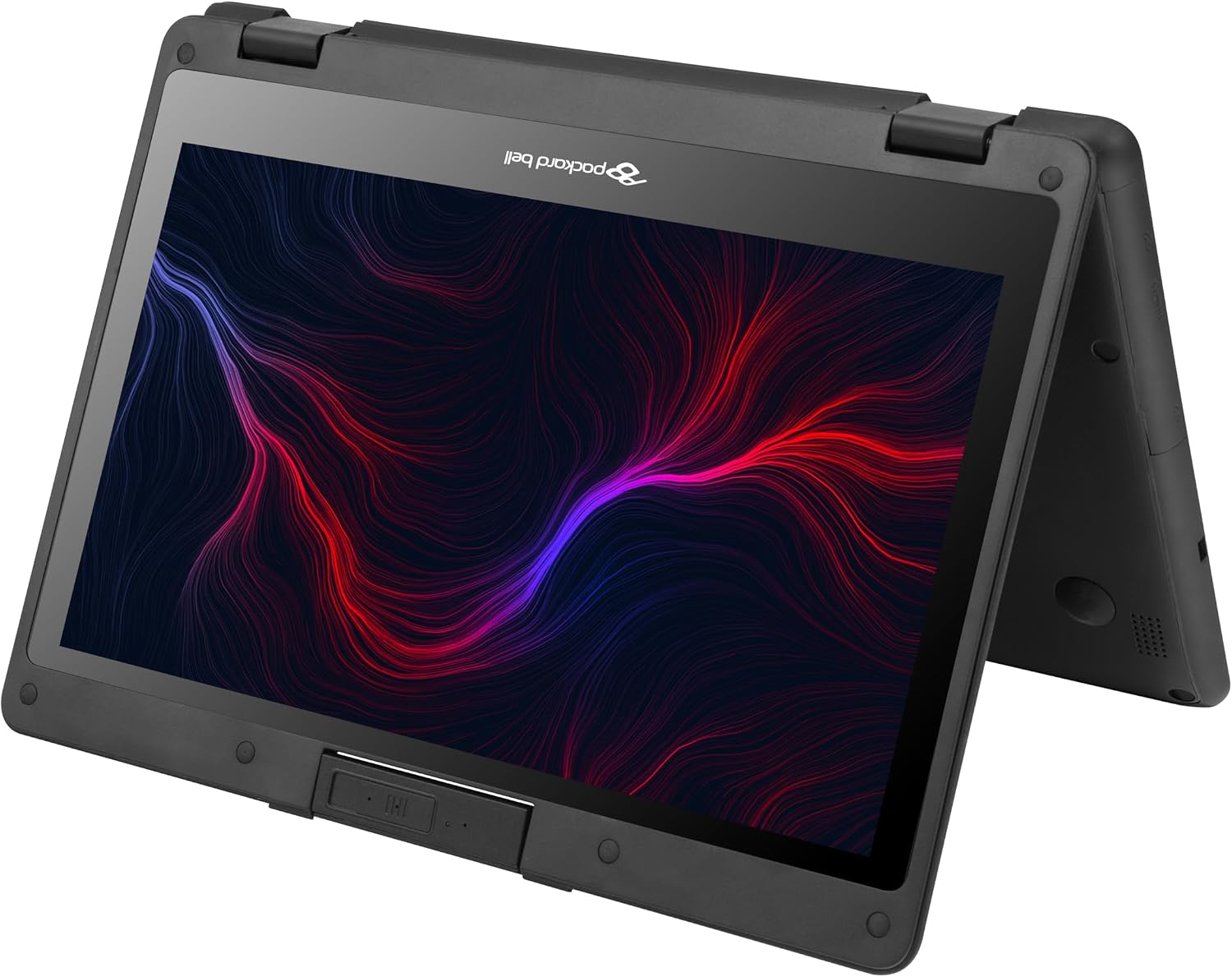
Figure 1: The Prost F116 EvoFlex in tablet mode, showcasing its 360-degree hinge flexibility.
3.3 Používání dotykové obrazovky a klávesnice
- Dotyková obrazovka: The 11.6-inch Full HD IPS touchscreen supports multi-touch gestures. Use your fingers for navigation, tapping, swiping, and pinching to zoom.
- Klávesnice a touchpad: Use the integrated keyboard for typing and the touchpad for cursor control.

Obrázek 2: Přední strana view of the Prost F116 EvoFlex in traditional laptop mode, displaying the keyboard and screen.
3.4 Using the Rotating Camera
The laptop features a 2MP rotating camera. This camera can be swiveled to face the front (for video calls) or the rear (for capturing photos/videos of your surroundings). Gently rotate the camera module to adjust its direction.
4. Údržba
4.1 Čištění zařízení
- Obrazovka: Použijte měkký hadřík, který nepouští vlákna dampvodou nebo čističem obrazovek. Nestříkejte tekutinu přímo na obrazovku.
- Šasi a klávesnice: Použijte měkký, suchý hadřík. Na odolnou špínu použijte lehceamp Lze použít hadřík. Vyhněte se agresivním chemikáliím.
4.2 Péče o baterii
- Vyhněte se častému úplnému vybíjení baterie.
- Pokud zařízení nebudete delší dobu používat, skladujte jej na chladném a suchém místě.
- Use only the original or approved power adapter.
4.3 Aktualizace softwaru
Regularly check for and install Windows updates to ensure optimal performance, security, and access to the latest features. Go to Settings > Windows Update.
5. Řešení problémů
5.1 Zařízení se nezapne
- Ensure the power adapter is securely connected and the battery is charged.
- Zkuste podržet tlačítko napájení po dobu 10-15 sekund, abyste provedli tvrdý reset.
5.2 Wi-Fi or 4G LTE Connectivity Issues
- Check if Wi-Fi or cellular data is enabled in Windows settings.
- Restart the laptop and your router/modem (for Wi-Fi).
- Ensure the SIM card is correctly inserted and activated (for 4G LTE).
5.3 Touchscreen Not Responding
- Restartujte zařízení.
- Ujistěte se, že je obrazovka čistá a bez překážek.
- Check for any pending Windows updates that might include touchscreen driver updates.
6. Specifikace
| Funkce | Popis |
|---|---|
| Značka | Packard Bell |
| Název modelu | PROST-F116 |
| Velikost obrazovky | 11.6 Inches FHD_IPS Touchscreen |
| Rezoluce | 1920 x 1080 pixelů |
| Procesor | Intel N95 (2 GHz, up to 3.2 GHz) |
| BERAN | 8 GB LPDDR5 (4800 MHz) |
| Skladování | 512 GB SATA SSD |
| Operační systém | Windows 11 Pro Education |
| Grafika | Integrated Intel® UHD Graphics |
| Konektivita | Wi-Fi 6, Bluetooth 5.2, 4G LTE (SIM slot) |
| Porty | 1x USB 3.0, 2x USB Type-C (Full Function), 1x HDMI |
| Fotoaparát | 2MP Rotating Camera |
| Baterie | 5000mAh, 7.6V (Approx. 4 hours average life) |
| Robustní hodnocení | IP54 |
| Dimensions (L x W x Thickness) | 32.2L x 1.8W x 20.9Th cm |
| Hmotnost | 1.4 kg |
| Barva | Černý |
7. Záruka a podpora
7.1 Informace o záruce
The Packard Bell Prost F116 EvoFlex comes with a 1 roky záruka výrobcePro případné reklamace si prosím uschovejte doklad o koupi. Záruka se vztahuje na výrobní vady za běžných podmínek používání.
7.2 Zákaznická podpora
For technical assistance, warranty claims, or further inquiries, please refer to the contact information provided with your product packaging or visit the official Packard Bell support website. Ensure you have your product model number (PROST-F116) and serial number ready when contacting support.