
1. Úvod
The Monster Mission 350 is a versatile wireless gaming headset designed for an immersive audio experience across various platforms. It features dual connectivity options (2.4GHz wireless and Bluetooth 6.0), a detachable microphone, and comfortable over-ear design. This manual provides instructions for setup, operation, maintenance, and troubleshooting to ensure optimal use of your headset.
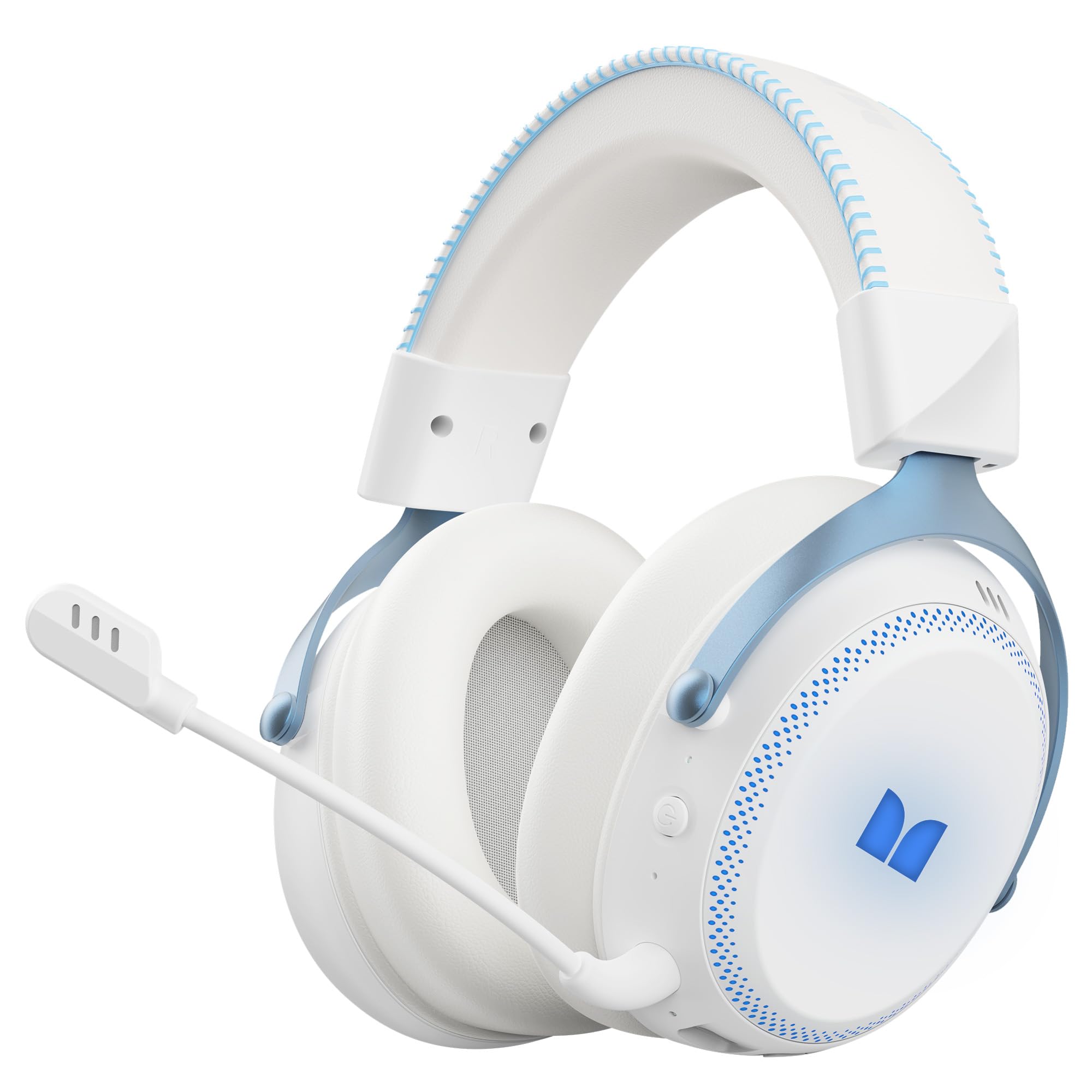
Obrázek 1.1: The Monster Mission 350 headset providing 7.1 surround sound, allowing users to pinpoint audio cues like gunshots, explosions, vehicle sounds, and enemy footsteps for an immersive gaming experience.
2. Obsah balení
Zkontrolujte prosím balení, zda neobsahuje následující položky:
- Monster Mission 350 Wireless Gaming Headset x1
- 2.4GHz USB Wireless Dongle x1
- Detachable Microphone x1
- Nabíjecí kabel USB x1
- 3.5mm audio kabel x1
- Uživatelská příručka x1
3. Konec produktuview
Familiarize yourself with the components and controls of your Monster Mission 350 headset.
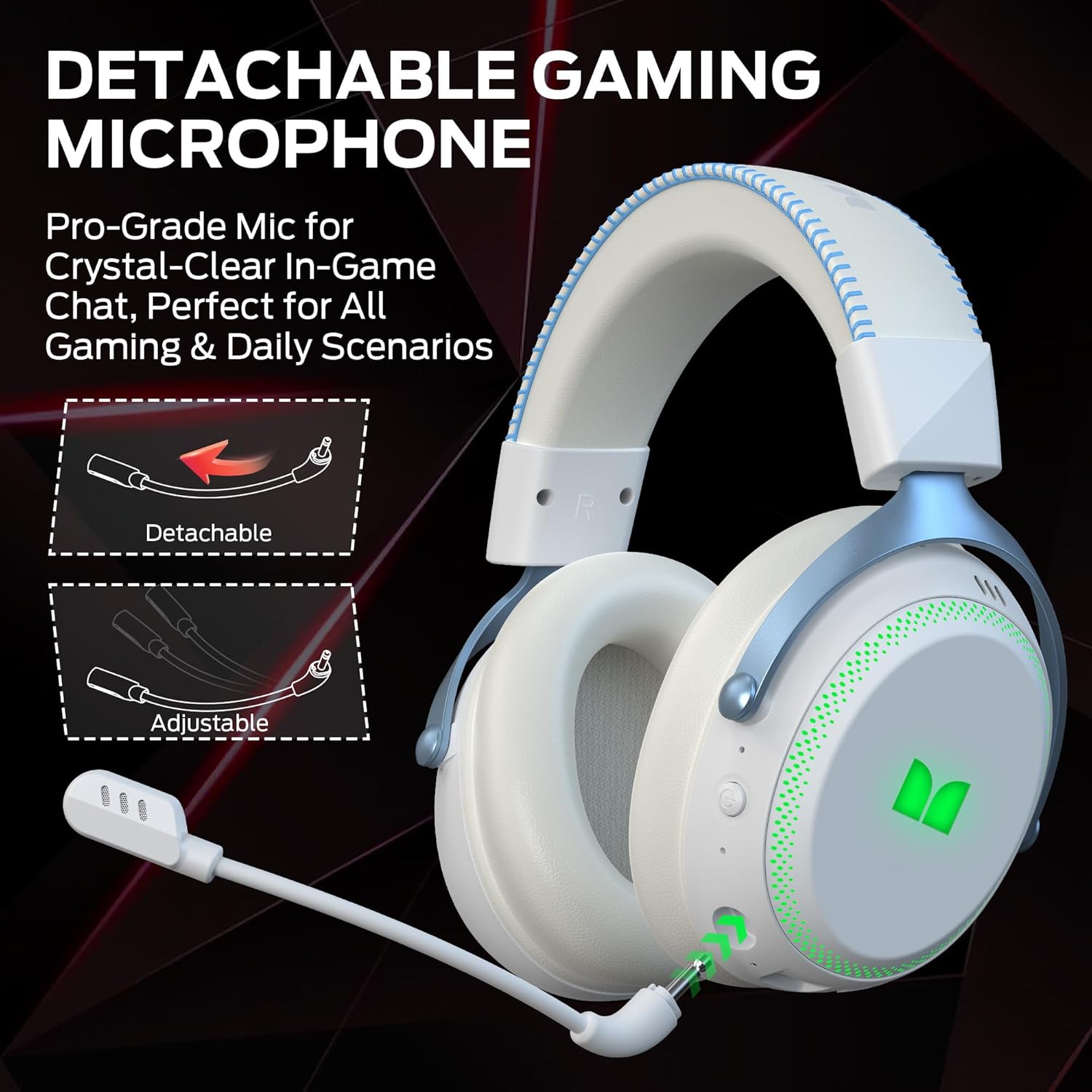
Obrázek 3.1: The headset features a detachable and adjustable gaming microphone, designed for clear in-game communication and versatile use in various scenarios.

Obrázek 3.2: The headset includes customizable RGB lighting effects on the earcups, allowing users to personalize their gaming setup and enhance the aesthetic appeal.
Headset Controls (Refer to diagram in physical manual for exact placement)
- Vypínač: Stiskněte a podržte pro zapnutí/vypnutí.
- Kolečko hlasitosti: Upravuje úroveň zvukového výstupu.
- Tlačítko ztlumení mikrofonu: Zapíná/vypíná mikrofon.
- Tlačítko RGB podsvícení: Cycles through lighting modes or turns RGB off.
- 3.5mm audio jack: Pro kabelové připojení.
- Nabíjecí port USB-C: Pro nabíjení náhlavní soupravy.
4. Nastavení
4.1. Nabíjení náhlavní soupravy
Before first use, fully charge the headset. Connect the USB charging cable to the headset's USB-C port and the other end to a USB power source (e.g., computer, wall adapter). The charging indicator light will show charging status and turn off or change color when fully charged. A full charge takes approximately 2 hours.
4.2. Připojení přes bezdrátové připojení 2.4 GHz
This method provides a low-latency connection ideal for gaming.
- Insert the 2.4GHz USB wireless dongle into an available USB port on your gaming console, desktop, or laptop.
- Power on the Monster Mission 350 headset.
- The headset should automatically connect to the dongle. A status indicator light on the headset will confirm the connection.
- Adjust audio settings on your device to ensure the headset is selected as the input and output device.
4.3. Připojení přes Bluetooth
Use Bluetooth for connecting to mobile devices, tablets, or other Bluetooth-enabled devices.
- Power on the Monster Mission 350 headset.
- Press and hold the Bluetooth pairing button (refer to physical manual for location) until the indicator light flashes, indicating pairing mode.
- On your device, go to Bluetooth settings and search for "Monster Mission 350".
- Select the headset to pair. The indicator light on the headset will become solid when connected.
4.4. Připojení pomocí 3.5mm audio kabelu
For wired connections to devices with a 3.5mm audio jack, or when the battery is depleted.
- Připojte jeden konec 3.5mm audio kabelu k 3.5mm audio konektoru na sluchátkách.
- Druhý konec připojte k 3.5mm audio výstupu na vašem zařízení.
- The headset will operate in passive mode, and power is not required for audio playback.

Obrázek 4.1: The Monster Mission 350 supports dual audio connections, featuring Bluetooth 6.0 for mobile devices and a dedicated 2.4GHz wireless dongle for low-latency gaming on compatible platforms.
5. Návod k obsluze
5.1. Zapnutí/vypnutí
Press and hold the Power button for approximately 3 seconds to turn the headset on or off. An audible prompt or indicator light will confirm the status.
5.2. Ovládání hlasitosti
Rotate the Volume wheel located on the earcup to increase or decrease the audio volume.
5.3. Použití mikrofonu
Attach the detachable microphone to the designated port on the headset. Press the Microphone Mute button to toggle the microphone on or off. The microphone can be adjusted for optimal positioning.
5.4. Ovládání RGB osvětlení
Press the RGB Lighting button to cycle through different lighting effects or to turn the RGB lighting off. This feature allows for customization of the headset's appearance.
5.5. Životnost baterie a indikátory
The headset provides approximately 70 hours of battery life for general use, or 45 hours with RGB lights continuously on. A low battery indicator will alert you when charging is required.

Obrázek 5.1: The Monster Mission 350 headset offers extended battery performance, with a 2-hour charge providing up to 90 hours of gaming, 45 hours with RGB lights active, or 70 hours for calls.
6. Údržba a péče
Správná péče zajistí dlouhou životnost a výkon vašich sluchátek.
- Čištění: K čištění sluchátek s mikrofonem používejte měkký, suchý hadřík. Náušníky jemně otřete lehce vlhkým hadříkem.amp cloth if necessary, and allow to air dry completely before use. Avoid harsh chemicals or abrasive materials.
- Skladování: Sluchátka skladujte na chladném a suchém místě mimo dosah přímého slunečního záření a extrémních teplot.
- Voděodolnost: Sluchátka jsou ne voděodolné. Zabraňte kontaktu s tekutinami.
- Péče o baterie: To maintain battery health, avoid fully discharging the battery frequently. Charge the headset regularly, even if not in use for extended periods.

Obrázek 6.1: The Monster Mission 350 headset is designed for all-day comfort, featuring comfortable memory foam earcups, an adjustable headband, and soft, breathable earpads to reduce fatigue during extended use.
7. Řešení problémů
If you encounter issues with your Monster Mission 350 headset, refer to the following common problems and solutions:
| Problém | Možné řešení |
|---|---|
| Sluchátka se nezapínají. | Ensure the headset is fully charged. Press and hold the Power button for 3-5 seconds. |
| Žádný zvuk nebo nízká hlasitost. | Check headset volume wheel. Verify device's audio output settings. Ensure headset is properly connected (2.4GHz dongle, Bluetooth, or 3.5mm cable). |
| Mikrofon nefunguje. | Ensure microphone is securely attached and not muted. Check device's input settings to confirm the headset microphone is selected. |
| Nelze se připojit bezdrátově přes 2.4 GHz. | Ensure the USB dongle is fully inserted. Try a different USB port. Power cycle both the headset and the device. |
| Nelze spárovat přes Bluetooth. | Ensure headset is in pairing mode. Turn off and on Bluetooth on your device. Forget the device from your Bluetooth list and try pairing again. |
| RGB světla nefungují. | Press the RGB Lighting button to cycle through modes. Ensure the headset has sufficient battery charge. |
8. Specifikace
Detailed technical specifications for the Monster Mission 350 Wireless Gaming Headset:
| Funkce | Detail |
|---|---|
| Číslo modelu | Mise monster 350 |
| Technologie připojení | 2.4GHz Wireless, Bluetooth 6.0, 3.5mm Jack |
| Bezdrátové Dosah | Up to 33 Feet (Bluetooth) |
| Velikost zvukového ovladače | 55 mm dynamický ovladač |
| Impedance | 32 ohmů |
| Citlivost | 120 dB |
| Umístění uší | Přes ucho |
| Materiál pouzdra | Leather (earpads) |
| Životnost baterie | Up to 70 Hours (general use), 45 Hours (with RGB lights on) |
| Doba nabíjení baterie | Přibližně 2 hodin |
| Typ ovládání | Button Control (Push Button, Siri compatible) |
| Kompatibilní zařízení | Gaming Consoles, Desktops, Tablets, Laptops, Cellphones |
| Hmotnost položky | 0.54 kg |
| Úroveň odolnosti proti vodě | Není odolný vůči vodě |

Obrázek 8.1: The Monster Mission 350 headset is equipped with a 55mm dynamic driver, engineered to deliver clear and powerful audio performance for gaming and multimedia.
9. Informace o záruce
The Monster Mission 350 Wireless Gaming Headset comes with a Záruka 3 měsíců od data nákupu. Tato záruka se vztahuje na výrobní vady vzniklé běžným používáním. Nevztahuje se na škody způsobené nesprávným použitím, nehodami, neoprávněnými úpravami nebo běžným opotřebením. Uschovejte si doklad o koupi pro případné reklamace.
10. Zákaznická podpora
For further assistance, technical support, or warranty inquiries, please refer to the contact information provided with your product packaging or visit the official Monster website. When contacting support, please have your product model number (Monster Mission 350) and proof of purchase readily available.