
NIIMBOT D11H
NIIMBOT D11H Label Maker Instruction Manual
Model: D11H
Zavedení
Thank you for choosing the NIIMBOT D11H Label Maker. This portable thermal label printer is designed for efficient and clear label printing for various organizational needs in home, office, and small business environments. This manual provides detailed instructions for setup, operation, and maintenance to ensure optimal performance of your device.

Image: A user operating the NIIMBOT D11H label maker with a smartphone, demonstrating its compact size and app-based functionality. The image highlights the device's portability and ease of use for creating various labels.
Co je v krabici
Po vybalení zkontrolujte obsah balení:
- NIIMBOT D11H Label Maker
- 3 Rolls of Label Tapes (14x30mm clear, 14x40mm white, 12x40mm green)
- Extra 6 Rolls of Mixed Label Paper (White 0.47" x 1.57", Clear 0.47" x 4.29", 0.55" x 1.18")
- Nabíjecí kabel USB (typu C)
- Uživatelská příručka (tento dokument)

Image: A collection of NIIMBOT label rolls in different sizes and colors, illustrating the variety of labels included with the D11H label maker.
Konec produktuview
The NIIMBOT D11H is a compact, portable thermal label printer. It features a 300 DPI print resolution for clear text and graphics, a 1500mAh battery, and a Type-C USB port for charging. It connects via Bluetooth to your mobile device for label design and printing.

Image: A visual comparison between the NIIMBOT D11 and D11H models, highlighting the D11H's improved specifications such as 1500mAh battery, 300dpi resolution, Type-C USB, and 50mm/s printing speed.
Nastavení
1. Nabíjení zařízení
Before first use, fully charge the label maker. Connect the provided USB Type-C cable to the charging port on the device and to a standard USB power adapter (not included).
- Kontrolka nabíjení bude ukazovat stav nabíjení.
- Plné nabití obvykle trvá přibližně 2–3 hodiny.
2. Instalace rolí s etiketami
- Open the label compartment cover by sliding it open or pressing the release button (refer to device diagram if available).
- Insert the label roll with the printing surface facing upwards, ensuring the labels feed smoothly into the printer mechanism.
- Kryt přihrádky pevně zavřete, dokud nezacvakne na místo.
- Ensure a small portion of the label tape extends out of the printer's output slot.
3. Stažení aplikace a připojení Bluetooth
- Stáhněte si aplikaci: Hledat "NIIMBOT" or "NIIM" in your mobile app store (iOS App Store or Google Play Store) and download the official application.
- Turn On the Label Maker: Stiskněte a podržte tlačítko napájení, dokud se nerozsvítí kontrolka.
- Povolit Bluetooth: Ujistěte se, že je na vašem mobilním zařízení povoleno Bluetooth.
- Připojení přes aplikaci: Open the NIIMBOT app. The app will automatically search for nearby NIIMBOT devices. Select your D11H from the list to pair. Note: Do not pair directly through your phone's Bluetooth settings; connect only via the NIIMBOT app.
- Po připojení aplikace zobrazí stav zařízení.
Návod k obsluze
1. Zapnutí/vypnutí
- Zapnutí: Press and hold the power button for approximately 2 seconds. The indicator light will illuminate.
- Vypnout: Stiskněte a podržte tlačítko napájení přibližně 2 sekund, dokud kontrolka nezhasne.
2. Vytváření a úprava štítků
Use the NIIMBOT app to design your labels:
- Open the NIIMBOT app and ensure your D11H is connected.
- Select a template or create a new label from scratch.
- The app offers various features including text, symbols, logos, barcodes, QR codes, images, and time stamps.
- Customize font, size, alignment, and other label properties.
- The D11H supports automatic calibration, meaning the first label will not be wasted during printing.

Image: An illustration showing the NIIMBOT D11H's self-calibration feature, which automatically rewinds the first label to prevent waste, ensuring efficient use of label paper.
3. Tisk štítků
- After designing your label in the app, tap the "Print" button.
- Confirm the number of copies and other print settings.
- The label maker will print the labels. The D11H prints at a speed of 50mm/s.
- Odtrhněte vytištěný štítek podél zoubkovaného okraje.
Note: This label maker produces monochrome printouts, meaning it only prints in black text.

Obrázek: Detailní záběr view of the NIIMBOT D11H printing a label, emphasizing its 300 dpi high-resolution thermal printing capability for clear and sharp text.
Údržba
1. Čištění tiskové hlavy
- Před čištěním se ujistěte, že je zařízení vypnuté.
- Otevřete přihrádku na štítky.
- Jemně otřete tiskovou hlavu vatovým tamponem, lehceampzakončené isopropylalkoholem.
- Allow the print head to dry completely before closing the cover and powering on the device.
2. Skladování
- Štítkovač skladujte na chladném a suchém místě mimo dosah přímého slunečního záření a extrémních teplot.
- Remove label rolls if the device will not be used for an extended period.
Odstraňování problémů
| Problém | Možná příčina | Řešení |
|---|---|---|
| Zařízení se nezapne | Slabá baterie; Porucha zařízení | Charge the device; Contact customer support if issue persists. |
| Nelze se připojit přes Bluetooth | Bluetooth není povolen; Nesprávný způsob párování; Problém s aplikací | Ensure Bluetooth is on; Connect via NIIMBOT app only; Restart app and device. |
| Špatná kvalita tisku | Dirty print head; Incorrect label orientation; Low battery | Clean the print head; Reinstall label roll correctly; Charge the device. |
| Labels not feeding | Label roll incorrectly installed; Empty roll; Jammed mechanism | Reinstall label roll; Replace with new roll; Check for obstructions. |
| First label wasted | Automatic calibration not functioning | Ensure the app and firmware are updated. The D11H model is designed to prevent this. |
Specifikace
- Model: NIIMBOT D11H
- Rozlišení tisku: 300 DPI
- Technologie tisku: Tepelný tisk
- Konektivita: Bluetooth
- Kapacita baterie: 1500 XNUMX mAh
- Nabíjecí port: USB Type-C
- Rychlost tisku: 50 mm/s
- Podporovaný OS: iOS, Android (via NIIMBOT App)
- Barva tisku: Monochrome (Black text only)
- Automatická kalibrace: Supported (no first label waste)
Aplikace
The NIIMBOT D11H label maker is suitable for a wide range of labeling tasks:
- Domácí organizace: Labeling kitchen containers, storage boxes, pantry items.
- Kancelářské použití: Organizování files, folders, stationery, cables.
- Malé firmy: Product labeling, price tags, inventory management, jewelry labels.
- Osobní použití: Labeling cosmetics, medicine, gifts, school supplies.

Image: Demonstrates various uses of the NIIMBOT D11H labels, including organizing kitchen items, setting reminders for medication, and labeling office supplies.
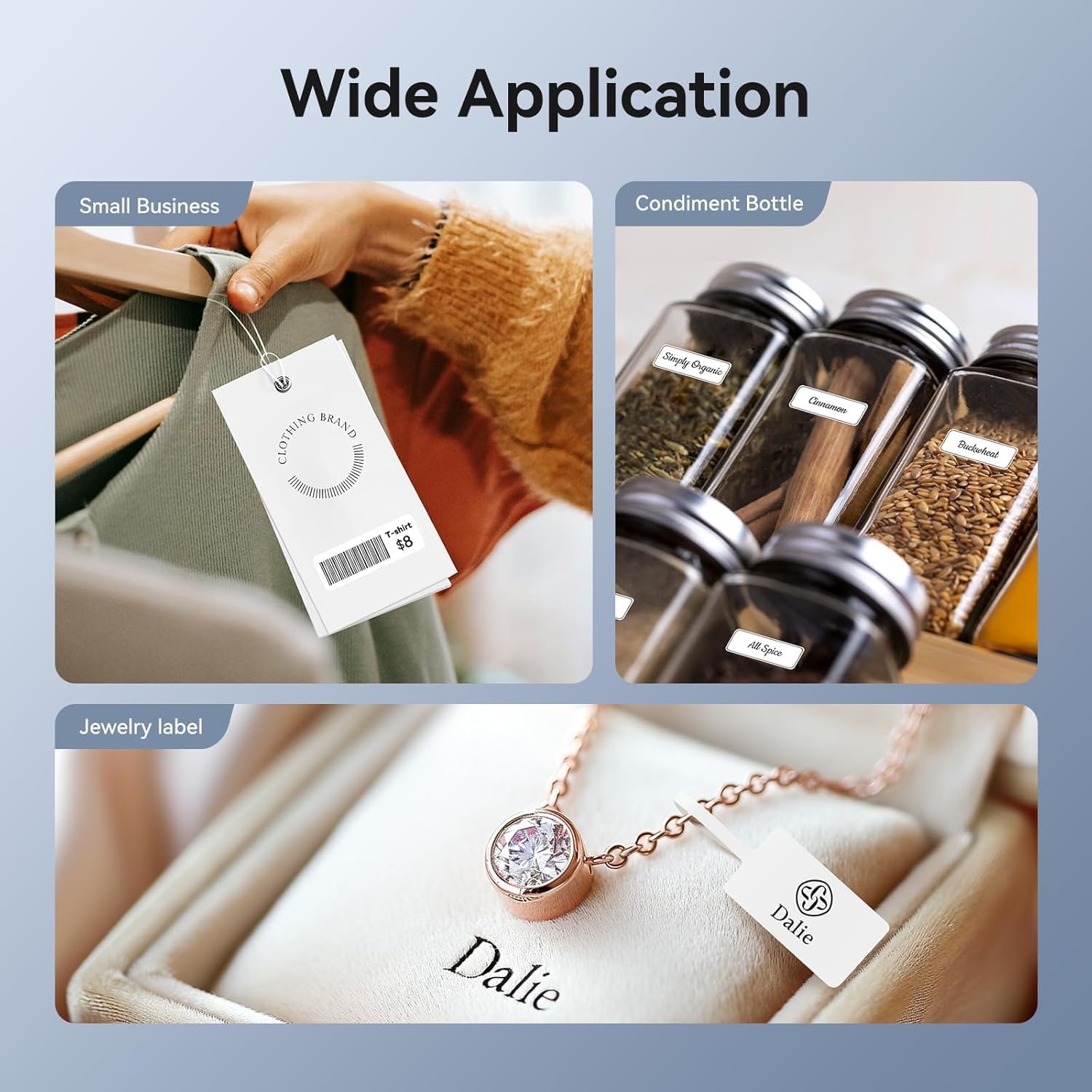
Image: Shows the versatility of the NIIMBOT D11H for small business applications, such as creating price tags for clothing, labeling condiment bottles, and making elegant jewelry labels.

Obrázek: Výstava kolážíasing diverse labeling applications for the NIIMBOT D11H, covering kitchen organization, office filing, cosmetic storage, gift personalization, stationery identification, and medicine management.
Záruka a podpora
NIIMBOT products typically come with a standard manufacturer's warranty. Please refer to the warranty card included in your package or visit the official NIIMBOT webkonkrétní záruční podmínky naleznete na webových stránkách.
For technical support, troubleshooting assistance, or warranty claims, please contact NIIMBOT customer service through their official website or the contact information provided in your product packaging. When contacting support, please have your product model (D11H) and purchase details ready.
Ask a question about this manual
Ask about setup, troubleshooting, compatibility, parts, safety, or missing instructions. Manuals+ will review the question and use this page’s manual context to help answer it.