
1. Průvodce nastavením
1.1 Vybalení a obsah balení
Carefully unpack your LG OLED77C6HUP TV. Ensure all components listed below are present. Retain the packaging materials for future transport or service needs.
- Chytrý televizor LG 77-palcové třídy OLED evo AI 4K řady C6
- Magický dálkový ovladač
- Baterie do dálkového ovladače (2 AAA)
- Napájecí kabel
- Komponenty stojanu
- Uživatelská příručka (tento dokument)
- Rychlý průvodce

Image: LG OLED evo AI TV showing overall dimensions and included accessories.
1.2 Instalace stojanu
If you are not wall-mounting the TV, attach the included stand. Follow the instructions provided in the Quick Start Guide for secure assembly. The stand footprint is 20.5 inches wide.

Obrázek: Podrobný view základny televizního stolku.
1.3 Montáž na stěnu
For wall mounting, use a VESA compatible mount with a standard of 300 x 200 mm. Consult a professional for installation to ensure safety and proper mounting.

Obrázek: Side profile of the LG OLED TV, illustrating its thin design suitable for wall mounting.
1.4 Připojení periferních zařízení
Connect your external devices to the TV's ports. The TV features 4 HDMI ports, 2 USB 2.0 ports, 1 USB 3.0 port, an Ethernet port, and an antenna input.
- HDMI: For Blu-ray players, gaming consoles, and set-top boxes.
- USB: For external storage devices or compatible accessories.
- Ethernet (LAN): Pro kabelové připojení k internetu.
- Anténa/kabel: Pro bezdrátové vysílání nebo kabelovou televizi.

Obrázek: Zadní view of the LG OLED TV highlighting the connectivity ports.
1.5 Instalace baterií dálkového ovladače
Open the battery compartment on the back of the Magic Remote. Insert two AAA batteries, ensuring correct polarity (+/-). Close the compartment securely.
1.6 Počáteční zapnutí a webOS Setup
Connect the power cable to the TV and a wall outlet. Press the power button on the remote or TV. Follow the on-screen instructions to complete the initial setup of webOS, including network connection, channel scanning, and basic settings.
2. Ovládání vašeho televizoru
2.1 Základní funkce
- Moc: Stisknutím tlačítka napájení na dálkovém ovladači zapnete nebo vypnete televizor.
- Objem: Pomocí tlačítek pro zvýšení/snížení hlasitosti upravte úroveň zvuku.
- Kanál: Use the channel up/down buttons to change channels or navigate lists.
- Vstup: Press the input button to select connected devices (HDMI, USB, etc.).
2.2 Funkce chytré televize (webOS)
Váš televizor běží na webOS operating system, providing access to various streaming services and smart features. Use the Magic Remote to navigate the intuitive interface.

Obrázek: The webOS smart TV platform interface, showcasing available applications and content.
AI Hub for Personalization
The AI Hub, accessible via the AI button on your remote, offers personalized AI experiences including Multi AI Search, AI Concierge, AI Picture Wizard, AI Sound Wizard, AI Voice ID, and AI Chatbot.
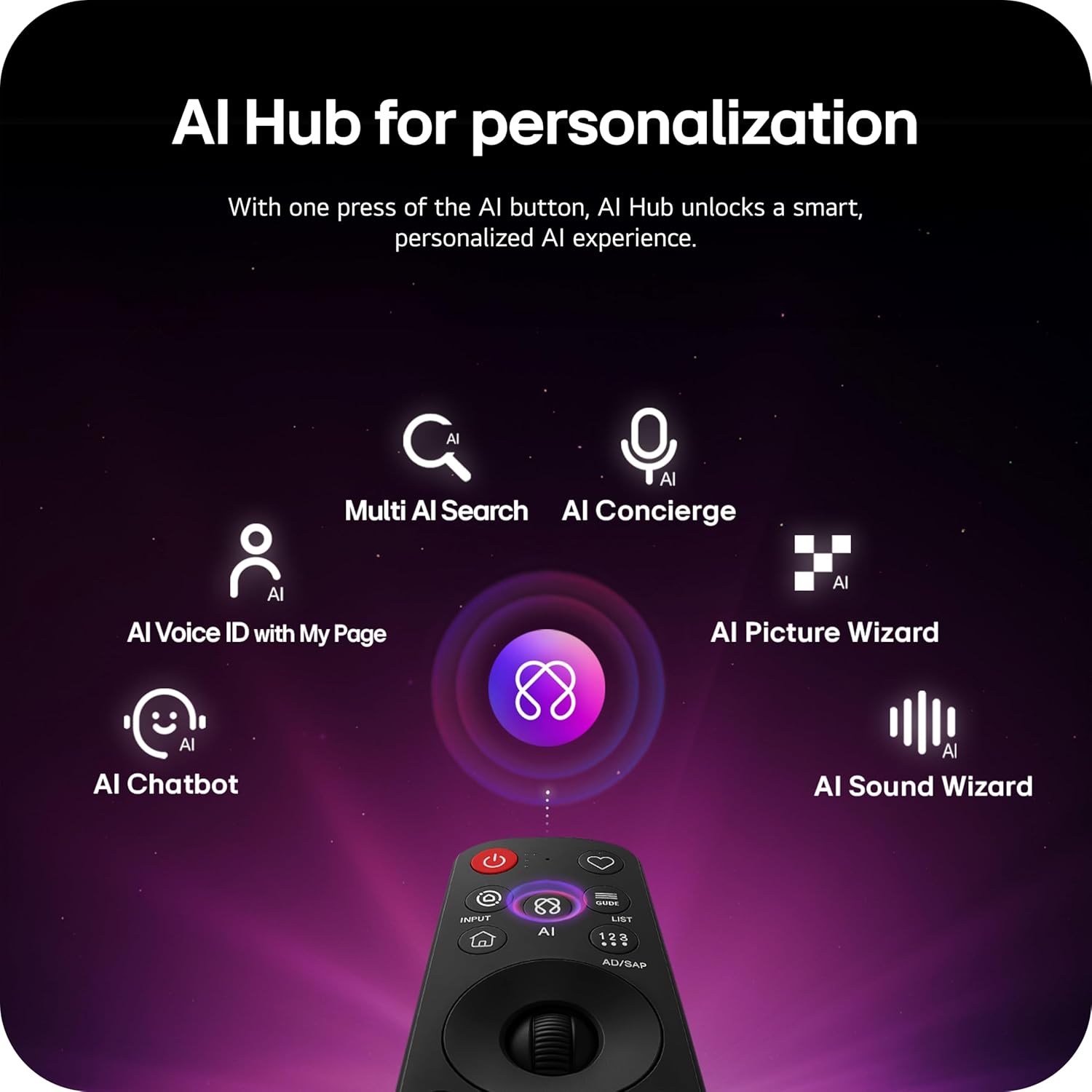
Image: Magic Remote highlighting the AI button and various AI Hub features.
Multi AI Search with Google Gemini and Microsoft Copilot
Utilize the Multi AI search function to find content and information across multiple AI models, including Google Gemini and Microsoft Copilot, for broader and more relevant results.
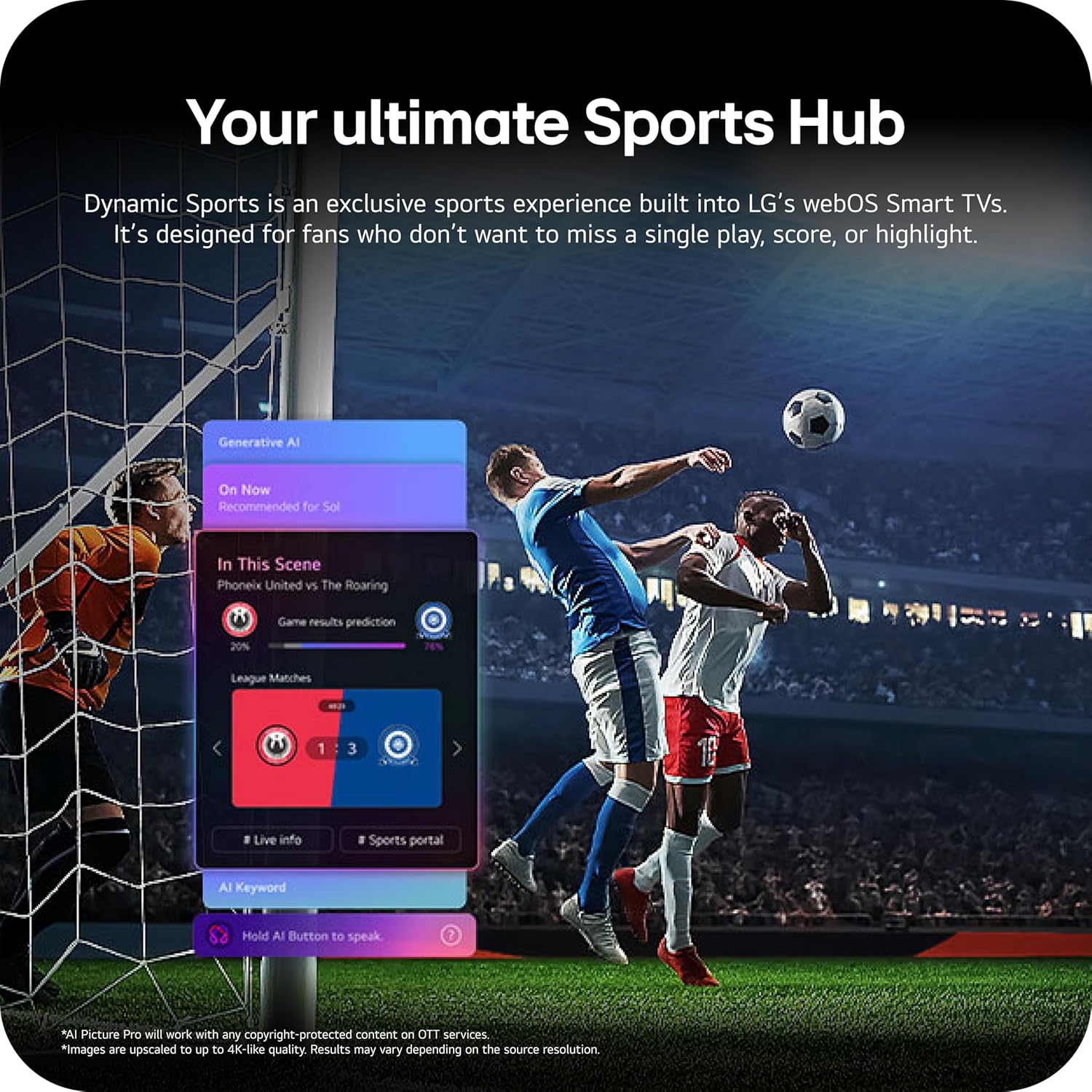
Image: Multi AI search interface displaying integration with Google Gemini and Microsoft Copilot.
2.3 Nastavení obrazu
Your LG OLED TV offers advanced picture technologies for optimal viewIng.
- Brightness Booster Pro: Magnifies each pixel to shine up to 3.2 times brighter for enhanced luminosity.
- Dokonalá černá a dokonalá barva: Over 8.3 million self-lit pixels deliver perfect black levels and accurate colors in any lighting condition.
- Dolby Vision, HDR10, HLG: Supports multiple HDR formats for extraordinary color, contrast, and brightness.
- Režim filmaře: Preserves the director's original vision by disabling post-processing effects.
- Obrázek AI: The a11 AI Processor Gen3 optimizes picture quality in real-time.
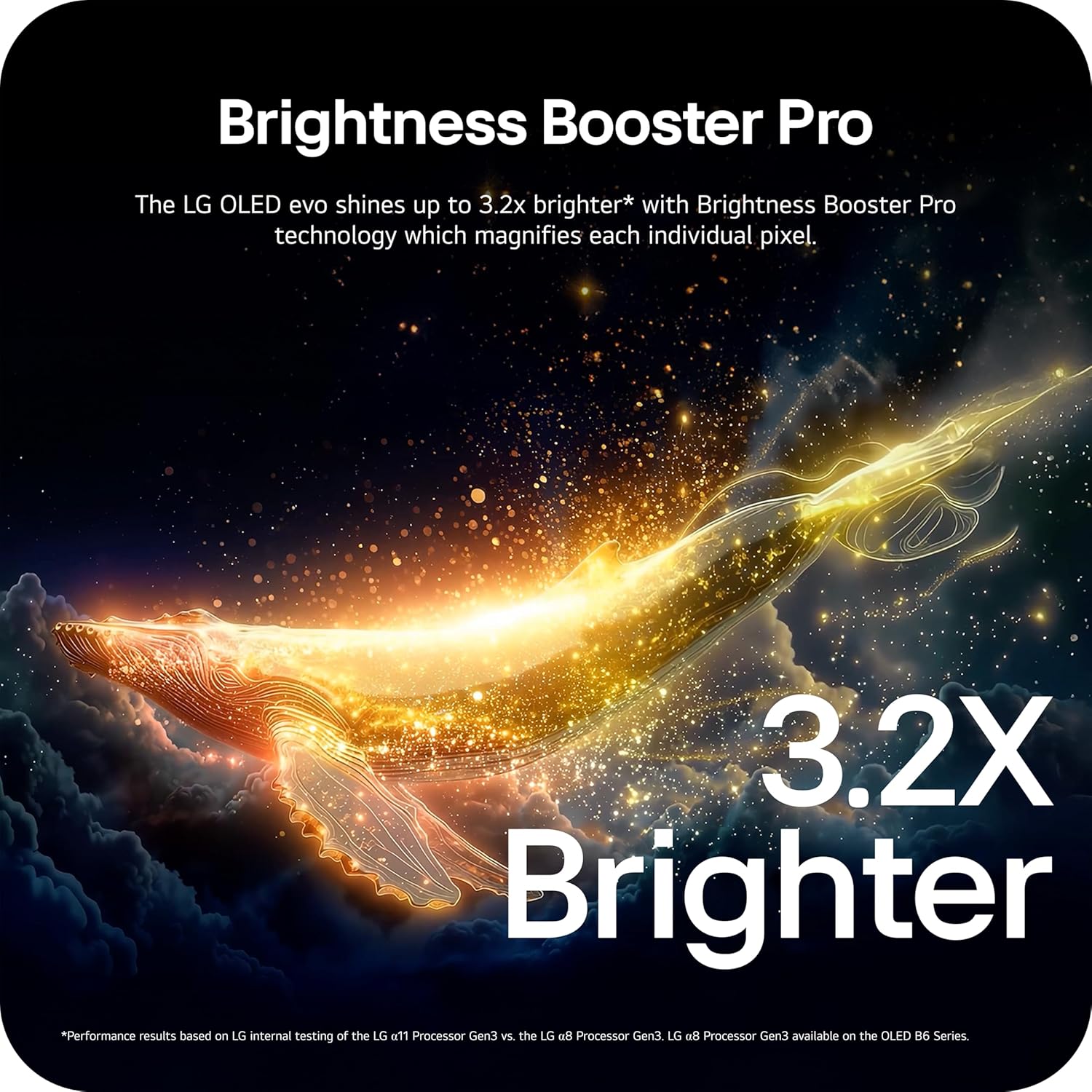
Image: Visual representation of Brightness Booster Pro technology, illustrating increased brightness.

Image: Display demonstrating Perfect Black and Perfect Color capabilities in various light conditions.
2.4 Nastavení zvuku
Experience immersive audio with your TV's sound features.
- Dolby Atmos: Poskytuje vícerozměrný zvuk, který se kolem vás pohybuje.
- Páni orchestr: Integrates the TV's speakers with a compatible LG soundbar for an enhanced audio experience.
2.5 Herní funkce
The TV is equipped with features for an optimal gaming experience.
- Obnovovací frekvence 165Hz: Supports high frame rates for smooth gameplay.
- Doba odezvy 0.1 ms: Minimizes input lag for quick reactions.
- NVIDIA G-Sync a AMD FreeSync Premium: Snižuje trhání a zasekávání obrazovky pro plynulý obraz.

Image: Dynamic gaming visual highlighting the 165Hz refresh rate and G-Sync/FreeSync compatibility.
2.6 Sports Hub
The Dynamic Sports Hub provides an exclusive sports experience, ensuring you don't miss any key moments, scores, or highlights.

Image: Screenshot of the Dynamic Sports Hub interface during a live soccer game.
3. Údržba a péče
3.1 Péče o OLED displeje
To maintain the best picture quality and longevity of your OLED display, utilize the built-in OLED Care features. These features help protect the display from potential issues over time.
3.2 Pokyny pro čištění
- Obrazovka: Gently wipe the screen with a soft, dry, microfiber cloth. For stubborn marks, lightly dampen the cloth with distilled water. Avoid harsh chemicals or abrasive materials.
- Tělo televizoru: K čištění rámu a stojanu použijte měkký, suchý hadřík.
- Dálkové ovládání: Otřete měkkým suchým hadříkem.
3.3 Aktualizace softwaru
Pro optimální výkon a nové funkce se ujistěte, že je software vašeho televizoru aktuální. webOS 26 automatically downloads updates for up to 5 years. If auto-update is disabled, you will receive a notification to accept or deny updates. An LG account is required to access network-based smart services.
3.4 LG Shield Security
LG Shield provides digital protection against malware, viruses, and other cyber threats through real-time scanning and automatic updates. An LG account is required to access network-based smart services.

Image: LG Shield security feature, represented by shield and lock icons, indicating digital protection.
4. Odstraňování běžných problémů
This section addresses common problems you might encounter with your TV. If the issue persists, contact customer support.
| Problém | Možné řešení |
|---|---|
| Žádná síla | Ujistěte se, že je napájecí kabel bezpečně připojen k televizoru i k funkční elektrické zásuvce. Vyzkoušejte zásuvku s jiným zařízením. |
| Žádný obraz / Černá obrazovka | Check if the TV is turned on. Verify the correct input source is selected. Ensure all HDMI cables are securely connected. Try restarting the TV by unplugging it for 30 seconds and plugging it back in. |
| Žádný zvuk | Check the volume level and ensure the TV is not muted. Verify external audio devices (soundbar, receiver) are properly connected and powered on. Check audio output settings in the TV menu. |
| Dálkové ovládání nereaguje | Vyměňte baterie v dálkovém ovladači Magic Remote. Ujistěte se, že mezi dálkovým ovladačem a televizorem nejsou žádné překážky. V případě potřeby dálkový ovladač znovu spárujte (viz Stručná úvodní příručka). |
| Problémy s připojením k síti (Wi-Fi/Ethernet) | Check your router and modem to ensure they are working correctly. Restart your network equipment. Re-enter Wi-Fi password or check Ethernet cable connection. |
| Picture Quality Issues (e.g., motion blur, color smearing) | Adjust picture settings (e.g., sharpness, color, motion interpolation). Ensure Filmmaker Mode is off if you prefer motion smoothing. Check the source content quality. |
5. Technické specifikace
Below are the key technical specifications for the LG OLED77C6HUP TV.
| Funkce | Specifikace |
|---|---|
| Číslo modelu | OLED77C6HUP |
| Velikost obrazovky | 77 palce |
| Technologie displeje | OLED (Self-Luminous Pixels) |
| Rezoluce | 4K (3840 x 2160) |
| Obnovovací frekvence | 120 Hz (Native), up to 165 Hz (PC Gaming) |
| Procesor | Procesor a11 s umělou inteligencí 4K Gen3 |
| Podpora HDR | Dolby Vision, HDR10, HLG |
| Doba odezvy | 0.1 milisekund |
| Operační systém | webOS |
| Zvukový výstup | 2.2 kanál, Dolby Atmos |
| HDMI porty | 4 |
| USB porty | 2 (USB 2.0), 1 (USB 3.0) |
| Konektivita | Wi-Fi, Bluetooth 5.3, Ethernet |
| Zrcadlení obrazovky | AirPlay, Google Cast |
| Standardní držák VESA | 300 x 200 mm |
| Rozměry produktu (se stojanem) | 67.4 cm Š x 40.7 cm V x 10.5 cm H |
| Rozměry produktu (bez stojanu) | 67.4 cm Š x 38.7 cm V x 1.9 cm H |
| Hmotnost položky (s podstavcem) | 59.5 libry |
| Hmotnost položky (bez stojanu) | 51.8 libry |
6. Informace o záruce
Your LG OLED77C6HUP TV comes with a 1 rok díly a práce limited warranty. Please retain your proof of purchase for warranty claims. For detailed terms and conditions, refer to the warranty card included with your product or visit the official LG webmísto.
7. Zákaznická podpora
For further assistance, technical support, or service inquiries, please visit the official LG support website or contact their customer service. You can also refer to the comprehensive User Manual (PDF) available for download on the LG support page.
Podpora LG Webmísto: https://www.lg.com/us/support
Uživatelská příručka (PDF): Stáhnout PDF