
1. Úvod
Děkuji za nákupasing the Audizio Laredo Bluetooth Turntable. This manual provides essential information for the safe and correct operation of your device. Please read it thoroughly before use and keep it for future reference.
Klíčové vlastnosti:
- Integrated HiFi speakers with 160W total power output.
- Bidirectional Bluetooth for wireless audio streaming (in and out).
- High-quality Audio Technica cartridge for precise playback.
- Supports 7, 10, and 12-inch vinyl records at 33 and 45 RPM.
- Adjustable counterweight on the aluminum tonearm.
- RCA Line Out for external amplifier/reproduktory.
- AUX Input for connecting external audio sources.
- Elegant bamboo finish.
Co je v krabici:
- Audizio Laredo Turntable Unit
- Návod k použití
- Napájecí adaptér
- 45 RPM Adapter for singles
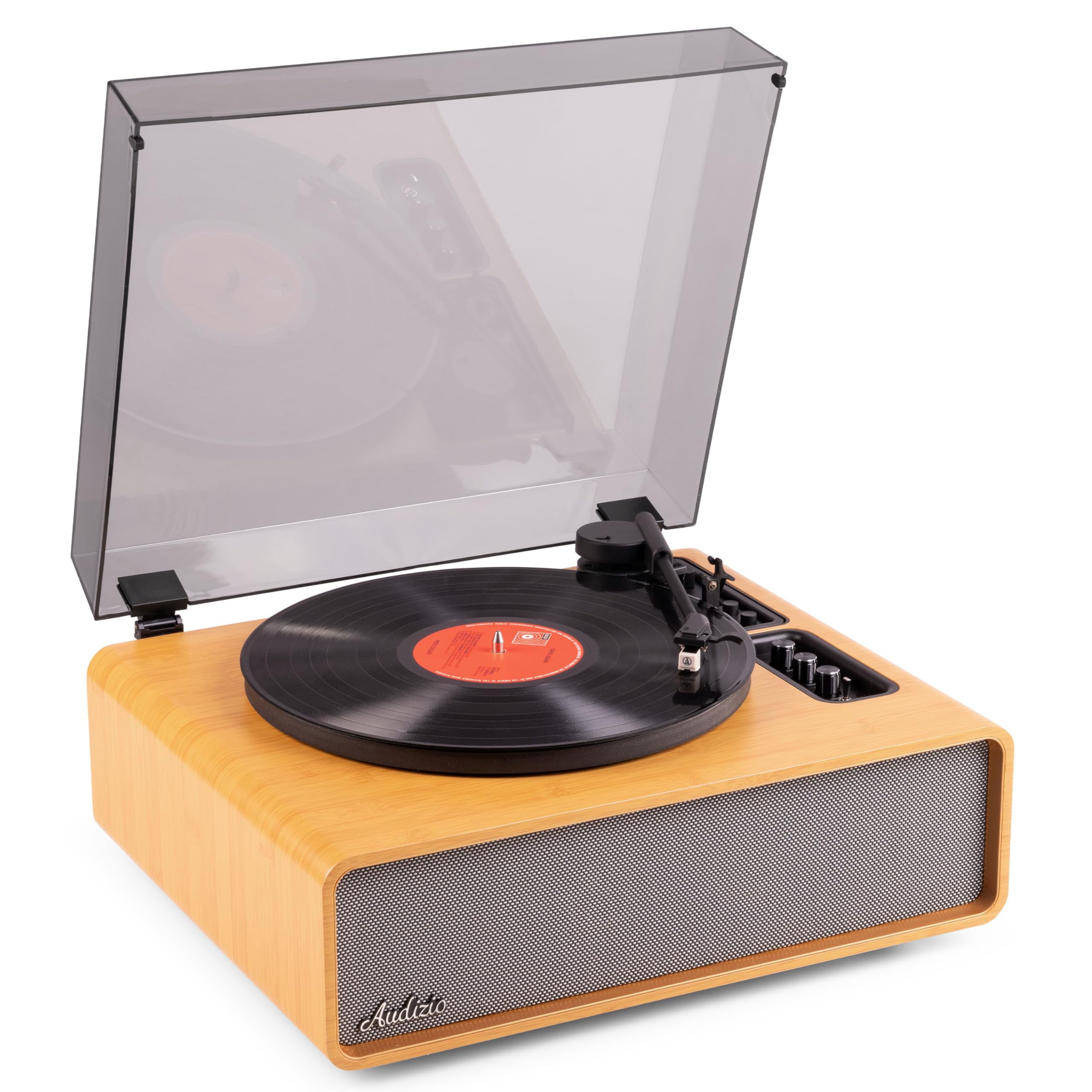
Figure 1.1: Audizio Laredo Turntable, overall view.
2. Bezpečnostní pokyny
Please read and follow these safety instructions carefully to prevent damage to the unit and ensure your safety.
- Nevystavujte jednotku dešti ani vlhkosti, abyste předešli požáru nebo úrazu elektrickým proudem.
- Neotevírejte casing. Uvnitř nejsou žádné součásti, které by mohl uživatel opravit. Veškerý servis svěřte kvalifikovanému personálu.
- Place the unit on a stable, level surface to prevent it from falling.
- Chraňte jednotku před přímým slunečním zářením, zdroji tepla a nadměrným prachem.
- Zajistěte dostatečné větrání kolem jednotky. Neblokujte větrací otvory.
- Používejte pouze dodaný napájecí adaptér.
- Odpojte jednotku během bouřky s blesky nebo pokud se delší dobu nepoužívá.
3. Konec produktuview
Familiarize yourself with the components and controls of your Audizio Laredo turntable.
Hlavní komponenty:
- Talíř: Podporuje vinylové desky.
- Rameno: Drží kazetu a stylus.
- Cartridge & Stylus: Reads the grooves of the record. (Audio Technica ATN-3600)
- Protiprachový kryt: Chrání talíř a raménko před prachem.
- Integrované reproduktory: Pro přímé přehrávání zvuku.
- Ovládací panel: For power, volume, tone, and mode selection.
- Zadní připojení: RCA Line Out, AUX In, Power Input.

Obrázek 3.1: Nahoře view of the turntable with key components visible.

Figure 3.2: Control Panel for volume, bass, and treble adjustments.

Figure 3.3: Audio Technica ATN-3600 Cartridge and Stylus.

Figure 3.4: Tonearm base with speed and auto-stop controls.

Figure 3.5: Rear connection panel.
4. Nastavení
4.1 Vybalení
- Opatrně vyjměte gramofon z obalu.
- Remove all protective materials, including the stylus guard.
- Uschovejte si obal pro budoucí přepravu nebo skladování.
4.2 Umístění
- Place the turntable on a stable, level surface to prevent vibrations and ensure proper playback.
- Avoid placing the unit near strong magnetic fields, heat sources, or areas with high humidity.
4.3 Instalace protiprachového krytu
- Align the hinges of the dust cover with the slots on the back of the turntable.
- Gently push down until the cover is securely in place.
- The dust cover can be removed for playback if desired.

Figure 4.1: Turntable with dust cover.
4.4 Připojení napájení
- Connect the power adapter to the DC IN port on the rear of the turntable.
- Plug the adapter into a suitable wall outlet (220V).
4.5 Nastavení raménka a přenosky
- The Audio Technica cartridge is pre-installed.
- The tonearm features an adjustable counterweight. Refer to the detailed instructions in the included manual for precise counterweight adjustment to optimize tracking force.
5. Návod k obsluze
5.1 Přehrávání desky
- Place a vinyl record on the platter. If playing a 7-inch single, use the included 45 RPM adapter.
- Select the appropriate speed (33 or 45 RPM) using the speed selector switch near the tonearm base.
- Jemně zvedněte raménko přenosky pomocí páčky pro nastavení tónu.
- Position the tonearm over the desired track of the record.
- Pomalu spusťte raménko přenosky pomocí páčky pro přehrávání. Jehla se dotkne desky a spustí se přehrávání.
- Na konci desky funkce automatického zastavení automaticky zastaví otáčení talíře. Zvedněte raménko a vraťte ho do klidové polohy.

Figure 5.1: Playing a vinyl record.
5.2 Bluetooth Operation (Bidirectional)
The Laredo turntable supports both Bluetooth input (receiving audio from a device) and Bluetooth output (sending audio to a Bluetooth speaker/headphones).
Bluetooth Input (BT IN):
- Press the MODE/POWER button to select Bluetooth mode. The LED indicator will flash.
- On your smartphone or tablet, enable Bluetooth and search for 'Audizio Laredo'.
- Select the turntable to pair. Once connected, the LED will glow solid.
- You can now stream audio from your device to the turntable's integrated speakers.
Bluetooth Output (BT OUT):
- Ujistěte se, že vaše Bluetooth sluchátka nebo reproduktor jsou v režimu párování.
- Set the BT OUT switch (located near the tonearm base) to 'ON'.
- The turntable will automatically search for and connect to the nearest Bluetooth audio device.
- Once connected, the audio from your vinyl record will be transmitted to your Bluetooth device.

Figure 5.2: Bidirectional Bluetooth functionality.
5.3 Vstup AUX
- Connect an external audio device (e.g., MP3 player, CD player) to the AUX IN port on the rear of the turntable using a 3.5mm audio cable.
- Press the MODE/POWER button to select AUX mode.
- Audio from the external device will play through the turntable's speakers.
5.4" RCA linkový výstup
- To connect the turntable to an external amplifier or powered speakers, use an RCA cable (not included) to connect the LINE OUT ports on the rear of the turntable to the corresponding input on your audio system.
- Ensure the 'Speaker ON/OFF' switch on the rear is set to 'OFF' if you only want sound from external speakers.
5.5 Ovládání hlasitosti a tónů
- Use the VOLUME knob on the control panel to adjust the overall playback volume.
- Adjust the BASS and TREBLE knobs to fine-tune the audio output to your preference.
6. Údržba
6.1 Čištění jednotky
- Otřete protiprachový kryt a skříň měkkým, suchým hadříkem.
- Nepoužívejte abrazivní čisticí prostředky, vosky ani rozpouštědla.
- For the platter, use a slightly damp hadříkem a důkladně osušte.
6.2 Stylus Care and Replacement
- Stylus je citlivá součástka. Zacházejte s ním opatrně.
- Clean the stylus regularly using a soft brush designed for stylus cleaning, brushing from back to front.
- A stylus typically lasts for approximately 300-500 hours of playback. If you notice a decrease in sound quality or increased skipping, it may be time to replace the stylus.
- Replacement styli (e.g., Audio Technica ATN-3600L or compatible) can be purchased from authorized dealers. Refer to the detailed instructions provided with the replacement stylus for installation.
7. Řešení problémů
If you encounter issues with your turntable, please consult the following table before contacting support.
| Problém | Možná příčina | Řešení |
|---|---|---|
| Žádná síla | Power adapter not connected; Power outlet not working. | Ujistěte se, že je napájecí adaptér bezpečně připojen k zařízení a k funkční zásuvce. |
| Žádný zvuk z reproduktorů | Volume too low; Speaker ON/OFF switch is OFF; Incorrect mode selected. | Increase volume; Set 'Speaker ON/OFF' switch to ON; Select correct input mode (Phono, BT IN, AUX). |
| Přeskakování záznamů | Record is dirty or damaged; Stylus is worn or dirty; Turntable not level; Tracking force incorrect. | Clean record; Clean or replace stylus; Place turntable on a level surface; Adjust tonearm counterweight. |
| Problémy s párováním pomocí rozhraní Bluetooth | Device too far; Turntable not in pairing mode; Interference. | Ensure devices are within range; Re-enter pairing mode; Turn off other Bluetooth devices. |
| Zkreslení zvuku | Volume too high; Stylus worn; Record damaged. | Reduce volume; Replace stylus; Try a different record. |
8. Specifikace
Technical specifications for the Audizio Laredo Turntable.
| Funkce | Specifikace |
|---|---|
| Název modelu | Laredo (101.537) |
| Rozměry (D x Š x V) | 43.2 x 43.2 x 21 cm (17 x 17 x 8.3 palce) |
| Hmotnost produktu | 7.65 kg (16.86 lb) |
| Materiál | Wood (Bamboo finish) |
| Rychlosti rotace | 33 RPM, 45 RPM |
| Typ kazety | Audio Technica (ATN-3600) |
| Typ motoru | Řemenový pohon |
| Formát signálu | Analogový |
| Integrované reproduktory | Yes, 160W total output |
| Verze Bluetooth | 5.4 (obousměrný) |
| Konektivita | Bluetooth (In/Out), RCA Line Out, AUX In |
| Zdroj napájení | Kabelové elektrické |
| svtage | 220 voltů |
| Kompatibilní zařízení | Speakers, Headphones, Smartphone, Tablet |
9. Záruka a podpora
9.1 Informace o záruce
This Audizio Laredo Turntable comes with a 2-letá záruka from the date of purchase. This warranty covers manufacturing defects and faults under normal use. It does not cover damage caused by misuse, accidents, unauthorized modifications, or normal wear and tear (e.g., stylus wear).
Uschovejte si prosím doklad o koupi pro uplatnění záruky.
9.2 Zákaznická podpora
If you have any questions, require technical assistance, or need to make a warranty claim, please contact your retailer or visit the official Audizio webweb s podpůrnými zdroji a kontaktními informacemi.
Official Audizio Webmísto: www.audizio.com