
1. Úvod
This manual provides essential information for setting up, operating, maintaining, and troubleshooting your FIREBAT U6B 16-inch QHD Laptop. Please read this guide thoroughly to ensure optimal performance and longevity of your device.
2. Konec produktuview
The FIREBAT U6B is a high-performance 16-inch laptop designed for various computing needs. It features a lightweight metal chassis and a vibrant QHD display.

Obrázek 2.1: Přední strana view of the FIREBAT U6B laptop.

Obrázek 2.2: Přesview of the FIREBAT U6B Ultrabook's main features.
2.1. Porty a konektory
The laptop is equipped with a variety of ports for connectivity:
- Levá strana: USB-A 3.2 Gen2 (10Gbps) x 1, USB-C 3.2 Gen2 (10Gbps) x 1 (with DP1.4 video output and 100W PD), HDMI 2.1 TMDS x 1
- Pravá strana: Kensington Security Lock x 1, 3.5mm 2-in-1 Combo Audio Jack x 1, USB-A 2.0 x 1, TF Card Slot x 1, USB-A 3.2 Gen1 (5Gbps) x 1, USB-C 3.2 Gen1 (5Gbps) x 1 (with DP1.4 video output and 100W PD)
Obrázek 2.3: Detailní view of the laptop's ports and their functions.
3. Nastavení
3.1. Rozbalení a počáteční kontrola
- Carefully remove the laptop and accessories from the packaging.
- Zkontrolujte notebook, zda není fyzicky poškozen.
- Ensure all included accessories (power adapter, manual) are present.
3.2. Připojení napájecího adaptéru
Connect the provided 100W GaN power adapter to the USB-C port on the laptop and then to a power outlet. It is recommended to fully charge the battery before first use.
3.3. První spuštění a nastavení operačního systému
Press the dedicated power button to turn on the laptop. Follow the on-screen instructions to complete the Windows 11 initial setup, including language, network connection, and user account creation.
4. Návod k obsluze
4.1. Zapnutí/vypnutí
- Zapnutí: Press the dedicated power button located on the keyboard.
- Vypnout: Klikněte na tlačítko Start ve Windows a poté vyberte Napájení > Vypnout.
- Režim spánku: Close the laptop lid or click the Windows Start button, then select Power > Sleep.
4.2. Klávesnice a touchpad
The laptop features a full-size backlit keyboard and a high-precision touchpad.
- Podsvícená klávesnice: Use the dedicated function key (usually Fn + a specific F-key) to adjust the backlight brightness or turn it on/off.
- Touchpad: Supports multi-touch gestures for navigation and control. Refer to Windows settings for customization.

Figure 4.1: The backlit keyboard and touchpad.
4.3. Režimy výkonu
You can switch between different performance modes by pressing Fn + Q to optimize for battery life or performance:
- Eko režim: Maximizes battery life by reducing power consumption. Ideal for light tasks and extended use.
- Režim rovnováhy: Offers a balance between performance and power efficiency. Suitable for everyday tasks.
- High Performance Mode: Provides maximum power for demanding applications and gaming.

Figure 4.2: Switching between performance modes using Fn+Q.
5. Vlastnosti výkonu
5.1. Procesor
The FIREBAT U6B is powered by a robust AMD Ryzen 5 6600H processor, featuring 6 cores and 12 threads, with a maximum boost clock of 4.5GHz. This ZEN 3+ architecture-based CPU delivers strong performance for multitasking, productivity, and entertainment.

Figure 5.1: AMD Ryzen 5 6600H processor specifications.
5.2. Grafika
Integrovaný Grafická karta AMD Radeon 660M with 1900MHz clock speed handle visual tasks, supporting complex design software, UHD video editing, and casual gaming.
5.3. Displej
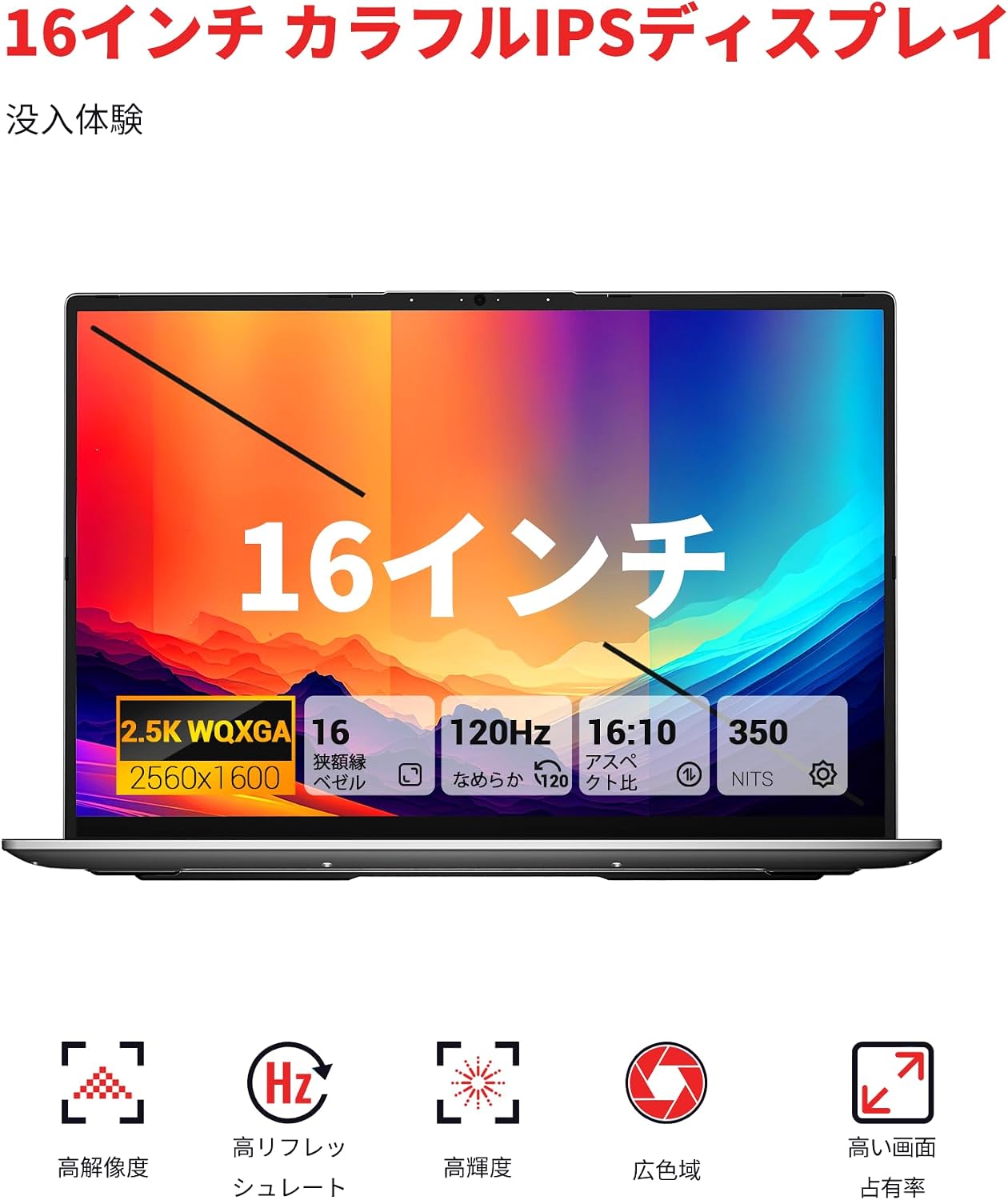
Experience superior visuals on the 16-inch QHD+ (2560x1600) IPS display. It offers a smooth 120Hz refresh rate and 100% sRGB color accuracy for vivid and detailed images.

Figure 5.2: Key display features for an immersive visual experience.

Figure 5.3: The 16:10 aspect ratio and 2560x1600 high resolution.
5.4. Chladicí systém
The laptop incorporates an efficient cooling system with dual fans and dual heat pipes. This design maintains stable temperatures and minimizes noise, ensuring quiet operation even under load.
6. Úložiště a paměť
The FIREBAT U6B is equipped with high-speed memory and expandable storage:
- BERAN: 16GB LPDDR5 6400MHz RAM provides instant responsiveness for applications.
- Skladování: A 512GB PCIe 3.0 SSD is pre-installed. The laptop features dual M.2 2280 NVMe PCIe 4.0 slots, allowing for easy storage upgrades.

Figure 6.1: High-speed memory and expandable storage options.
7. Konektivita
Zůstaňte ve spojení s následujícími funkcemi:
- Bezdrátový: Wi-Fi 6 (802.11ax) for fast and stable internet, and Bluetooth 5.2 for connecting peripherals.
- Kabelové porty: As detailed in Section 2.1, including HDMI 2.1 and dual USB-C ports with DisplayPort and Power Delivery capabilities.
- Podpora více monitorů: The laptop supports connecting up to three external monitors simultaneously via HDMI 2.1 and the two USB-C (DP) ports.

Figure 7.1: Connecting up to three external monitors for expanded workspace.
8. Řízení spotřeby
The FIREBAT U6B is designed for portability and efficient power usage:
- Baterie: Equipped with a 58Wh (5050mAh) lithium-ion battery.
- Nabíjení: Comes with a compact 100W GaN fast charger for quick power replenishment.
- Režimy napájení: Utilize the Eco, Balance, and High Performance modes (Fn+Q) to manage power consumption according to your needs.

Figure 8.1: Battery capacity information.
9. Údržba
Regular maintenance helps prolong the life and performance of your laptop:
- Čištění: Gently wipe the screen with a microfiber cloth. Use a soft brush or compressed air to clean the keyboard and ventilation grilles. Avoid harsh chemicals.
- Aktualizace softwaru: Keep your Windows operating system and device drivers updated to ensure security and optimal performance.
- Správa úložiště: Pravidelně mažte nepotřebné files and empty the recycle bin to free up storage space.
- Péče o baterie: Vyhněte se častému úplnému vybíjení baterie. Pro dlouhodobé skladování nabijte baterii na přibližně 50–60 %.
10. Řešení problémů
Tato část se zabývá běžnými problémy, se kterými se můžete setkat:
| Problém | Možné řešení |
|---|---|
| Notebook se nezapne. | Ujistěte se, že je napájecí adaptér bezpečně připojen a baterie je nabitá. Zkuste jinou zásuvku. |
| Displej je prázdný nebo bliká. | Check display settings in Windows. If using an external monitor, ensure cables are connected correctly. Try updating graphics drivers. |
| Výkon systému je pomalý. | Close unnecessary applications. Check for background processes. Ensure the cooling vents are not obstructed. Switch to High Performance mode (Fn+Q). |
| Wi-Fi nebo Bluetooth nefunguje. | Toggle Wi-Fi/Bluetooth on/off in Windows settings. Restart the laptop. Update wireless drivers. |
| Podsvícení klávesnice nefunguje. | Press the dedicated function key (e.g., Fn + F-key) to activate or adjust the backlight. |
11. Specifikace
| Funkce | Detail |
|---|---|
| Značka | FIREBAT |
| Název modelu | U6B |
| Velikost obrazovky | 16 palce |
| Barva | Šedá |
| Kapacita pevného disku | 512 GB |
| Model CPU | Ryzen 5 (6600H) |
| Velikost nainstalované paměti RAM | 16 GB LPDDR5 6400MHz |
| Operační systém | Windows 11 |
| Speciální funkce | HD Audio, Backlit Keyboard, Lightweight |
| Popis grafické karty | Integrated (AMD Radeon 660M) |
| Hmotnost produktu | 1.7 kg |
| Rozměry produktu (DxŠxV) | 36 x 25 x 1.9 cm |
| Display Max Resolution | 2560x1600 pixelů |
| Obnovovací frekvence | 120 Hz |
| Barevný gamut | 100% sRGB |
| Bezdrátová komunikace | Bluetooth 5.2, Wi-Fi 6 (802.11ax) |
| USB porty | 5 (including USB-C with DP/PD) |
| HDMI porty | 1 2.1 (HDMI XNUMX) |
| M.2 Sloty | 2 (NVMe PCIe 4.0) |
| Typ baterie | Lithium Metal (58.33 Wh) |
| Zahrnuté komponenty | Laptop x1, Power Adapter x1 |
12. Záruka a podpora
Your FIREBAT U6B laptop comes with a Záruka 12 měsíců od data nákupu.
For technical support, warranty claims, or any inquiries, please contact us:
- E-mail: support@firebatpc.com
- Webmísto: www.firebatpc.com
Please have your product model (U6B) and purchase information ready when contacting support.


