
1. Úvod
Welcome to the user manual for your new Nothing Phone (4a) Pro. This guide provides essential information on setting up, operating, maintaining, and troubleshooting your device. Please read this manual thoroughly to ensure optimal performance and longevity of your smartphone.
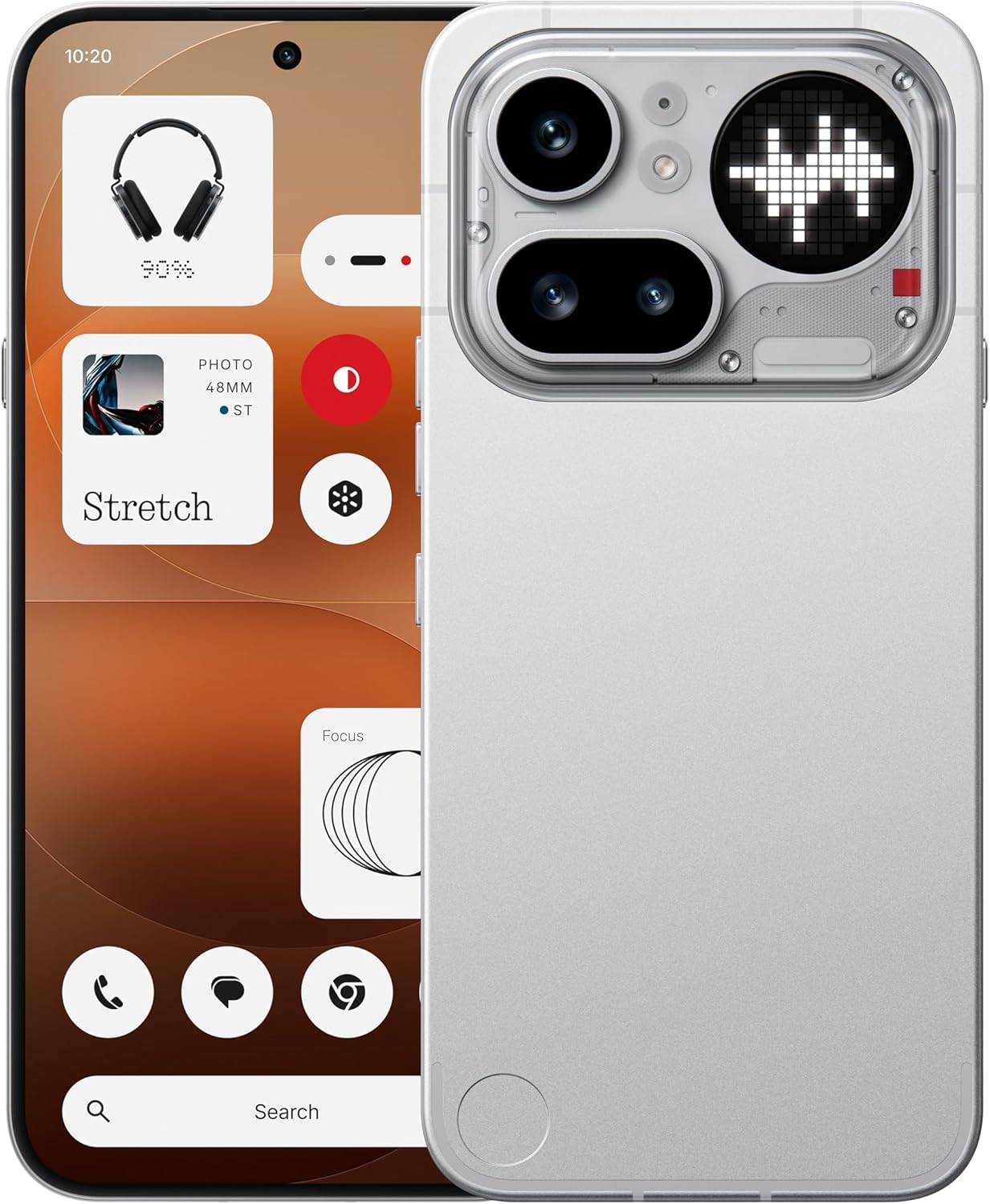
Obrázek 1.1: Přední view of the Nothing Phone (4a) Pro. This image displays the sleek design and full-screen display of the device.
2. Obsah krabice
Ověřte, zda váš balíček obsahuje následující položky:
- Nothing Phone (4a) Pro Handset
- Nothing USB-C Cable
- Pouzdro na telefon
- Předem nanesená ochranná fólie na displej
- Nástroj pro vysunutí SIM karty
- Bezpečnostní informace
- Záruční list
3. Počáteční nastavení
3.1. Vložení SIM karty
- Vyhledejte držák SIM karty na boku telefonu.
- Vložte dodaný nástroj pro vysunutí SIM karty do malého otvoru v zásobníku a jemně zatlačte, dokud zásobník nevyskočí.
- Place your Nano SIM card(s) into the tray with the gold contacts facing down. The Phone (4a) Pro supports Dual Nano SIM.
- Opatrně zatlačte zásobník zpět do telefonu, dokud nezacvakne na místo.
3.2. Zapnutí zařízení
Stiskněte a podržte Tlačítko napájení located on the side of the phone until the Nothing logo appears on the screen. Follow the on-screen instructions to complete the initial setup, including language selection, Wi-Fi connection, and Google account setup.
3.3. Nabíjení baterie
Before first use, it is recommended to fully charge your device. Connect the Nothing USB-C cable to the phone's USB Type-C port and the other end to a compatible power adapter (sold separately). The phone supports quick charging.
4. Obsluha vašeho zařízení
4.1. Základní navigace
The Nothing Phone (4a) Pro features a responsive touchscreen. Use gestures such as tapping, swiping, pinching, and spreading to navigate the interface, open apps, and interact with content.
4.2. In-Display Fingerprint Sensor
Your device is equipped with an in-display fingerprint sensor for secure unlocking and authentication. To set up, navigate to Nastavení > Zabezpečení > Otisk prstu a postupujte podle pokynů k registraci otisku prstu (otisků prstů).
4.3. Operační systém
The Nothing Phone (4a) Pro runs on Nothing OS based on Android 16, offering a clean and intuitive user experience with access to a wide range of applications via the Google Play Store.

Obrázek 4.1: Nadview of Nothing Phone (4a) Pro key features, including the triple camera system, 140x ultra zoom, 5080 mAh battery with 50W fast charge, Snapdragon 7 Gen 4 processor, essential AI tools, Nothing OS on Android 16, 6.83" 1.5K flexible AMOLED display, and Google Gemini + ChatGPT integration.
5. Funkce fotoaparátu
The Nothing Phone (4a) Pro is equipped with an advanced camera system to capture high-quality photos and videos.
5.1. Systém zadní kamery
The rear camera setup includes a 50MP main sensor, a 50MP ultra-wide sensor, and an 8MP telephoto sensorMezi klíčové vlastnosti patří:
- OIS + EIS: Optical Image Stabilization and Electronic Image Stabilization for steady shots.
- Automatické zaostření: Fast and accurate focusing.
- Ultra XDR: Enhanced dynamic range for vibrant images.
- 7X In-sensor Zoom: High-quality zoom without loss of detail.
- 70X Ultra Zoom: Extended zoom capabilities for distant subjects.
- Nahrávání 4K videa: Capture high-resolution videos.
5.2. Přední kamera
The front camera features a 32MP sensor, podporující 1080p video recording at 30fps/60fps with Ultra XDR, ideal for selfies and video calls.

Obrázek 5.1: Diagram illustrating the Pro 3-Camera System of the Nothing Phone (4a) Pro, highlighting the 50 MP OIS Periscope Camera, 50 MP OIS Sony Main Camera, 120° Sony Ultra-Wide Camera, and 32 MP Front Camera.
6. Zobrazení a výkon
6.1. Displej
Zařízení je vybaveno 6.83-inch 144Hz flexible LTPS AMOLED display s rozlišením 1260 x 2800 pixelů and a pixel density of 450 ppi. This provides sharp visuals, smooth scrolling, and an immersive viewzkušenosti.
6.2. Výkon
Provozováno na Qualcomm Snapdragon 7 Gen 4 octa-core processor with a clock speed of up to 2.8 GHz, the Phone (4a) Pro delivers robust performance for multitasking, demanding applications, and gaming. It is complemented by 12GB LPDDR5X RAM a 256 GB interní paměti.
7. Baterie a nabíjení
The Nothing Phone (4a) Pro is equipped with a 5400mAh lithium-iontová baterie, což poskytuje delší dobu používání. Podporuje rychlé nabíjení via the USB Type-C port, allowing for rapid power replenishment.
8. Konektivita
Your device offers comprehensive connectivity options:
- Síť: Dual Nano SIM, 5G, 4G VoLTE
- Bezdrátový: Wi-Fi 6, Bluetooth v5.4
- Porty: USB Type-C (OTG compatible)
- Navigace: GPS
9. Údržba a péče
9.1. Voděodolnost
The Nothing Phone (4a) Pro is rated as Vodě odolný. While it can withstand splashes and light rain, it is not fully waterproof. Avoid submerging the device in water or exposing it to high-pressure water jets.
9.2. Čištění
To clean your phone, use a soft, lint-free cloth. Avoid using abrasive materials, solvents, or aerosol sprays, as these can damage the screen or finish.
9.3. Podmínky prostředí
Operate and store your device within recommended temperature ranges. Extreme heat or cold can affect battery life and overall performance.
10. Řešení problémů
If you encounter issues with your Nothing Phone (4a) Pro, try the following basic troubleshooting steps:
- Zařízení se nezapíná: Ujistěte se, že je baterie nabitá. Připojte nabíječku a před opětovným zapnutím počkejte několik minut.
- Obrazovka nereaguje: Restart the device by pressing and holding the Power button for approximately 10-15 seconds.
- Problémy se sítí: Check if your SIM card is properly inserted. Try toggling Airplane Mode on and off. Ensure you have network coverage.
- Pád aplikace: Close and reopen the app. If the issue persists, clear the app's cache and data in Nastavení > Aplikace.
- Pomalý výkon: Close unnecessary background apps. Restart your device. Consider performing a factory reset as a last resort (note: this will erase all data on your phone).
11. Specifikace
| Funkce | Detail |
|---|---|
| Značka | Nic |
| Model | Phone (4a) Pro |
| Operační systém | Android 16 |
| Procesor | Qualcomm Snapdragon 7 Gen 4 Octa-core (up to 2.8 GHz) |
| BERAN | 12 GB LPDDR5X |
| Interní úložiště | 256 GB |
| Velikost displeje | 6.83 palce |
| Typ zobrazení | Flexible LTPS AMOLED |
| Rozlišení displeje | 1260 x 2800 pixelů |
| Obnovovací frekvence | 144 Hz |
| Zadní kamera | 50MP + 50MP + 8MP (OIS + EIS, Ultra XDR, 7X in-sensor zoom, 70X ultra zoom, 4K video) |
| Přední kamera | 32MP (1080p video at 30fps/60fps, Ultra XDR) |
| Kapacita baterie | 5400 mAh lithium-iontová |
| Nabíjení | Quick Charging, USB Type-C |
| Konektivita | 5G, Dual SIM, Wi-Fi 6, Bluetooth v5.4, OTG, GPS |
| Zabezpečení | Snímač otisků prstů na displeji |
| Voděodolnost | Vodě odolný |
| Rozměry | 16.4 x 7.8 x 0.8 centimetrů |
| Hmotnost | 190 gramů |
12. Informace o záruce
The Nothing Phone (4a) Pro comes with a 1letá záruka výrobce from the date of purchase. This warranty covers manufacturing defects under normal use. Please refer to the included Warranty Card for detailed terms and conditions, exclusions, and how to claim warranty services.
13. Podpora
For further assistance, technical support, or service inquiries, please visit the official Nothing support website or contact their customer service. Keep your purchase receipt and warranty card handy when seeking support.